The newest update to Windows 11, version 25H2, isn’t a huge departure from the previous version, 24H2. Despite this, Windows 11 remains the most popular operating system, while older versions like Windows 10 are no longer officially supported. Knowing that popularity doesn’t always mean everyone is happy, I recently asked our audience what their biggest frustrations are with Windows 11.
I was surprised by the volume of feedback I received. I expected some pushback with Windows 11 – it hadn’t fully won over all its long-time users, and some of the issues went beyond just personal preference. But honestly, reading through everyone’s comments really helped me get a clearer picture of what’s going on.
I was familiar with complaints about Windows 11’s hardware requirements, particularly the need for TPM 2.0, and the resulting concerns about older PCs becoming obsolete. However, our community pointed out other, often overlooked problems that significantly impacted their experience. I realize I hadn’t fully considered these issues, and that needs to be addressed. I’m starting by doing a clean install of Windows 11 and turning on all available features.
I followed all of Microsoft’s recommended settings when I first set up Windows 11. Surprisingly, it ended up being easier – I mostly just left the settings as they were, without changing much. It felt a little odd, though, because I usually disable location tracking and diagnostics, but I decided to go with the defaults this time.
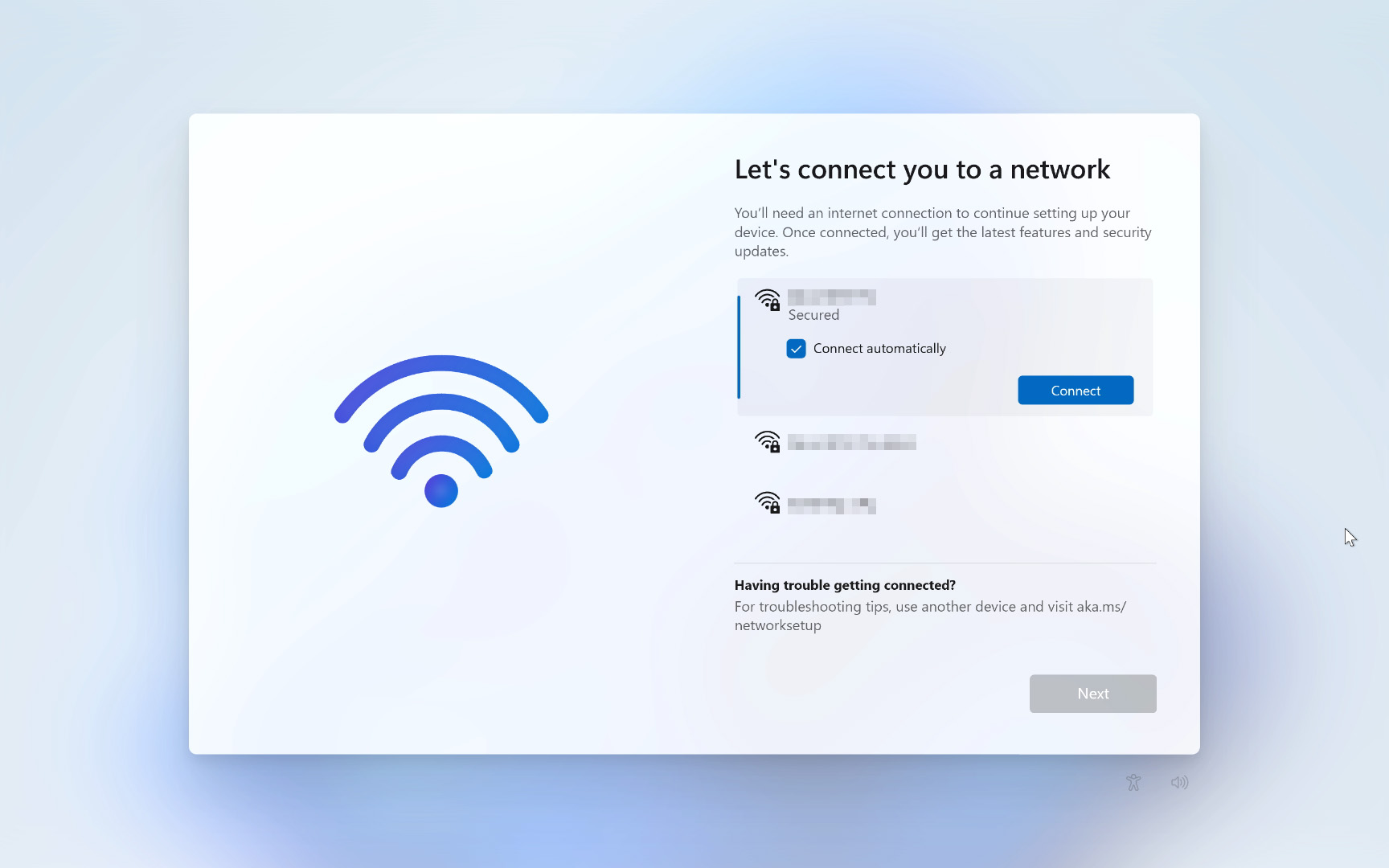
Let’s look at what Microsoft asks you to do (and sometimes requires) during Windows 11 setup, to see which annoyances are the biggest problems and easiest to fix. The first few steps are pretty standard – choosing your region and keyboard. But the fourth screen is a common frustration: the insistent “Let’s connect you to a network” prompt that’s becoming increasingly difficult to skip.
Mandatory Internet connections
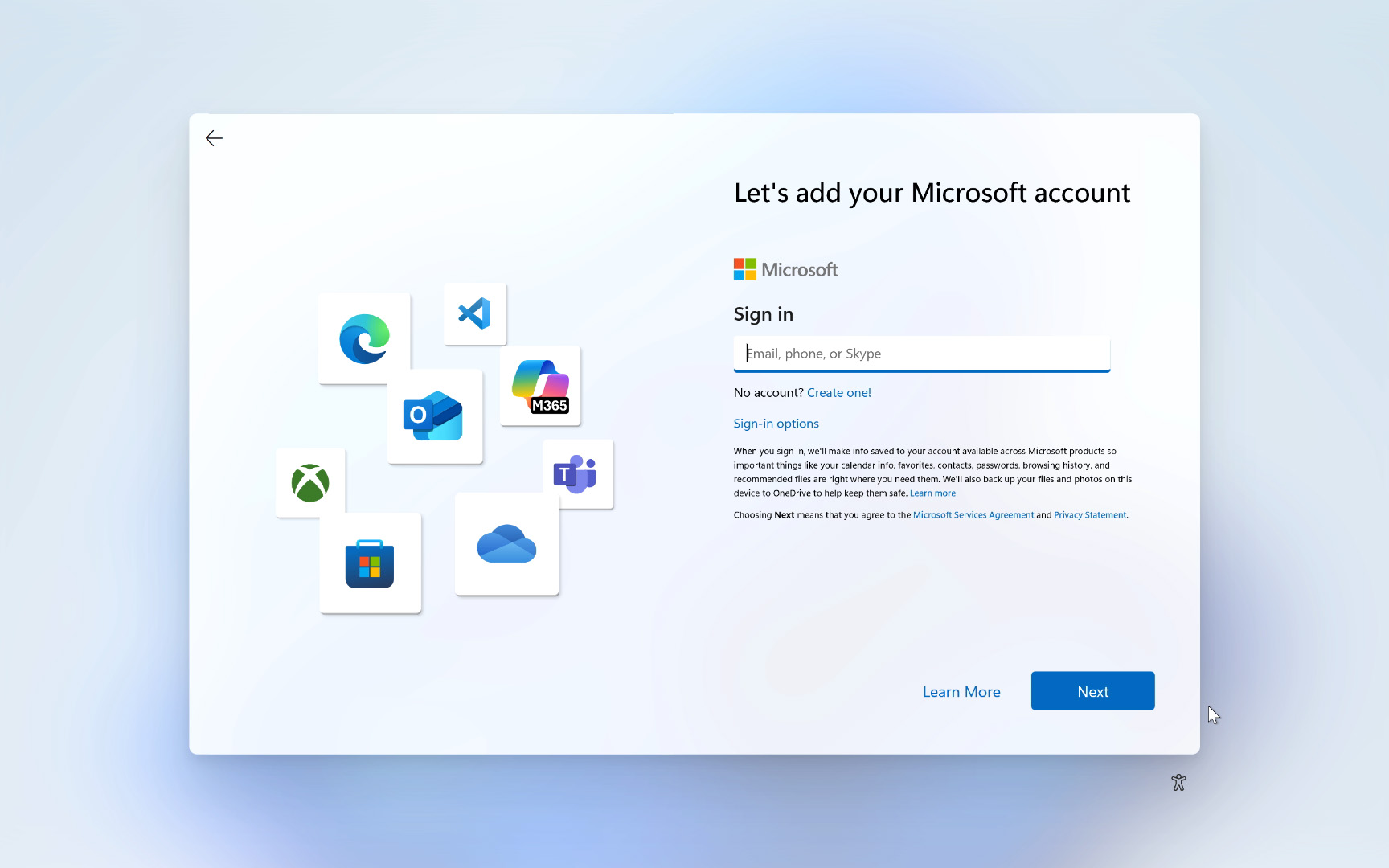
Many people search for ways to install Windows 11 without creating a Microsoft account. It’s become trickier recently, as Microsoft has blocked common methods like using the “oobe\bypassnro” and “start ms-cxh:localonly” commands. I used to rely on the latter, but it’s being removed in newer versions of Windows 11 (25H2). So, I now keep a USB drive with an older Windows 11 version (24H2) handy, then update to 25H2 after installation.
Microsoft has actively worked to eliminate local accounts, and they’ve done it more than once. This pattern points to a future with less user control, potentially including more intrusive features, advertisements, data tracking, and reduced flexibility for users.
dohet, Windows Central community member
A significant issue with Windows 11 quickly surfaced: it requires an internet connection during setup. This is a particularly annoying requirement from Microsoft. If you don’t have access to Wi-Fi or an Ethernet cable, you won’t be able to complete a new Windows installation.
While Windows 11 Pro has allowed joining a domain, this wasn’t meant as a way for regular users to avoid creating a Microsoft account, and it didn’t always work reliably. Now, a working internet connection is required to initially set up Windows 11 Home, which creates a problem for anyone without internet access – and there are many legitimate reasons why someone might not have it.
Can I install Windows 11 without a Microsoft account?
If you install an older version of Windows 11, such as 24H2, you can still bypass the requirement to sign in with a Microsoft account. During the setup process, press Shift+F10 to open the Command Prompt. Then, type start ms-cxh:localonly and press Enter. This will display a screen where you can create a local user account with an optional password.
Privacy and diagnostic data collection
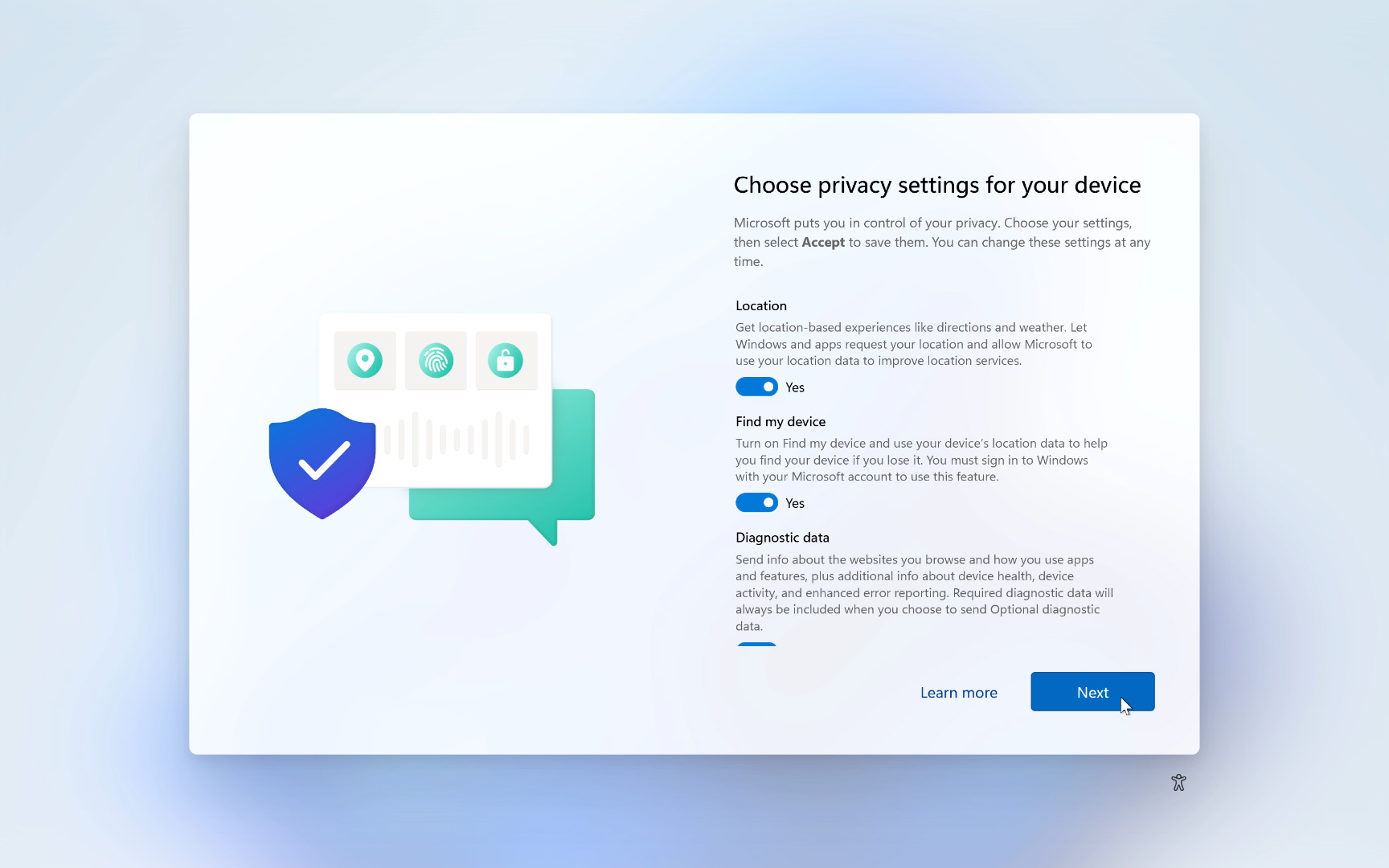
People are raising concerns about data collection in Windows, and it’s not a new issue – it existed in Windows 10 too. The introduction of Microsoft Copilot and other AI features is making these concerns even stronger, because AI systems need a lot of user data to learn. After just a few interactions, you’ll encounter a key settings screen regarding this.
How do [Microsoft] get away with all the spying and telemetry?
WiseInTheWays, Windows Central community member
Microsoft automatically collects optional diagnostic data by default, including information about the websites you visit and how you use apps. This is alongside two other settings that are turned on automatically, which share your location for advertising and to help you find your devices. This feature is especially useful for phones and tablets, but less so for desktop computers.
Location services usually work well, but I prefer using my Android phone for things like checking the weather instead of relying on Windows 11 widgets. The biggest concern, though, is the optional diagnostic data collection – it understandably makes people question what information is being gathered from a paid operating system.
Can I still disable tracking in Windows 11?
After you set up Windows 11, you can turn off data tracking features – these aren’t set in stone. You can also easily disable location services by going to the Privacy & security section in the Settings app.
Recall (preview) for Copilot+ PCs
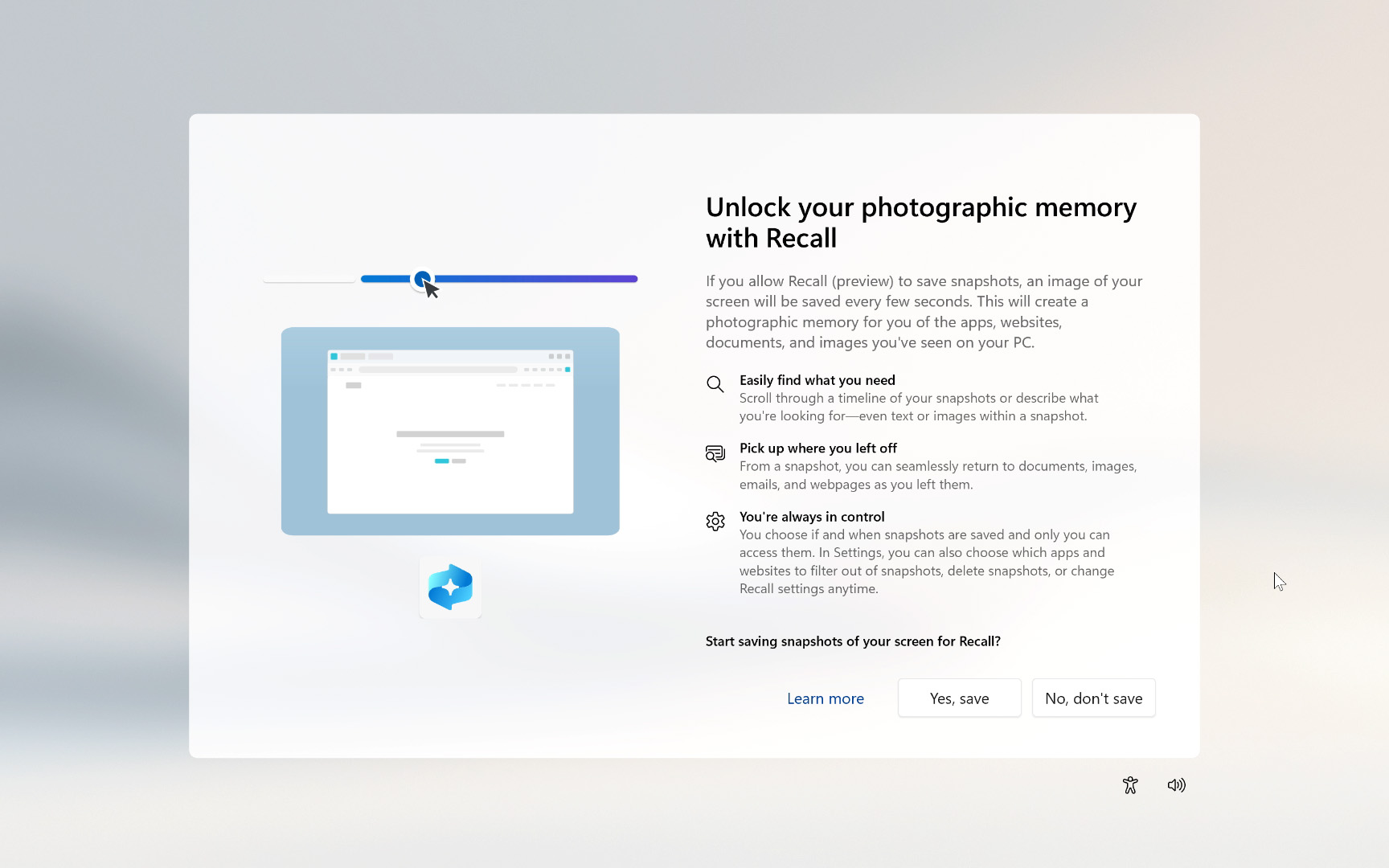
Windows Recall is a major feature for Windows 11 that recently launched after being delayed for a year. It’s available on newer ‘Copilot+’ PCs (AI PCs with a powerful NPU capable of at least 45 TOPS) and works by taking visual snapshots of everything you do, letting you easily search and revisit past moments on your computer.
Okay, so I’ve been digging into Windows Recall, and while it has some cool potential, it’s not something everyone *automatically* gets when setting up Windows 11. You actually have to actively choose whether or not to enable it – you can’t just skip the question. What’s interesting is that everything Recall does happens right on your computer, which is great for privacy. However, it *does* mean anyone with physical access to your unlocked PC could potentially see those ‘snapshots’ it’s been taking, so keep that in mind!
Can I disable Windows Recall?
As an analyst, I’ve found you can turn off Windows Recall by going into the Settings app. Specifically, you’ll want to head to the ‘Privacy & security’ section, then find the ‘Recall & snapshots’ menu and disable the ‘Save Snapshots’ feature. It’s a pretty straightforward process.
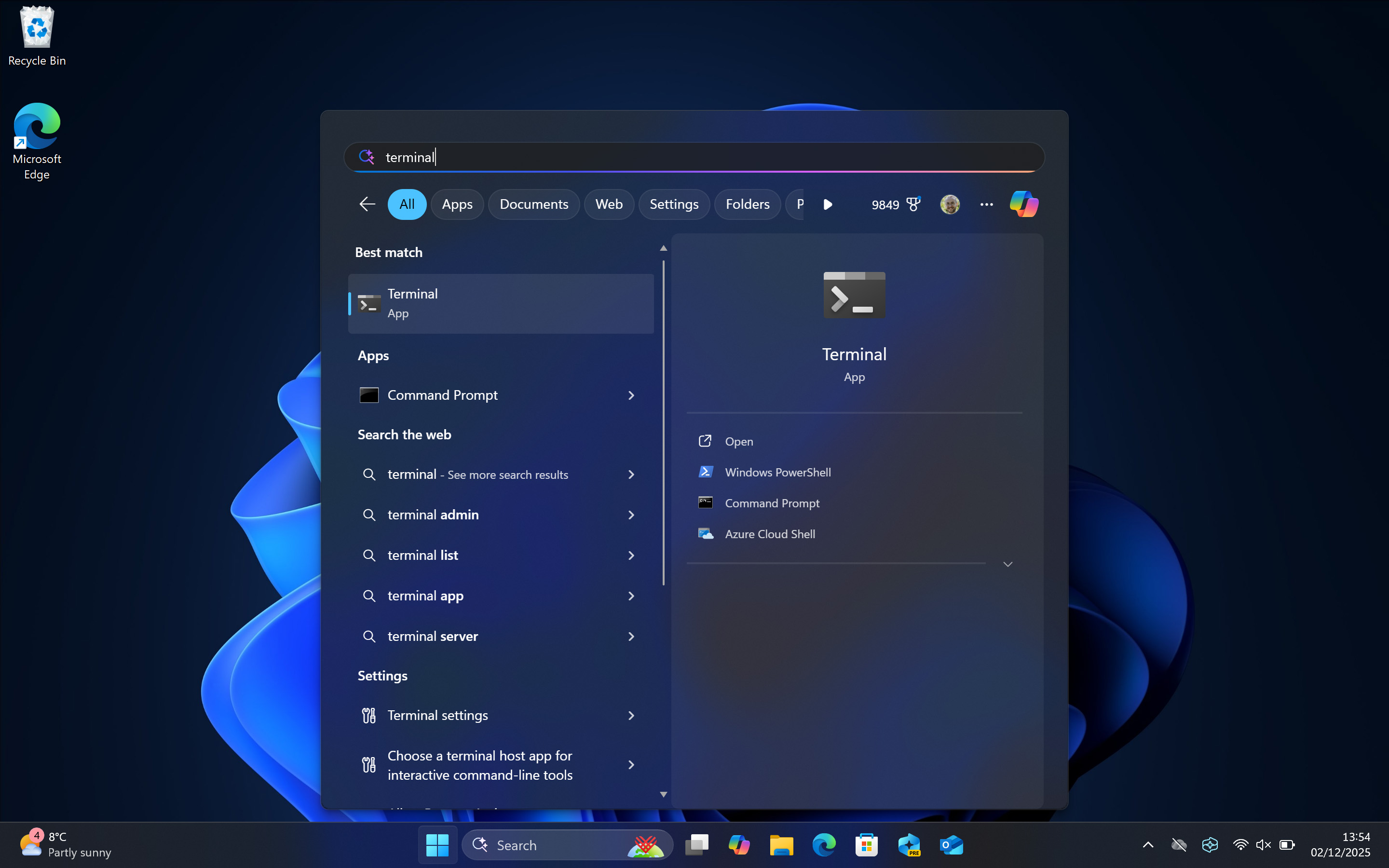
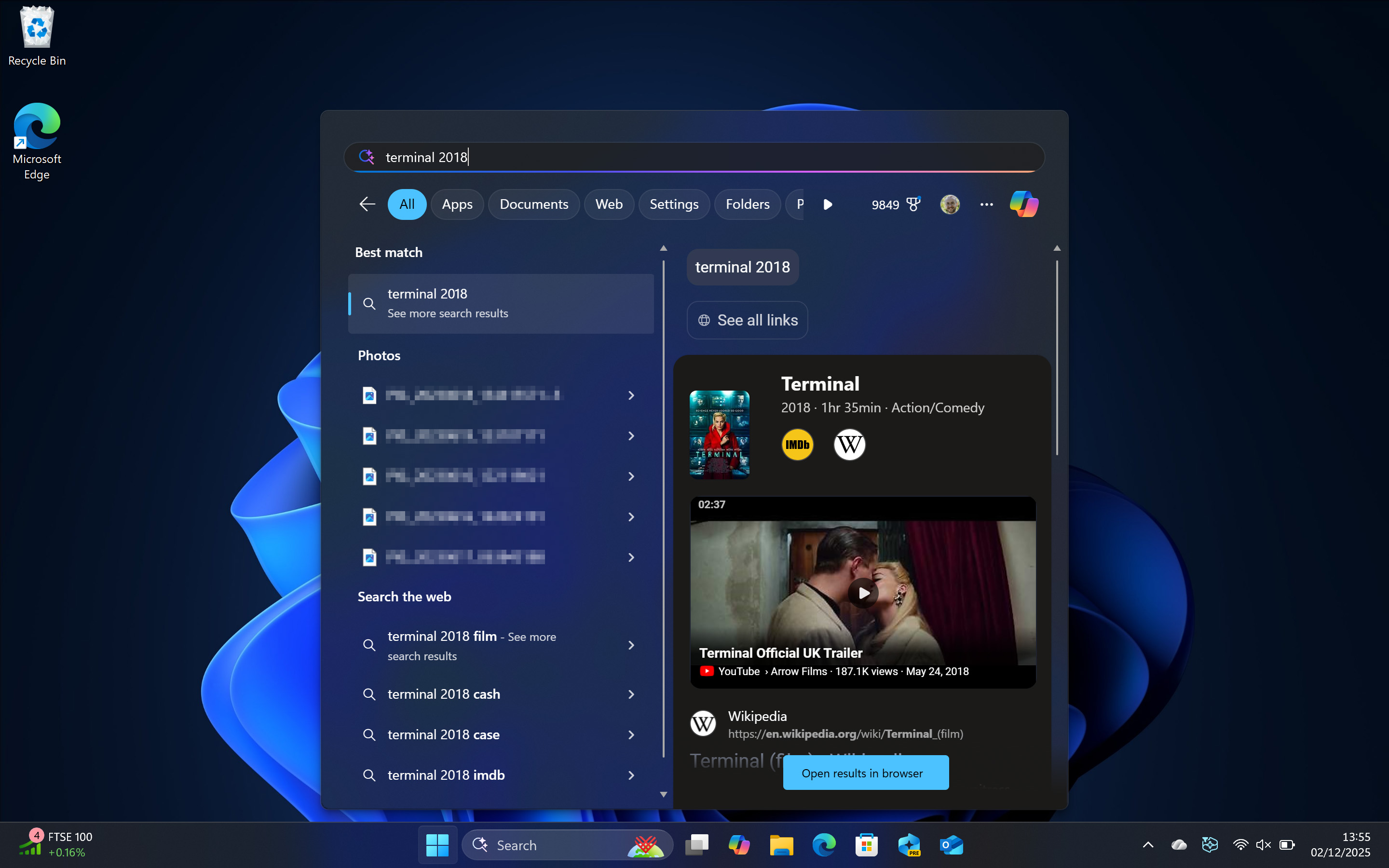
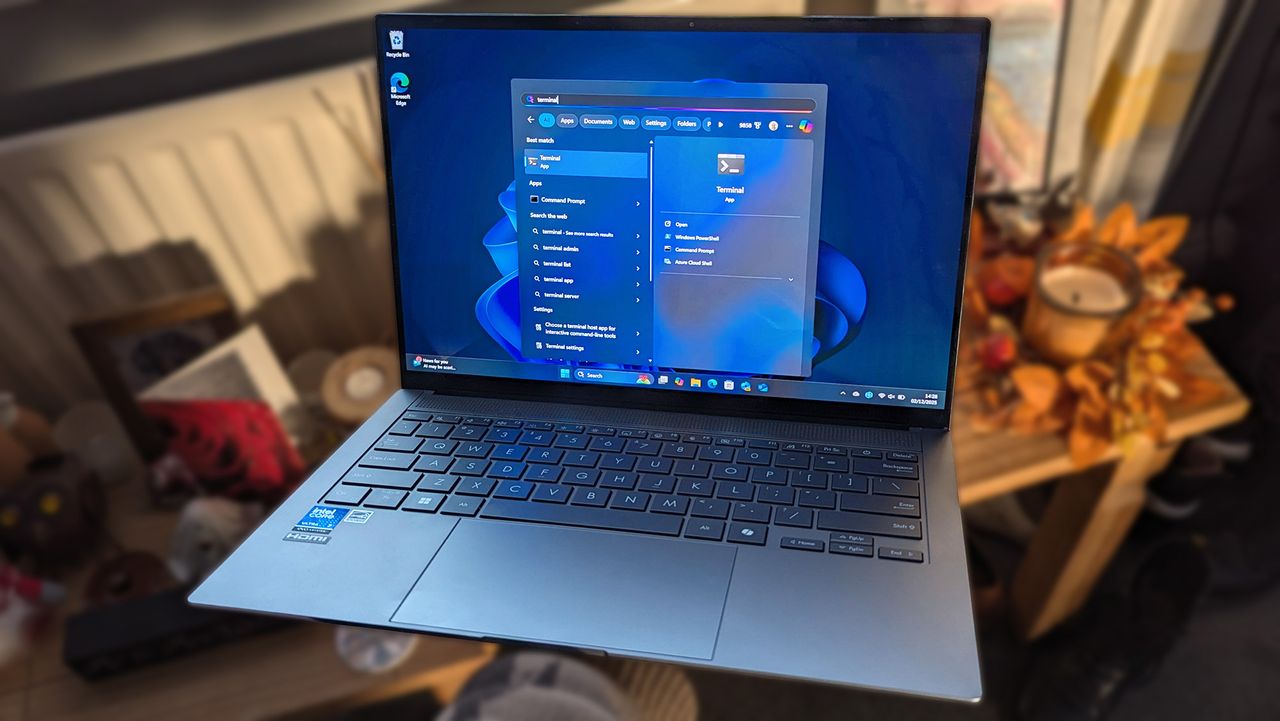
But wait, what happens if I search for ‘terminal’ in the Start menu?
When I simply type ‘terminal’ into Windows, it opens the Terminal app. If I search for something more detailed, like ‘terminal movie’ or ‘terminal 2018’, Windows shows me web results for the film, just like it should.
While most Windows 11 setup features can be customized or turned off with some effort, the requirements for an internet connection and the removal of traditional local accounts are difficult to justify. I personally reinstall Windows 11 from scratch about every six months, but I’m a fairly experienced computer user who does this regularly.
As an analyst, I’ve noticed a lot of unnecessary panic surrounding Windows, similar to what we see with other major tech products. A lot of the concerns are exaggerated or simply inaccurate. Looking ahead to Windows 12, or whatever Microsoft releases next, I think they need to be really careful about how they integrate their AI features. If it’s not done smoothly, I expect a lot of pushback from dedicated users and predictions of people switching away. Whether that actually happens is another question – I personally still use Linux alongside Windows, and enjoy the benefits of both operating systems.
Read More
- The Super Mario Galaxy Movie: 50 Easter Eggs, References & Major Cameos Explained
- Sydney Sweeney’s The Housemaid 2 Sets Streaming Release Date
- 10 Best Free Games on Steam in 2026, Ranked
- Why is Tech Jacket gender-swapped in Invincible season 4 and who voices her?
- All 13 Smash Bros. Characters in the Super Mario Galaxy Movie
- Welcome to Demon School! Iruma-kun season 4 release schedule: When are new episodes on Crunchyroll?
- Dune 3 Gets the Huge Update Fans Have Been Waiting For
- Highly Anticipated Strategy RPG Finally Sets Release Date (And It’s Soon)
- Forza Horizon 6 ‘Prologue’ gameplay
- WTH?! Twitter Drops Fake Daredevil: Born Again Season 2 Spoilers as Character Return Confirmed
2025-12-02 18:11