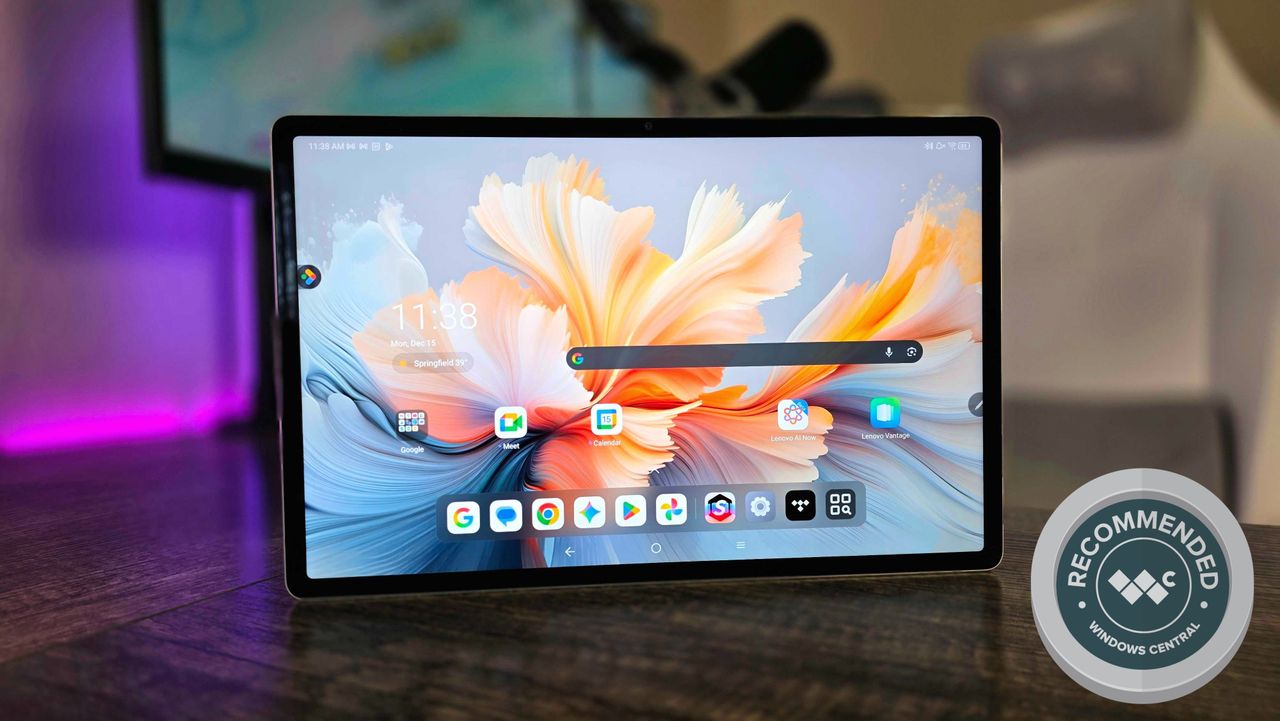
Lots of people own Android or iPad tablets for fun, games, and creative projects. However, when it’s time to be productive, most still prefer using laptops or computers with Windows or macOS.
Companies are definitely working to combine the features of different devices – like tablets and laptops – into a single, do-it-all machine. The Lenovo Yoga Tab Plus (Gen 1) is one example: it’s a high-end Android tablet that comes with a stand and keyboard, letting you use it almost like a laptop.
Many people have tried to switch from Windows laptops to tablets, and I wanted to see if I could too, especially with Lenovo now using the “Yoga” name on these devices. What I discovered wasn’t surprising, though: excellent hardware limited by software that isn’t quite ready for this type of device yet.
Lenovo provided us with a sample unit to review, but had no influence over the content of this review before it was published.
Beautiful hardware that’s priced just right
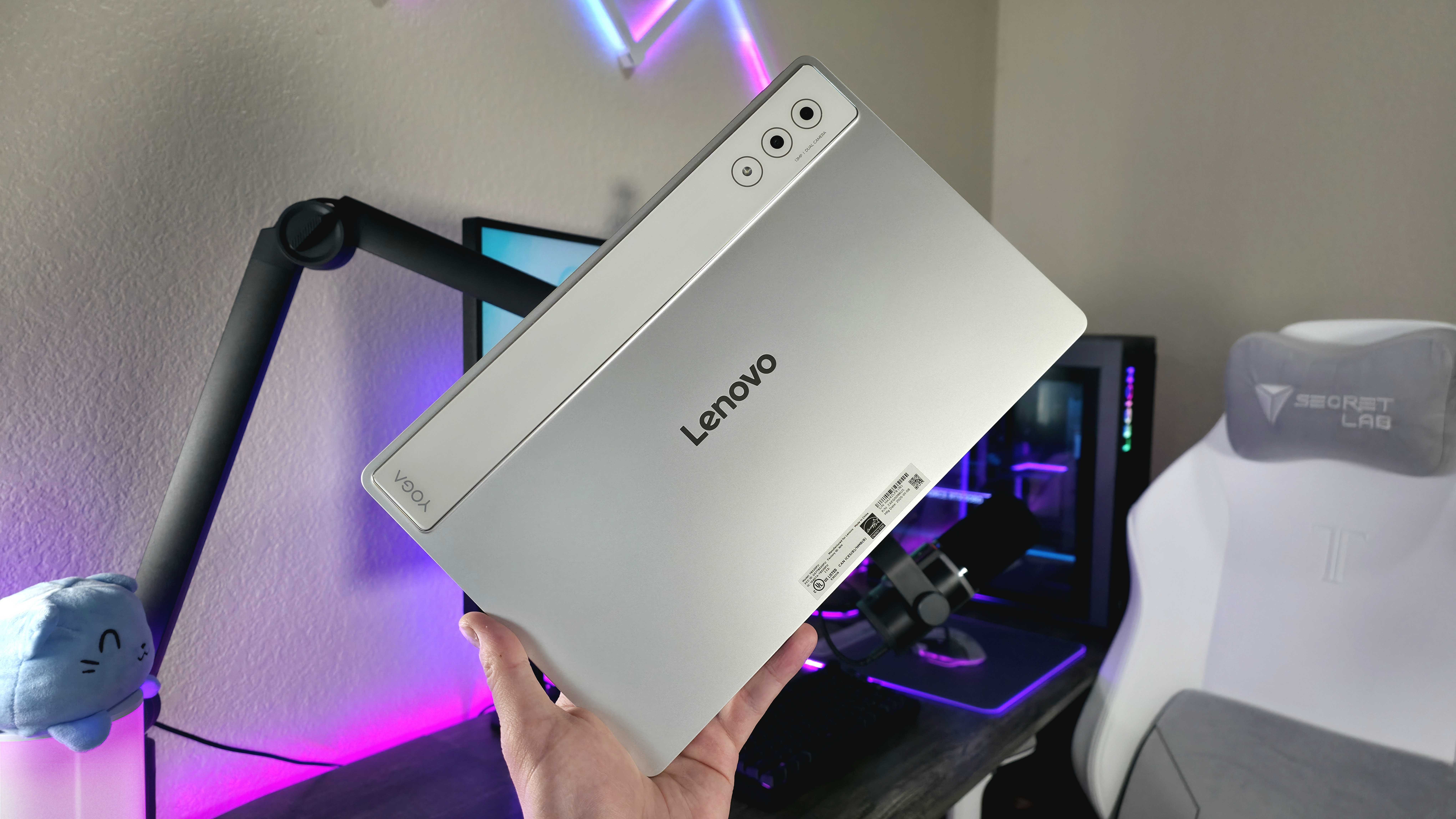
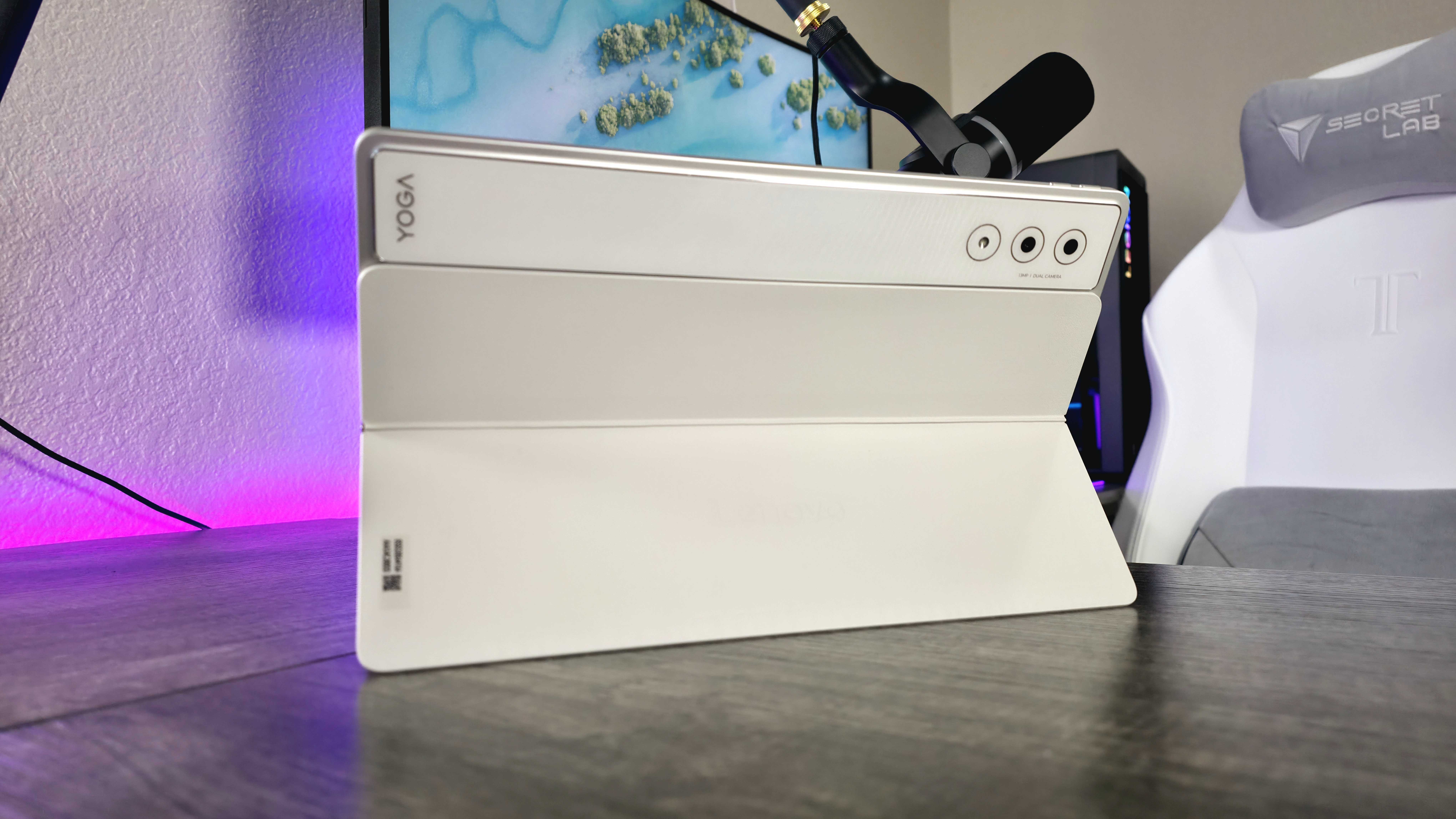
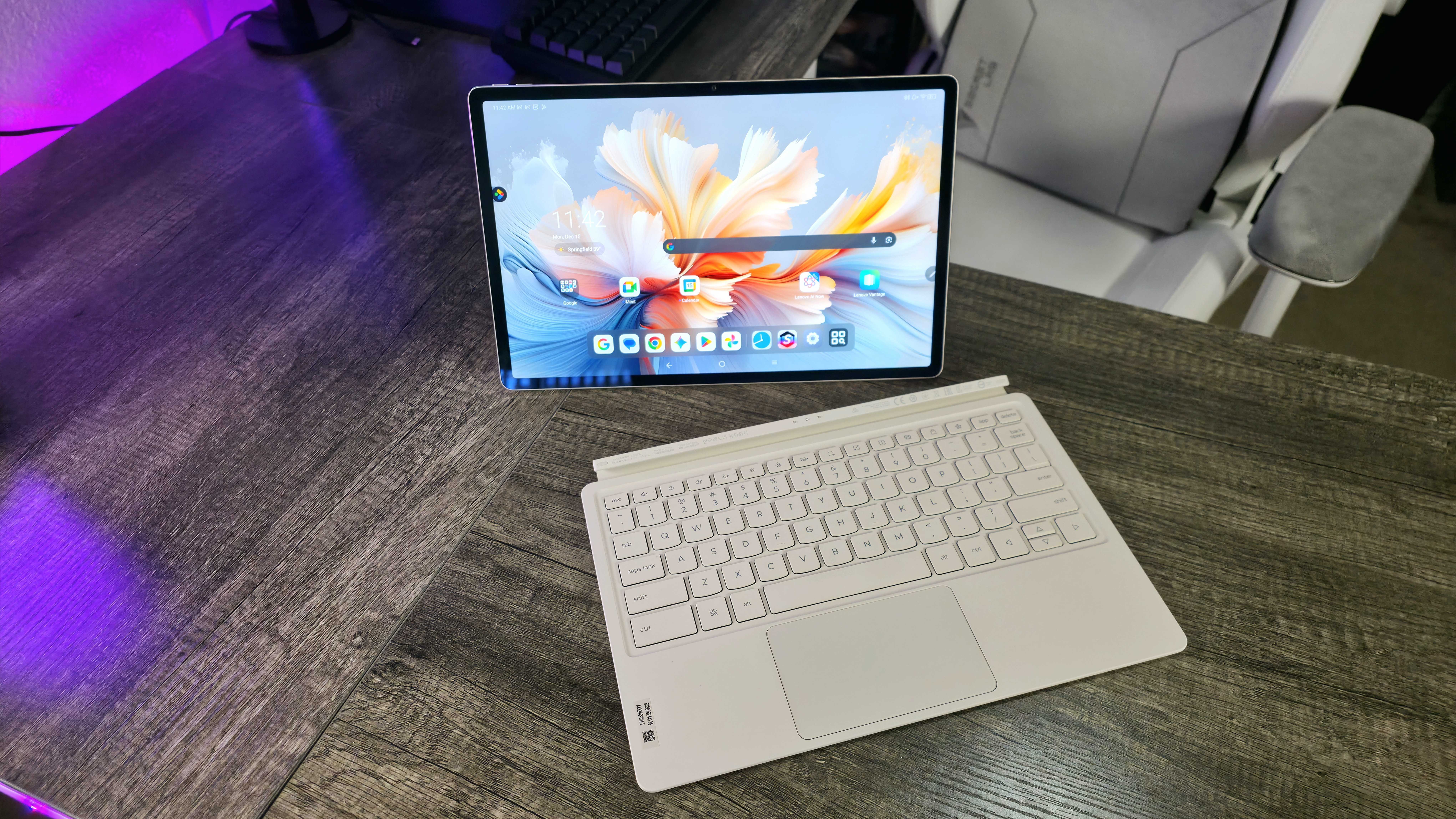
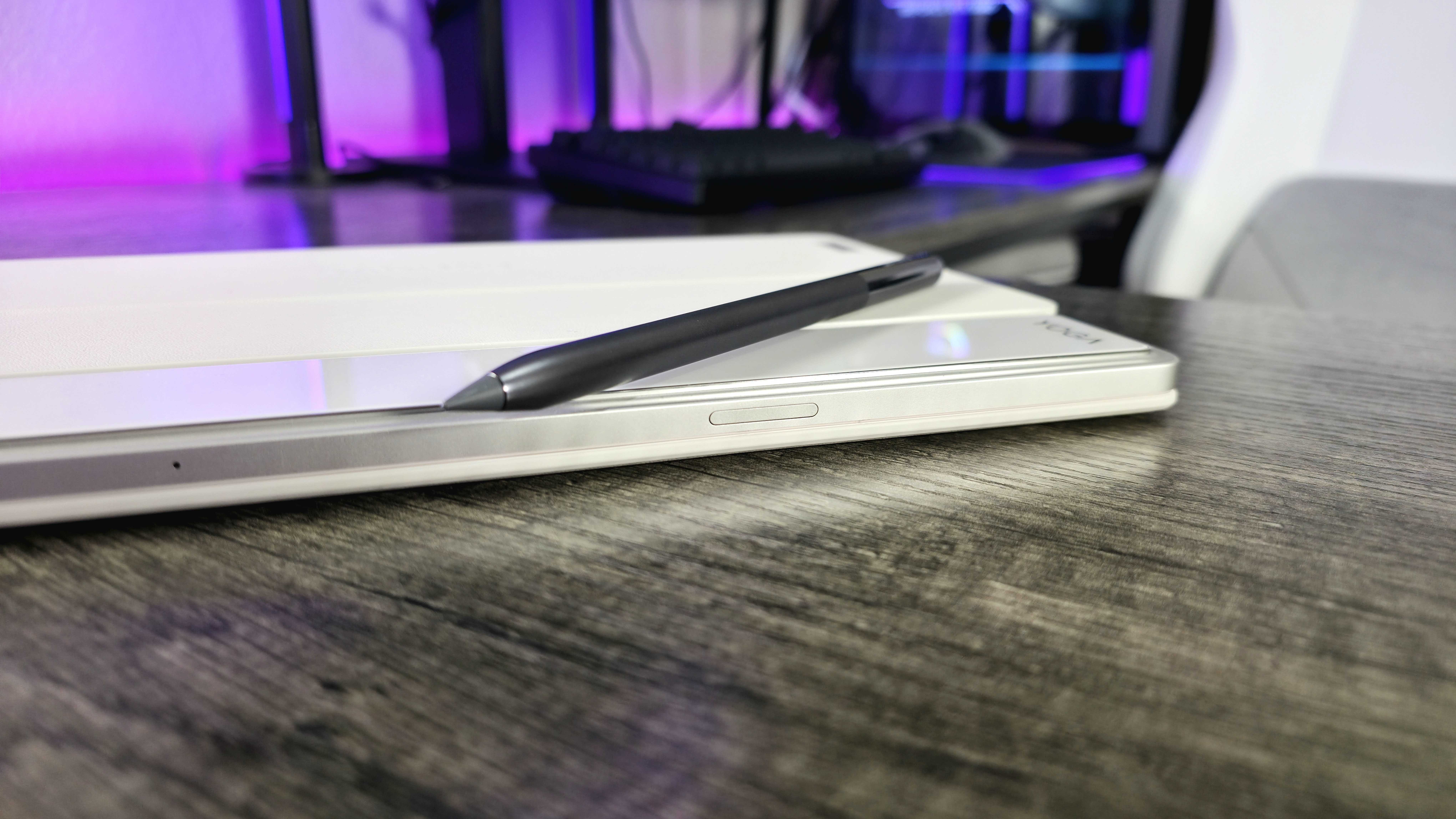
The Lenovo Yoga Tab Plus is a 12.7-inch Android tablet designed to go up against high-end devices like the iPad Pro and Samsung Galaxy Tab S. While it doesn’t have quite as many features or a polished feel as those competitors, it’s available at a lower price.
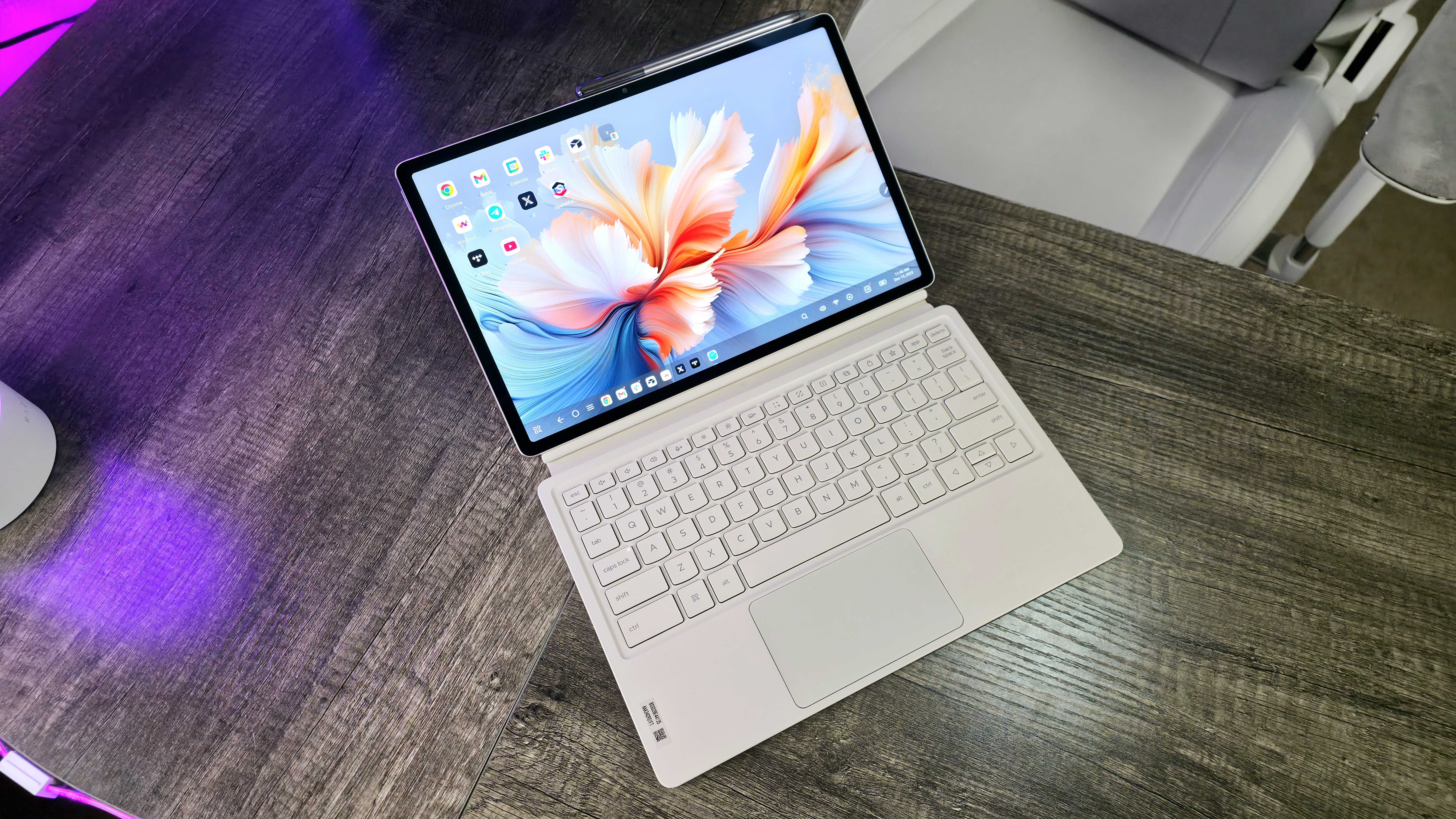
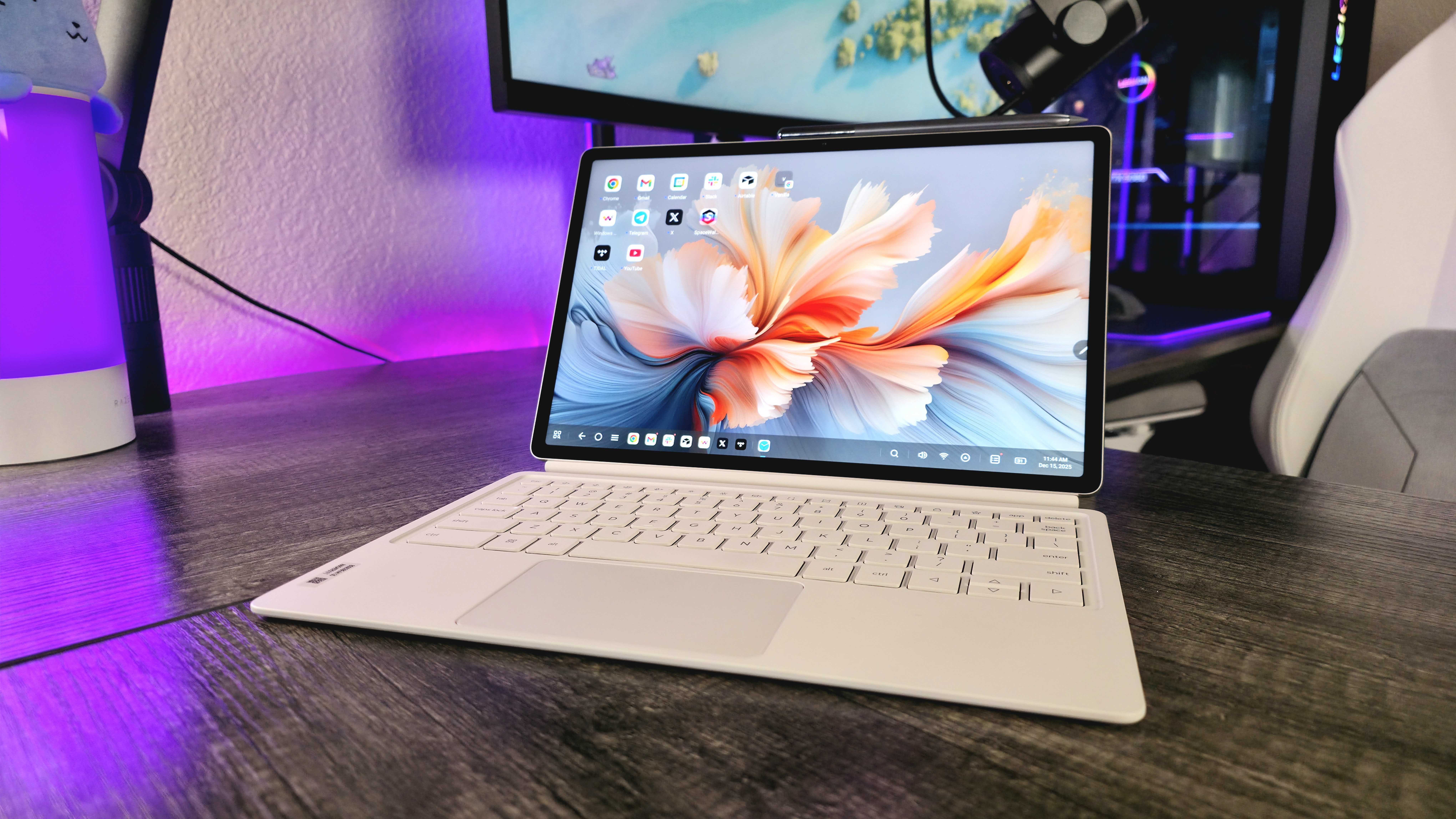
Lenovo has created a really impressive device with the Yoga Tab Plus. It feels premium thanks to its aluminum and glass design, and it’s thoughtfully built with features like a six-speaker sound system, a power button with a fingerprint reader on the side, and magnets that seamlessly connect the included accessories.
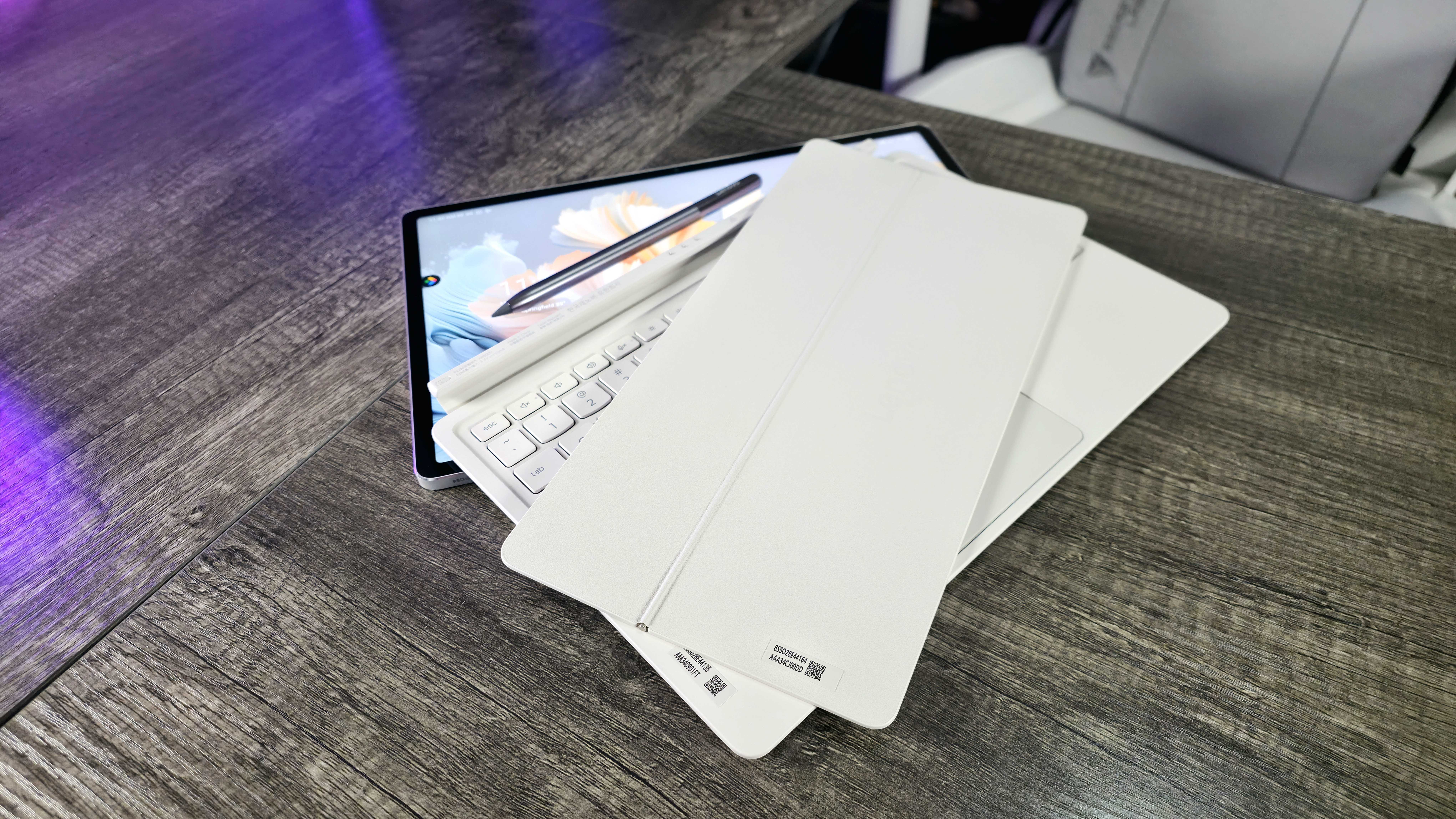
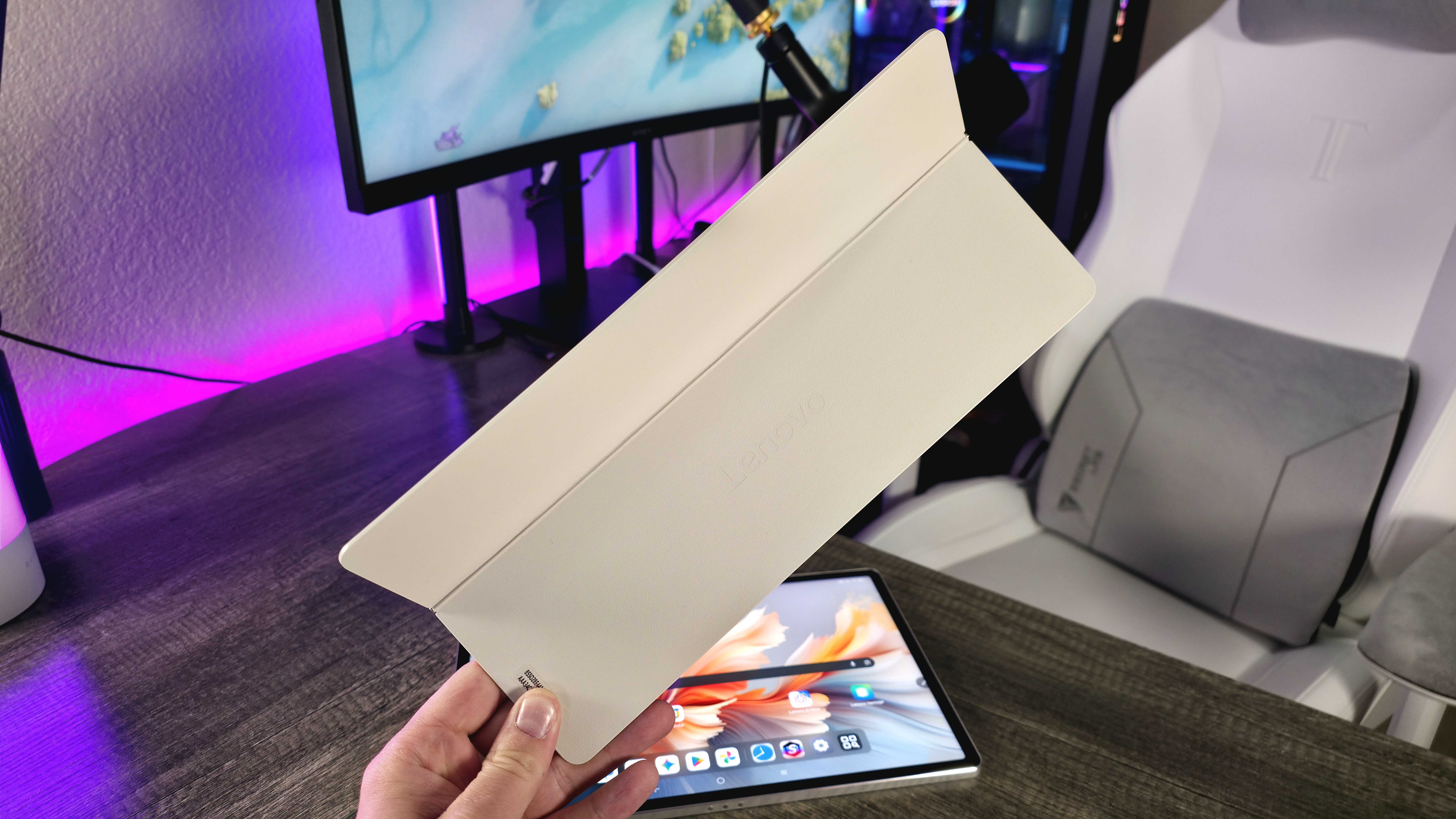
Lenovo includes everything you need right in the box – the Lenovo Tab Pen Pro, a magnetic kickstand, a full-sized keyboard, and a 45W USB-C charger. These accessories would normally be quite expensive to buy separately, so it’s great that they’re all included, and they’re all high-quality too.
The Tab Pen Pro is a comfortable stylus that feels solid and well-made. It conveniently attaches to and wirelessly charges on the Yoga Tab Plus, and works great overall. My main issue is that it uses a small, touch-sensitive area for quick commands instead of traditional buttons, which can sometimes be unreliable and frustrating.
The kickstand and keyboard are separate accessories, which is a smart design choice by Lenovo. Unlike many cases that combine everything into one bulky unit, this split design is much more versatile. I particularly like the kickstand – it’s sleek, attaches magnetically to the back of the Yoga Tab Plus, and can be used independently for watching videos or gaming without the keyboard getting in the way.
I really like the keyboard – the layout is logical, the keys are comfortable to type on, and the touchpad works well. It would be great if it had backlighting, but overall, Lenovo did a good job with the keyboard and touchpad.
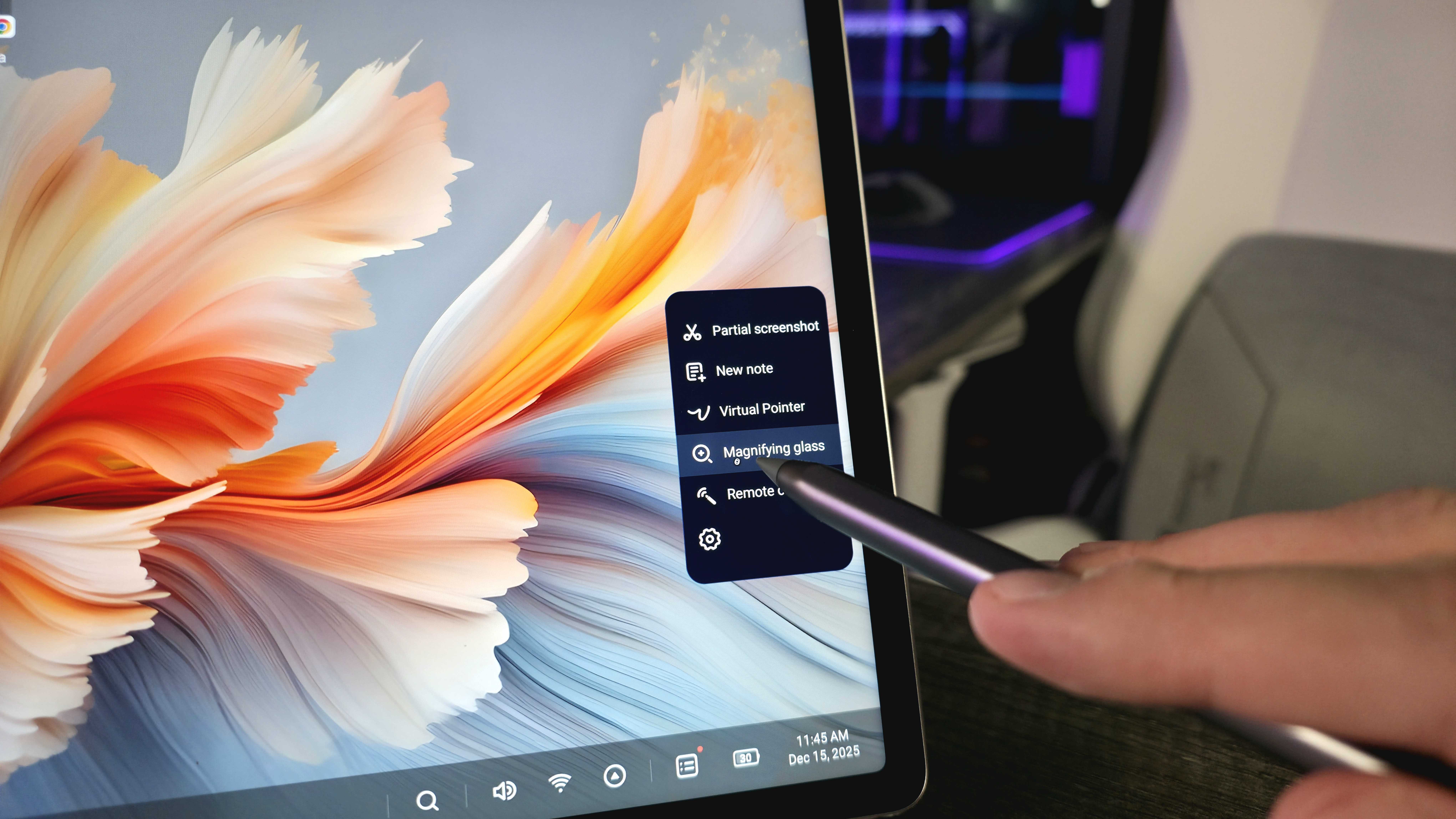
And let’s not forget the tablet itself! While the 12.7-inch screen isn’t the latest OLED or MiniLED, it’s still a really excellent display – sharp, smooth, bright, and colorful. It’s great for both work and entertainment. Plus, the sound quality is surprisingly good, thanks to the powerful six-speaker system.
Okay, so the Yoga Tab Plus doesn’t have the *newest* Snapdragon chip – it’s using the 8 Gen 3 – but honestly, it’s still super fast! With 16GB of memory, I could have tons of apps and browser tabs open without any lag. Plus, the Wi-Fi 7 and Bluetooth 5.4 meant I had a really solid wireless connection – no dropouts or anything like that. It just performed really well overall.
The Lenovo Yoga Tab Plus isn’t the newest tablet on the market, but it reliably provides everything you need in a high-quality device.
I do have a couple of drawbacks to mention. The phone doesn’t have a microSD card slot, so you can’t add more storage beyond the built-in 256GB. Also, it’s best to be careful around water, as it doesn’t have any protection against dust or splashes.
The single USB-C port can connect to displays and charge devices, but its slow data transfer speed of 5GBps restricts how well it works with docks. Also, the battery life of 10,200mAh is decent, but not exceptional, especially when using bright screen settings or playing audio at high volumes.
The issue is Android, but we already knew that
As an analyst, I’ve been tracking the Lenovo Yoga Tab Plus, and I’m concerned about its software support. It launched with Android 14 with a commitment of three major OS updates and four years of security patches, but it’s already on Android 16. That means it’s not receiving updates for nearly as long as promised, and it’s consistently behind on crucial security fixes. Furthermore, despite several updates, Lenovo hasn’t delivered on its initial claims about this being a leading ‘AI tablet.’
Lenovo deserves credit for going beyond simply putting a basic version of Android on the Yoga Tab Plus. They made thoughtful changes and added useful features to help it function more like a laptop, including a customized desktop mode, intuitive keyboard shortcuts, and improvements to how you manage multiple tasks and interact with the interface.
Lenovo needs to provide longer-term support for the Yoga Tab Plus, though that won’t automatically resolve any underlying problems with the Android operating system.
I have to admit, I was really impressed by how much thought Lenovo put into making this tablet work well with a mouse and keyboard. I even managed to use the Yoga Tab Plus as my laptop for a while, which was a nice surprise. But honestly, the fact that it runs on Android feels a bit like a distraction from what’s actually a pretty capable device.
It’s well known that Android prioritizes smartphones, then tablets, and lastly, devices that try to act like laptops. While Lenovo and others can make improvements, Android remains primarily built for touchscreens. Many apps aren’t designed for larger screens or desktop use, making things feel clunky, slow, or more complicated compared to using Windows.
Google is working on significant updates to Android for tablets, but even Lenovo isn’t convinced these changes will make “Android PCs” a strong competitor to standard laptops.
Yoga Tab Plus review: My final thoughts
✅You should buy this if …
- You want an Android tablet that can sometimes be your laptop.
- You want a premium device with all the accessories in the box.
- You need a great display paired with great speakers.
❌You should not buy this if …
- You’re mostly looking for a laptop that can also be a tablet.
- You rely on software that doesn’t work as well on Android.
Apple’s iPad Pro remains the best choice if you want a tablet that can also function as a laptop. If you prefer a laptop that can double as a tablet, the Microsoft Surface Pro is still the leading option. The Lenovo Yoga Tab Plus (Gen 1) falls somewhere in between, and that’s not necessarily Lenovo’s doing.
From my perspective, the hardware quality is surprisingly good for the cost, especially considering the thoughtfully included accessories. Android itself is a really smooth and user-friendly operating system. However, I find I need a traditional laptop more frequently, and this doesn’t offer enough to make me switch from what I’m currently using.
I’m happy I decided to try this device, and I’m glad it’s available. I’m hoping Lenovo keeps improving the hardware and Google keeps making Android work well with this design. If you’re curious, the Lenovo Yoga Tab Plus (Gen 1) costs $739.99 and you can find it at BestBuy.com and Lenovo.com. Keep an eye out for sales, as I’ve seen it discounted before!
Read More
- The Super Mario Galaxy Movie: 50 Easter Eggs, References & Major Cameos Explained
- All 13 Smash Bros. Characters in the Super Mario Galaxy Movie
- Welcome to Demon School! Iruma-kun season 4 release schedule: When are new episodes on Crunchyroll?
- Sydney Sweeney’s The Housemaid 2 Sets Streaming Release Date
- TV legend Carol Kirkwood reveals the reasons why she decided to retire after 28 years with BBC
- Why is Tech Jacket gender-swapped in Invincible season 4 and who voices her?
- Dune 3 Gets the Huge Update Fans Have Been Waiting For
- Highly Anticipated Strategy RPG Finally Sets Release Date (And It’s Soon)
- Crypto Chaos: 6 Events This Week That Could Send Bitcoin and XRP into a Tailspin!
- Palworld! More Than Just Pals ‘Special Video’, characters detailed
2025-12-16 15:41