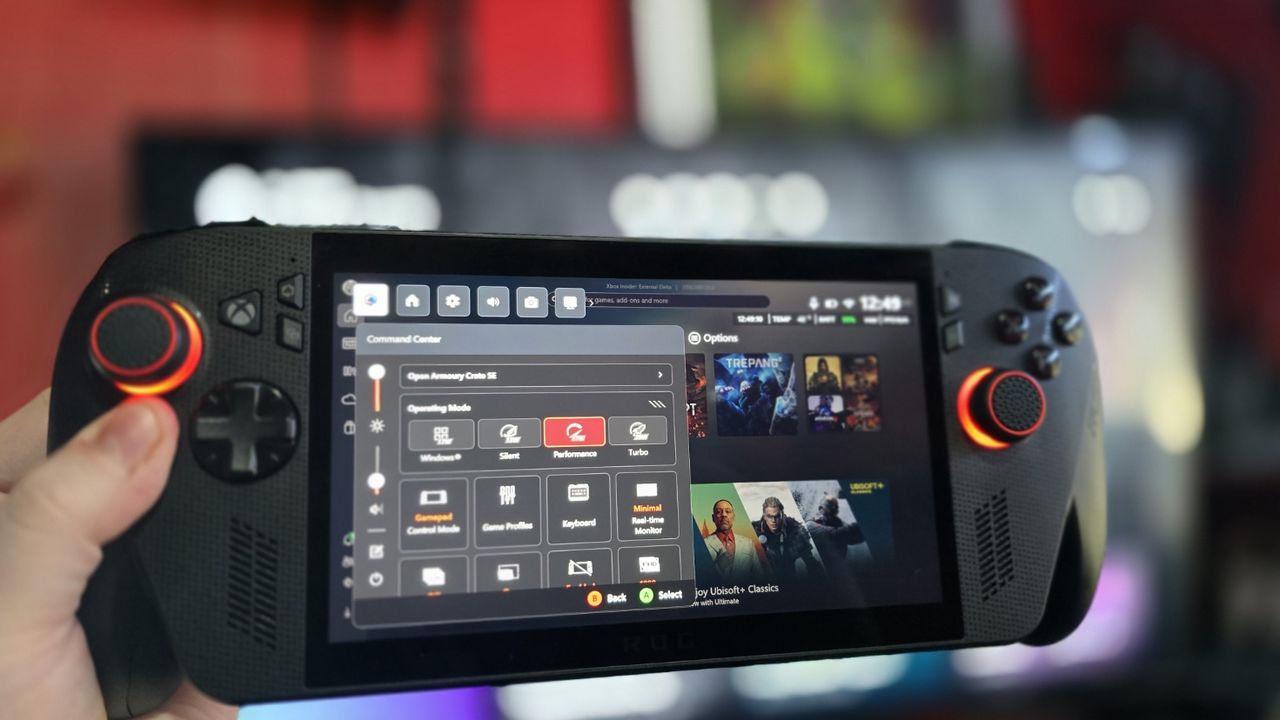
The Xbox Ally is already a decent device, but what if it was even BETTER?
Last year, I gathered information from ASUS, Microsoft, and other sources to predict what’s coming for the Xbox Ally in 2026. This year, Microsoft plans to activate the AI processing unit (NPU) in the Xbox Ally X, potentially as early as this quarter. This will enhance features like super resolution, which could improve battery life without sacrificing performance. We’re also expecting new AI-powered features for recording and sharing gameplay clips, along with improvements to the Xbox PC app – including a significant redesign.
The Xbox Ally is a team effort between Microsoft and ASUS, but Microsoft and the Xbox team are leading the software side of things. Updates for features like the Xbox Full Screen Experience and general improvements to Windows will come directly from Microsoft. ASUS is focusing on the hardware – things like making the device run smoothly, improving performance with drivers, and adding features players have asked for.
ASUS recently released an update for the ROG Ally and Ally X handheld gaming consoles, adding features users have been asking for. The biggest change is the ability to disable Microsoft Copilot’s in-game assistance feature, which uses AI and scans your screen to provide tips while you play.
We’ve released updates for the ROG Ally (models RC71 and RC72), ROG Xbox Ally (models RC73YA and RC73XA), and the Armoury Crate SE software (version 2.1.20.0).
- Enhancement: Added the ability to remap Gaming Copilot and Push-to-Talk under the “Action” section of the keymap configuration menu.
- Enhancement: Improved Extreme Standby Mode logic to enhance Modern Standby accuracy. (Requires BIOS v317 or later).
- Bug fix: Fixed an issue where the ACSE UI could extend beyond the screen at 900p resolution.
- Bug fix: Fixed a stability issue that could cause a BSOD when using Xbox 360 controller emulation.
Microsoft’s Gaming Copilot is a new feature for devices like the Xbox Ally. Holding down the library button activates it and turns on your microphone, allowing you to ask for help with your games. Copilot analyzes what’s happening on your screen and offers tips, but its effectiveness depends on whether the information is available online.
This AI tool is okay for popular games and general info, but it often fabricates details when it comes to lesser-known titles or specific questions. Like many AI models, it avoids admitting when it doesn’t know something, which isn’t helpful. Microsoft’s Gaming Copilot is also a bit too chatty and friendly, which gets annoying when you just want a quick answer. I plan to write more about Copilot soon, as it has potential, but it won’t be useful if it replaces game guide writers – then where will accurate information come from? It doesn’t seem like investors are considering these long-term issues, though.
You can now safely disable this feature. While you could remove it from the Xbox Game Bar before, removing the default shortcut on the ROG Ally prevents it from accidentally opening, which has happened to me a few times. I’m also glad the Armoury Crate interface now works properly on lower resolution screens, as it used to get cut off.
Despite a few issues with the Xbox app on PC, the Xbox Ally and Ally X are truly impressive devices. They’ve quickly become essential to how I game, and I highly recommend both. I’ve been testing Final Fantasy 7 Remake through the Xbox PC app on the Ally, and I’m happy to say it runs incredibly well. Even on the lowest power settings, it maintains a smooth 30 frames per second, which is a huge plus for battery life when playing on the go.
I’m really excited to see the base model Xbox Ally is on sale! Honestly, I think it’s seriously underrated, especially if you’re into indie games or anything 2D. It’s a fantastic little machine for those types of games.
Read More
- Gold Rate Forecast
- 22 actors who were almost James Bond – and why they missed out on playing 007
- Hazbin Hotel Secretly Suggests Vox Helped Create One of the Most Infamous Cults in History
- Every Creepy Clown in American Horror Story Ranked
- Kingdom Come: Deliverance 2 – Legacy of the Forge DLC Review – Cozy Crafting
- As Dougal and friends turn 60, Radio Times explores the magic behind The Magic Roundabout
- Everything We Know About Gen V Season 3 (& Why It’ll Be a Very Different Show)
- Arknights: Endfield – Everything You Need to Know Before You Jump In
- Best X-Men Movies (September 2025)
- Jack Osbourne Shares Heartbreaking Tribute to Late Dad Ozzy Osbourne
2026-01-20 16:41