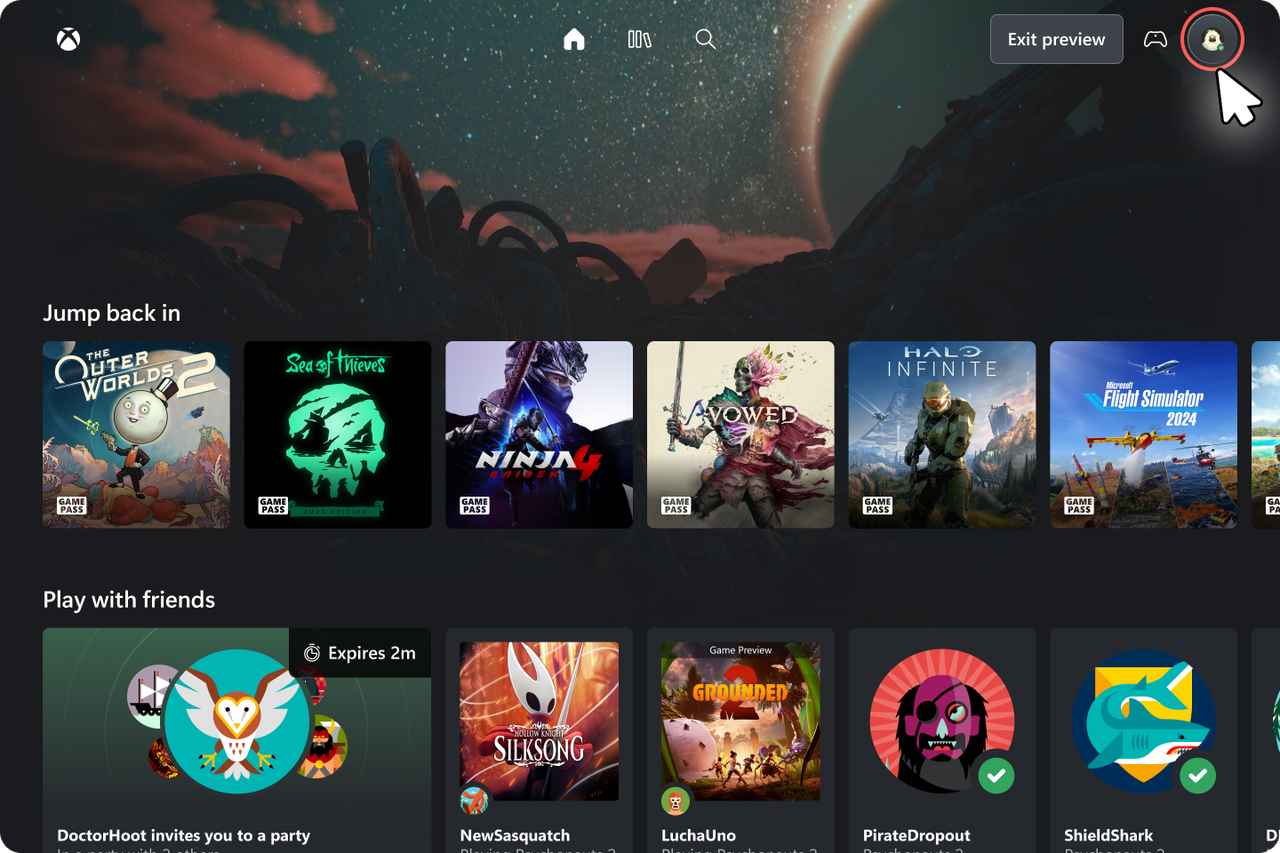
Xbox has launched a new way to play games using the cloud through a web browser. The design is very similar to what you see on an Xbox console, so it should be easy to pick up and use. Fans who have been following Xbox news might recognize it as the user interface that was discovered in leaked files a few months back.
Keep in mind this is a preview version, so some things might be different when it’s officially released. However, even now, it’s a noticeable upgrade from the current website, with a better look and a more intuitive layout, which is a positive sign.
Here’s how you can try it for yourself right now, along with a closer look at the new experience
A noticeable improvement
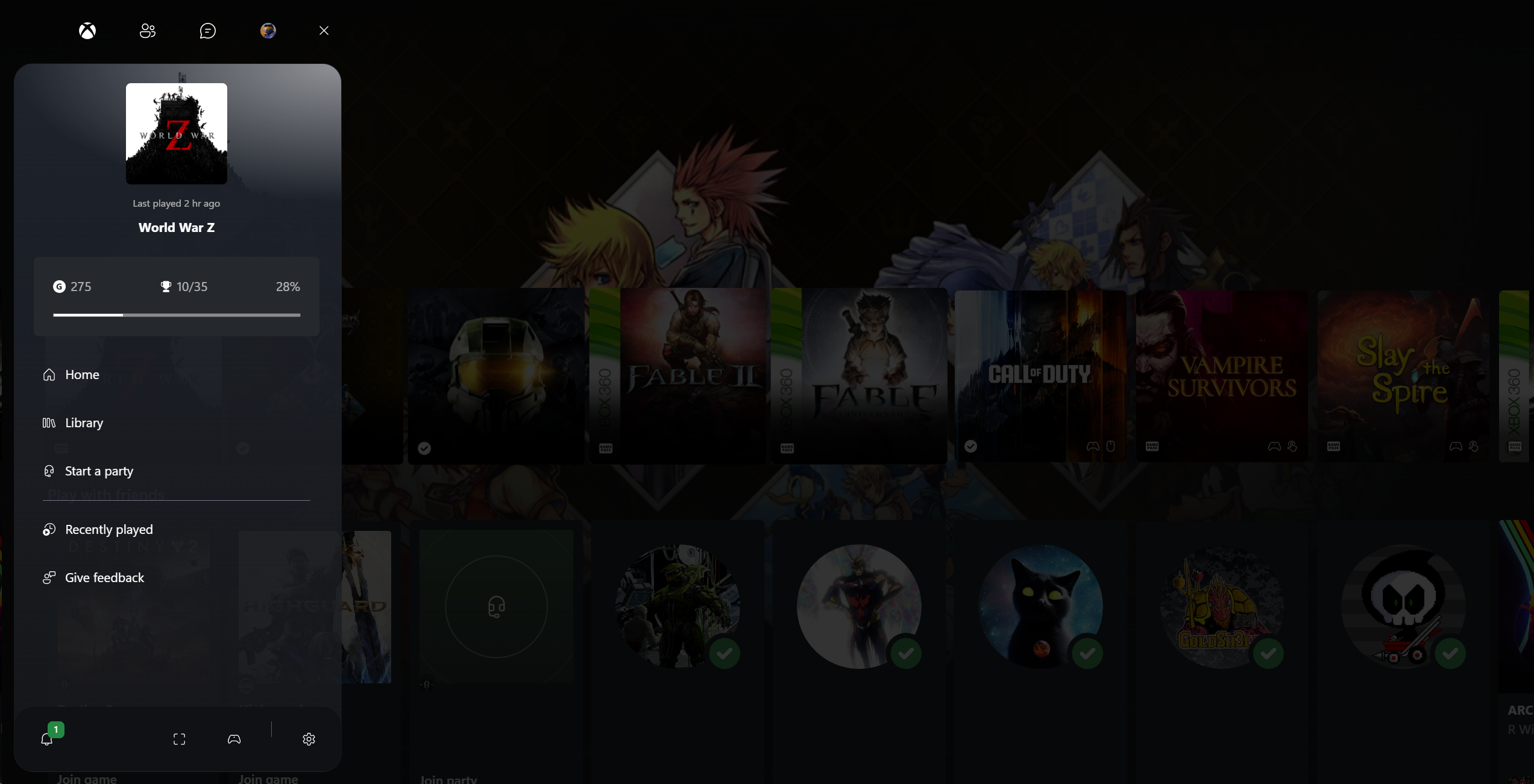
Previously, using Xbox cloud gaming felt a lot like opening the Xbox app – and that wasn’t necessarily a good thing. I’ve never been a big fan of the app itself, and the web-based cloud gaming experience often felt similarly awkward and outdated.
This new preview lets users enjoy an experience that feels more like using the traditional Xbox console interface. It’s simpler, better organized, and designed to resemble the familiar startup screen.
To access the new experience, follow these steps:
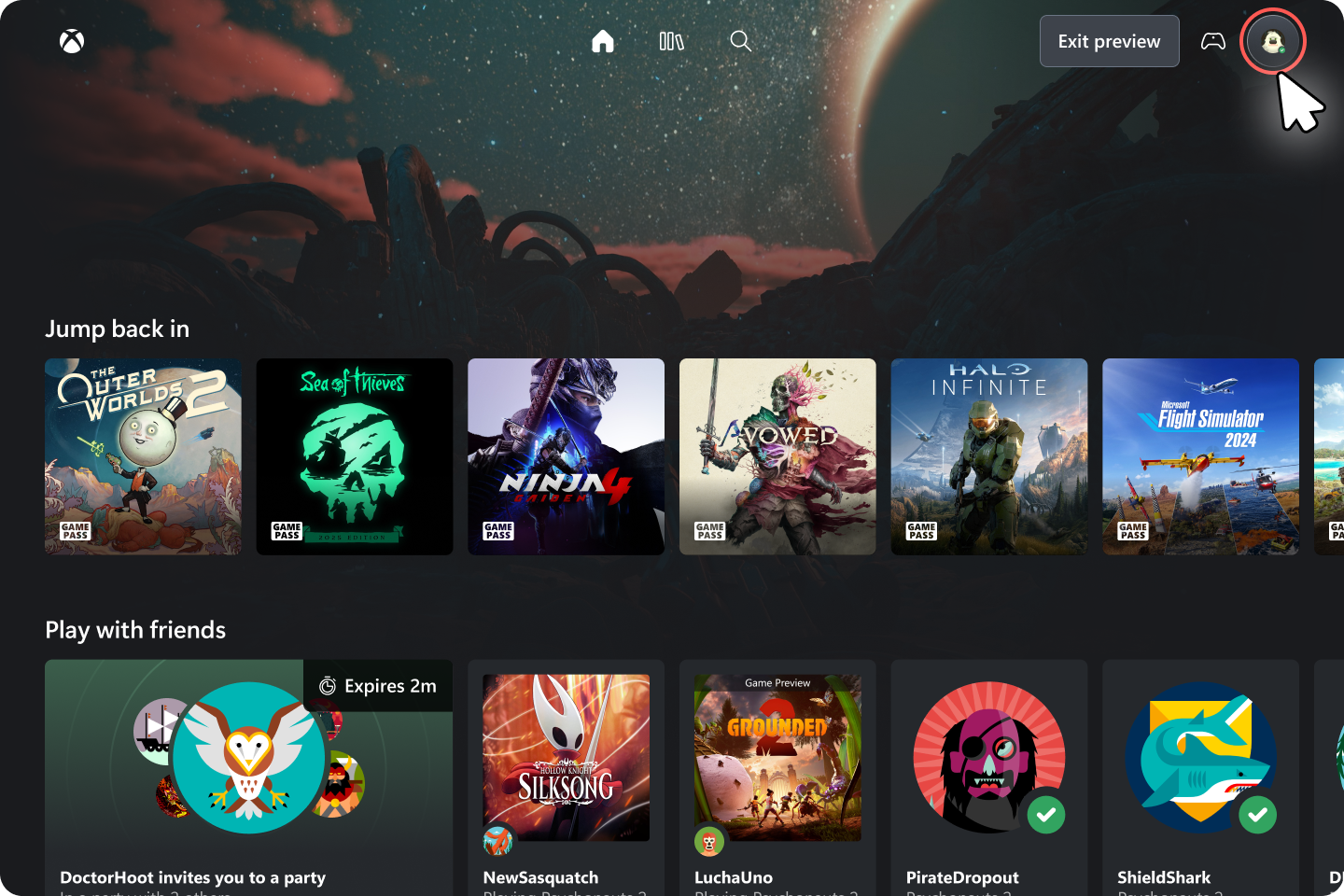
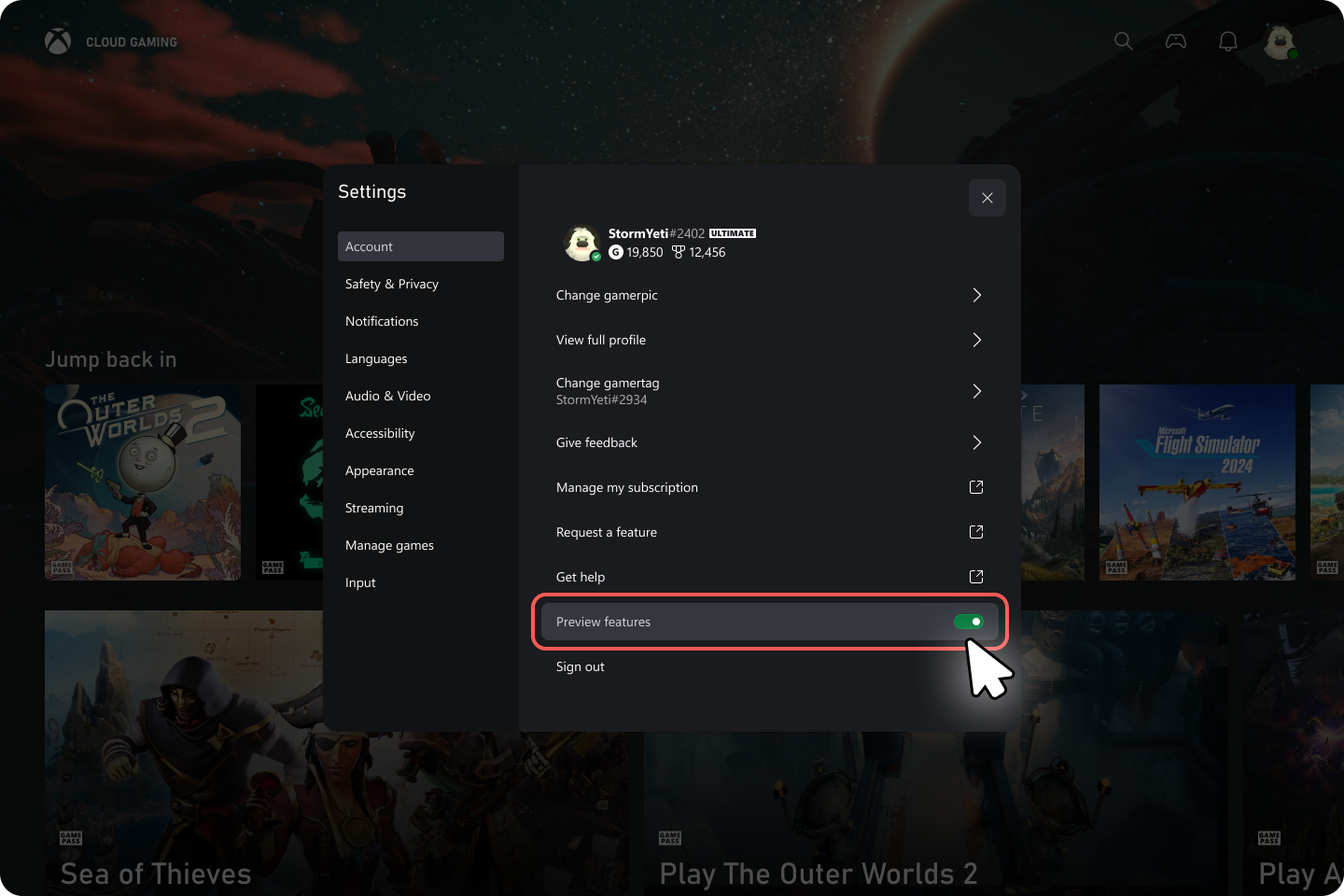
- Go to xbox.com/play in your browser of choice and make sure you’re logged into your Xbox account.
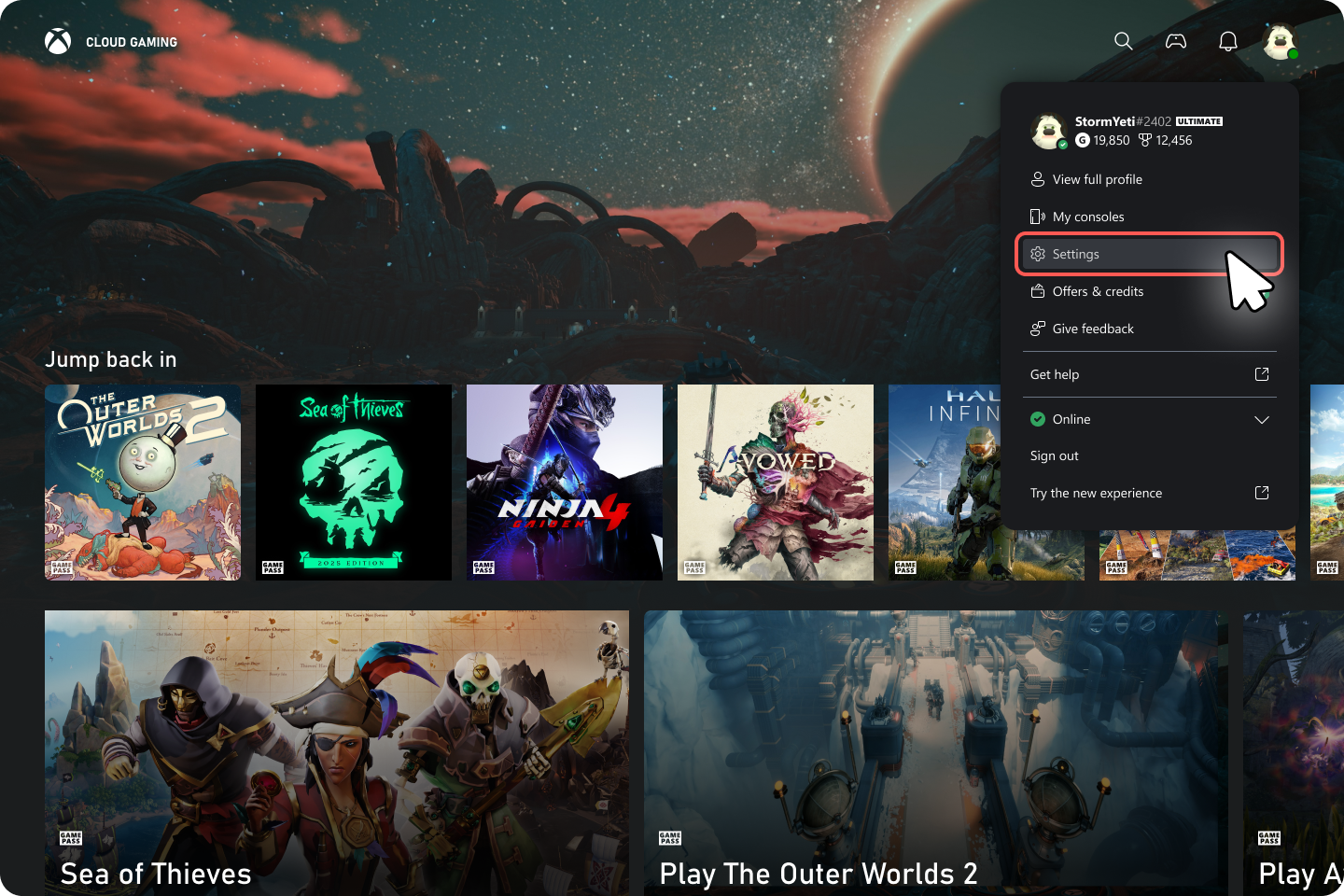
- Once logged in, go to settings in the top right corner by clicking on your profile.
- Select the Settings option from the drop down menu.
- Here under Account, toggle the option Preview Features and select Yes when asked.
- You’ll then have to wait as the features are enabled, which may take up to 10 minutes.
- Once done, visit play.xbox.com in your browser of choice to experience the new cloud UI.
Glimpse into the future of Xbox UI?
After using the updated Xbox Cloud Gaming, it’s clear there’s been a real improvement. It’s easier to find what you’re looking for, the design feels more thoughtful, and the whole experience is just more enjoyable.
As it’s still a preview version, there are some bugs and things that need smoothing out, which is normal. However, it already feels like a significant step forward, and it makes you wonder how this new approach could be used in other Xbox features down the line.
It would be great to have a more consistent user interface across all devices. Specifically, the Xbox app on the Ally X isn’t working well for me, and I’d really like to see it feel more like using the Xbox console itself. A simpler, console-like experience would be a big improvement.
If you do try it out for yourself, Xbox has pleaded with users to provide feedback, so make sure to check the full Xbox Wire article on just how to do that.
Cloud gaming isn’t quite mainstream yet, but this new design really shows how it could become a popular way to play in the future. Now, Xbox just needs to continue improving and building on this progress.
Read More
- Gold Rate Forecast
- 10 Most Powerful Versions of Superman, Ranked
- GBP CNY PREDICTION
- 007 First Light: Release Date, Story, Gameplay, Cast, Editions, and Platforms
- Forza Horizon 6 Car List So Far: Confirmed Highlights, Cover Cars, DLC, and Rewards
- DOGE PREDICTION. DOGE cryptocurrency
- Superman’s 7 Best Power-Ups, Ranked
- 10 Greatest Wii U Games of All Time, Ranked
- What happened to Soldier Boy in The Boys?
- Kingdom Come Deliverance Update 1.002 Enables Trophies to Be Transferred
2026-01-27 05:11