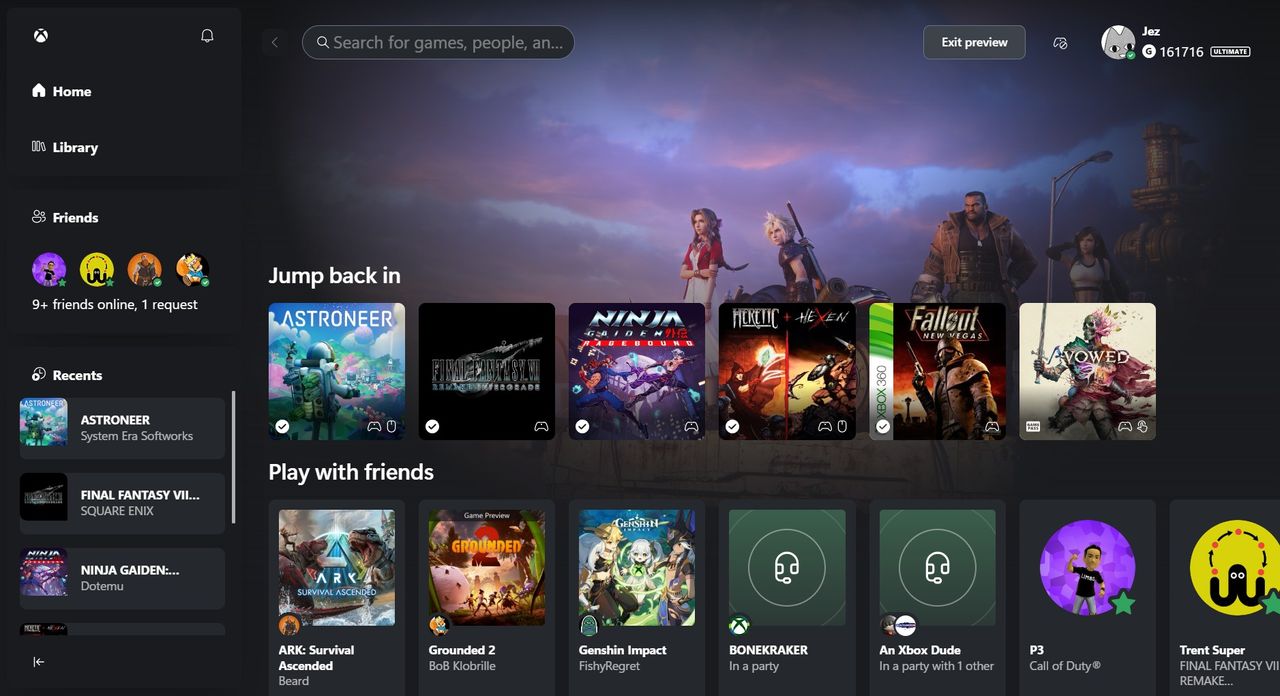
Xbox Cloud Gaming recently got a fresh new look, and some people think there’s a significant update hidden within it.
Recently discovered by data miners, Xbox Cloud Gaming has a new preview page at play.xbox.com. Microsoft is using this to test what’s coming next for the service.
Xbox Cloud Gaming is now fully launched, meaning it’s available in more countries and works with Xbox Game Pass. Everyone with a Game Pass subscription can play supported games through the cloud, and those with the highest tier get even better quality streams at 1440p.
Microsoft is preparing to launch a version of Xbox Cloud Gaming without ads sometime in the first half of this year. This move is a key part of Microsoft’s strategy to attract new gamers, as rising costs and supply issues have made buying traditional consoles less appealing. Games like Roblox and Fortnite are incredibly popular, largely because they’re free and widely available. Unlike those games, Xbox and other console experiences require a significant initial investment. Xbox Cloud Gaming is designed to remove that financial hurdle.
I’m really curious to see if this plan actually pans out – and if it even makes financial sense, honestly. But one thing’s for sure, they’re giving it a real shot, and that’s a good start. It won’t fail because of a lack of effort, that’s for certain.
Microsoft recently launched a redesigned interface for Xbox Cloud Gaming, and it’s a significant improvement.
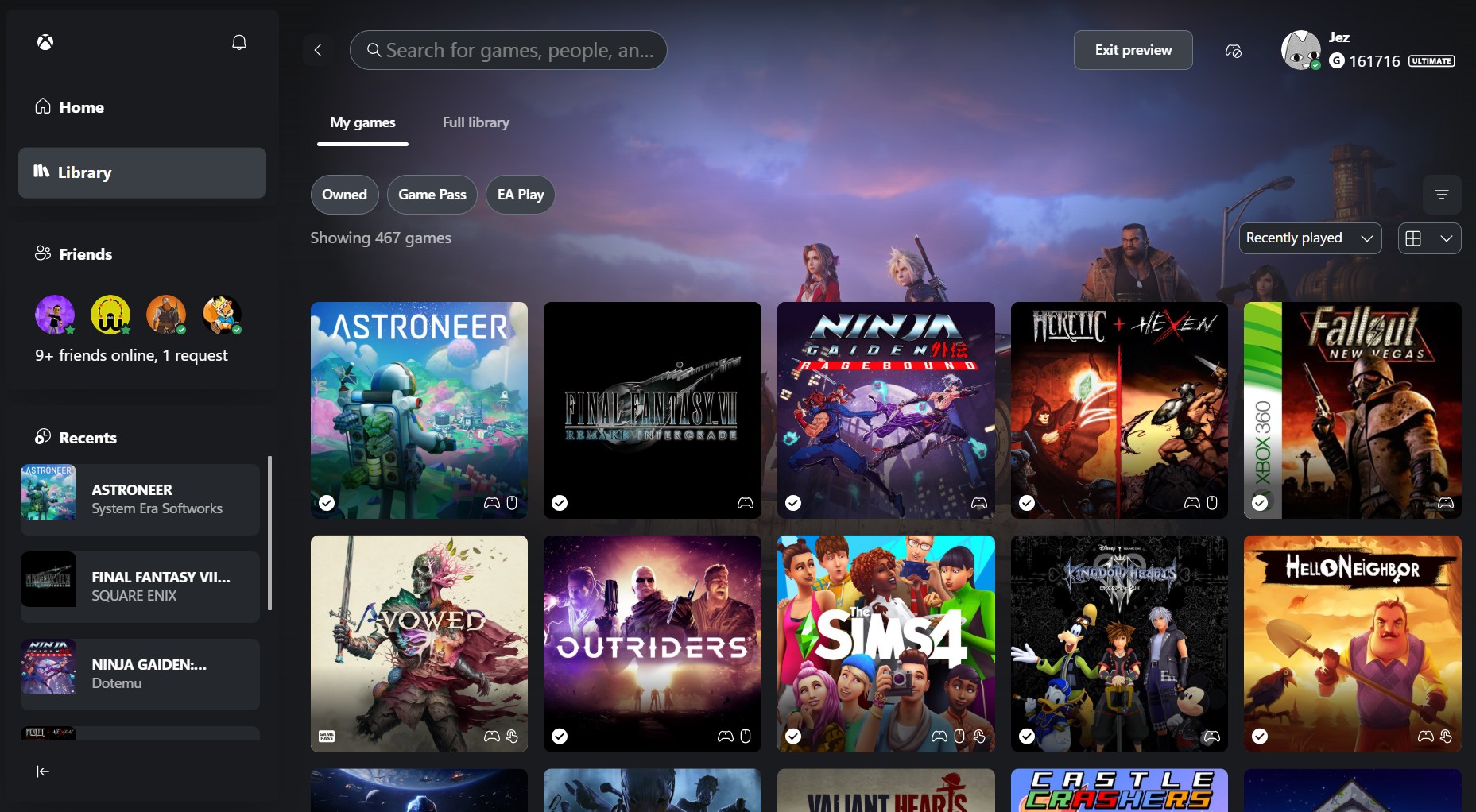
The new interface feels very similar to using an Xbox Series X|S console, with a modern look inspired by Windows 11. It features icons at the top, and users familiar with the console will easily recognize the library, filters, sorting, and guide menu – everything feels comfortably familiar.
Xbox Cloud Gaming now offers two different ways to play. One version is designed for TVs and handheld devices, featuring a simple interface that’s easy to use on smaller screens. The other is optimized for computers, taking full advantage of the larger screen for a better experience.
I’m really impressed with this new app! It’s a significant improvement over the current Xbox PC app, thanks to its speed and simple design. The layout works much better with controllers, especially on devices like the Xbox Ally, and it’s a big step up from the Xbox Full Screen Experience. Plus, unlike the Full Screen Experience, this app is stable – I haven’t had any issues with the cursor moving erratically or freezing.
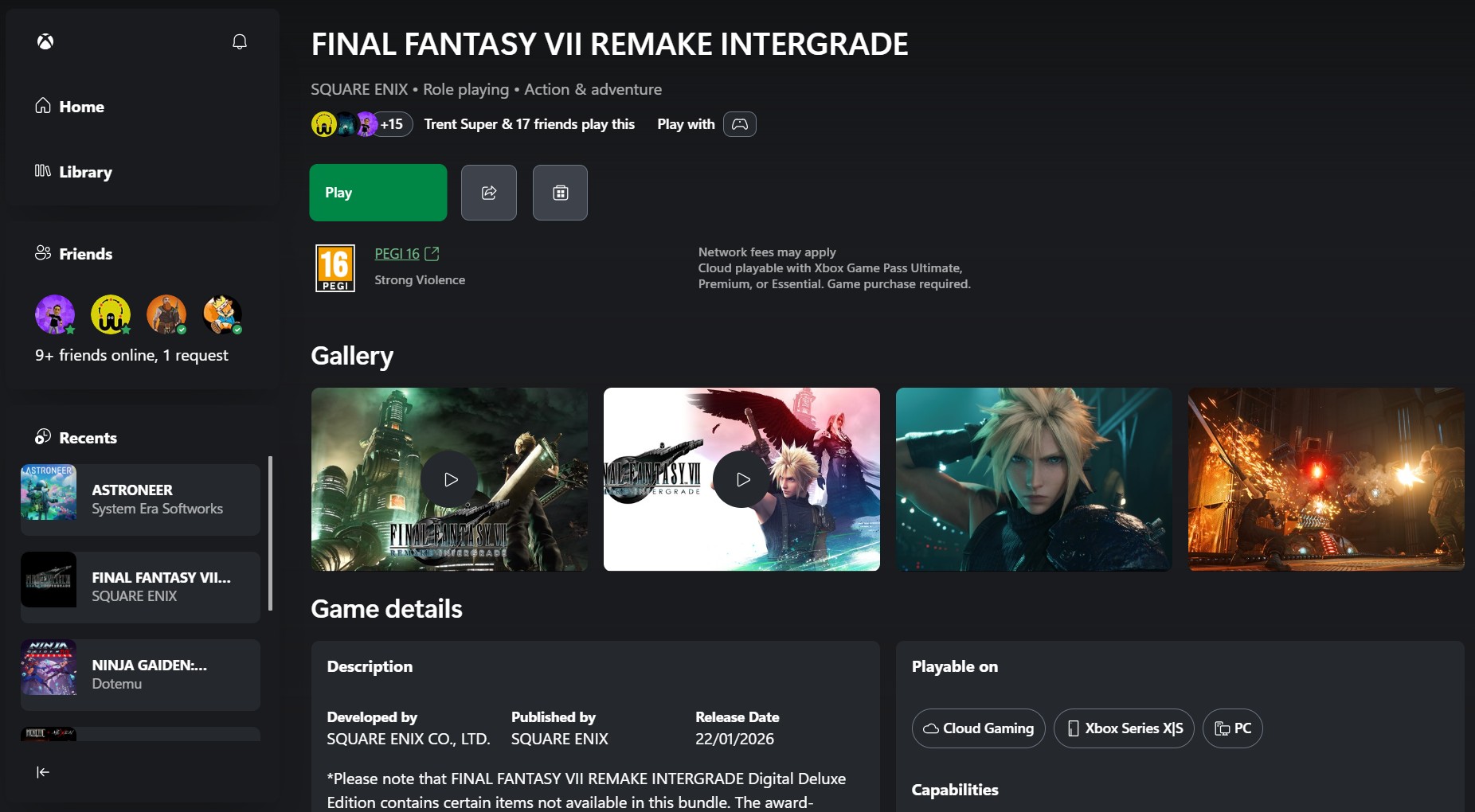
One of the biggest challenges for Xbox right now is bringing all its different services together seamlessly. The Xbox experience on PC, through Cloud Gaming, and on the Series X|S consoles all look and feel a bit different, which can be confusing for players. The updated Xbox Cloud Gaming interface is a good start, as it’s closer to the console experience but still keeps some of the simplicity of the PC app.
As a big fan, I’m really hoping Microsoft takes this new design approach and applies it to the Xbox PC app and the Ally. The Ally itself is incredibly powerful, but honestly, the PC app still holds it back a bit. It needs some serious improvement to really unlock the device’s potential!
Let me know what you think in the comments!
Read More
- Looks Like SEGA Is Reheating PS5, PS4 Fan Favourite Sonic Frontiers in Definitive Edition
- Pluribus Star Rhea Seehorn Weighs In On That First Kiss
- Kelly Osbourne Slams “Disgusting” Comments on Her Appearance
- Gold Rate Forecast
- Dune 3 Gets the Huge Update Fans Have Been Waiting For
- Arknights: Endfield – Everything You Need to Know Before You Jump In
- Tomodachi Life: Living the Dream ‘Welcome Version’ demo now available
- Ahsoka Season 2 Will Officially Include 3 Marvel Actors
- Paradise producer hints that series will end with third season as season 2 premieres
- Borderlands 4 – BEST Amon Leveling Build (1 – 50)
2026-01-27 23:09