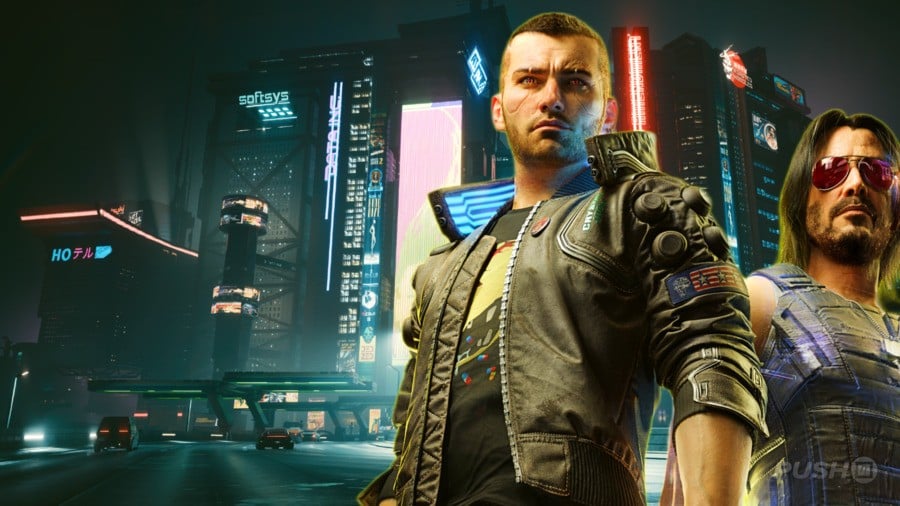
We recently tested Cyberpunk 2077 on the new PlayStation 5 Pro with its latest update, and the results are incredible!
CD Projekt Red’s open-world game looked fantastic on PlayStation, and this new update takes the visuals to another level – it’s truly stunning.
While a powerful PC will still offer the best experience, the improvement in graphics and lighting details between the old and new PS5 versions of Cyberpunk 2077 is very noticeable.
Just to quickly summarize, this update adds three graphics options for the PlayStation 5 Pro. Before this, the game didn’t really take advantage of the Pro’s extra power – the only improvement players might have noticed was slightly smoother frame rates.
Each of these three settings improves performance in its own way. Honestly, it’s unusual to find that you can’t go wrong with any option, but that’s the case here when it comes to making games look and run better on consoles.
Let’s start by noting how well PSSR 2 is working. Sony’s recently improved AI upscaling technology seems to make Cyberpunk 2077 noticeably sharper and clearer than it used to be.
Honestly, one of the biggest improvements I’ve noticed is how much better everything in the distance looks. It really adds a new level of depth to Night City, making the whole world feel more detailed. It’s like they’ve boosted the resolution for everything, no matter what graphics settings I pick – Performance, Balanced, or Ray Tracing. It just looks sharper overall.
Now then, as for the modes themselves…
Ray Tracing Pro
Ray Tracing Pro fully utilizes the ray tracing features on the PS5 Pro, making Cyberpunk 2077 look stunning and showcasing some of the best console ray tracing available.
When you turn this setting on, Night City looks incredible at night. The neon lights, streetlights, and illuminated rooms in the skyscrapers all create a realistic and vibrant glow, with both warm and cool tones.
Putting a lot of these lights together – like along a street in the game’s city – makes the environment look amazing. It’s truly enjoyable just to watch the city go by.
One of the highlights of this mode is its realistic reflections, created using ray tracing. However, these reflections aren’t everywhere. While you won’t see reflections in puddles like you do on the PC version, you will still see accurate reflections in car windows and the glass of buildings.
The reflections look great once you see them, but they aren’t the biggest reason to use Ray Tracing Pro. What really makes it stand out is how much brighter and more vibrant it makes all the lights in Night City.
Ray Tracing Pro does come with a performance cost. It caps the game’s frame rate at 30fps on a 60Hz monitor, but you can get a smoother 40fps if you have a 120Hz display.
Thirty frames per second doesn’t feel smooth enough for a fast-paced game like this. Once you’ve experienced Cyberpunk 2077 running at 60fps, even with detailed graphics features, it’s difficult to settle for a lower frame rate.
I’ve been playing around with the Ray Tracing Pro settings, and honestly, even at around 40 frames per second, it looks really good. If you’ve got a 120Hz monitor, I definitely recommend trying it out – even if it’s just for a quick ten-minute drive in your favorite car to see what you think!
Ray Tracing
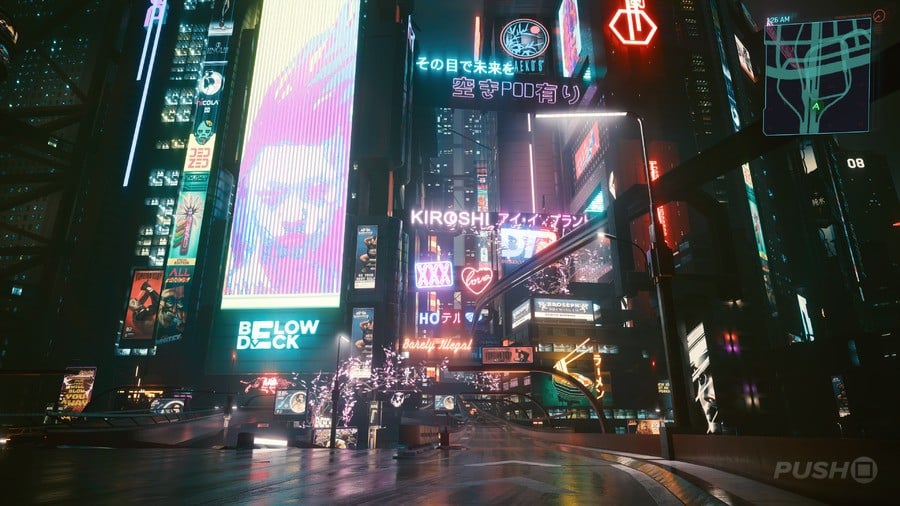
Cyberpunk 2077’s middle-of-the-road mode might be our personal pick of the three.
Ray Tracing offers a smoother gaming experience with a 60fps frame rate by simplifying some of the more advanced ray tracing effects found in Ray Tracing Pro. Visually, it still delivers beautiful, realistic lighting that’s comparable to the higher-end version.
Honestly, the reflections look pretty similar, so what really sets these two apart is how good the lighting is. It’s the lighting quality that makes the biggest difference, in my opinion.
Ray Tracing Pro makes lights appear much more realistic. For instance, large signs will cast a glow that brightly and accurately illuminates a wide area, affecting everything nearby.
Ray tracing, while visually impressive, doesn’t create as much realistic glow or light interaction with objects like cars and people in the game. It lacks the same depth and spread of light, which makes Night City appear a little less vibrant overall.
Most players likely won’t notice this change, though. Even with this adjustment, the game still looks fantastic thanks to Ray Tracing, which dramatically improves the lighting. And when you combine that with a smooth 60 frames per second, it’s hard to want to go back to the older version.
The game consistently delivers a smooth 60 frames per second. We intentionally created a chaotic scene in a crowded area of Night City – complete with a large police response including MaxTac – and the frame rate remained remarkably stable throughout.
Performance
Honestly, Performance mode isn’t a huge game-changer, but if you really prioritize a super smooth experience, it’s still a good option. I appreciate having it, even if it doesn’t drastically improve things.
Turning off ray tracing completely results in a noticeable drop in visual quality compared to the other options, and it can be hard to go back once you’ve experienced how beautiful the game looks with ray tracing enabled.
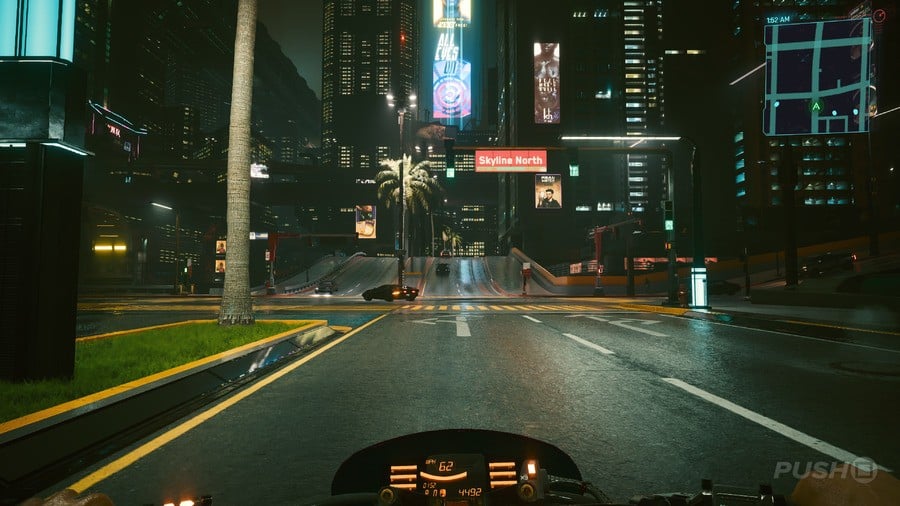
If you don’t mind the somewhat dim visuals, Performance mode delivers a remarkably smooth frame rate. While it’s not ideal for 60Hz monitors—you’ll still be limited to 60fps—it really shines on 120Hz screens, allowing you to experience a consistently fluid 90fps.
Playing Cyberpunk 2077 at 90 frames per second is a fantastic experience. The fast-paced combat feels incredibly smooth and responsive, and our tests show it consistently maintains that high frame rate even under heavy load.
Ray tracing might not appeal to all players, but this open-world game has never looked and played so well on consoles.
Comparing the Three Modes
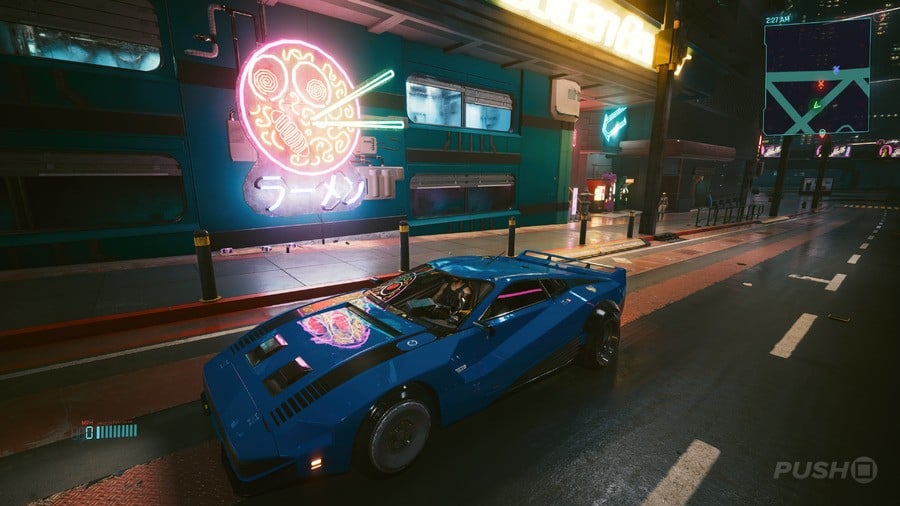
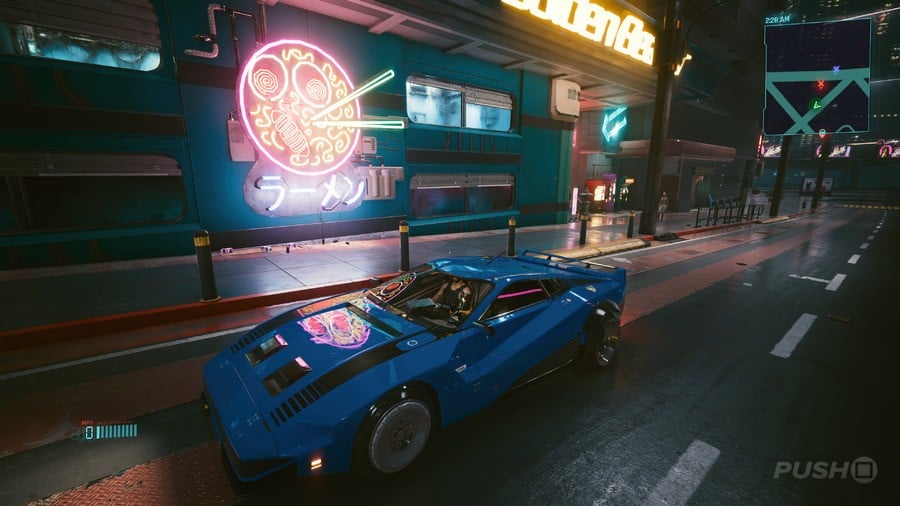
To clearly show the difference in ray tracing quality between the three modes on the PS5 Pro, we captured the same image in each mode.
Ray Tracing Pro
Ray Tracing
Performance
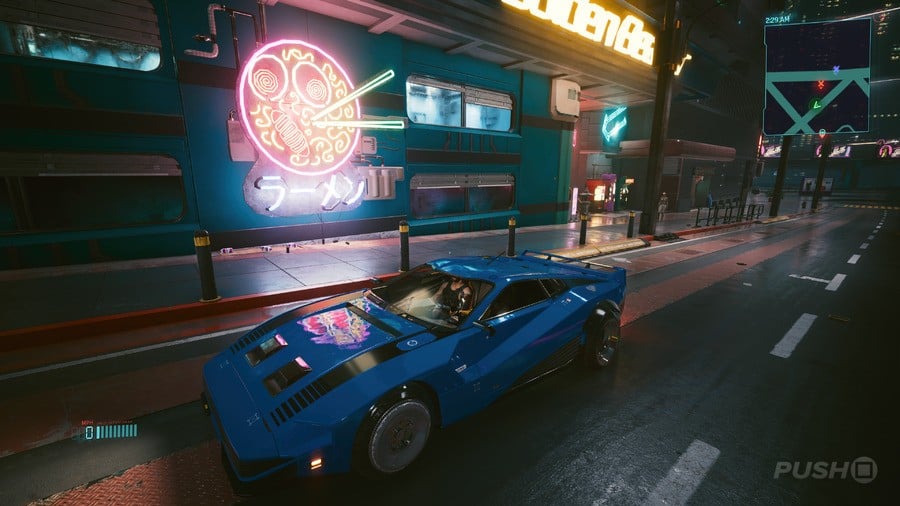
Ray Tracing Pro creates a significantly brighter and more immersive lighting effect. You can clearly see this in how the overhead yellow sign casts a warm glow that almost fills the entire sidewalk – a glow that’s much less noticeable when using standard Ray Tracing.
Both Ray Tracing Pro and standard Ray Tracing create realistic reflections on the car’s surfaces. The main difference between the two is the quality of the lighting they produce.
As we saw earlier, the game doesn’t use ray tracing. This means reflections aren’t very detailed. For example, the neon sign reflects on the car’s hood, but it’s blurry. More noticeably, the reflection isn’t visible on the windshield, and a purple neon light strip completely disappears when reflected in the car window.
Overall, Cyberpunk 2077 is a fantastic experience on the PS5 Pro. The game’s ray tracing features are truly impressive, adding a remarkable level of visual detail to its already beautiful open world.
Read More
- The Super Mario Galaxy Movie: 50 Easter Eggs, References & Major Cameos Explained
- 10 Best Free Games on Steam in 2026, Ranked
- All 13 Smash Bros. Characters in the Super Mario Galaxy Movie
- Sydney Sweeney’s The Housemaid 2 Sets Streaming Release Date
- Welcome to Demon School! Iruma-kun season 4 release schedule: When are new episodes on Crunchyroll?
- Why is Tech Jacket gender-swapped in Invincible season 4 and who voices her?
- Dune 3 Gets the Huge Update Fans Have Been Waiting For
- Highly Anticipated Strategy RPG Finally Sets Release Date (And It’s Soon)
- Almost Five Years, Zero Releases: Sony Has Wasted Bluepoint’s Potential
- Kanye West’s Wife Bianca Censori Details New Marriage Milestone
2026-04-08 22:38