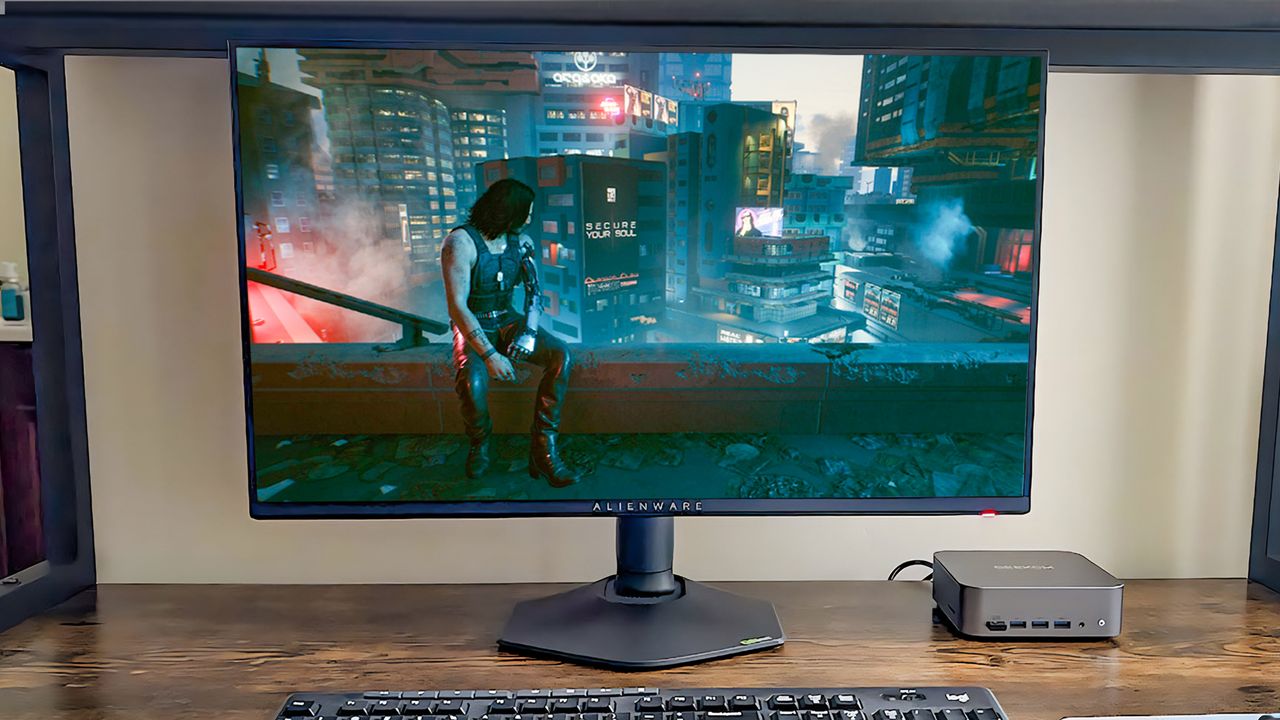
A surprisingly good way to game on a budget is to use a mini PC instead of a laptop, desktop computer, console, or handheld gaming device.
Even with a basic graphics card, I’ve been able to play demanding games like Cyberpunk 2077, Clair Obscur: Expedition 33, Baldur’s Gate 3, and Elden Ring smoothly on an affordable mini PC. This is possible because I’m using cloud gaming services like NVIDIA GeForce NOW, which lets me stream the games instead of relying on my PC’s hardware to run them.
Want to build a budget-friendly gaming setup? I’ll show you how, using a mini PC – just like the one I use! I’ll also share my recommendations for the best mini PCs for gaming.
What you’ll need
For my research into cloud gaming, I’ve found you’ll need a few basic components to get started. That includes a small form-factor PC – a ‘mini PC’ works great – along with a monitor, keyboard, and mouse. You’ll also need a subscription to a cloud gaming service like NVIDIA GeForce NOW or Xbox Game Pass, which lets you play games streamed from the cloud on certain titles.
Here are my top recommendations:

Here are some other helpful buying guides if you’d like additional help.
How to set up GeForce NOW on your mini PC
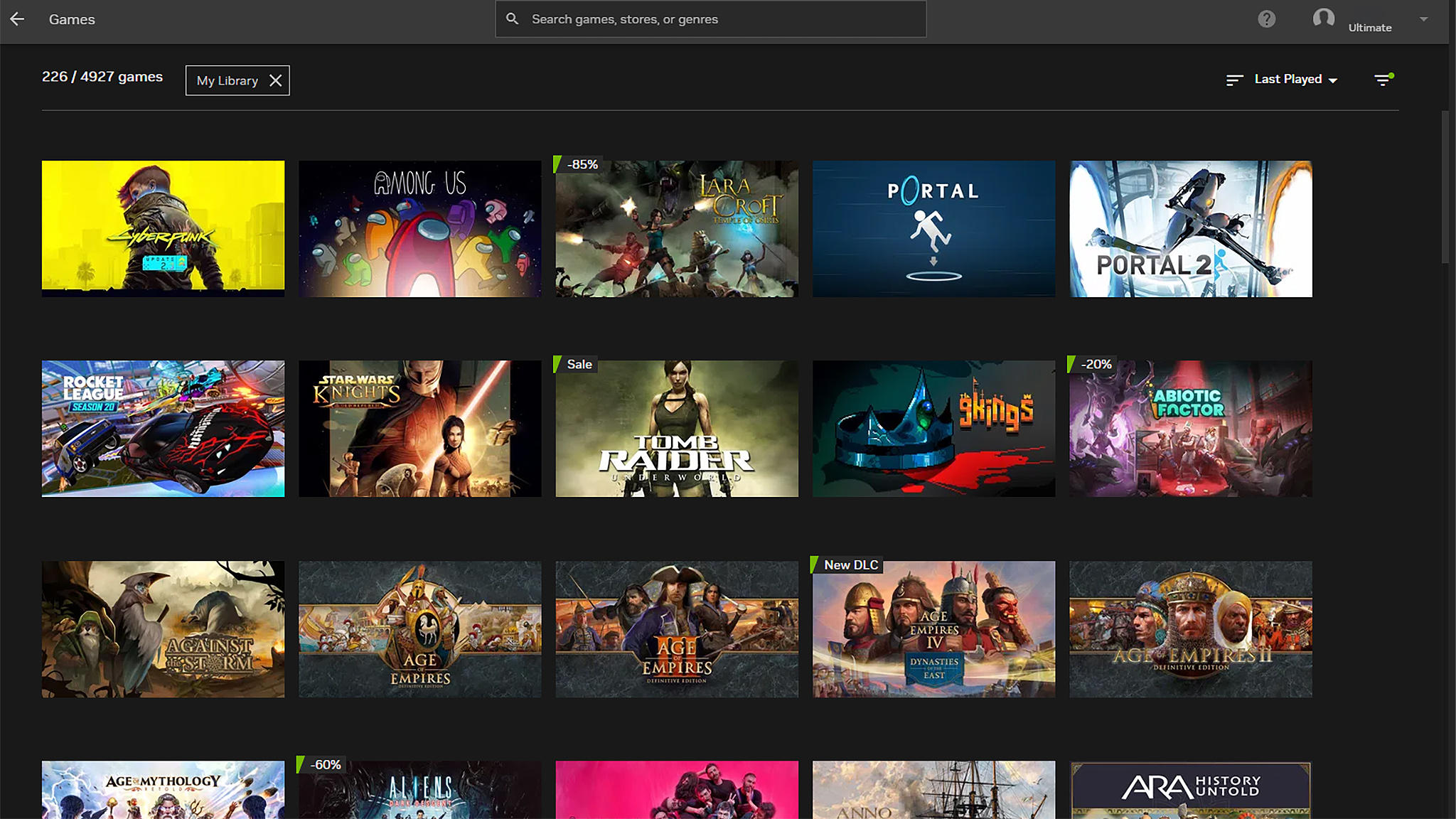
It’s easy to use GeForce NOW with your mini PC. Once you’ve signed up for a subscription (or are using the free version), here’s how to start playing your games.
- Connect the mini PC to your monitor, keyboard, and mouse, and then plug the power cable in.
- Next, you’ll need to power the mini PC on and go through the Windows setup process. This might take a few minutes.
- Once you’re at the Windows desktop, open a browser and go to the NVIDIA GeForce NOW download page.
- Download GeForce Now and allow it to install.
- After it installs, open the GeForce NOW app and either log in or create a new account.
- Click on the hamburger menu in the top left and then go to the Connections tab.
- Now, connect the various digital stores and game services that you use to NVIDIA GeForce NOW. You can connect to Ubisoft, Battle.net, Epic Games, Steam, and Xbox.
- Once that is complete, click the hamburger button and then Games.
- Now you can select any of the games from your library to play.
Have fun gaming! Just keep in mind that GeForce NOW isn’t like a game library you subscribe to – it’s a service that lets you play games you already own on powerful NVIDIA servers. The different subscription levels offer varying features and benefits.
Things to be aware of with cloud gaming and mini PCs
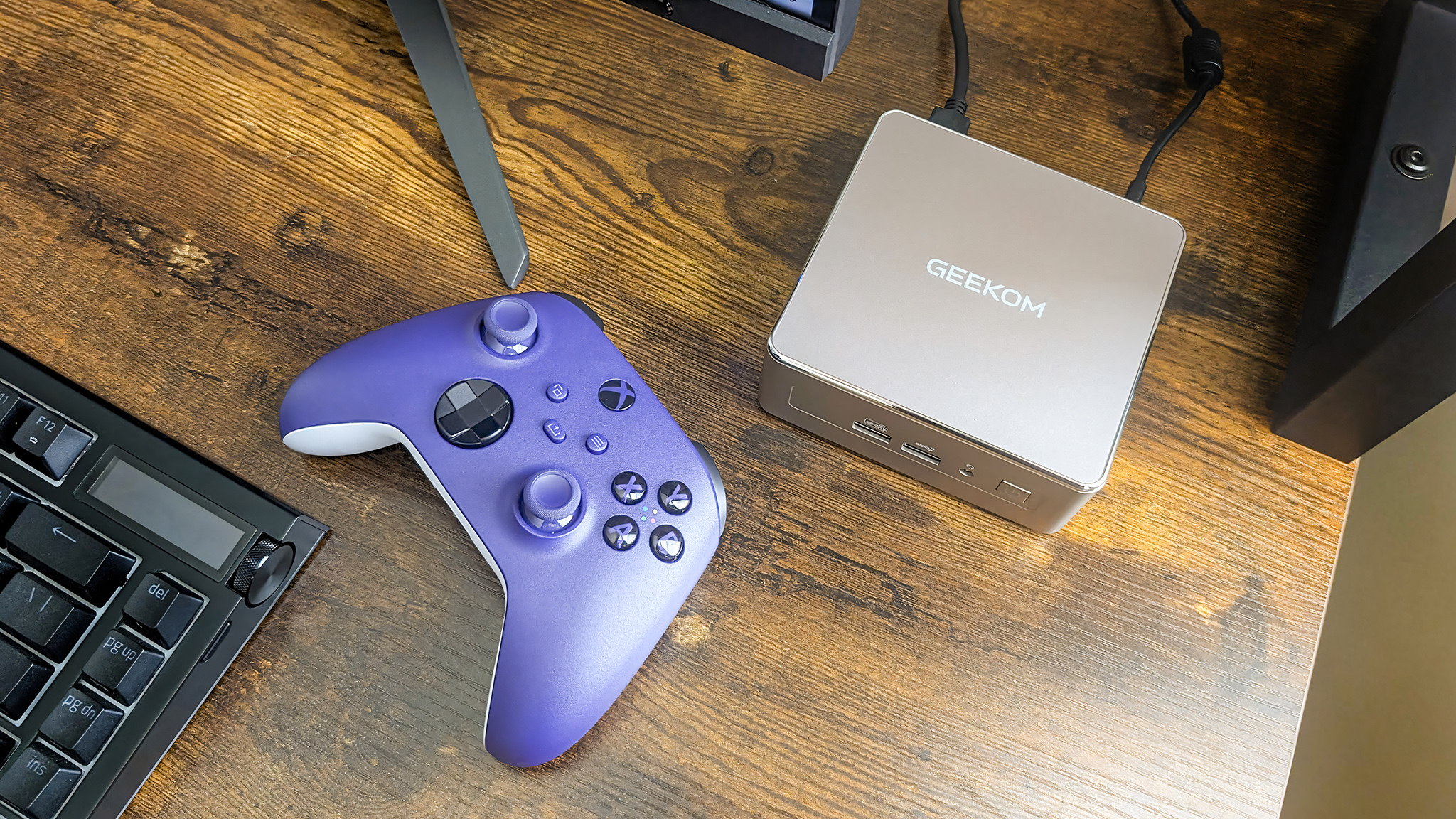
- You don’t need to have the best hardware or accessories: The beauty of cloud gaming is that you don’t need the very best monitor, computer, keyboard, or controller. You can get a gaming setup that fits your budget. Maybe having a nice monitor is important to you; if so, then you can spend more on the monitor and save money on less expensive (but reliable) accessories.
- You need a stable (wired) high-speed internet connection: As the name suggests, cloud gaming relies on an internet connection to work properly. If you don’t have fast internet speeds or access to a stable, wired connection, then cloud gaming might not be a good fit. You’ll ideally have a download speed of 25 Mbps or higher and an upload speed of 5-10 Mbps or higher.
- Cloud gaming streaming services often require subscriptions: While you can certainly save money with cloud gaming (and some cloud gaming services are free), you might need to get a yearly or monthly paid membership in order to get the cloud gaming experience you really want.
- GeForce NOW doesn’t give you access to a game library: Unlike Xbox Game Pass, GeForce NOW isn’t a game library subscription. Instead, it’s a membership that allows you to play games you already own over the cloud from one of NVIDIA’s powerful servers. In other words, you will need to purchase the supported games you want to play separately from this subscription.
- GeForce NOW and Xbox Cloud Gaming work on handhelds: I’ve said this before, but gaming handhelds like the Xbox Ally X, Steam Deck, and Legion Go 2 are basically mini PCs with screens, batteries, and controllers. This means you can access cloud gaming services on them for smoother gaming. You can check out my guide on how to put GeForce NOW on Steam Deck.
- Be careful when buying a mini PC: I’ve said plenty on this subject already, but you need to be careful when buying a cheap mini PC since some can come with malware on them. For more info, check out this list of mini PC brands I’ve tested and trust.
- Dedicated gaming mini PCs exist, but are expensive: In case you didn’t know, there are a handful of gaming mini PCs out there with relatively powerful mobile NVIDIA RTX and mobile AMD Radeon GPUs (such as the ASUS ROG NUC (2025) and the HP Z2 Mini G1a). However, these devices tend to be much more expensive than a typical mini PC.
Cheap PC gaming that still provides high FPS
Cloud gaming with a mini PC lets you play your favorite games without the cost of a powerful gaming computer. Instead of buying an expensive laptop or desktop to run games directly, you stream them, making gaming more accessible.
This flexibility lets you prioritize where you invest in your gaming gear. Want a top-of-the-line keyboard? Go for it, and save money by keeping other components basic. Ultimately, this approach helps you spend smarter.
Cloud gaming FAQ
What is Xbox Cloud Gaming?
Xbox Cloud Gaming is a game streaming service included with Xbox Game Pass. With a Game Pass subscription, players can access many games and play some of them directly through the cloud.
As a researcher, I’ve been studying Xbox Cloud Gaming, and what’s really exciting is that it lets you play games directly from the cloud. Instead of downloading and installing the game on your console, PC, or phone, it runs on a powerful server somewhere else, and you stream the gameplay to your device. It’s like watching a movie – you don’t need to own the movie to watch it, and with cloud gaming, you don’t need to own the game to play it!
Is Xbox Cloud Gaming free?
To use Xbox Cloud Gaming, you need an active Xbox Game Pass subscription.
How much does Xbox Game Pass cost?
Xbox Game Pass became more expensive with a recent price hike.
For $9.99 a month, the Essential plan lets you play over 50 Xbox and PC games, and some of them are available to stream with Xbox Cloud Gaming.
For $14.99 a month, the Premium plan gives you access to over 200 Xbox and PC games and faster access to new releases.
For $29.99 a month, the Ultimate tier gives you access to over 500 Xbox and PC games, plus the ability to stream games in higher quality and play new releases on day one.
What is NVIDIA GeForce NOW?
This service lets you play games you already own on powerful NVIDIA servers and stream them to your computer, tablet, or other devices.
What does GeForce NOW actually do?
As a tech fan, I always get excited about new ways to play, and GeForce NOW is really interesting. It’s not like Xbox Game Pass or PlayStation Plus where you get a bunch of games to download. Instead, it lets you stream games you *already* own – think Steam, Epic, and others – but played on NVIDIA’s powerful servers. So, you’re not downloading or installing anything, just streaming the gameplay!
Essentially, this technology lets you play high-end games on less powerful computers, but you need to already own the games to use it.
Is GeForce NOW free?
GeForce NOW does have a free plan, but it limits gameplay sessions to one hour. If you want more features and longer playtimes, you’ll need to choose one of their paid memberships.
What is the downside to the free GeForce NOW membership?
If many people are trying to use GeForce NOW at the same time, you might experience longer wait times unless you have a higher-level membership.
Even premium members might experience wait times, usually when a popular new game is launched.
How much does GeForce NOW cost?
We offer three different plans. The Free plan is free to use, but it includes advertisements. You can play over 2,000 games at up to 1080p resolution and 60 frames per second, but you won’t get priority access to servers.
For $99.99 per year, the Performance tier gives you ad-free gaming with sessions up to six hours long. You’ll have access to over 4,000 games, with high-quality graphics – up to 1440p resolution at 60 frames per second. It also includes features like priority access to servers, ray tracing, HDR10/SDR10 support, and compatibility with ultrawide monitors.
For $199.99 a year, our Ultimate plan gives you an ad-free experience and lets you game for up to eight hours at a time. You’ll have access to a library of 4,000 games, playable in stunning 4K resolution at up to 240 frames per second. This tier also includes features like ray tracing, HDR10/SDR10 support, ultrawide monitor compatibility, and technologies like DLSS 3 Frame Generation, NVIDIA Reflex, and Cloud G-Sync. With this plan, you can even enjoy top-tier gaming on a PC equipped with an RTX 5080 GPU.
What kind of FPS can I expect on GeForce NOW?
The smoothness and resolution of your game depend on what you’re playing and your GeForce NOW subscription. Free users get up to 1080p resolution at 60 frames per second (FPS), while Ultimate members can enjoy either 5K resolution at 120 FPS or 1080p at a faster 240 FPS.
What is a good internet speed for cloud gaming?
Cloud services can vary in what they need to run well. Generally, a reliable wired internet connection with download speeds of at least 25 Mbps and upload speeds between 5 and 10 Mbps will give you the best experience.
What are NVIDIA GeForce NOW’s internet reqiurements?
15 Mbps for HD resolutions at up to 60 FPS (e.g. 1280×720)
25 Mbps for FHD resolutions at 60 FPS (e.g. 1920×1080)
35 Mbps for UW QHD & QHD resolutions at 120 FPS (e.g. 3840×1440 or 2560×1440)
45 Mbps for 4K resolutions at 120 FPS (e.g. 3840×2160)
55 Mbps for QHD & FHD resolutions at 240 & 360 FPS (e.g. 2560×1440 or 1920×1080)
65 Mbps for 5K resolutions at 120 FPS (e.g. 5120×2180)
For the best performance, we suggest connecting directly with an Ethernet cable or using a router that supports 5 GHz WiFi. Additionally, your network connection to our NVIDIA data center needs to have a latency of under 80 milliseconds.
How do I check my internet speed?
There are several free services for testing internet speed.
To check your internet speed for free, simply open Google Chrome and search for “internet speed test.” Then, click the “Run Speed Test” button to begin.
A free internet speed test is also available at speedtest.com:
https://www.speedtest.net/
How can I increase my internet speed?
If you’re experiencing slow internet, a simple fix is to restart your computer, modem, and router. This often resolves the issue.
Read More
- The Super Mario Galaxy Movie: 50 Easter Eggs, References & Major Cameos Explained
- Sydney Sweeney’s The Housemaid 2 Sets Streaming Release Date
- 10 Best Free Games on Steam in 2026, Ranked
- All 13 Smash Bros. Characters in the Super Mario Galaxy Movie
- Welcome to Demon School! Iruma-kun season 4 release schedule: When are new episodes on Crunchyroll?
- Forza Horizon 6 ‘Prologue’ gameplay
- WTH?! Twitter Drops Fake Daredevil: Born Again Season 2 Spoilers as Character Return Confirmed
- Why is Tech Jacket gender-swapped in Invincible season 4 and who voices her?
- Dune 3 Gets the Huge Update Fans Have Been Waiting For
- Highly Anticipated Strategy RPG Finally Sets Release Date (And It’s Soon)
2025-11-09 20:12