
Where Winds Meet is a brand new, free-to-play online multiplayer game, so expect a learning curve! It’s natural to make some missteps or find yourself in tricky situations – like getting stuck on puzzles – as you figure things out.
If you’re unhappy with the character you created, can you start a new one? Is it possible to begin the game again from the very beginning?
Here is everything you need to know about deleting your character in Where Winds Meet.
It can be a bit of a lengthy process.
Can You Delete Your Character In-Game?

Right now, Where Winds Meet doesn’t have a way for you to delete your character within the game. You won’t find a delete character option anywhere in the main menu or title screen.
Right now, the game doesn’t let you make a second character without starting a completely new account. So, you’re generally limited to the character you initially created.
Currently, the only way to delete your in-game character is to request a complete account deletion from the Where Winds Meet developers.
How to Delete Your Character in Where Winds Meet
If you’d like to remove a character in Where Winds Meet, you’ll need to request a complete account deletion. This process might take a while, as it requires verifying your account and contacting our support team.
To delete your account, first click on your profile icon in the main menu. You’ll then find the ‘account deletion’ option. Please remember this option is only available if you downloaded the game through the official launcher.
If you got Where Winds Meet through Steam, Epic Games, PlayStation, or Xbox, you won’t be able to delete your account from within the game. Instead, please contact our support team at wherewindsmeet@global.netease.com to request account deletion.
We don’t have an estimated timeframe for when you’ll receive a response regarding your account deletion request, but it may take several days.
What if You Want to Change Your Appearance?
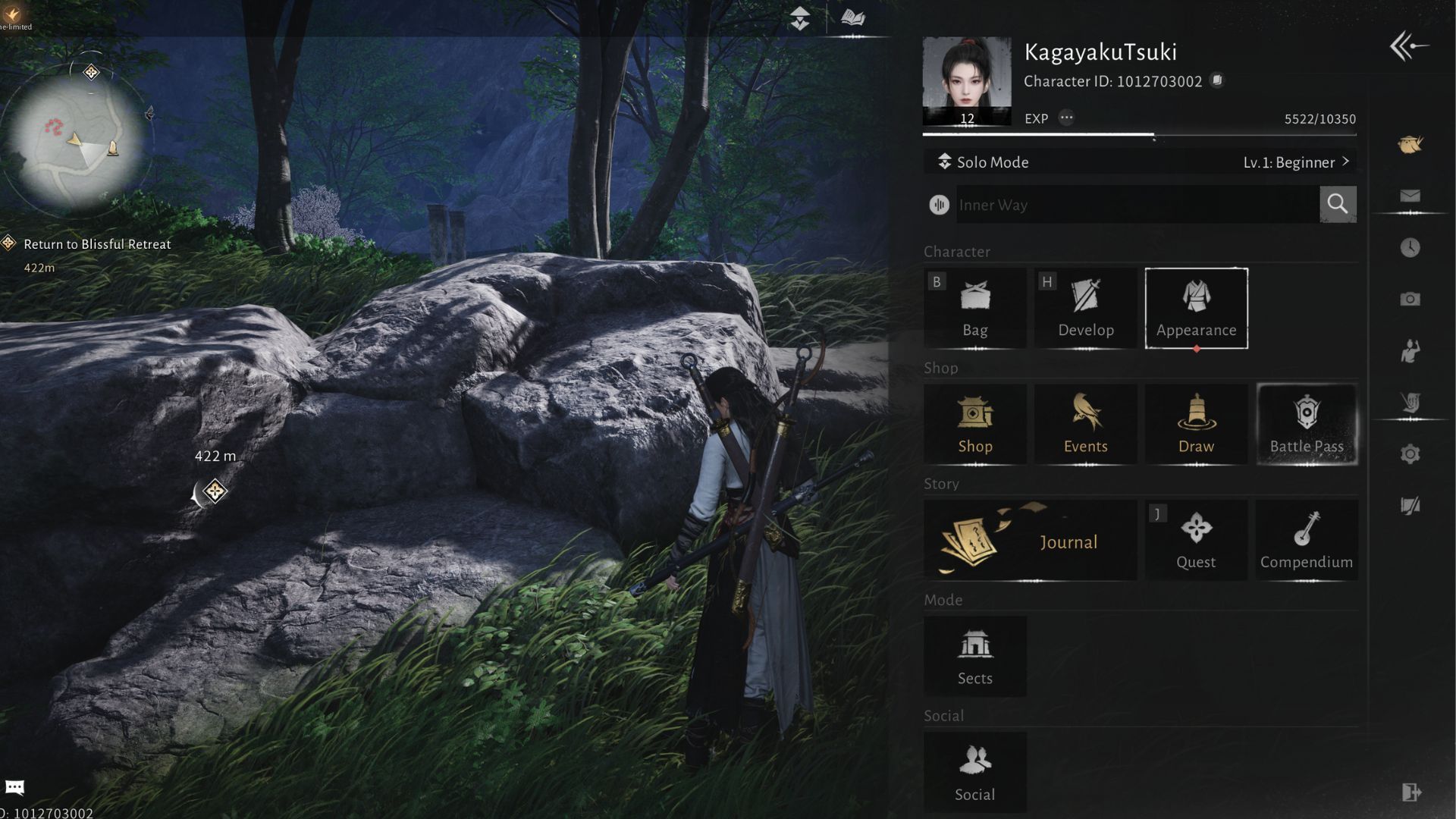
If you’re unhappy with how your character looks after creating it, you can often change their appearance within the game itself. This is much easier than contacting support to have the character deleted and recreated.
You can change how your character looks by opening the game’s menu and choosing ‘Appearance’. This will bring up a new screen. On that screen, select ‘Appearance’ again – you’ll find it at the bottom.
This feature lets you customize how your character looks. You can also save different looks as presets, so you can easily switch between them instead of being limited to a single design. You can initially create up to four presets, and you can unlock more by collecting Echo Jade.
Read More
- The Super Mario Galaxy Movie: 50 Easter Eggs, References & Major Cameos Explained
- All 13 Smash Bros. Characters in the Super Mario Galaxy Movie
- Welcome to Demon School! Iruma-kun season 4 release schedule: When are new episodes on Crunchyroll?
- Sydney Sweeney’s The Housemaid 2 Sets Streaming Release Date
- TV legend Carol Kirkwood reveals the reasons why she decided to retire after 28 years with BBC
- Why is Tech Jacket gender-swapped in Invincible season 4 and who voices her?
- Dune 3 Gets the Huge Update Fans Have Been Waiting For
- Highly Anticipated Strategy RPG Finally Sets Release Date (And It’s Soon)
- Unforgotten legend Nicola Walker stars in first look at all-new “outrageously witty” comedy drama series
- The Most Surreal Moments From the O.J. Simpson Murder Trial
2025-11-16 21:40