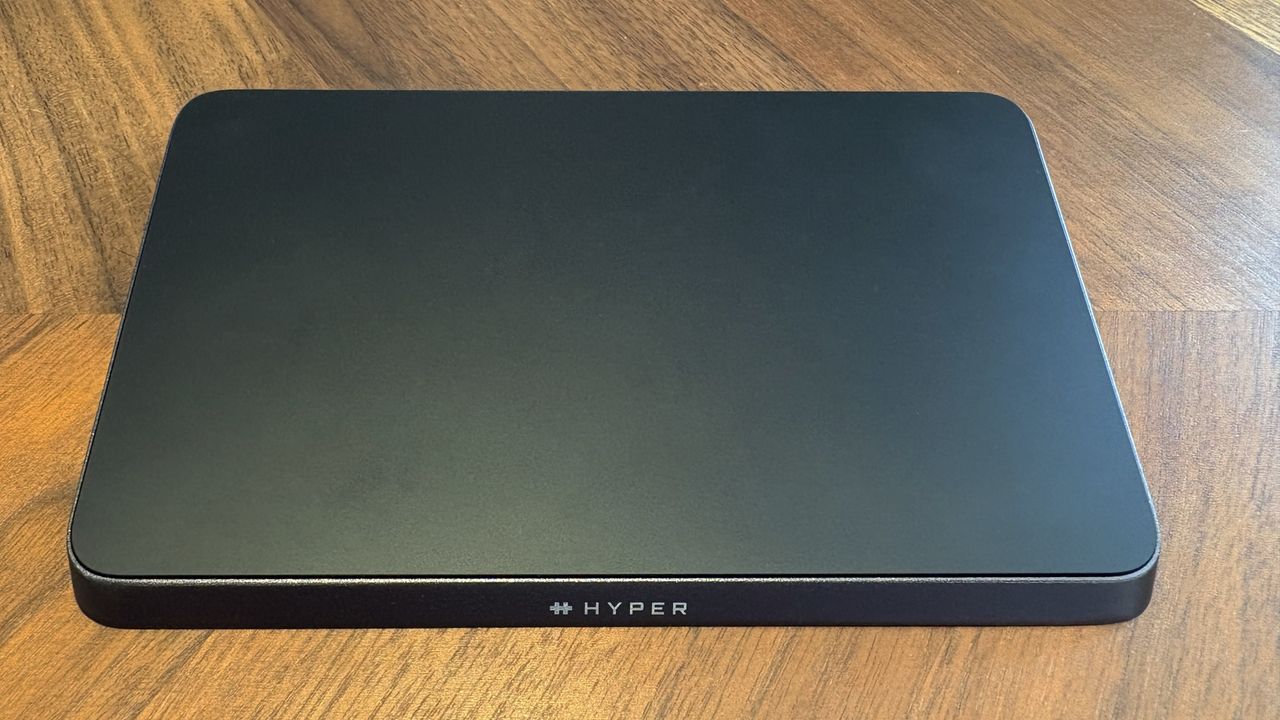
I’ve been hoping for a trackpad like Apple’s Magic Trackpad to work with Windows for a long time. That’s why I was so excited when Hyper announced the HyperSpace Trackpad Pro.
As a researcher, I was immediately excited by the HyperSpace Trackpad Pro – a wireless trackpad with haptic feedback that connects easily to Windows computers. While it initially seems like a simple alternative to Apple’s Magic Trackpad, I believe it offers much more potential than just that.
I had the chance to thoroughly test two pre-release versions of the HyperSpace Trackpad Pro and discuss it with the engineers and team at Hyper. This gave me a special understanding of the device and the ambitious goals behind it – it’s more than just a larger trackpad.
I was a little anxious when I first tried the software – it was very new at that point, and that’s to be expected with beta versions. However, after a few updates, the second time I tested it, everything worked wonderfully.
I received a sample unit from HyperSpace to evaluate, and I also had the chance to speak with their developers and staff. However, HyperSpace had no influence over this review and didn’t see it before it was published.
The HyperSpace Trackpad Pro is easy to set up. Just open the box, connect it to your device with either Bluetooth or a USB-C cable, and it will work right away. You can navigate, swipe, and use gestures without needing to change any settings.
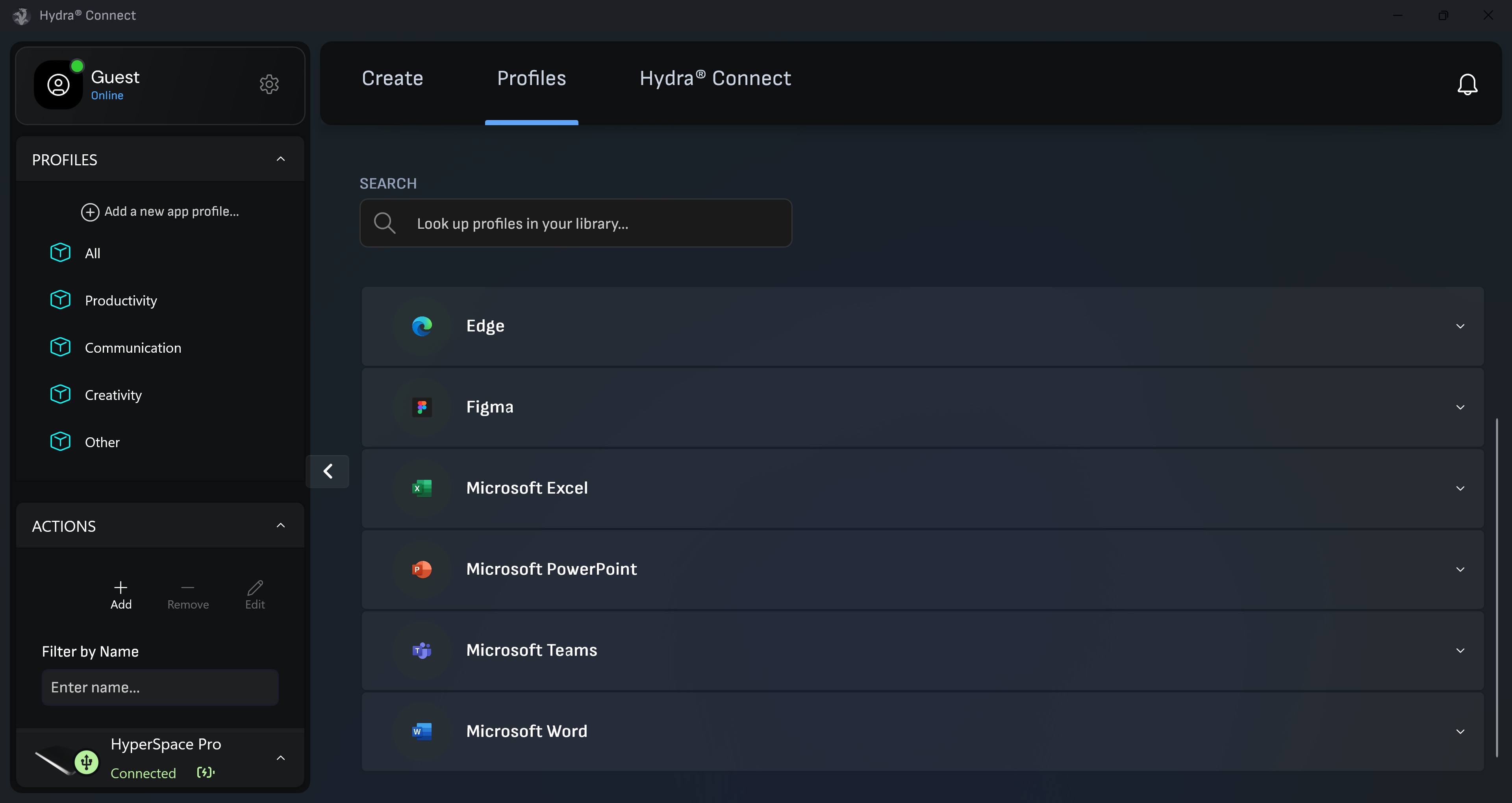
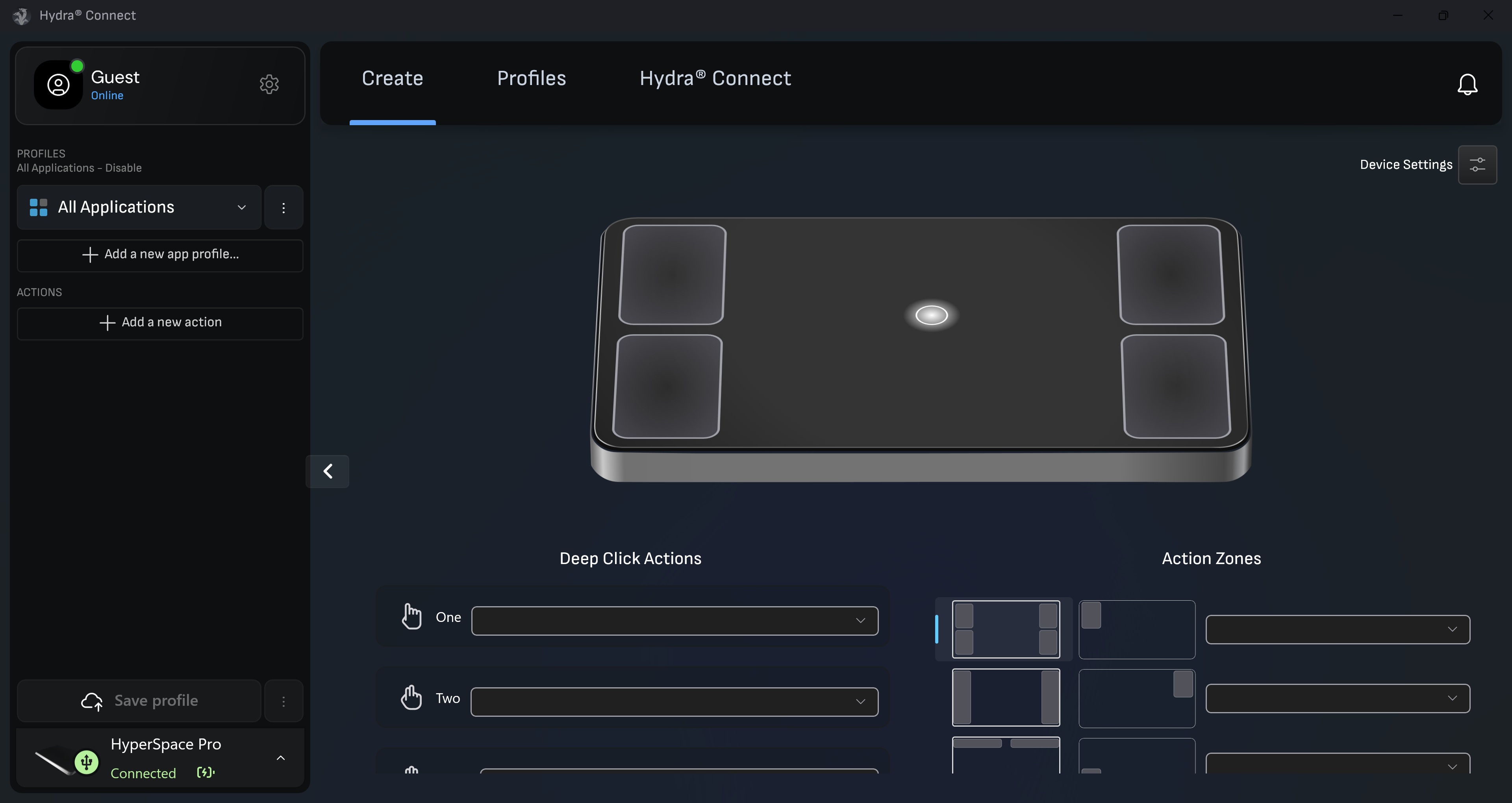
The HyperSpace Trackpad Pro works best with a program called Hydra Connect. This program lets you personalize how the trackpad works by creating custom areas, choosing what each gesture does, and fine-tuning how sensitive it is.
Hydra Connect lets you tailor settings for each app you use. It comes with pre-made profiles for popular programs like Microsoft Office, Teams, Adobe Premiere Pro, and Figma, and you can also build custom profiles for any other app.
I was seriously blown away by the HyperSpace Trackpad Pro when I saw it at CES 2025, even though it was still a work in progress. Now, I’m thrilled to hear it’s officially been recognized as a CES Innovation Award winner for 2026! It really deserves the recognition.
The HyperSpace Trackpad Pro successfully funded on Kickstarter in November and is scheduled to ship in early 2026. After the campaign, it will be available for purchase at a price of $149.99.
Haptics make all the difference

The HyperSpace Trackpad Pro is a spacious trackpad that provides tactile feedback. It’s probably bigger than any other trackpad you’ve experienced, even those found on top-of-the-line Windows laptops.
The HyperSpace Trackpad Pro feels incredibly responsive because it’s designed to register every touch. Unlike some trackpads, you don’t have to press down harder on the edges or corners to get a reaction – it works consistently across the entire surface.
As a tech fan, I’ve definitely noticed haptics becoming more common. It’s basically the technology that gives you tactile feedback – that little vibration or sensation when you touch something on a device. You’ve probably already experienced it on your iPhone, and Apple’s newer MacBooks use it too. But it’s spreading to Windows laptops now – I’ve been impressed with the haptics on things like the Lenovo ThinkPad X1 Carbon (Gen 13) Aura Edition and the latest Surface Laptop 7. Even the keyboard for the Surface Pro 11 has haptics built in – it’s a really cool feature!
For years, Windows users have wished for a trackpad like Apple’s Magic Trackpad, and the HyperSpace Trackpad Pro finally delivers – and it offers even more features than you might expect.
Haptic touchpads, like the HyperSpace Trackpad Pro, create the sensation of pressing a button or switch using vibrations – all without any physical, moving components.
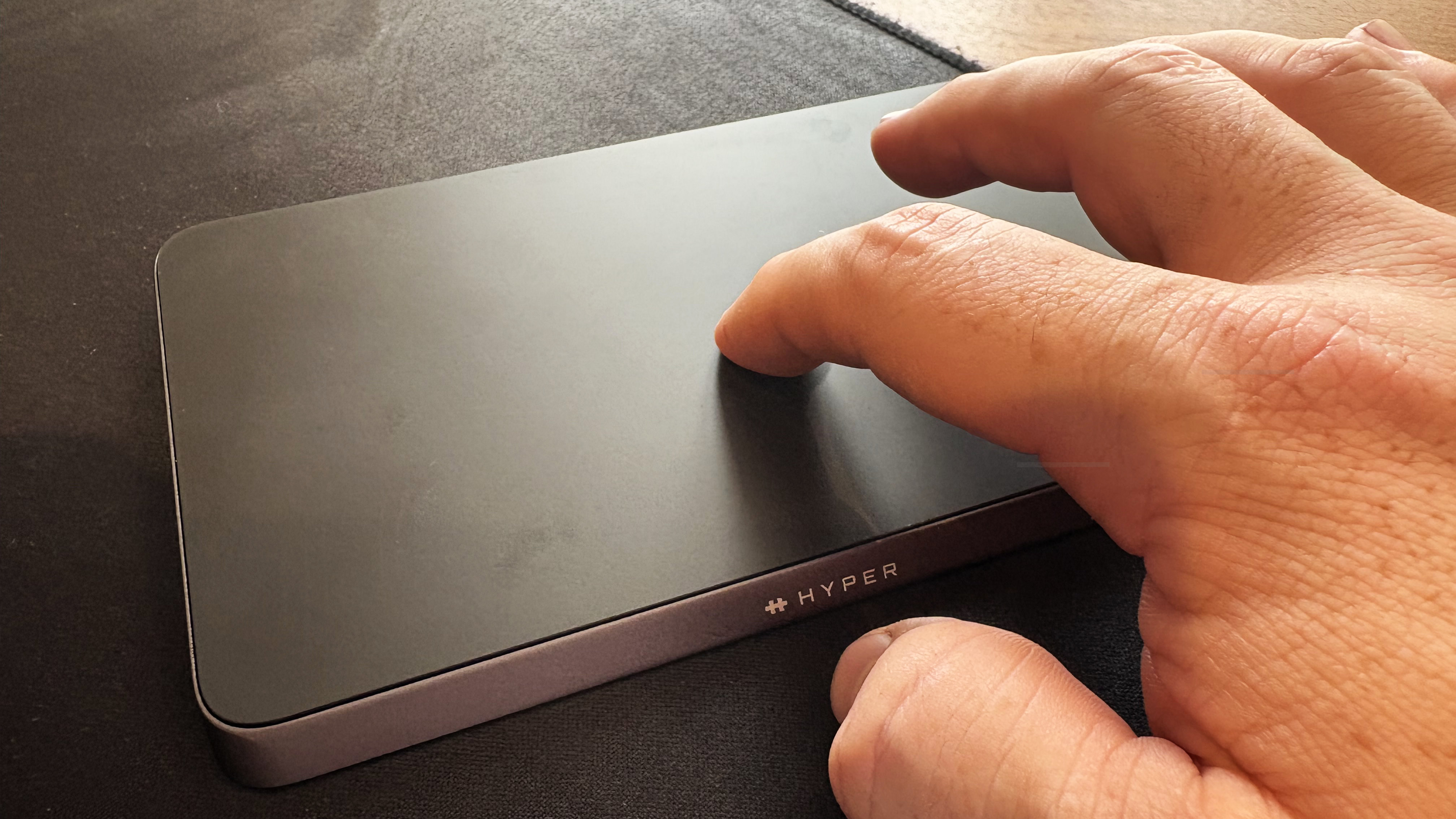
The HyperSpace Trackpad Pro is very responsive and precise, and it lets you use multiple fingers for gestures. If you’re accustomed to using swipes and flicks to get around in Windows, you’ll find this trackpad familiar – it’s just bigger than most.
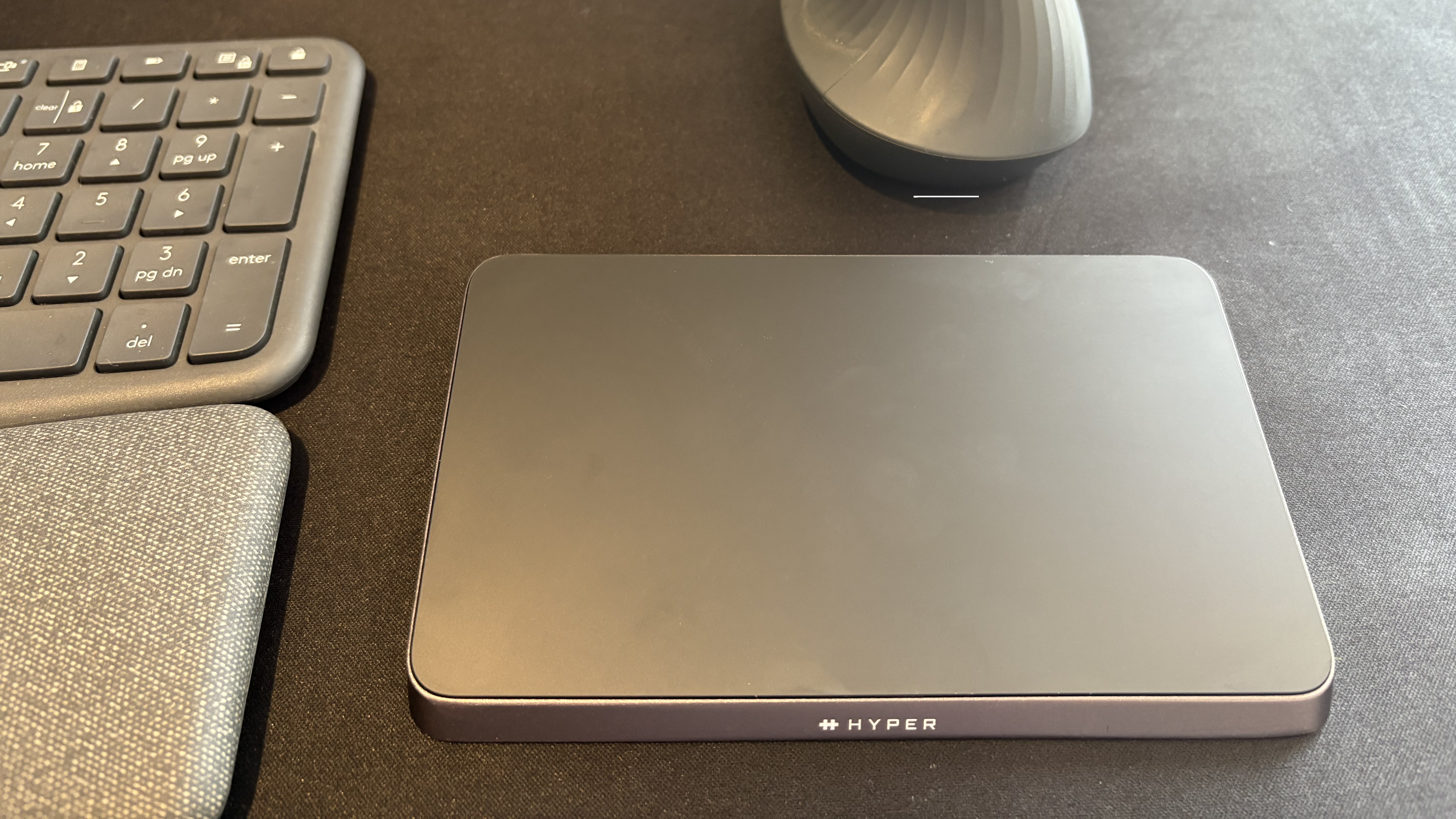
This accessory is built to last, with a strong metal body created using precise CNC machining. The result is a sleek, professional appearance. The subtly angled trackpad is both visually appealing and makes it more comfortable to use.
Hyper aimed for a simple, uncluttered design with the HyperSpace Trackpad Pro. It features rubber feet to keep it in place, a small logo on the front, a USB-C port, and a power button located on the back. This same power button also activates Bluetooth pairing.
More than a Magic Trackpad
The Hyper accessory is unique – it doesn’t really have any direct competitors, especially if you’re using Windows. And while it might seem similar to Apple’s Magic Trackpad, it’s not simply a copy.
Over the past few months, I’ve had several conversations with the team at Hyper. These discussions kept returning to the core idea behind their trackpad: it’s designed with two main objectives.
- Replicate the trackpad experience one would expect from their laptop trackpad.
- Create a unique tool that’s customizable and looks at input from a different angle.
While there are definitely a lot of small details to consider, most of my opinions about this device will likely fit into just two main ideas.
From my testing, the Hyper trackpad is immediately impressive – it’s comfortable to use and the haptic feedback is really well done. You’ll likely be satisfied with it right out of the box. However, the included Hydra Connect software unlocks even more potential, letting you really tailor the trackpad to your preferences and needs.
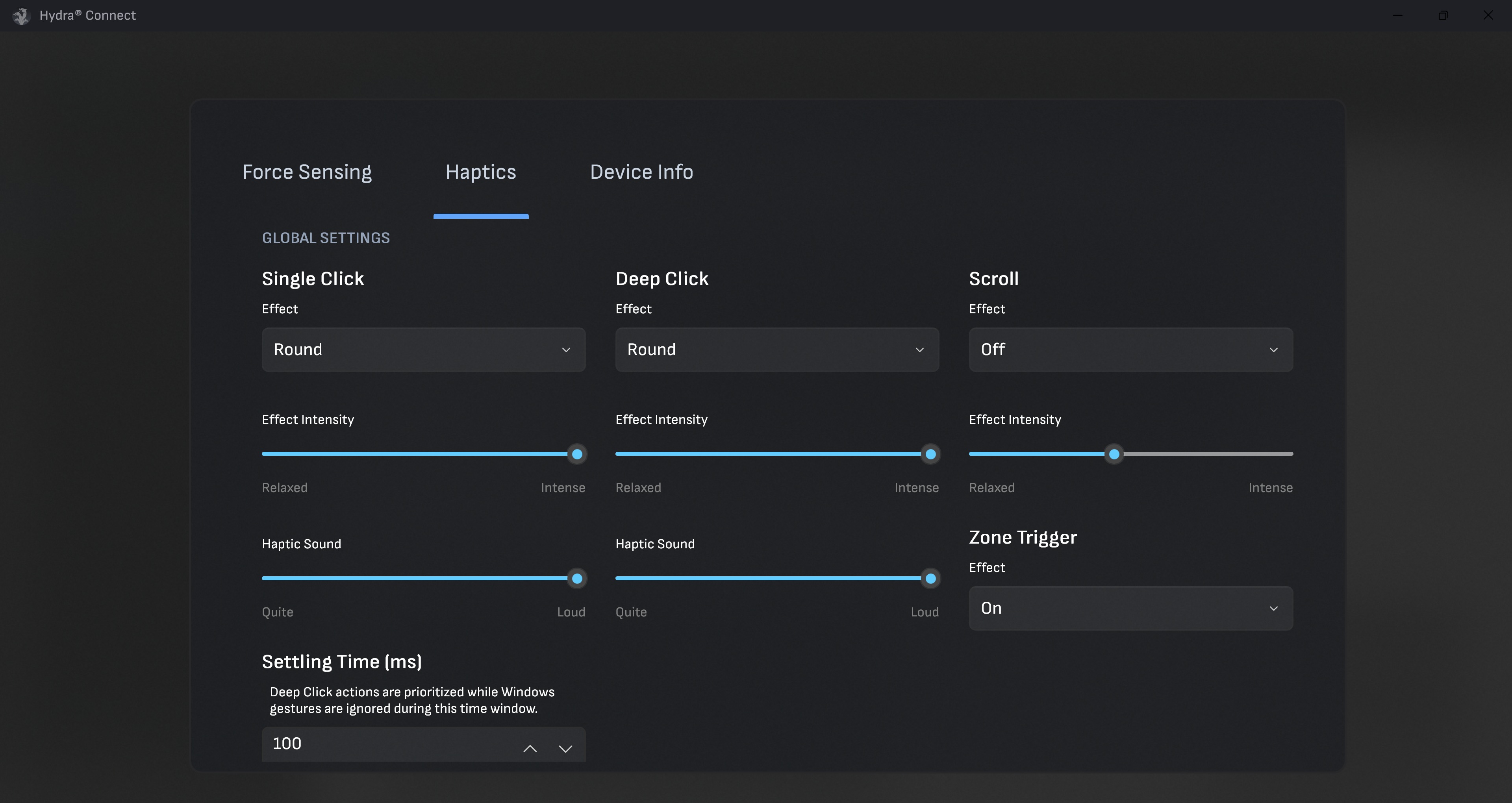
Hydra Connect lets you customize how your device responds to different types of clicks – from single-finger taps to more complex actions. Explore the settings, and you’ll find even more options to fine-tune how things work for each individual app. There are a lot of choices, giving you a high degree of control.
Hyper comes with pre-configured settings to make it easier to use with apps like Adobe Premiere Pro – for example, it can help you smoothly scrub through a timeline. Plus, you can customize almost any gesture on the Hyper trackpad to perform a wide range of actions.
A learning curve
It was really interesting to talk with the Hyper team and share my thoughts. I’ve given feedback to app developers before, but this was my first time discussing a product like this in detail with the people who make the accessories.
I recently discussed the HyperSpace Trackpad Pro, and while I really like it, I think some of its more complex features might be too much for some users.
The HyperSpace Trackpad Pro uses different levels of vibration to simulate physical movement. While the trackpad itself doesn’t physically move, these varying vibrations create the feeling of depth or texture. It’s hard to find a better way to explain it, though!
The trackpad responds to different levels of pressure. A light touch does one thing, while pressing harder does something else. It creates the sensation of physically pressing the trackpad, even though it doesn’t actually move. It’s really something you need to experience firsthand to understand.
I’m accustomed to trackpads that don’t offer tactile feedback, and I’ve dealt with ones that are unresponsive in certain areas or need varying levels of force to click. As a result, I had to train myself to use a light touch when using them.
It was tricky at first to tell the difference between a gentle press and a firm one. I wondered if I could turn off the firm press feature altogether, as I kept accidentally activating the wrong thing. Unfortunately, you can’t disable it completely, but you *can* configure it to do the same thing as a light tap.
Okay, so the HyperSpace Trackpad Pro initially felt really familiar – almost like the trackpad on my laptop, but as a separate thing. But honestly, once I started playing around with all the software features, I realized it’s so much more than *just* a trackpad. It’s really powerful!
Being able to customize trackpad actions for each app is a game changer. For example, I can use the right side of the trackpad to scroll in a web browser like Edge, but also use it to move through a video timeline in Adobe Premiere Pro.
HyperSpace Trackpad Pro: Final thoughts
✅You should buy this if …
- You want a MacBook-like trackpad for Windows: This is one of the only standalone trackpads that works with PCs.
- You are a power user in creative apps: Per-app customization makes this trackpad a powerful and versatile tool.
❌You should not buy this if …
- You are on a budget: At $149.99, it is more expensive than even some high-end mice.
- You want to use a mouse exclusively: Gamers and certain creators require a mouse.
I struggled to find the best place for the HyperSpace Trackpad Pro on my desk. I initially put it under my Logitech K860 keyboard, but then I tried using it as a mouse replacement. It was really useful for things like moving through timelines, scrolling, and using swipe gestures.
I ended up putting the HyperSpace Trackpad under my keyboard, but in front of my mouse. This way, I could still use my mouse when it was better for certain things, like when I needed to carefully select details in a photo for editing. I find a mouse is just more precise for tasks like blemish removal.
The HyperSpace Trackpad Pro can function as either a replacement for your laptop’s trackpad or a standalone mouse, but it really stands out as a special addition that can improve how you work.
Read More
- The Super Mario Galaxy Movie: 50 Easter Eggs, References & Major Cameos Explained
- Sydney Sweeney’s The Housemaid 2 Sets Streaming Release Date
- 10 Best Free Games on Steam in 2026, Ranked
- Welcome to Demon School! Iruma-kun season 4 release schedule: When are new episodes on Crunchyroll?
- Why is Tech Jacket gender-swapped in Invincible season 4 and who voices her?
- Highly Anticipated Strategy RPG Finally Sets Release Date (And It’s Soon)
- The Punisher: One Last Kill Trailer Review: MCU Special Could Be a Game Changer
- Every Real Housewives Series Ranked: Worst to Best
- Forza Horizon 6 ‘Prologue’ gameplay
- Joel Kinnaman Claims ‘Peacemaker’ Was His Last Time as Rick Flag Jr. in the DCU
2025-12-27 17:11