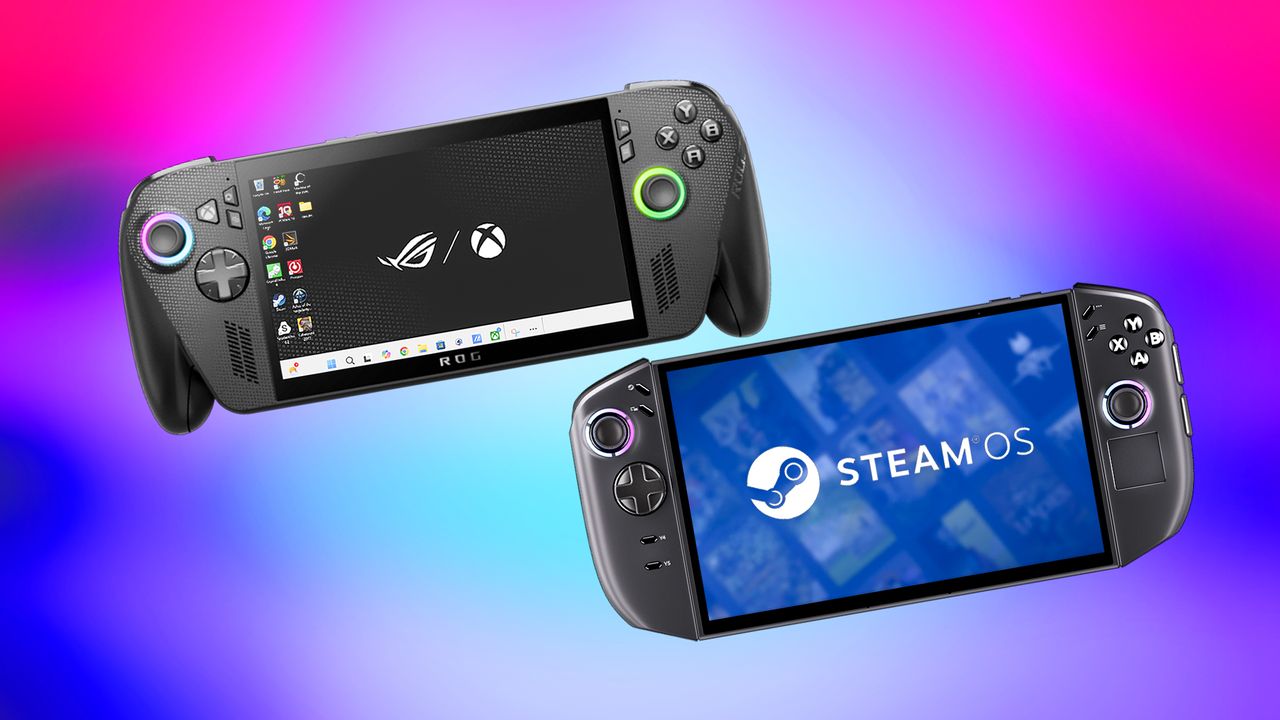
In 2025, I dedicated a lot of time to testing and reviewing the ASUS ROG Ally X and the Legion Go 2 (both running Windows). I also created a detailed comparison of the two devices.
Lenovo recently revealed at CES 2026 that a new version of the Legion Go 2 will be released, running the SteamOS operating system.
I compared the Legion Go 2 (SteamOS) and the Xbox Ally X to see which one has better features and which one offers a better value for most users. Here’s a detailed look at how they stack up.
Xbox Ally X vs Legion Go 2 (SteamOS): Specs
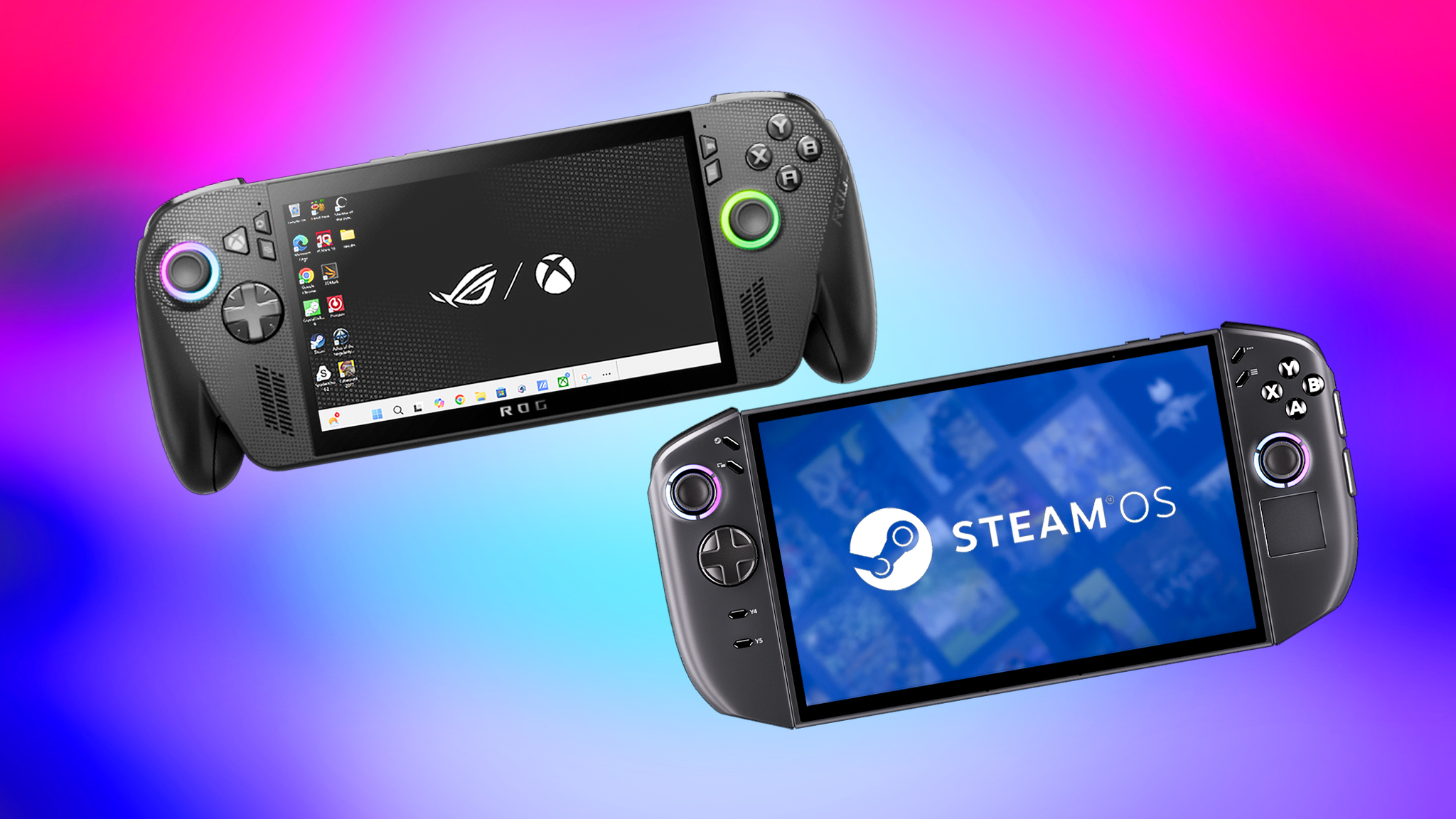
Before diving deeper, let’s quickly review the detailed specifications of both the Xbox Ally X and the Legion Go 2 running SteamOS. As an analyst, I think it’s important we’re all on the same page regarding their hardware before we proceed.
| Xbox Ally X | Legion Go 2 (SteamOS) | |
|---|---|---|
| Starting price | $999.99 | $1,199.00 |
| Release date | October 16, 2025 | June 2026 |
| OS | Windows 11 Home | SteamOS |
| Processor | AMD Ryzen AI Z2 Extreme w/ NPU up to 50 TOPS (15-35W TDP) | Up to AMD Ryzen Z2 Extreme 8c/16t 4nm |
| Graphics | AMD Radeon Graphics | Up to AMD APU RDNA 3.5 16c 4nm |
| Memory | 24GB LPDDR5X-8000 MHz RAM | Up to 32GB LPDDR5X-8000 MHz RAM |
| Storage | 1TB M.2 2280 SSD | Up to 2TB M.2 2242 SSD |
| Display | 7-inch FHD (1920 x 1080) 16:9 IPS touchscreen, 120Hz, 500 nits | 8.8-inch WUXGA (1920 x 1200) 16:10 OLED touchscreen, 144Hz, 500 nits, TrueBlack 1000 |
| VRR | Yes | Yes |
| Touchpad | No | Yes |
| Joysticks | Offset Standard Analog Sticks / RGB lighting | Offset Hall Effect Sticks / RGB lighting |
| Fingerprint reader | Yes | No |
| Ports | 1x USB4 Type-C, 1x USB-C 3.2 Gen 2, 1x UHS-II microSD card reader, 1x audio jack | 2x USB4 Type USB-C, 1x microSD card reader, 1x audio jack |
| Connectivity | Wi-Fi 6E + Bluetooth 5.4 | Wi-Fi 6E, Bluetooth 5.3 |
| Dimensions | 11.45 x 4.78 x 1.99 inches (290.8 x 121.5 x 50.7mm) | 11.64 x 5.38 x 1.66 inches (295.6 x 136.7 x 42.2mm) |
| Weight | 1.57 lbs (715g) | Whole handheld: 2.03 lbs (920g) | Controllers only: 0.46 lbs (210g) |
| Battery | 80Whr (65W AC adapter) | 74Whr w/ Super Rapid Charge (65W AC adapter) |
Just to clarify, I’m not comparing the original Xbox handheld (the white one) to the Legion Go 2. It’s a better comparison to pit it against the Legion Go S instead.
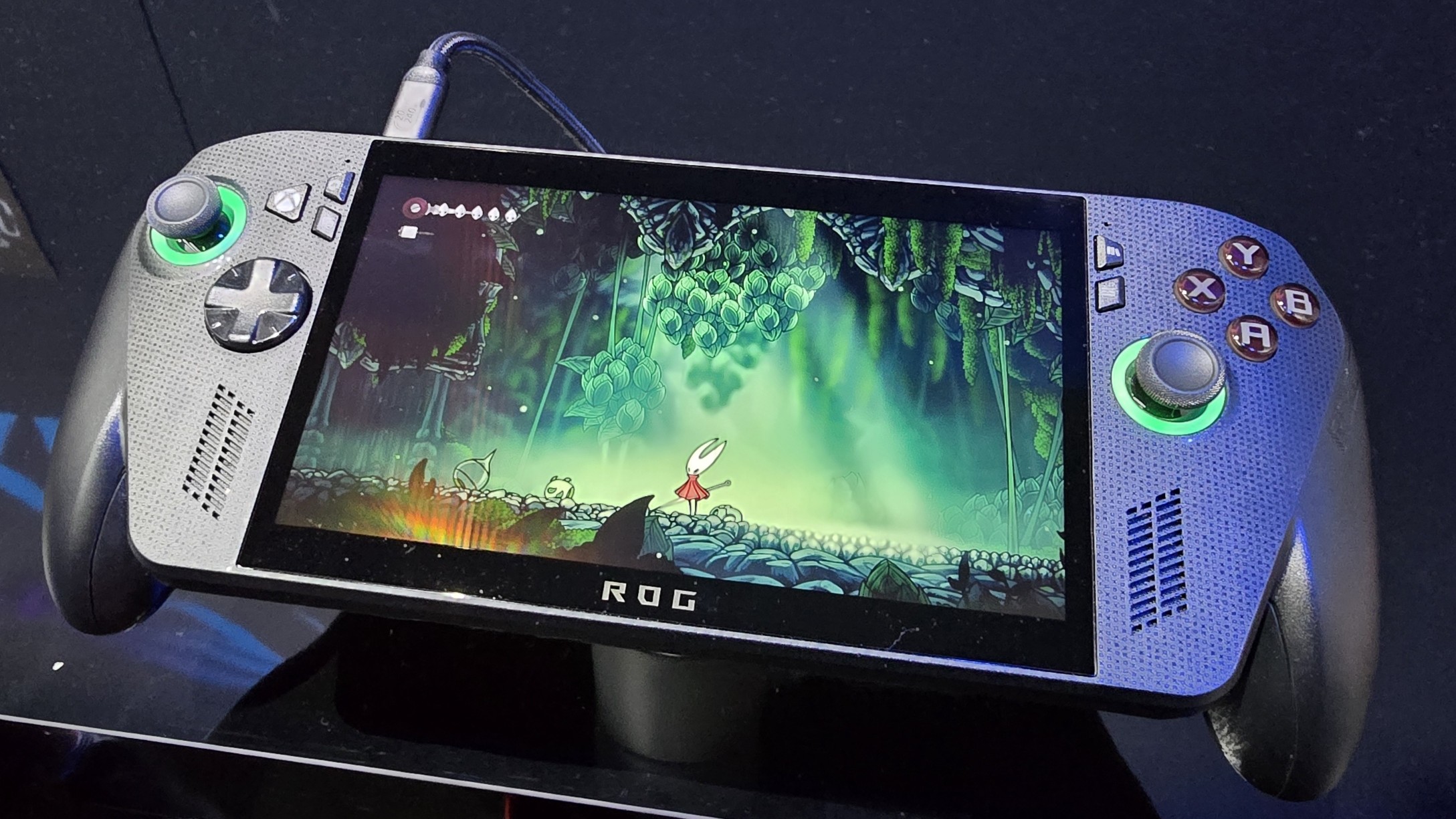
The Xbox Ally X is the follow-up to the ROG Ally and ROG Ally X, created through a collaboration between ASUS and Microsoft. Meanwhile, the Legion Go 2 is Lenovo’s new and improved flagship handheld gaming device, succeeding the original Legion Go.
Let’s discuss how these spec differences change the playing experience.
Back to the top ^
Xbox Ally X vs Legion Go 2 (SteamOS): Price
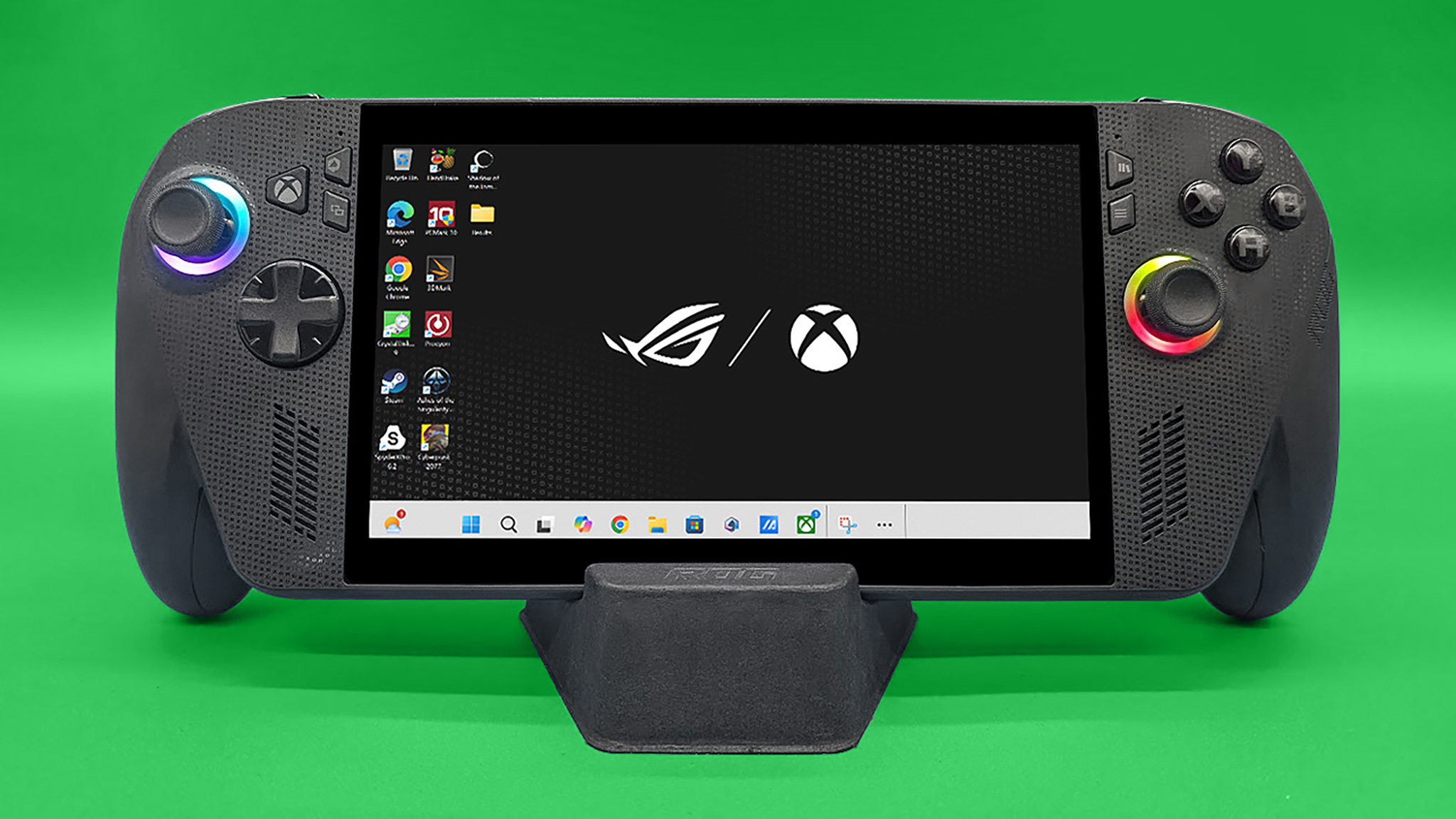
It’s no surprise if you were shocked by the prices of the Xbox Ally X and Legion Go 2; these high-end handheld gaming PCs come with a price tag that matches their powerful features.
The Xbox Ally X has been available to buy since October 2025, but the Legion Go 2 running SteamOS won’t be released until June 2026. Currently, the Windows version of the Legion Go 2 is also hard to find, with most stores reporting it’s sold out.
The Legion Go 2, running SteamOS, costs $1,199.99, which is more than the Xbox Ally X at $999.99. This price difference is because the Legion Go 2 offers several features the Ally X doesn’t – we’ll cover those details shortly.
Surprisingly, the Legion Go 2 version with SteamOS costs more than the Windows version, which begins at $1,099.99 at Best Buy.
ASUS ROG and Lenovo both make more affordable handheld gaming PCs, like the Xbox Ally and Legion Go S. However, the Xbox Ally X and Legion Go 2 are their top-of-the-line models, which explains their higher price tags.
The Xbox Ally X is definitely more affordable. However, the Legion Go 2 includes extra features the Xbox Ally X doesn’t, so it’s important to think about what you need most to decide which one is right for you.
Back to the top ^
Xbox Ally X vs Legion Go 2 (SteamOS): Performance and configurations
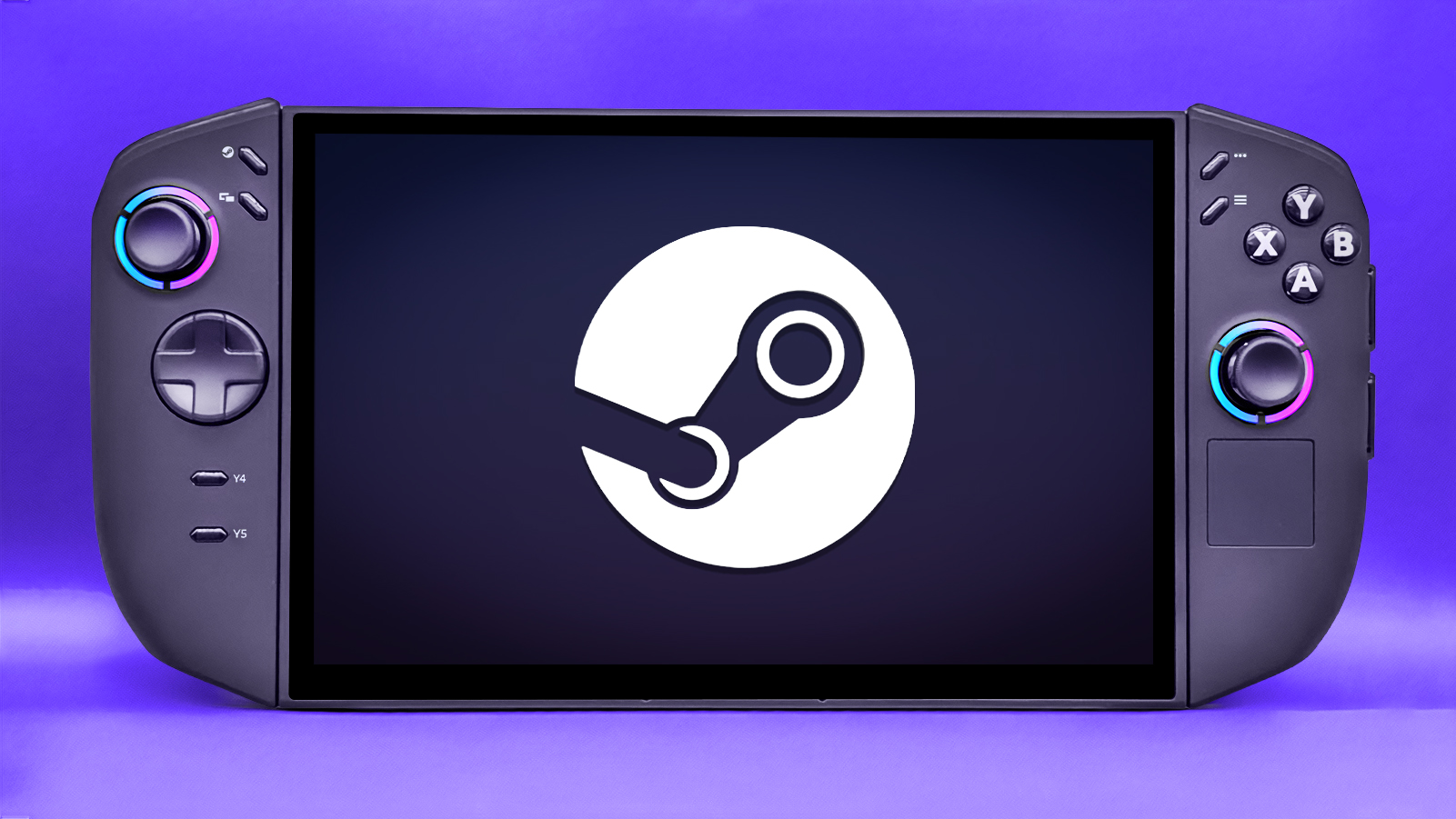
I’m planning to thoroughly test the Legion Go 2 (using SteamOS) as soon as I receive one. Currently, the performance information here is based on the device’s specifications and my best estimates. I will update this section with actual test results once I’ve had a chance to run them.
The Xbox Ally X and Legion Go 2 both use the newest AMD Ryzen Z2 series processors. These processors have 8 cores, 16 threads, and are built with Zen 5 technology, along with 16 graphics cores using RDNA3.5. The main difference between the two is that the Xbox Ally X’s processor includes a dedicated AI-CPU, while the Legion Go 2 does not.
Essentially, the Xbox Ally X’s processor is probably better at some things than the Legion Go 2’s. This is because its AI processor can help share the workload, making the system run smoother. However, a handheld’s performance depends on more than just the processor.
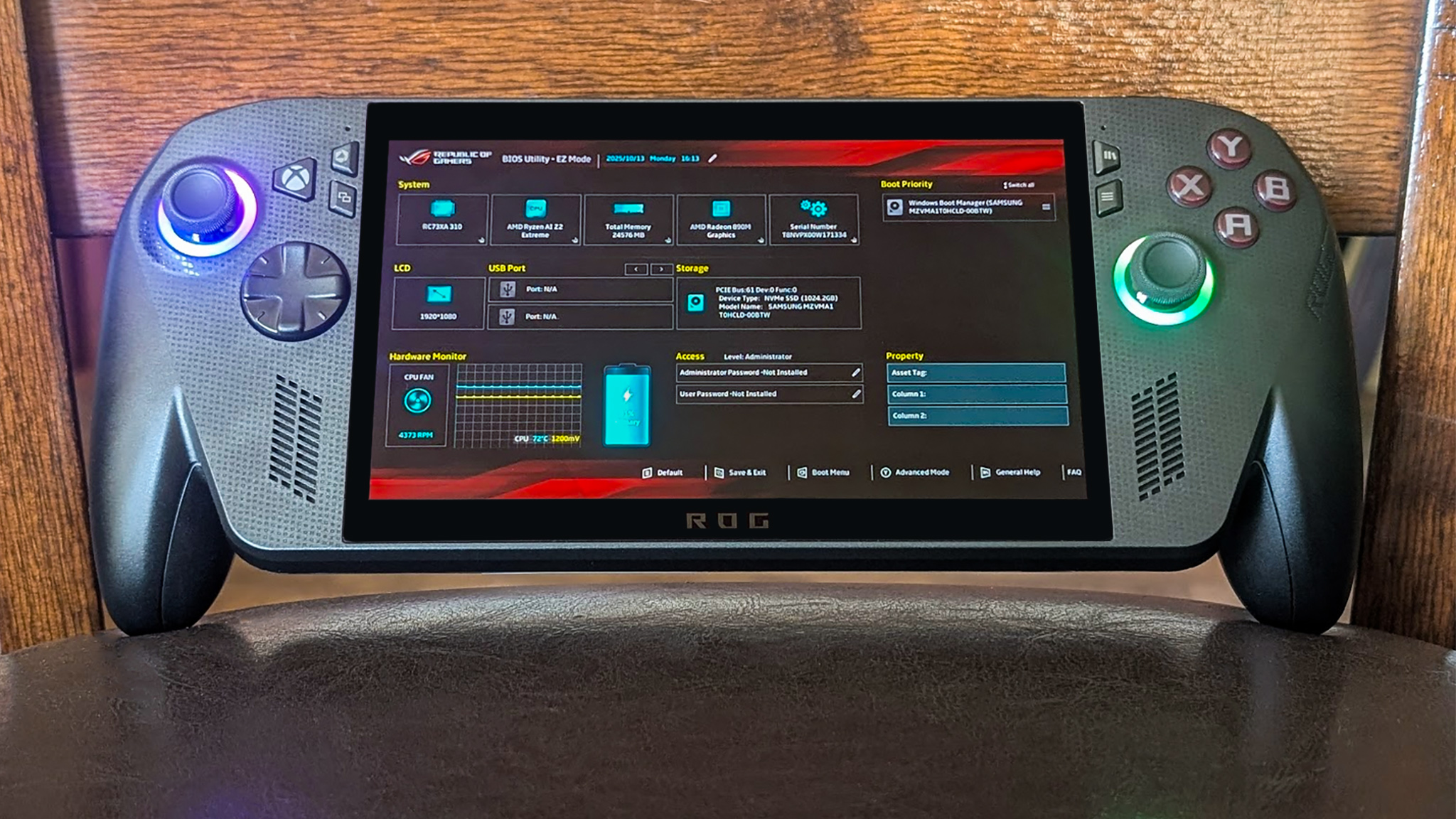
| Processor | CPU Cores & Threads | GPU Cores | TDP |
| AMD Ryzen AI Z2 Extreme (Xbox Ally X) | 8 cores, 16 threads w/ XDNA2 NPU (Zen 5) | 16 CU (RDNA3.5) | 15-35W |
| AMD Ryzen Z2 Extreme (Legion Go 2) | 8 cores, 16 threads w/ XDNA2 NPU (Zen 5) | 16 CU (RDNA3.5) | 15-35W |
Even without an AI processor, the Legion Go 2 has a strong chip and runs SteamOS, suggesting it will likely perform more efficiently than the Windows-based Xbox Ally X.
SteamOS generally performs better on handheld gaming devices. Tests on the Xbox Ally X showed a significant improvement – up to 32% more frames per second – when switched from Windows to SteamOS, along with smoother gameplay and faster startup times (according to Tom’s Hardware). Because of this, I anticipate the upcoming Legion Go 2, which will use SteamOS, will outperform the Xbox Ally X.
While the exact memory options for the Legion Go 2 haven’t been confirmed, it’s expected to offer up to 32GB of fast 8000 MHz LPDDR5X RAM and up to 2TB of M.2 SSD storage. This is a step up from the Xbox Ally X, which has 24GB of RAM and 1TB of storage.
The Xbox Ally X has plenty of memory and storage for handheld gaming. However, players who enjoy demanding, high-end AAA games will especially appreciate having extra space.
Based on previous testing, I expect the Legion Go 2 (running SteamOS) to have a faster SSD than the Xbox Ally X. In my tests, Lenovo’s handheld gaming devices have consistently outperformed similar ASUS ROG models – for example, the Legion Go S was faster than the ROG Ally, and the Legion Go (Windows version) was faster than the Xbox Ally X.
Remember, gaming handhelds aren’t as powerful as gaming laptops or desktops. That’s because handhelds prioritize being portable, so some power is sacrificed to achieve a smaller size.
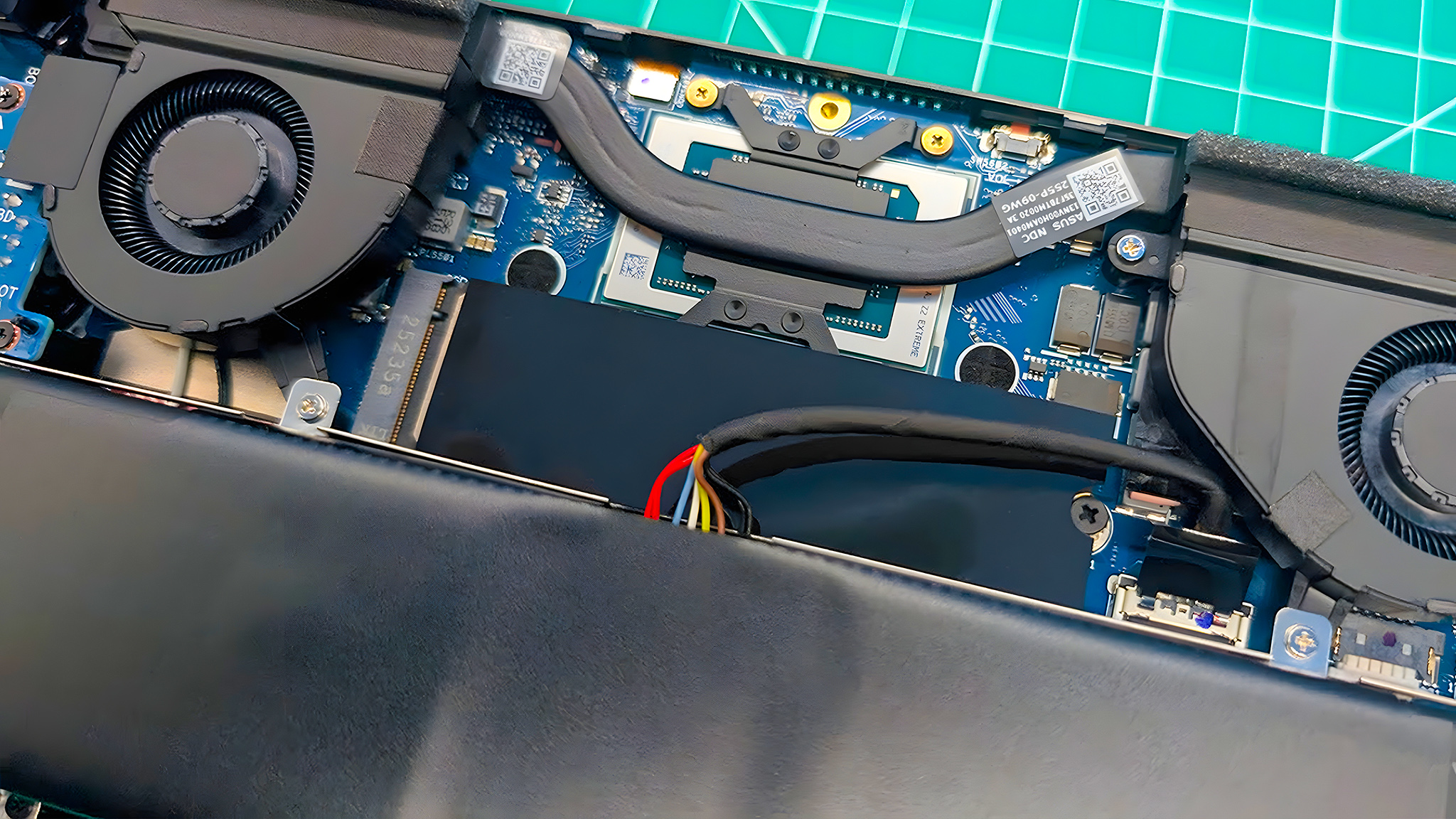
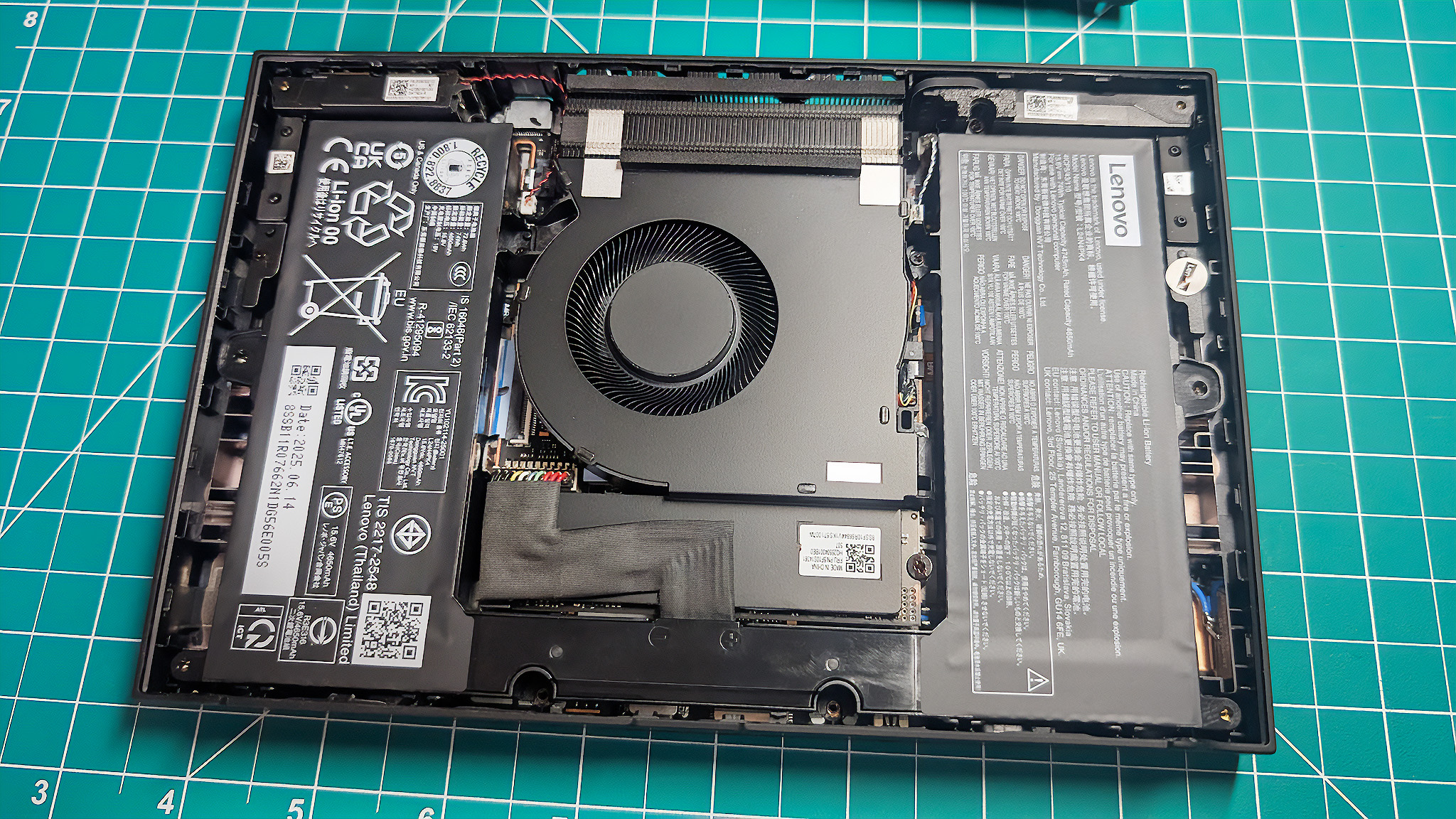
Just a heads-up for those who like to modify or upgrade their devices: the Legion Go 2 probably won’t be very easy to upgrade. My experience with the Windows version showed it wasn’t really built for that – even replacing the SSD would be more complicated than on most handhelds. However, I know many of you will still want to give it a try!
The Xbox Ally X stands out for how easy it is to upgrade its storage. Accessing and replacing the SSD is a simple process, and WD_BLACK even makes SSDs specifically designed for the Xbox Ally X, making upgrades seamless.
If you’d rather not open up your devices, you can easily add more storage to either of these handhelds with a microSD card.
I’ve been testing both of these handhelds, and while they’re both really powerful, I think the Legion Go 2 with SteamOS has a slight edge in performance. SteamOS just seems to run more efficiently, and generally, Lenovo’s SSDs have been quicker than the ones in the ASUS ROG handheld.
Back to the top ^
Xbox Ally X vs Legion Go 2 (SteamOS): Display
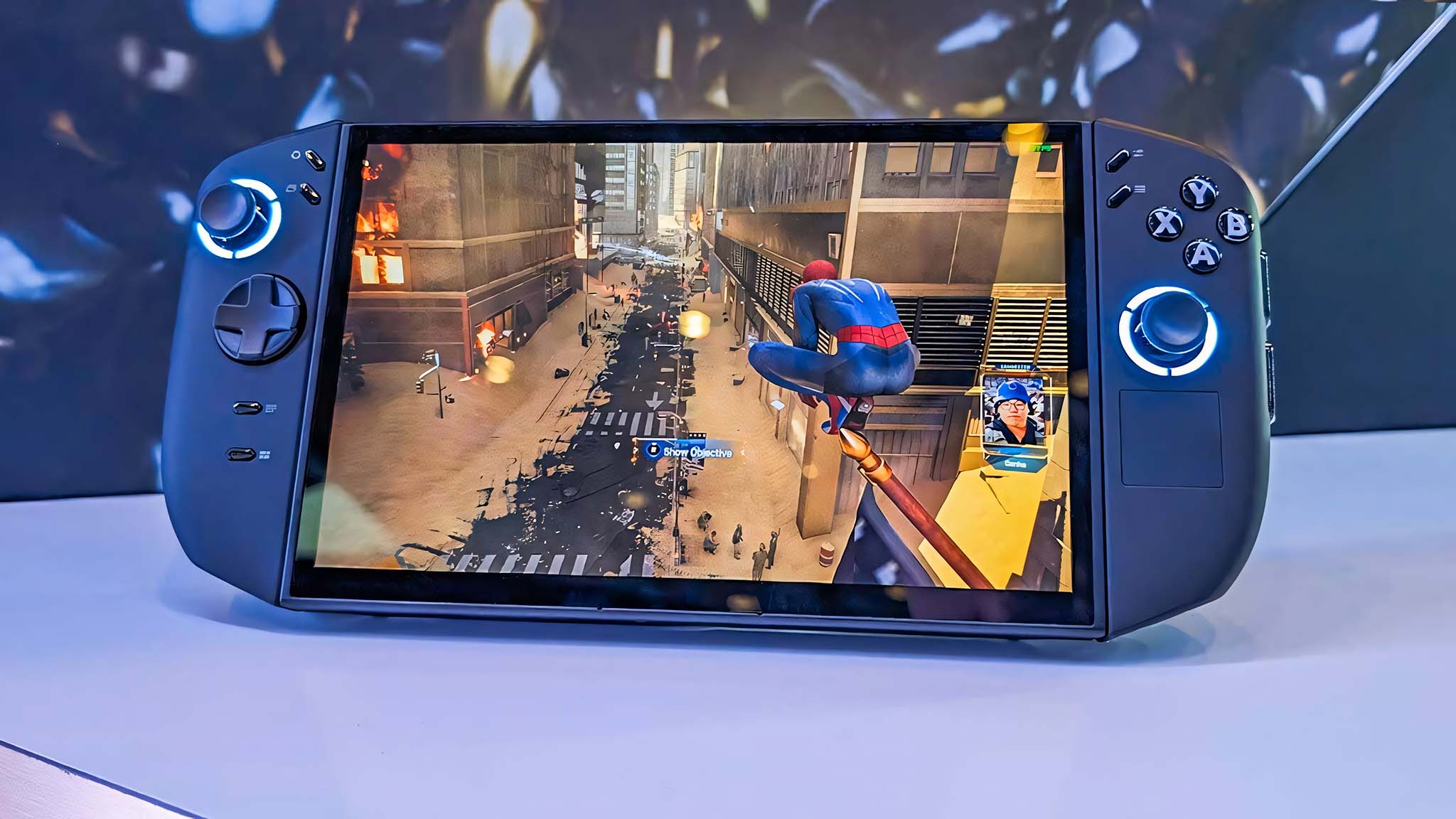
Let’s be direct: the Legion Go 2 has a significantly better screen than the Xbox Ally X. Its 8.8-inch OLED touchscreen is superior to the Ally X’s 7-inch IPS screen, and it’s currently the best display you can find on any handheld gaming device.
The Lenovo Legion Go 2 boasts a superior screen compared to its rival. It’s not only bigger, but also displays a wider range of colors, deeper blacks for greater contrast, sharper visuals, and smoother motion. This results in more detailed and vibrant game scenes with improved clarity, even during fast-paced action.
The Xbox Ally X uses a standard 16:9 screen shape, which most gamers prefer. The Legion Go 2, similar to the Steam Deck, has a 16:10 screen. This slightly taller screen on the Legion Go 2 is especially helpful for strategy games and everyday computer tasks.
As an analyst, I’ve found that neither of these aspect ratios is inherently flawed. However, personal preference plays a significant role, so it’s definitely something we need to consider when making a decision.
The Legion Go 2 clearly has the better screen. Its OLED display is a significant upgrade over the Xbox Ally X’s IPS screen, offering a larger size, smoother motion with a faster refresh rate, sharper visuals thanks to a higher resolution, more vibrant colors, and deeper, richer blacks.
Back to the top ^
Xbox Ally X vs Legion Go 2 (SteamOS): Buttons, joysticks, and grip
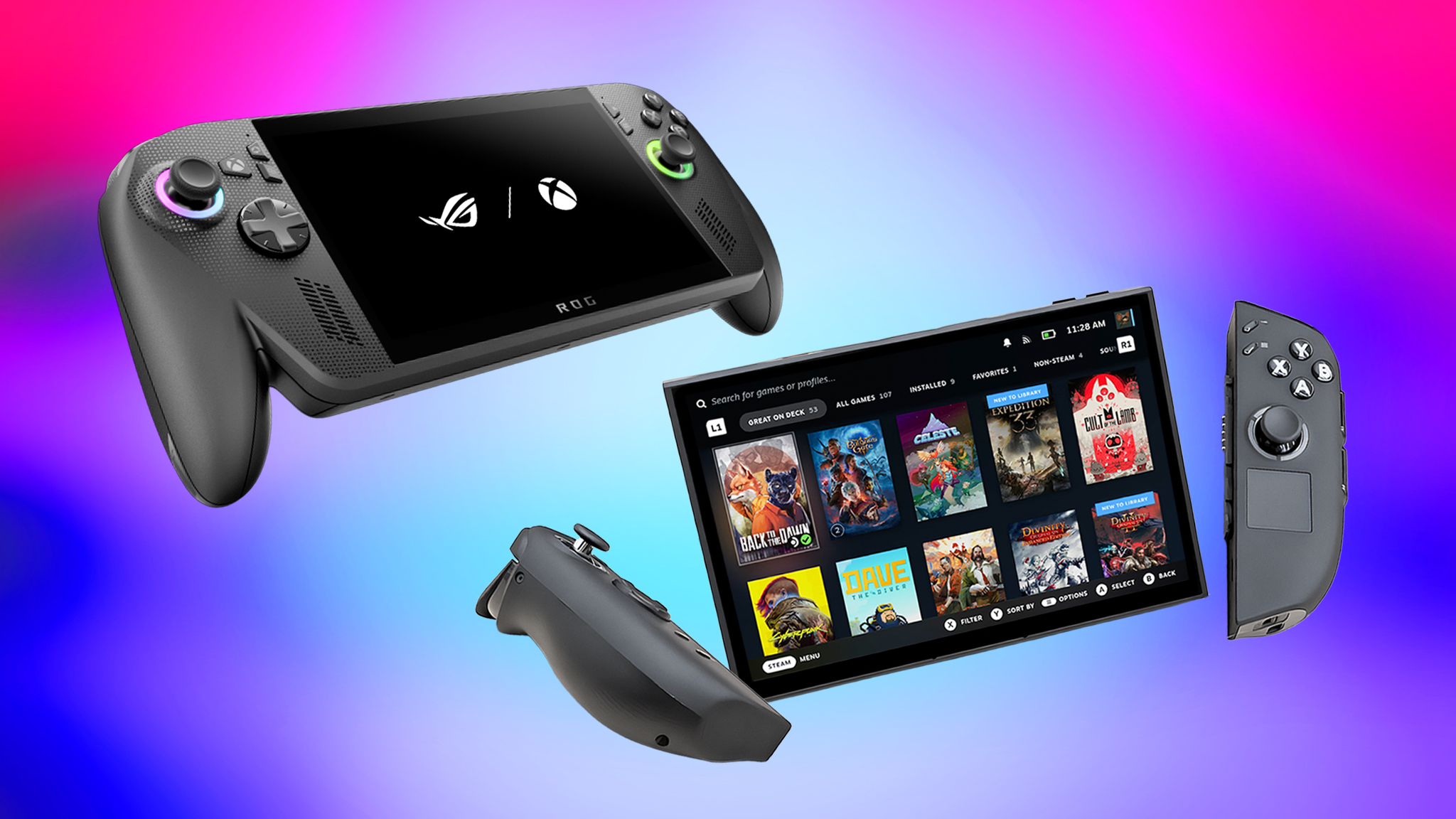
These devices generally have a similar design and way of being controlled, though they differ in some specific features and the technology they use.
Looking at the images, you’ll notice both devices share similar controls – triggers, bumpers, ABXY buttons, a D-Pad, and menu buttons. However, the Legion Go 2 uses more precise Hall Effect joysticks that prevent drifting, while the Xbox Ally X has traditional analog sticks. The Legion Go 2 also includes a touchpad on the right side, a feature the Xbox Ally X lacks. Touchpads can be helpful for navigating menus and playing certain games, offering more accurate control.
A common problem with handheld gaming devices is discomfort and strain in your hands and wrists. Even though these devices are small, holding a heavier one and tilting it upwards to see the screen can be tiring. Some players even experience numbness in their pinky fingers. The Xbox Ally X (1.57 pounds) and the Legion Go 2 (2.03 pounds) both addressed this issue, but they took very different approaches to doing so.
As an analyst, one of the first things I noticed about the Xbox Ally X is its really substantial grip. It’s clearly modeled after the Xbox controller, and in my experience, that makes it the most comfortable handheld to use in that mode. It’s worth noting that the Ally X is *only* a handheld, unlike the Legion Go 2 which also has a tabletop mode that can reduce strain on your hands.
I wasn’t a huge fan of how the original Legion Go felt in my hands – it wasn’t super comfortable. But the new Legion Go 2 is a big improvement! They’ve really rounded out the design, and the TrueStrike Controllers feel so much better. The improved shape makes it way more comfortable to hold for long gaming sessions.
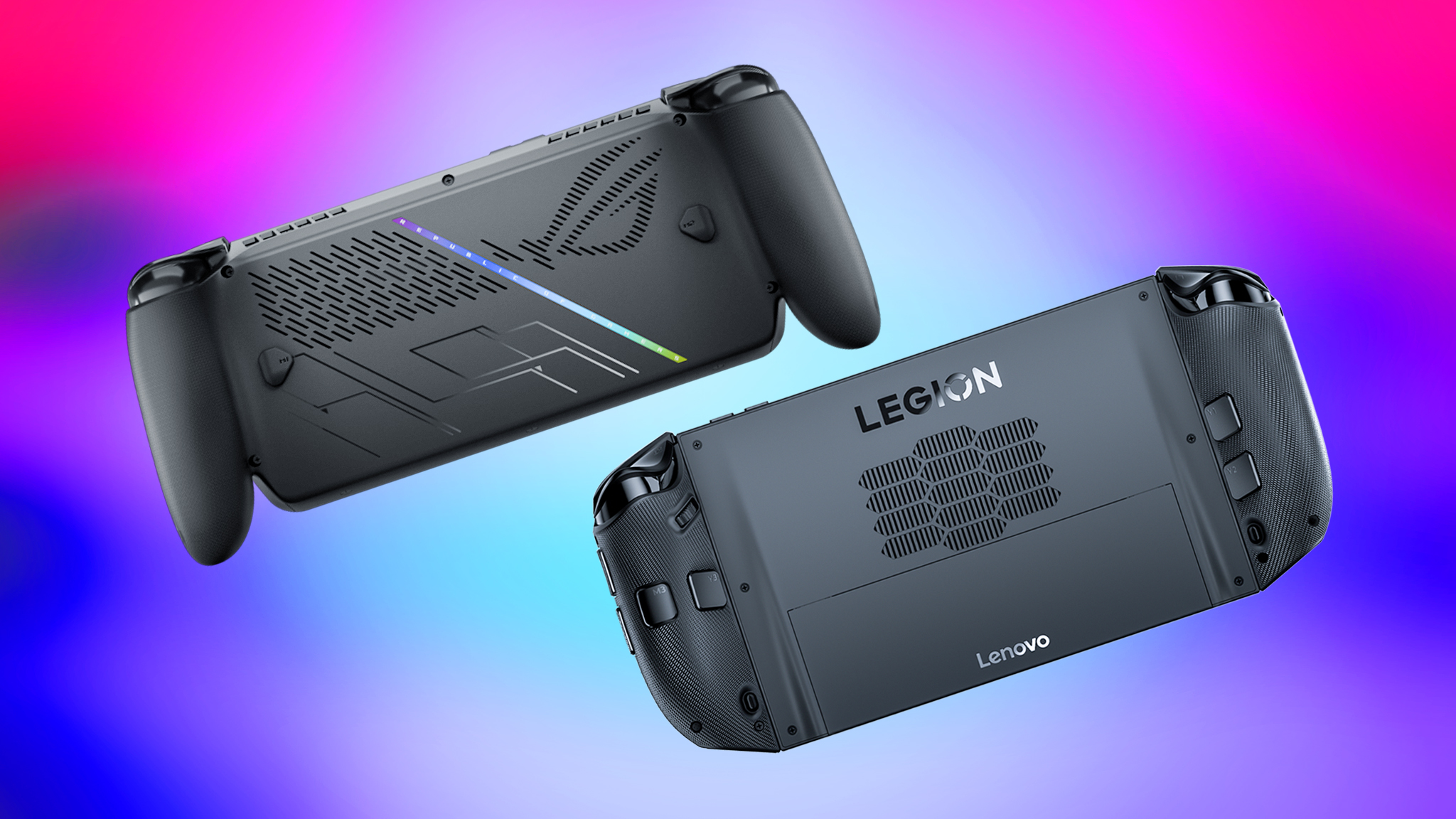
When you remove the Legion Go 2’s controllers, use the built-in kickstand, and play in tabletop mode, you’ll only be holding about 0.46 pounds of controllers – it’s very lightweight! Plus, if you connect the Legion Go 2 to your TV with a dock, like the JSAUX 6-in-1 Docking Station ($39.99 on Amazon), you can start playing right away with the attached controllers, so you don’t need to find a separate one.
One key difference between these two devices is the built-in kickstand. It might seem small, but it significantly improves the entertainment experience. With the Legion Go 2, I can easily watch videos on Netflix or YouTube without needing to lean it against something, which isn’t possible with the Xbox Ally X without extra support.
As someone who loves my Xbox Ally X, I’ve been looking for ways to make it even better. I’d definitely suggest checking out the dBrand ROG Xbox Ally X Killswitch at Best Buy – it’s a great accessory that adds a really useful kickstand to your device.
I’ve been testing the Legion Go 2 and the Xbox Ally X, and both have power buttons that also function as fingerprint readers. However, SteamOS on the Legion Go 2 doesn’t currently support using fingerprints to log in, so that feature doesn’t work. The Ally X’s fingerprint reader is available, but I’ve found it’s unfortunately unreliable; it often fails to recognize my fingerprint, forcing me to use a PIN instead.
The Legion Go 2 (SteamOS) wins for best controls and grips again this year. While it’s a bit heavier than some other options, its tabletop mode helps reduce hand and wrist strain. Plus, it includes features you won’t find on the Xbox Ally X, like Hall Effect joysticks (which prevent drift) and a convenient touchpad.
Back to the top ^
Xbox Ally X vs Legion Go 2 (SteamOS): Compatible games & Operating system
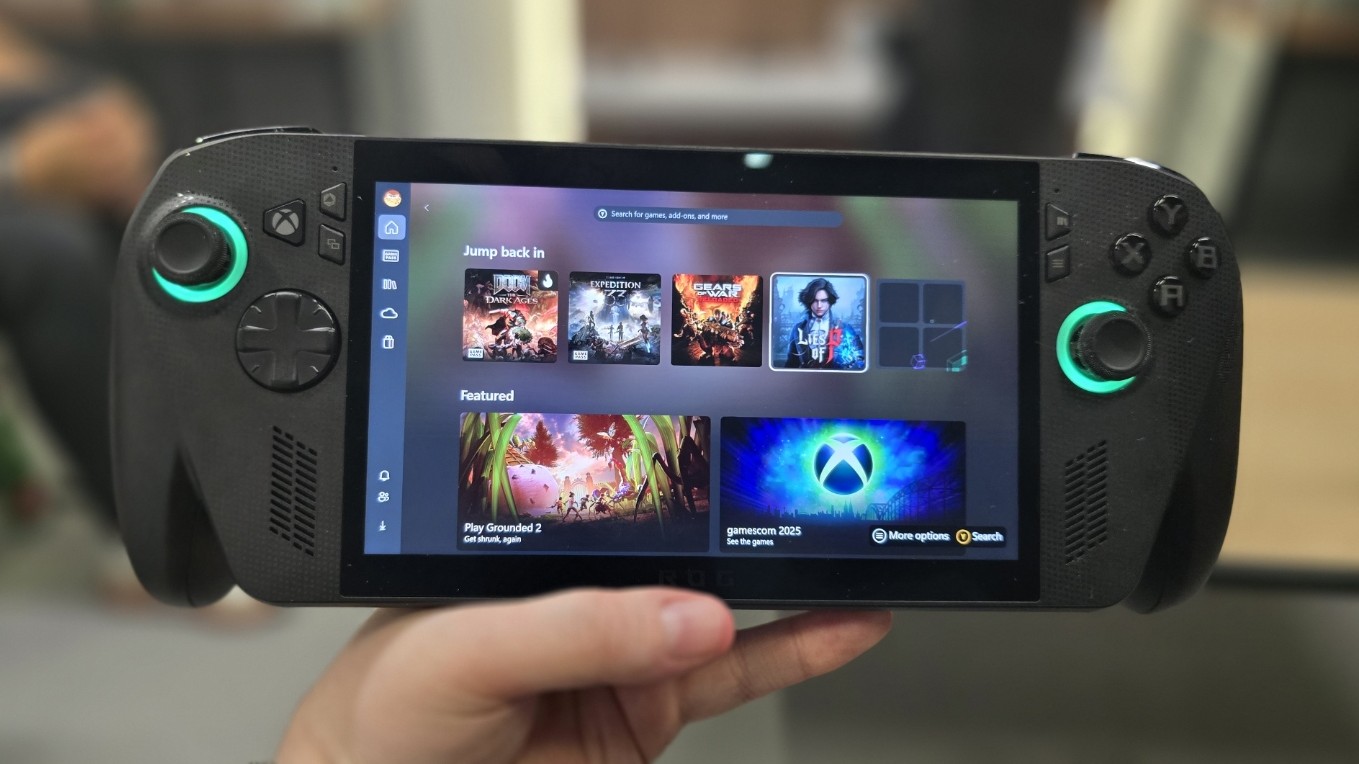
The Legion Go 2 and the Xbox Ally X provide vastly different experiences for users. This is because the Legion Go 2 uses SteamOS, an operating system built on Linux, while the Ally X runs Microsoft’s software.
A lot of gamers like SteamOS better than Windows because it runs games more smoothly and has a simpler, console-like design that’s great for handheld devices. However, Windows still has some advantages and might be a better fit for some users.
Microsoft recently introduced a new Xbox Full Screen Experience alongside the Xbox Ally X, aiming to streamline performance by reducing unnecessary software. While this improves how the handheld device runs, the Xbox app’s interface isn’t as user-friendly or efficient as SteamOS. Microsoft plans to release further updates to enhance the Full Screen Experience, but significant improvements are still needed.
Then there’s the whole matter of game services and game compatibility.
The Xbox Ally X allows users to quickly switch out of Xbox Full Screen Exclusive mode and open a web browser to access various gaming platforms like Epic Games, Battle.net, Steam, and others, right from the start.
SteamOS includes a desktop interface, but it can be a bit challenging for those new to Linux. Fortunately, many online guides are available to help users get started.
SteamOS, when you first set up your handheld device, is designed to primarily let you play games from your Steam library. While it’s possible to access other game services on a Legion Go 2 (using SteamOS), it requires a bit more setup – you can find instructions on how to install Decky Loader in my guide.
I really appreciate how customizable the Xbox Ally X is. Its Armoury Crate software gives you a lot more control over settings compared to the Legion Go 2’s Legion Space program, letting me fine-tune everything to my liking. For example, adjusting the Xbox Ally X’s VRAM is simple, but on the older Windows version of the Legion Go 2, it requires a more complex process involving the BIOS. Hopefully, the SteamOS version will have an easier way to do this.
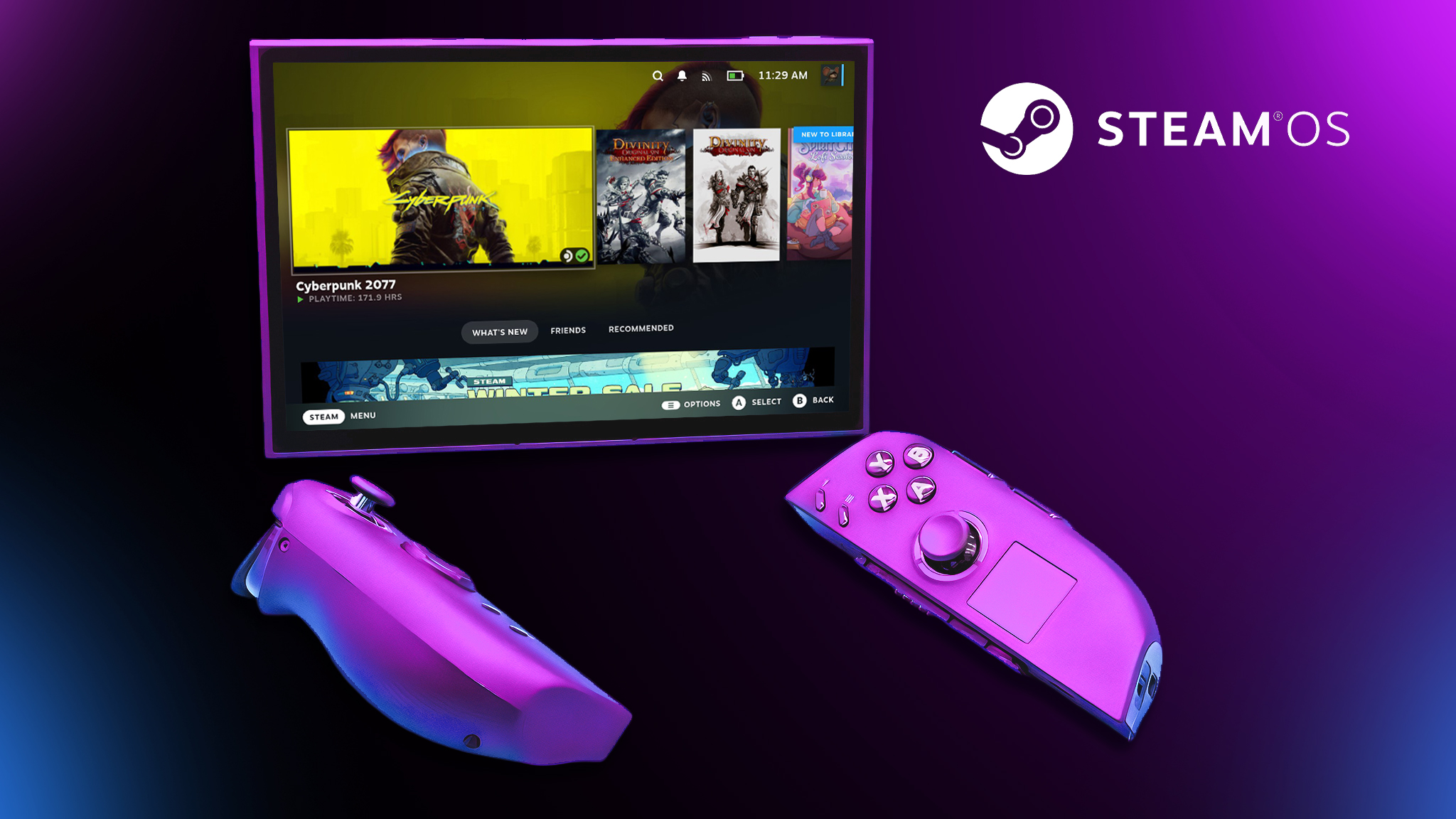
Updating the Xbox Ally X is much more complicated than updating the Legion Go 2. The Ally X requires installing updates through multiple programs – Windows Settings, Armoury Crate, and AMD Software. The Legion Go 2, running SteamOS, handles all updates conveniently within its system settings.
The Legion Go 2 (SteamOS) can handle many different games, from smaller independent titles to brand new, high-end AAA games, as long as the games meet the device’s specifications.
Most games are created for Windows, not Linux. SteamOS uses a program called Proton to help Windows games run on it. Proton is constantly improving, but some games and applications still have issues working correctly on the SteamOS handheld device.
I’ve noticed a big issue with the Legion Go 2, which runs on SteamOS. Most anti-cheat programs just don’t work with it. That means popular games like Call of Duty, Battlefield, and Valorant – the ones that need those anti-cheat systems built into the core of the operating system – won’t run unless you try to find a way around it. Honestly, I wouldn’t recommend trying those workarounds, though. Anti-cheat software can be pretty sensitive and might think your fix is actually someone trying to cheat, leading to a permanent ban on your account.
Ultimately, think about the games you plan to play and the experience you’re hoping for. Then, choose the handheld that best fits those needs.
Choosing the best software is tough because it really depends on what you prefer. The Legion Go 2 (SteamOS) usually has a smoother interface and is great for gaming, but you might need to learn a bit about Linux to get the most out of it. The Xbox Ally X, on the other hand, works with more games right away, and it’s simpler to use a web browser and your favorite gaming services.
Back to the top ^
Xbox Ally X vs Legion Go 2 (SteamOS): Battery life

I haven’t had a chance to fully test the battery life of the new 74Whr Legion Go 2 running SteamOS yet, so I can’t give you a direct comparison to the 80Whr Xbox Ally X. I’m planning on running some tests soon and will update you with the results as soon as I can!
Based on my battery life tests, I expect the Legion Go 2 (running SteamOS) to outperform the ASUS ROG handheld. The Legion Go 2 (with Windows) lasted longer than the Xbox Ally X in gaming tests, both at maximum and minimum power settings. However, when used for general computer tasks, its battery life wasn’t as strong.
| Xbox Ally X – 80Whr | Legion Go 2 (Windows) – 74Whr | Legion Go 2 (SteamOS) – 74Whr | |
| Cyberpunk 2077 (Max TDP) | 1 Hr 53 Mins | 2 Hrs 17 Mins | *Tests to be run |
| Celeste (Lowest TDP) | 5 Hrs 6 Mins | 5 Hrs 18 Mins | *Tests to be run |
| Office tasks (Mid TDP) | 14 Hrs 24 Mins | 11 Hrs 30 Mins | *Tests to be run |
SteamOS is much more energy-efficient than Windows, meaning devices running it can last longer on a single battery charge. Since the Windows-based Legion Go 2 already had better battery life than the Xbox Ally X, a SteamOS version would likely perform even better.
I’ll be testing the Legion Go 2’s battery life with SteamOS as soon as I receive the device, and I’ll share the results here when they’re available.
The Legion Go 2 (running SteamOS) likely has longer battery life than the Xbox Ally X because its operating system uses less power.
Back to the top ^
Xbox Ally X vs Legion Go 2 (SteamOS): Which should I buy?
We thoroughly tested these handheld gaming devices, looking at everything from how comfortable they are to hold, to their features, software, and how well they play games. Overall, the Legion Go 2 (with SteamOS) is the standout device. It boasts features like precise Hall Effect joysticks, the popular SteamOS, a superior OLED screen, removable controllers, and a special mode for fast-paced games. Plus, it probably has better battery life (we’ll have test results soon). These high-end features are what you’d expect from a top-of-the-line handheld made by a leading PC company.
If you can wait until June and are willing to spend a bit extra, the Legion Go 2 (running SteamOS) will be a really impressive handheld gaming PC. It’s significantly more powerful than the Steam Deck and more adaptable than any other similar device on the market.
The Xbox Ally X is still a great handheld, even though the Legion Go 2 is getting more attention. They’re actually designed for different types of gamers and offer unique features, so it really depends on what you’re looking for.
Okay, so if you’re like me and want to snag a handheld without breaking the bank, and you *really* value comfortable grips and playing all your Windows games, the Xbox Ally X is the way to go. The best part? You can actually buy it *right now* – no frustrating waiting around!
If you’re not a fan of Windows 11 on the Xbox Ally X, you can install SteamOS instead using my instructions. This way, you’ll enjoy the benefits of both operating systems.
Back to the top ^
Read More
- What Song Is In The New Supergirl Trailer (& What It Means For The DC Movie)
- Eurogamer Gives ARC Raiders 2/5 Over AI Voices, Dropping Metacritic Score from 94 to 84
- Gold Rate Forecast
- How Whitney Leavitt Made Ticket Sale History in Broadway Debut
- Robinhood’s Tokenized Stock Fiasco: A Tale of Tokens and Tussles
- Man vs. Baby’s AI-Enhanced Baby Is Still Partly Human, Confirms Netflix Director
- The Most Iconic Kids Show of All Time Just Brought Brand New Episodes to Netflix
- Miss Super Sentai After Cancellation? Watch These 5 Anime to Fill the Void
- 7 Classic TV Shows With Criminally Low Rotten Tomatoes Scores
- 5 Best Superman-Centric Crossover Events
2026-01-07 17:16