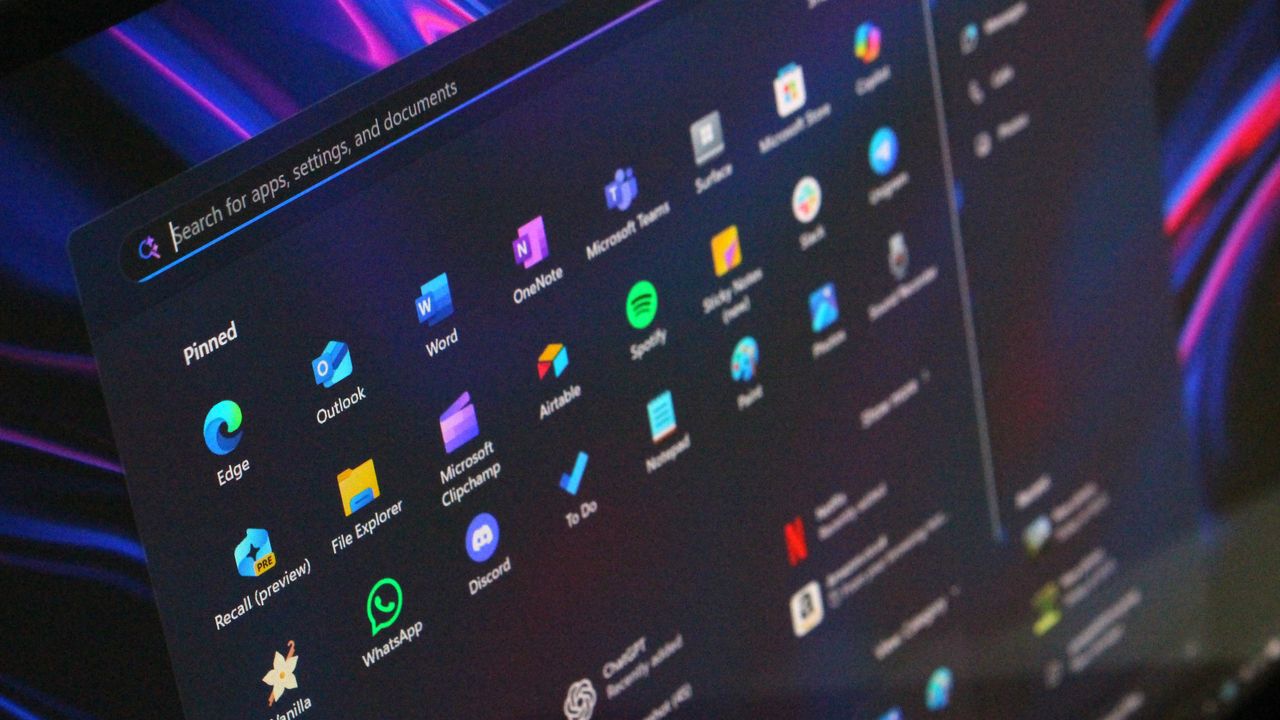
Microsoft recently released a preview update for Windows 11 (versions 24H2 and 25H2) that focuses on improvements, not security. The highlight of this update is a redesigned Start menu with more ways to customize it, along with other small enhancements to make Windows 11 easier to use.
The latest update, labeled KB5067036, is now available for those who have automatic updates turned on in Windows Update. However, the redesigned Start menu is being released gradually, so it may take some time before everyone sees the changes, even after installing the update.
If you don’t install this update right away, don’t worry—the new Start menu will be available to everyone next month with the regular Patch Tuesday update. You won’t have to wait long to get it!
The Start menu in Windows 11 has been completely redesigned to give you more control over how it looks. It’s now more flexible, letting you hide sections you don’t need. If you prefer, you can easily remove pinned apps, recommended files, or both, to create a cleaner, more personalized experience.
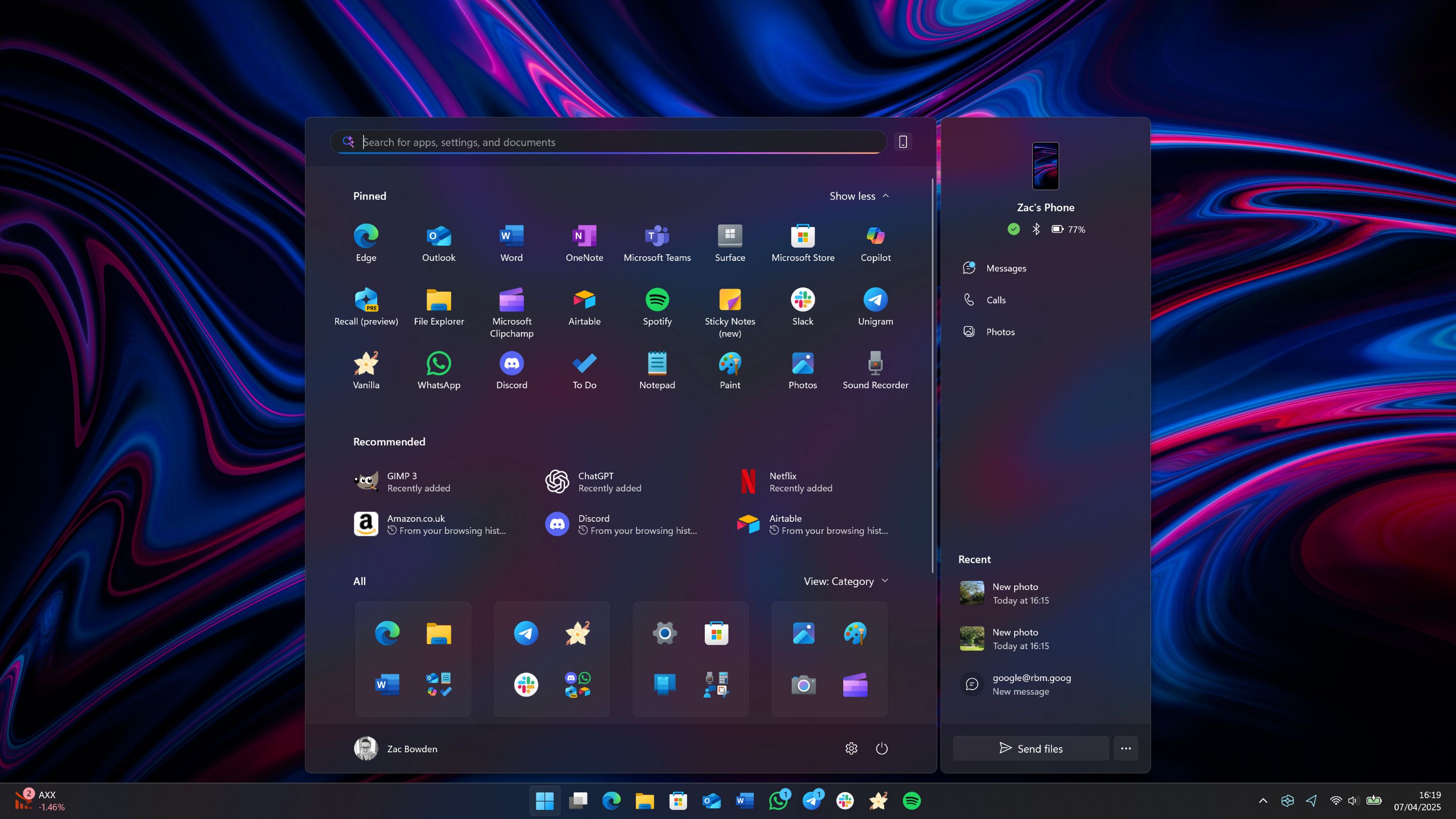
The updated design moves your full list of apps to the main screen and adds two new ways to view them: a grid and a category view. By default, it organizes your apps into categories – similar to how apps are grouped on iPhones and iPads – to help you find what you’re looking for.
The redesigned Start menu now adjusts to your screen size, appearing larger on bigger displays so you can pin more apps. It also features an updated Phone Link panel that displays more of your recent phone activity, like notifications, missed calls, and texts.
This update enhances the Taskbar with a couple of new features: app icons now have animations when you hover over them, and you can choose to display your battery percentage directly on the Taskbar with a redesigned battery icon.
How do I get the new Windows 11 Start menu?
Microsoft is slowly releasing a redesigned Start menu for Windows 11 as part of an optional update (KB5067036) for the 24H2 and 25H2 versions. Because it’s being rolled out in stages, it may take some time before you see the new look.
To install KB5067036, turn on the “Get the latest updates as soon as they’re available” setting in Windows Update, then check for updates.
Can I turn off the new Start menu?
I’ve noticed that once you get the updated Start menu on your computer, there’s no way to completely get rid of it. However, you *can* customize things a bit. For example, I was able to turn off features like the Phone Link panel and change how the list of apps looks.
Read More
- What Song Is In The New Supergirl Trailer (& What It Means For The DC Movie)
- Highly Anticipated Strategy RPG Finally Sets Release Date (And It’s Soon)
- Dune 3 Gets the Huge Update Fans Have Been Waiting For
- TV legend Carol Kirkwood reveals the reasons why she decided to retire after 28 years with BBC
- Crimson Desert is a “Cynical Amalgamation of Borrowed Mechanics,” Says Larian’s Publishing Director
- 49 Years Ago Today, Movie History Was Changed by a Film You’ve Never Even Seen
- Jaleco Sports: Bases Loaded II announced for PS5, Switch; now available
- Digimon Is Getting a New RPG in 2026 (And You Probably Missed It)
- Kanye West’s Wife Bianca Censori Details New Marriage Milestone
- Beyond the Horizon: Unveiling the Holographic Universe
2025-10-29 02:09