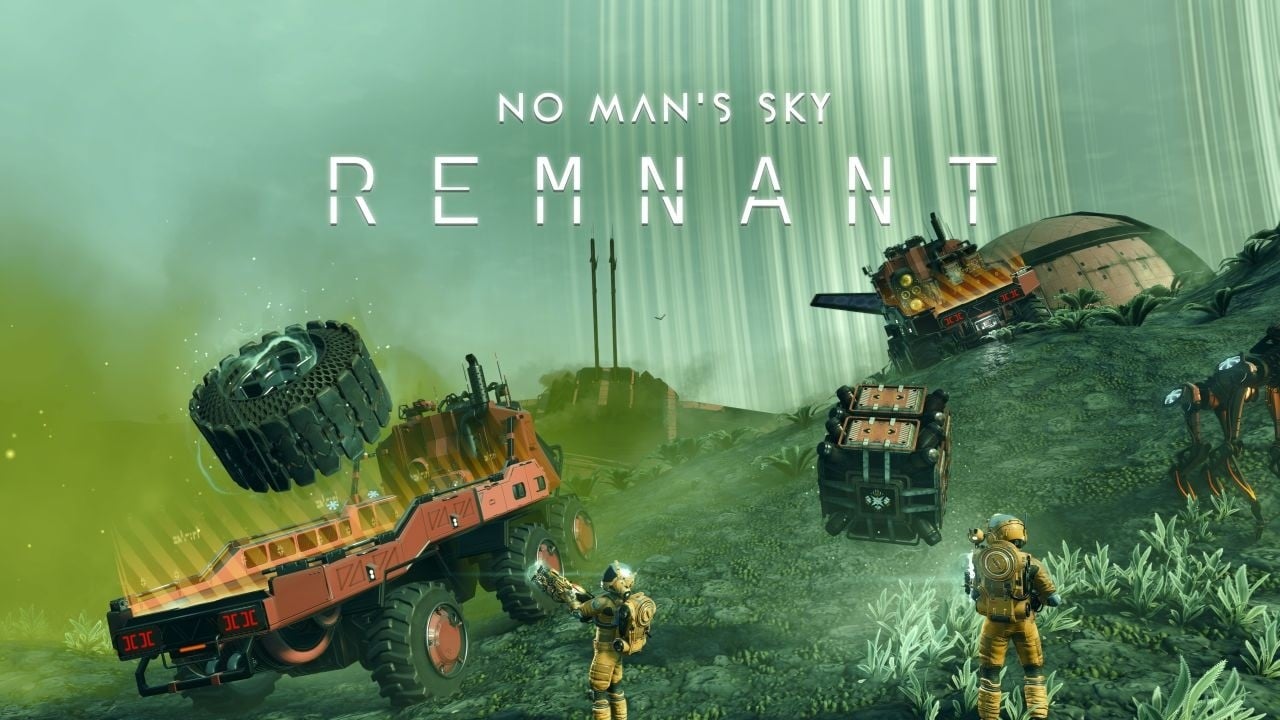
Hello Games has released the “Remnant” (version 6.2) update for No Man’s Sky.
Here is an overview of the update, via its official website:
Remnant: Introducing Update 6.2
In update 6.2, Remnant, you can now improve your Multi-Tool and use gravity to your advantage! Collect and move piles of industrial waste using magnetism, then haul it all away in your upgraded Colossus vehicle. Customize your vehicle with new parts and technology, process the materials you find, and join other players on a large-scale expedition across the land—plus lots more new features!
- Reconfigure Your Colossus – An array of different cabins, chassis attachments, running gear and paint finishes allow you to kit out your vehicle for any situation. Design, save, and name a variety of Colossus Exocraft configurations suitable for a range of planetary adventures!
- Gravitino Coil – Manipulate gravity itself with the new Gravitino Coil attachment for the Multi-Tool. Magnetize, repel, toss, transport and arrange physical objects – to harvest valuable resources through heavy-duty waste collection, or simply for the joy of it!
- Cyclops Scope – A new Exocraft technology, the Cyclops Scope, attaches to the driver’s Analysis Visor display. Discover alien fauna, flora, and minerals, or target sweep for mission locations from the comfort of the driver’s seat.
- Grab and Launch Objects – Seize and fling a variety of items with the Gravitino Coil, creating your own physics playground. Toss the golden artifacts found at planetary ruins, construct a Sphere Creator in your base and toy with its output, or grab and consume the combat supplies dropped by Sentinel drones.
- Industrial Waste – Planets with salvageable scrap are now also laden with industrial waste, distributed across the planet in small piles and large heaps. Gather this debris with the Gravitino Coil and return it to a Waste Processing Plant to cleanse planets, salvage materials, and earn rewards!
- Colossus Flatbed Module – Aspiring scrap-hunters can install a tippable flatbed on the Colossus Exocraft, for easy transportation of large hauls. An electromagnetic containment field minimizes cargo loss while navigating uneven terrain—but drive carefully up steep slopes!
- Community Expedition – Join the community in a time-limited expedition, staged in the sands of a single planet. Drive cross-country and strip the desert of dangerous industrial remnants.
- Off-Road Colossus Wheels – Configure your armored vehicle with a variety of superelastic wheels, tracked treads, and off-road running-gear for driving across any planetary environment.
- Waste Processing Plants – A new type of facility, the Waste Processing Plant, is now established on scrap worlds. These industrial centers offer opportunities for scrap-hunters to extract materials and earn rewards for stripping planets of industrial waste. Specialized processing units safely contain and dispose of radioactive, explosive and toxic materials.
- Heirloom Customization Set – Participants in the Remnant expedition can earn a lavish set of exosuit armor, inspired by the traditional designs of Balaron textile merchants. Ornate detailing and plush, padded fabrics elevate the attractiveness and status of the wearer.
- Capture Sentinel Drones – The Gravitino Coil can also be employed in ground combat. Capture flying Sentinel Drones and fling them aside, even using them as weapons against each other.
- New Colossus Cabins – Switch up the aesthetic of your Colossus Exocraft with a choice of cabins, each accompanied by its own unique cockpit layout. Join the Remnant expedition to earn the exclusive asymmetrical cabin reward!
- Volatile Waste – Industrial waste is more than scrap metal: it can also be found in the form of toxic barrels, radioactive crates, and explosive canisters! Successful scrap-hunters will take care to handle volatile waste responsibly.
- Paint Finishes – Add the final touch to your Colossus configuration with a selection of paint finishes, applicable alongside your color of choice. Sign up for the Remnant expedition to earn the limited edition camouflage finish.
- Excavation Blade Technology – Augment your Colossus Exocraft with a new obstacle demolition attachment. This specialized technology allows the Colossus to collect a small number of resources from minerals and vegetation upon collision, and reduces grime and scratches to the Exocraft’s paintwork.
- Exocraft-Mounted Furnace – Nomadic scrap-hunters may opt to install the furnace chassis module on their Colossus Exocraft, for immediate disposal of industrial waste while on the road.
- Trucking Titles – Earn a set of new player titles for accomplishments in scrap hauling and waste processing. Each of these mini achievements will unlock a unique Colossus customization module across all saves.
- Twitch Rewards – Tune into the chaos and delight of Travellers experimenting with the Gravitino Coil for the first time on Twitch—and earn rewards! You don’t have to own No Man’s Sky to start earning. Visit the Twitch Drops page to learn more and sign up. Simply connect with your Twitch account, then watch any of the No Man’s Sky streamers with Drops Enabled from Thursday 12th to Monday, February 16. If you decide you want to join in and play, you can claim your in-game rewards later.
- Name Your Custom Outfits – Store up to six custom outfits and Colossus configurations—and give them your own memorable names. Dress for any mood or occasion!
- Walking Vehicles – Register for waste hauling in the Remnant expedition, and earn a set of arachnid-like Mechanical Legs for the Colossus Exocraft. Creep and crawl across terrain in hydraulic spidery style.
- Toot Toot! – Entertain fellow Travellers with a playful new trucking horn gesture. All aboard!
- Enhanced Clouds – Clouds are more beautiful than ever before, especially at dawn and dusk. Lighting, edge stability and performance of clouds and cloud reflections have all been improved.
- Corvettes on Switch – For the very first time, assemble your own colossal corvette-class starship on the Nintendo Switch. Collect modules, design your dream ship, and furnish its interior to create a flying home amongst the stars.
And here are the full patch notes:
The Gravitino Coil
- A new gravity-manipulation device for the Multi-Tool, the Gravitino Coil, is now available at the Space Anomaly or at planetary Waste Processing Plants.
- A number of moveable objects can be magnetized and launched with the Gravitino Coil, including industrial waste, golden balls at planetary ruins, spheres fabricated by the Sphere Creator base part, combat supplies dropped by Sentinel drones, and Sentinel drones themselves.
- Sentinels will be stunned for a short period after being launched from the Gravitino Coil.
Industrial Waste Collection and Salvage
- Industrial waste can now be found on planets featuring salvageable scrap, distributed in small piles and large heaps.
- These scrap worlds also feature a new building type, the Waste Processing Plant: highly interactive facilities where scrap-hunters can extract recycled resources and earn rewards for cleansing planets of debris.
- Double-tooting the Colossus horn while parked at a Waste Processing Plant valuation scale will initiate the control panel interaction.
- The Colossus can utilize the Exocraft Radar to pinpoint the location of nearby processing plants and waste heaps.
- A small tutorial mission has been added to guide new scrap-hunters.
- A new Scrap Salvaging & Industrial Waste entry has been added to the guide.
- A set of new player titles are available for accomplishments in scrap hauling and waste processing.
- These titles also unlock a number of customization modules for the Colossus Exocraft.
Colossus Customization
- The Colossus Exocraft can now be customized with a number of aesthetic and utility modules, including a tippable flatbed for transporting hauls of industrial waste, and a mountable furnace, for processing materials while on the road.
- The cabin alternatives for the Colossus also include new cockpit interiors that reflect their external geometry.
- The Appearance Modifier for the player, and the Geobay for the Colossus Exocraft can now both store up to 6 named appearance configurations.
Remnant Expedition
- Expedition Twenty-One, Remnant, will begin shortly and run for approximately six weeks.
- Rewards include new posters, decals and titles; a playful animated gesture; three exclusive modules for the Colossus Exocraft—a camouflage finish, asymmetrical cabin, and mechanical legs—and the stunningly detailed five-piece Heirloom customization set.
Twitch Rewards
- A new package of Twitch drops will begin shortly. Sign up and connect your platform accounts on the Twitch Drops page, then tune in to Twitch to earn exotic base parts, high-tech starships, fireworks, appearance modifications, and more.
Exocraft
- Improved Exocraft capability for destroying obstacles in their path, reducing how often they get caught or snagged.
- Improved the handling of the Colossus—in particular, the braking performance when driving downhill, and the turning responsiveness in first person.
- Fixed the “Follow” vs “Manual” setting for Third Person Camera Movement not being correctly applied to the Exocraft camera.
- Significantly improved the appearance of Exocraft dust trail and exhaust effects.
- Added a new Exocraft technology, the Cyclops Scope, which allows use of the Analysis Visor while driving.
- Added a new Colossus-specific technology, the Excavation Blade, which harvests resources from obstacles destroyed by vehicle collision.
- Added a new music track associated with driving the Colossus Exocraft.
- Fixed an issue that prevented other players from hearing Exocraft horns in multiplayer.
- Fixed an issue that caused technology to appear on the exterior of Exocraft before it was fully installed.
- Fixed a number of subtle issues in missions where markers placed by Exocraft scans were not always detected.
- Fixed an issue that could cause the player to exit their Exocraft when attempting to tag a marker.
- Fixed an issue that caused the Exocraft laser to create small holes in the terrain.
- Fixed an issue that caused Exocraft to visually re-generate when customizing minor details such as decals.
- Fixed an issue that prevented the Exocraft laser audio from playing when first fired.
- Fixed an issue that caused Exocraft driving input to be registered while adjusting the camera in Photo Mode.
- Fixed an issue that prevented the Exocraft Radar option in the Quick Menu from detecting if the required technology was damaged or only partially installed.
Corvettes
- Corvettes are now available to build on Nintendo Switch.
- Added the ability for players in multiplayer to help decorate the interior of other players’ corvettes. Base editing permissions can be modified in the Network settings page of the pause menu.
- Added the ability for players to decorate the interior of a corvette while the corvette is in flight.
- Fixed a number of edge-case camera, placement, and collision issues related to adding small corvette modules when standing close to the corvette.
- Fixed an issue that allowed players to place corvette parts on top of themselves.
- Fixed a rare timing-specific softlock when trying to open the Build Menu at exactly the same time as confirming changes to a corvette.
- Fixed an issue that caused interactive corvette modules, such as Refiner Units, to allow interactions when placed on a non-finalized corvette.
- Fixed a rare timing-specific issue that could allow invalid corvettes to be finalized.
- Fixed an issue that could cause corvette landing pads to flash their lights indefinitely.
- Fixed an issue that could prevent the Build Menu from opening after beginning design on a new corvette, but not finalizing the build.
- Fixed an issue that caused a duplicate marker when starting a new corvette and exiting the Workshop without placing any modules.
- Fixed an issue that could cause a newly purchased corvette to be placed at the player’s position, instead of on the landing pad.
- Improved a number of lighting transitions related to space stations and corvettes. In particular, prevented some issues where corvette interiors could adopt the lighting conditions from nearby planets.
- Fixed a number of messaging issues related to beaming aboard a derelict freighter from a corvette.
- Fixed an issue that caused the Space Rescue mission to disappear from the Log after rescuing a freighter in a corvette.
- Fixed an issue that prevented exclusive reward corvette modules—such as the Aeron Drive—from rewarding any units if sold at a Galactic Trade Terminal.
- Fixed an issue that prevented the quantity arrows from being visible when purchasing modules from the Corvette Workshop.
- Fixed an issue that caused the color of external corvette parts to impact the color of interior decorations.
- Fixed some missing geometry in the Titan Cockpit on lower quality settings.
- Fixed an issue that prevented the Titan Hab from connecting correctly to the Wings of Aeron.
- Improved player movement animations while aboard a corvette.
- Improved the appearance and animations of the corvette hydraulic legs.
Clouds
- Significantly improved the visual stability and performance of clouds, and enhanced their appearance, especially on lower quality settings.
User Interface and Input
- Improved the layout and appearance of unlockable technology trees, especially on handheld devices.
- Fixed a number of cropped UI elements on handheld devices.
- Fixed a number of UI overlap and alignment issues on handheld devices.
- Fixed an issue that caused button glyph icons embedded in text to appear blurry on handheld devices.
- Increased the text size on a number of UI screens on handheld devices.
- Fixed an issue that could prevent the “Phase 5” patch appearing at the expedition terminus at some screen resolutions.
- Fixed a number of UI textures that appeared blurry in sub-4K resolutions on PC.
- Fixed the background alignment for images that can appear in the bottom-right notification area of the HUD (for example, when installing a technology).
- Fixed an issue that prevented planet thumbnails from appearing in Personal Records without exiting and re-entering the screen.
Input
- Fixed an issue that prevented touch input from being detected on Steam Deck.
- Fixed a number of virtual keyboard input issues on handheld devices.
- Fixed an issue that prevented DS4 and DS5 controllers on Steam from being able to scan while in an Exocraft.
- Fixed a PC-only issue that caused the mouse cursor to lag on the initial boot screens if V-Sync was enabled.
Stability and Optimization
- Enabled multi-threaded rendering on Nintendo Switch and Nintendo Switch 2, significantly improving GPU performance.
- Implemented tiled lighting, significantly improving performance in environments with many individual lights, and fixing a number of minor flickering issues.
- Added support for DLSS 4.5.
- Made a number of performance improvements to deep space and planetary environments.
- Implemented a number of memory-saving optimizations.
- Implemented a significant performance optimization in settlements.
- Implemented a significant performance optimization for big save games which have completed a large number of missions.
- Fixed a number of rare crashes.
- Fixed a number of multiplayer disconnection issues.
Quality-of-Life and Bug Fixes
- Fixed an issue that could prevent Helios from allowing players to submit discoveries to them each day.
- Added a number of visual variations for floating stone guardians.
- Visited Space Stations are now automatically added to the teleport list if the player owns a base in that system.
- Fixed an issue that prevented the Nutrient Processor from automatically retrieving the contents of its output slot when picked up.
- Fixed an issue that could cause deployable Refiners and Nutrient Processors to refund an incorrect amount of fuel when picked up.
- Fixed an issue that prevented the Personal Refiner from operating immediately if its input slots were filled prior to its fuel slot.
- Fixed a rare issue that could prevent the Lost in Space guidance mission from appearing in the Mission Log when the player had a Crew Manifest or Captain’s Log available to sell.
- Fixed an issue that caused the Multi-Tool to automatically holster when switching to a specialist mode, such as the Fishing Rig, in VR.
- Improved the placement of the “View Craft Steps” tree in VR.
- Fixed an issue that could cause player-owned starships to spawn at the wrong scale.
- Smoothed the rotation of docking ships in multiplayer.
- Fixed an issue which could cause ships to sink into their landing pad in multiplayer.
- Fixed an issue that could prevent the player’s Multi-Tool from automatically holstering.
- Fixed an issue that could cause freighters to load the wrong bridge type (for example, a pirate freighter bridge on a non-pirate freighter) when reloading a save without fully quitting the game.
- Fixed a rare timing-specific issue that caused the camera to malfunction when loading a game on a freighter and immediately interacting with the galaxy map.
- Fixed an issue that could cause Sentinel drones to fly through planetary terrain.
- Fixed an issue that could cause planetary creatures to sometimes ping off into the air after being shot.
- Fixed an issue which prevented monstrosities from accurately tracking the player’s position.
- Fixed an issue that could allow vehicle weapons to hit the vehicle itself.
- Fixed an issue that could cause Exocraft or Starships to fall through the landscape when the owner travelled a long distance away.
- Prevented offline short-range teleporters on derelict freighters from announcing “Network Reactivation Required” when a bit of space debris floated into teleportation range.
- Fixed an issue where “Visited” labels for lifeforms in the space station would be shared between all players in multiplayer.
- Fixed a rare issue on Nintendo Switch which could cause full-screen flickering when shooting planetary creatures.
- Improved volumetrics and lighting on Nintendo Switch, especially in Space Stations and the Space Anomaly.
- Fixed an issue that caused the player torch to illuminate the player’s head.
- Fixed an issue that caused a portion of the Space Anomaly to fail to render when directly teleporting there.
- Fixed a visual issue that could cause planetary atmosphere effects to “pop”, especially when flying quickly across planets.
- Fixed an issue that caused a temporary black screen when placing the Emergency Light base part.
- Fixed an issue that could cause some very large objects to suddenly disappear when close to the camera.
- Fixed an issue that could leave visible specular behind when fading out objects close to the camera.
- Fixed an issue that caused some large planetary props to be spawned sunk into the terrain.
- Improved the stability of light rendering within cockpits.
- Improved the lighting at planetary digsites.
- Improved the materials of several settlement objects and base parts.
- Improved the glow on Gravitino Balls.
- Fixed a visual issue with the glass in the Horizontal Alloy Window (Top) base part.
- Made a number of minor visual improvements to the Skyborn Armor customization set.
- Fixed an issue that caused the lights on the freighter bridge to flicker.
- Fixed an issue that caused the surface of the buildable Light Table to flicker.
- Fixed an issue that caused capes to hang rigidly after sprinting.
- Fixed a number of visual and performance issues when viewing planetary objects such as trees and rocks from a distance.
- Miscellaneous text fixes.
You can play No Man’s Sky on PlayStation 5, Xbox Series, Nintendo Switch 2, PlayStation 4, Xbox One, Nintendo Switch, and PC (through Steam and the Microsoft Store).
Watch a new set of trailers below.
Remnant (6.2) Update Trailer
Read More
- Pluribus Star Rhea Seehorn Weighs In On That First Kiss
- Kelly Osbourne Slams “Disgusting” Comments on Her Appearance
- Looks Like SEGA Is Reheating PS5, PS4 Fan Favourite Sonic Frontiers in Definitive Edition
- Arknights: Endfield – Everything You Need to Know Before You Jump In
- ’90s Cartoon Reboot & TMNT Connection!
- Gold Rate Forecast
- Hideo Kojima Says He Was Never Told About The Matrix Creators Wanting Him to Make a Game
- ‘Marty Supreme’ Ending, Explained
- Goat 2 Release Date Estimate, News & Updates
- Dune 3 Gets the Huge Update Fans Have Been Waiting For
2026-02-11 17:23