Microsoft Paint is getting a refresh with a new feature: you’ll soon be able to hide the toolbar, giving you more space to create.
We’re currently testing a new feature with Windows Insiders that lets you automatically hide the toolbar in Paint. You can also choose to keep the toolbar visible all the time, which is how Paint normally looks.
Windows 11 Build 26220.7523 is being tested by Insiders in the Dev and Beta Channels. The updated version of Paint is specifically for those in the Dev and Canary Channels. Because some Insiders are in both groups, details about the Paint update are included in the blog post about the main build.
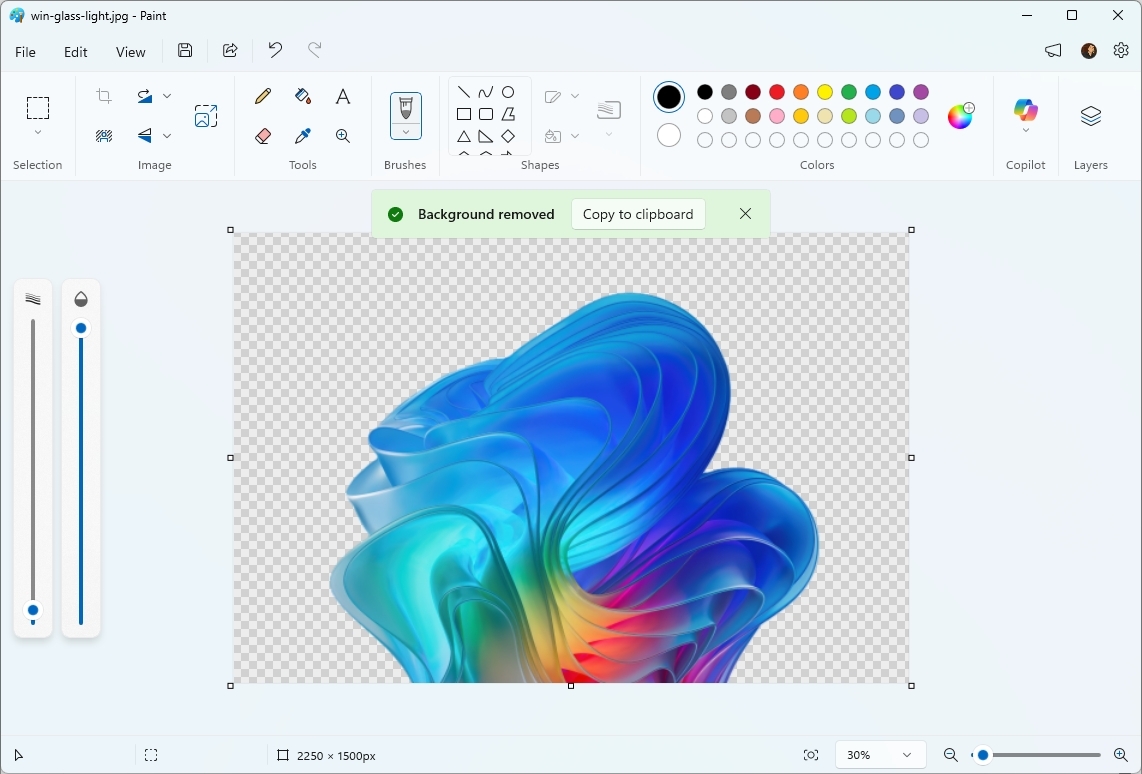
Paint version 11.2511.281.0 now includes a feature to collapse the toolbar for more space. You can activate this by clicking the small downward-facing arrow at the bottom-right of the ribbon and choosing “Automatically hide toolbar”. When the toolbar is hidden, a button will appear to bring it back when you need to change tools. To hide it again, click the “Hide toolbar” button or simply click anywhere outside the toolbar area. To return to the normal, always-visible toolbar, click the arrow icon again and select “Always show toolbar”.
Some would call this an overdue change. Others would prefer Microsoft not tweak its classic apps.
What to do with Paint and other old apps
It’s tricky to update classic apps like Paint without frustrating users. There’s a constant challenge in deciding how to improve them with new features while still supporting older versions and keeping them familiar.
Microsoft once intended to replace the original Paint program with Paint 3D, but they’ve since stopped developing Paint 3D.
Paint 3D was released when Microsoft, like many tech companies, was focused on virtual and mixed reality, not artificial intelligence. Although interest in the “metaverse” has waned, Paint 3D’s lack of success wasn’t due to that – it struggled for other reasons.
A lot of people like using the original Paint app because it’s easy to understand and use. When Microsoft considered removing the classic version, users protested, leading the company to discontinue Paint 3D instead.
Even simple updates to the classic Paint program have faced criticism. While the AI-powered image generator, Cocreator in Paint, seems like a useful addition, putting Copilot in Notepad received a mixed response from users.
Many people appreciated the new layer feature in Paint. I also think supporting project files is a great addition.
Microsoft faces a tough situation – keeping older apps unchanged would leave them feeling dated, but updating popular programs like Paint could upset long-time users.
Microsoft seems to be updating Paint with some significant improvements, but they’re still keeping the app’s basic purpose the same.

Read More
- What Song Is In The New Supergirl Trailer (& What It Means For The DC Movie)
- Highly Anticipated Strategy RPG Finally Sets Release Date (And It’s Soon)
- Dune 3 Gets the Huge Update Fans Have Been Waiting For
- Why is Tech Jacket gender-swapped in Invincible season 4 and who voices her?
- TV legend Carol Kirkwood reveals the reasons why she decided to retire after 28 years with BBC
- MOUSE: P.I. For Hire Loops in Caravan Palace for A Catchy New Track Ahead of April 16 Release
- Eurogamer Gives ARC Raiders 2/5 Over AI Voices, Dropping Metacritic Score from 94 to 84
- Way of the Hunter 2 adds PS5, Xbox Series versions
- Gold Rate Forecast
- After 13 Years, Someone Earned One of the Hardest Achievement Trophies in Gaming
2026-01-12 23:44