
Two Point Studios, the creators of popular management games like Two Point Hospital and Two Point Campus, are bringing their unique style to the world of museums with Two Point Museum. Players will manage every aspect of their museum, including staff, exhibits, and research expeditions. Originally launched in March for PlayStation 5, Xbox Series X|S, and PC, the game is now coming to the Nintendo Switch 2, making it perfect for cozy gaming on the go.
Get ready to build your dream museum on the Switch 2! Two Point Museum arrives October 28th, and this version includes everything from the original game plus all 6 updates released since launch. That means you’ll get new areas to discover – like the Digiverse – and fun collaborations with games like Dredge and Vampire Survivors. Plus, the game has received improvements to make it even more user-friendly. This museum management sim is perfect for playing on the go, and many fans will consider this Switch 2 release to be the best way to experience Two Point Museum, even if the menus take a little getting used to.
Rating: 4.5 out of 5
| Pros | Cons |
|---|---|
| Great amount of content for the price | Initial loading into new areas can be slow |
| Sandbox and campaign modes offer play versatility | UI is a little clunky / not intuitive |
| Variety of museum types and exhibits keep things interesting | |
| Graphics look great on Switch 2 |
Two Point Museum Perfectly Balances the Creativity and Challenge You Want in a Management Sim
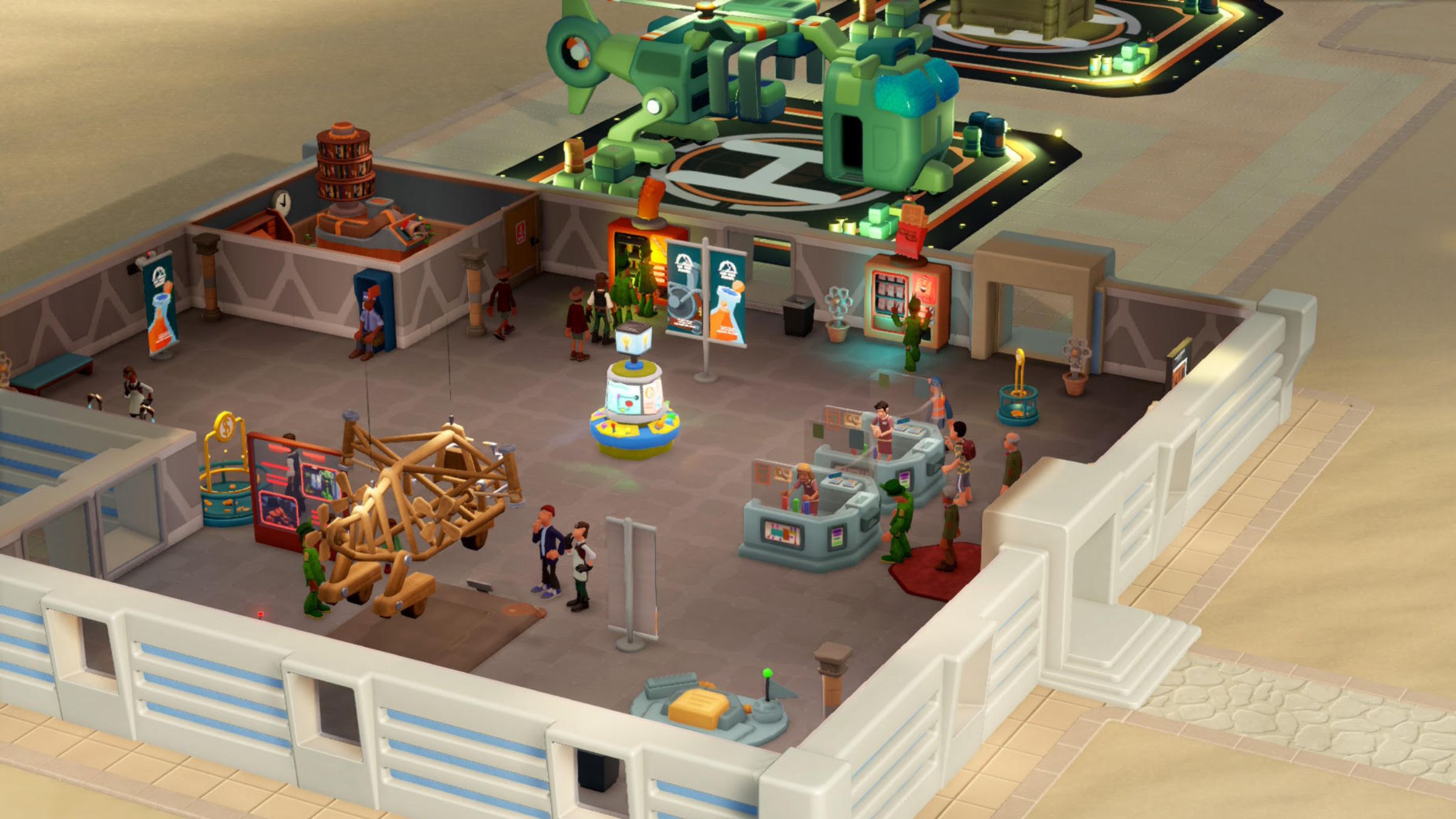
I’ve loved management simulation games since I was a kid, starting with games like RollerCoaster Tycoon. But I only recently started playing the Two Point series, and Two Point Museum is fantastic! There’s a ton to do, especially in this updated version for the Switch 2, which includes all the content added after the game first came out. You can unlock different kinds of museums, explore various areas, and create amazing exhibits.
Two Point Museum offers two ways to play: Sandbox Mode for complete creative freedom, or Campaign Mode where you complete specific goals. This lets you choose how challenging and creative you want to be, as both modes offer a bit of both. I especially enjoy Campaign Mode – I love the satisfaction of completing objectives, and Two Point Museum’s Campaign is really well done.
The game’s campaign is well-paced, constantly giving you things to do, both big and small, so you always feel like you’re making progress. While some tasks can take a while, you’ll stay busy managing guests, staff, and collecting new exhibits. You start with a single museum and eventually build a whole chain of them, each with a different theme, which keeps the gameplay fresh and engaging.
Some museums in the game have intriguing storylines or mysteries to uncover. You’ll begin with a typical prehistoric museum, complete with dinosaur fossils, but progress to more unusual locations like a secretive, abandoned science lab and even explore outer space for alien technology. This added narrative element makes Two Point Museum enjoyable and satisfying, all while still allowing you plenty of freedom to design your museum and manage its daily functions.
Two Point Museum offers a lot to do, from unlocking museums and handling exhibits to charting expeditions – you’ll easily lose hours in gameplay. It’s also really funny, featuring a radio station and announcer that add to the experience. If the announcer gets a bit much after a while, you can easily adjust or turn off the volume in the settings. The game’s well-organized settings give you full control over how you want to play.
Like Most Sims on Switch, The Two Point Museum UI Can Be a Bit Clunky
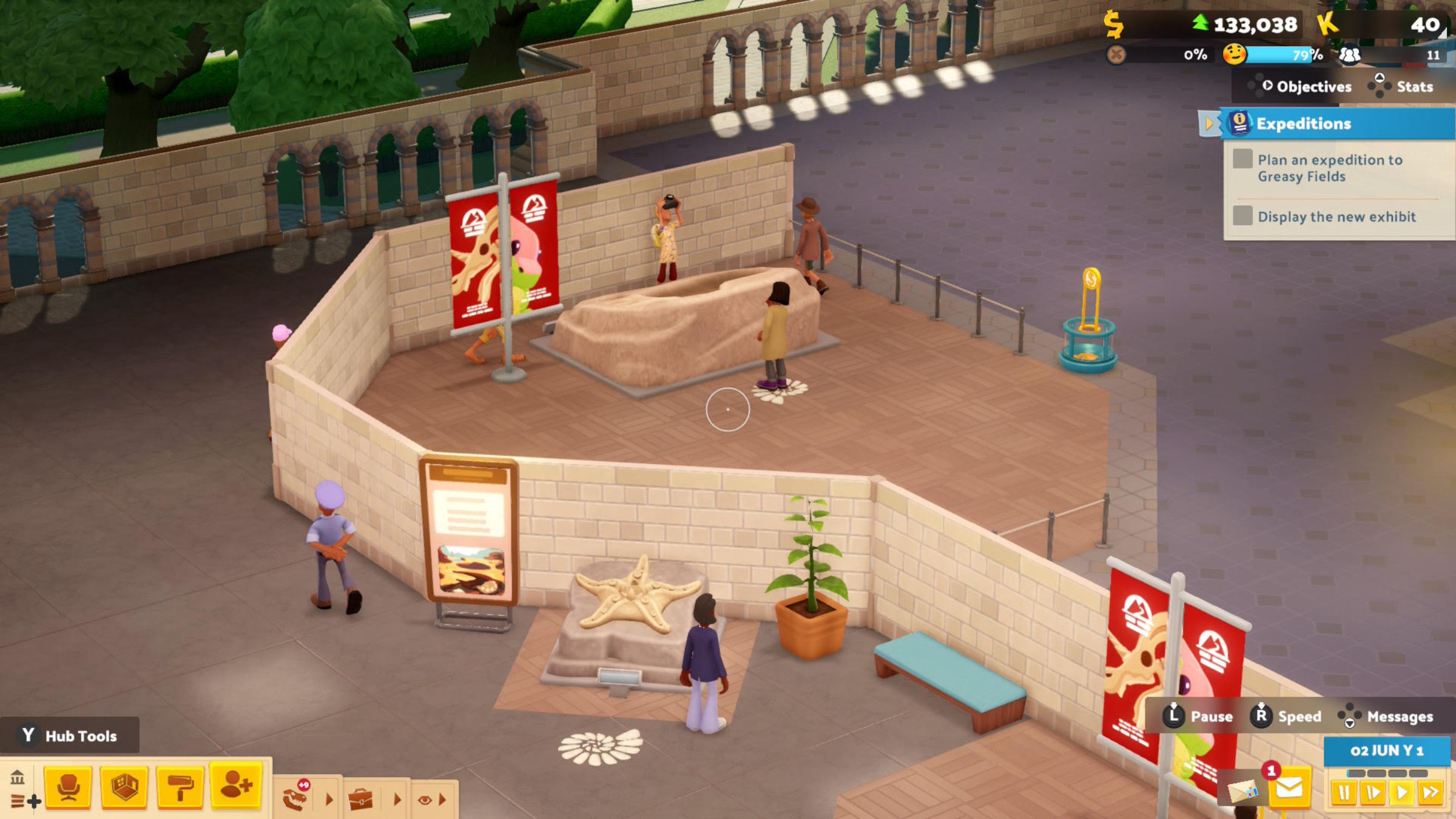
I really enjoyed playing Two Point Museum and I’m sure I’ll spend many more hours with it on the Switch 2. However, it’s not perfect. I was a little surprised by the lengthy loading times at the beginning. While I’m accustomed to this on the Switch, I had hoped the Switch 2 version would load a bit faster. Once it does, though, the game runs well and looks great.
Unfortunately, Two Point Museum struggles with a problem many management games have on consoles like the Switch 2. It’s difficult to adapt the complex menus from a PC to a controller, and the game’s interface feels a little awkward initially. The game has several menus, and you need to press specific buttons to switch between them. Once a menu is open, you use the joystick to navigate. It takes some getting used to, as you’ll need to select the correct button to find the menu you’re looking for. Small icons indicate which button opens each menu, but they can be difficult to see, particularly when playing in handheld mode.
Compared to games like RollerCoaster Tycoon, the user interface isn’t bad for a management simulation on the Switch 2 – it’s definitely not overly complicated. It takes a little getting used to, but it works. However, pop-up notifications can be really disruptive. There’s no quick way to dismiss them without closing the entire menu, which was a major frustration. I often lost progress on building rooms when experts returned from expeditions, because a notification would appear and force me to start over.
Okay, so the UI wasn’t perfect and there were a few loading screens, but honestly, Two Point Museum feels amazing on the Switch 2. It’s one of those games I could seriously lose myself in for hours, and thankfully, there’s plenty to do. If you’re into management sims and you’ve got a Switch 2, you absolutely need to check this one out – it’s a must-have for my library!
The game Two Point Museum will be available on Switch 2 starting October 28th. It’s currently playable on PlayStation 5, Xbox Series X|S, and PC through Steam. We received a Switch 2 code from the publisher to review the game.
Read More
- Gold Rate Forecast
- Chill with You: Lo-Fi Story launches November 17
- 10 Best Buffy the Vampire Slayer Characters Ranked
- Every Creepy Clown in American Horror Story Ranked
- Hazbin Hotel Secretly Suggests Vox Helped Create One of the Most Infamous Cults in History
- Best X-Men Movies (September 2025)
- Arknights: Endfield – Everything You Need to Know Before You Jump In
- PlayStation Plus Game Catalog and Classics Catalog lineup for July 2025 announced
- 32 Kids Movies From The ’90s I Still Like Despite Being Kind Of Terrible
- Jack Osbourne Shares Heartbreaking Tribute to Late Dad Ozzy Osbourne
2025-10-27 16:12