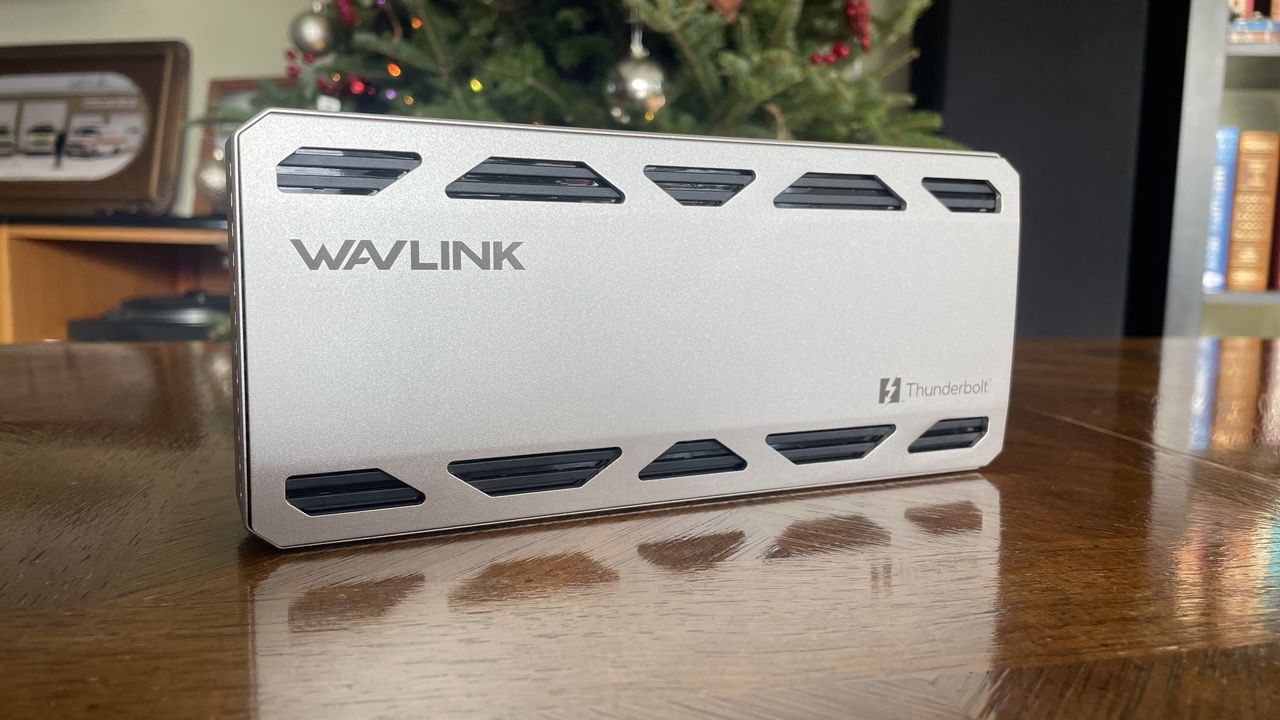
I’ve recently been trying out every new Thunderbolt 5 docking station I can get my hands on, and the latest one I’m testing is the Wavlink Thunderbolt 5 Thunderlight Dock (WL-UTD58).
This dock is much cheaper than other recent models I’ve tested, like those from Dell, CalDigit, and Kensington. However, you’ll need to consider if you can manage with fewer ports and features compared to the higher-end, more expensive choices.
I’ve been testing Wavlink’s Thunderbolt 5 dock for the last few weeks to see what it does well and where it could be improved.
WAVLINK provided a sample unit for this review. However, they didn’t have any influence on the content, and hadn’t seen it before it was published.
A durable aluminum design and a useful selection of ports
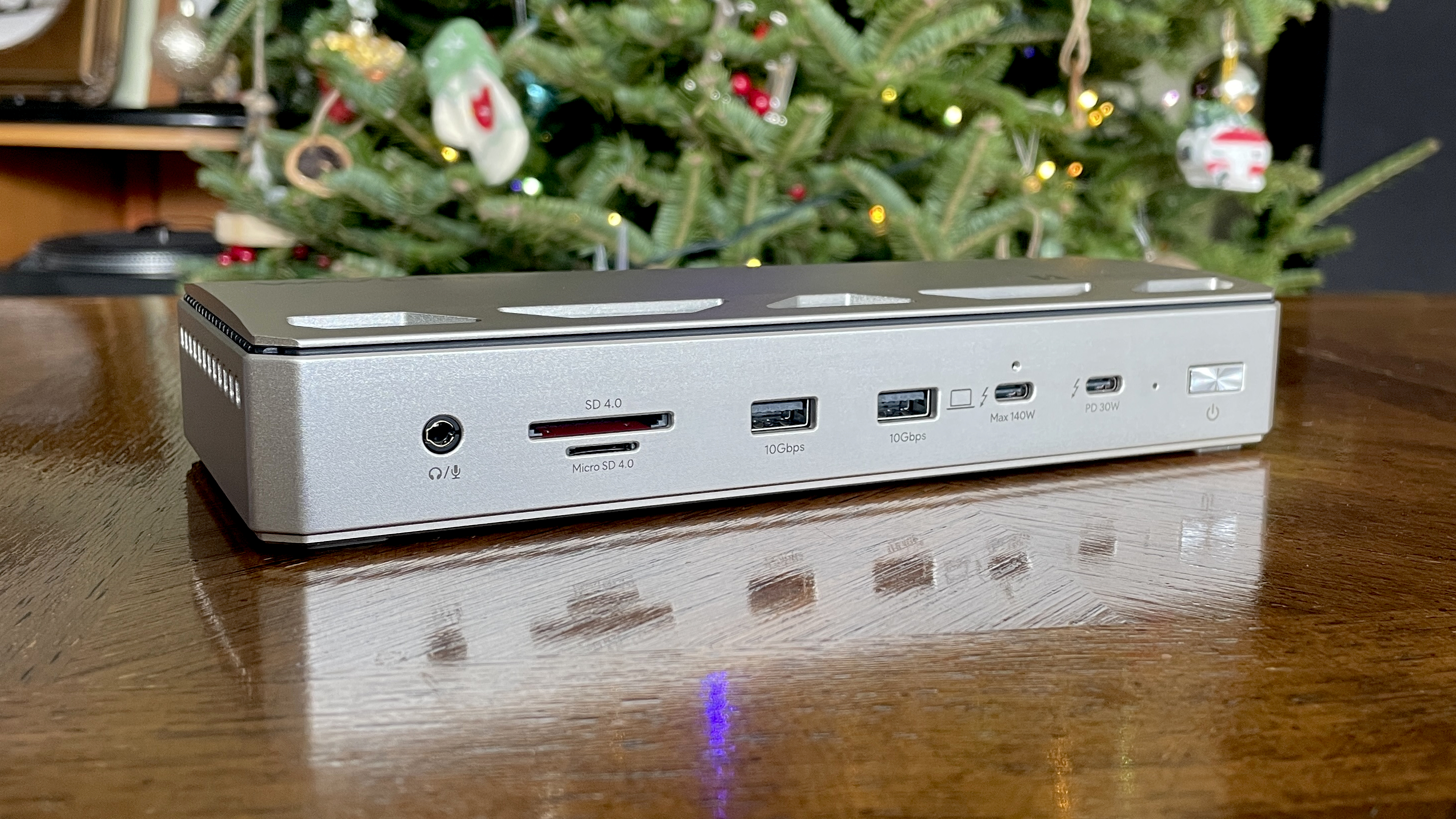
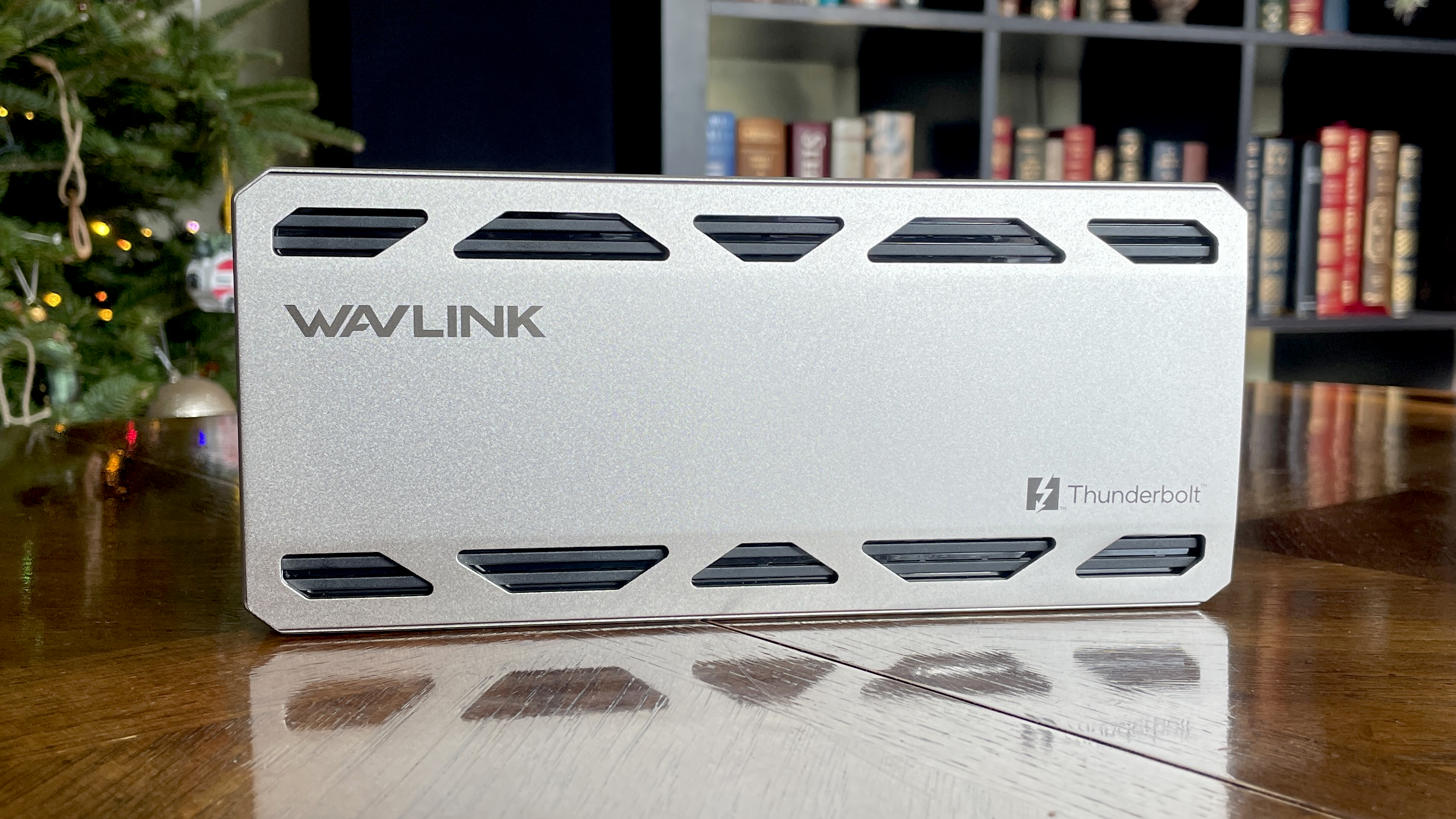
Many Thunderbolt 5 docks share a similar design, and the new Wavlink dock is no exception at first glance. However, it stands out thanks to unique openings in the aluminum top panel. These openings reveal large heat spreaders positioned just beneath the surface, working with a built-in fan to effectively manage heat. As a result, the dock runs cool without producing any noticeable fan noise.
The dock is built with a full aluminum frame – there’s no plastic visible on the exterior. This makes it incredibly sturdy; I’d be more concerned about damaging my floor than the dock itself if it fell.
Even though it’s called “Thunderlight,” this dock isn’t significantly lighter than other similar products, and that’s okay. A lighter dock might slide around on your desk, but this one stays put thanks to its wide, rubber feet. It grips firmly, even with several cables plugged in.
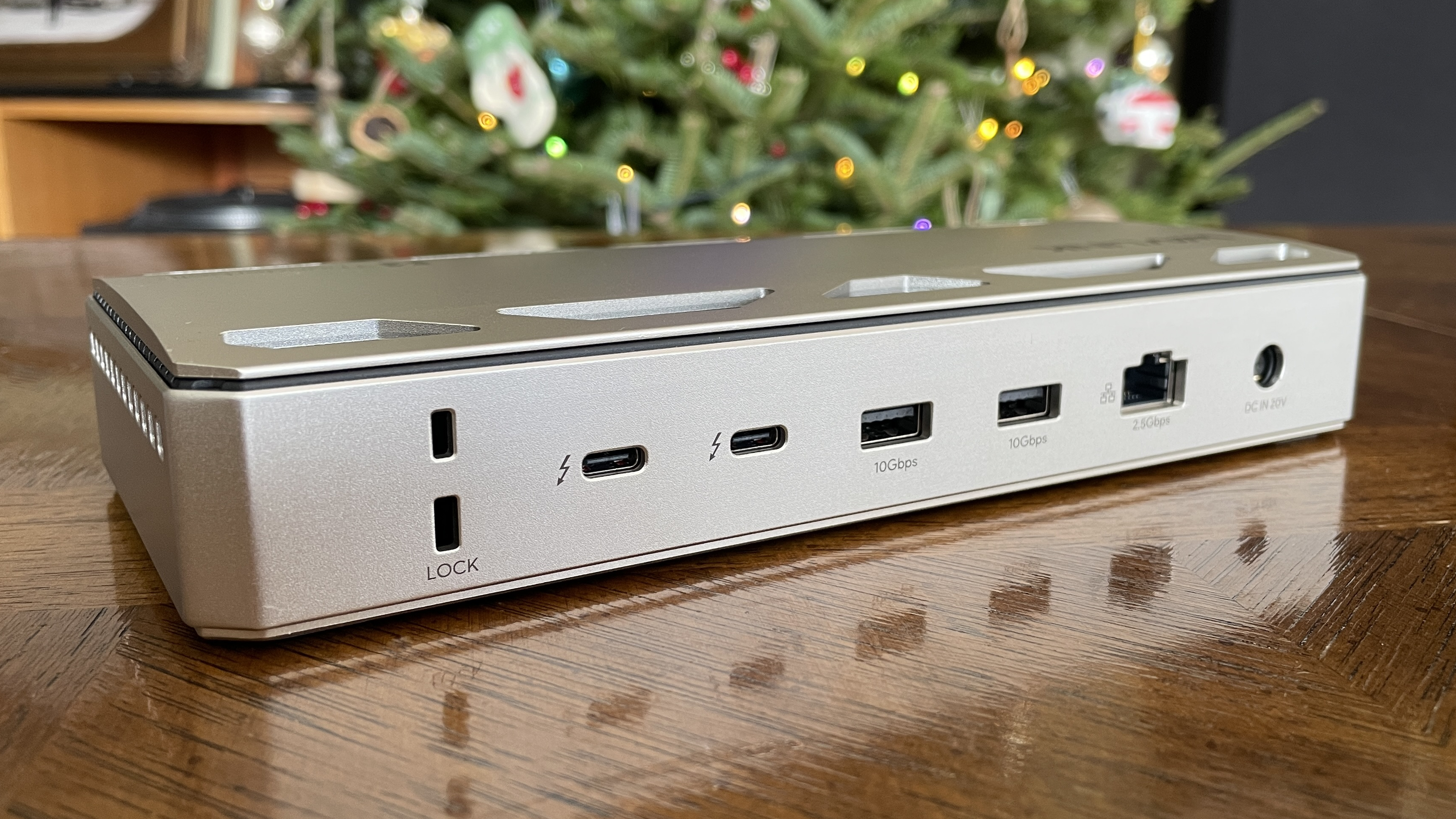
Wavlink placed the main Thunderbolt 5 port on the front of the docking station. Like other Thunderbolt 5 devices, it can provide up to 140 watts of power to charge a laptop.
Alongside the main connection, there’s a Thunderbolt 5 port that can deliver up to 30W of power, letting you charge larger devices or accessories. The front of the dock also includes SD and microSD card readers, both supporting the fast UHS-II 4.0 standard – more than enough speed for most people.
I’d be more worried about my floor than the dock if I happened to drop it off my desk.
The front of the dock includes two fast USB-A ports (USB 3.2 Gen 2, capable of 10Gbps) and a single headphone/microphone jack. A power button lets you completely turn off the dock, stopping power delivery to your laptop – so you don’t have to unplug it to prevent overcharging. Just press the button when you’re done using it.
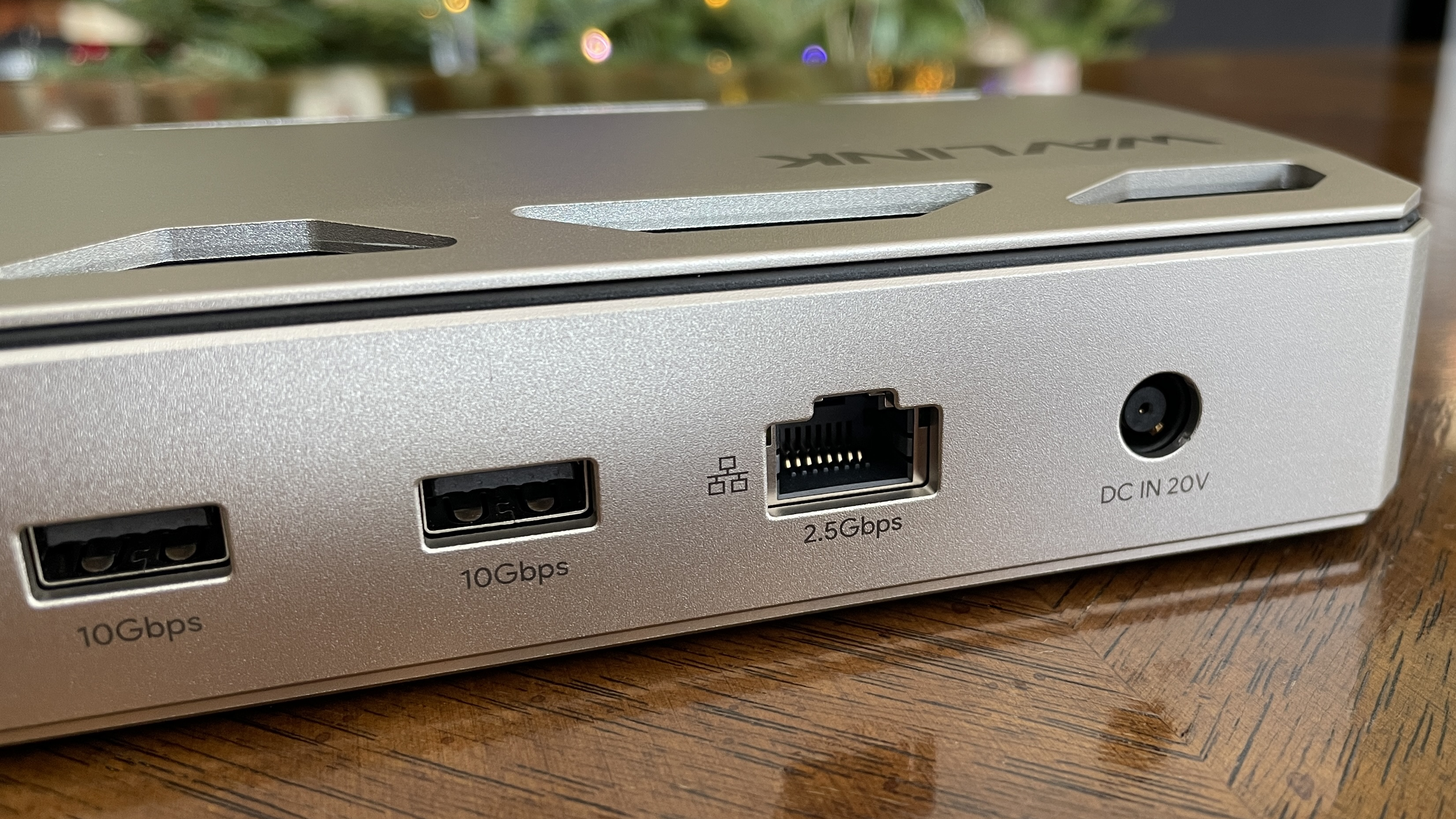
Around the back, you’ll find two Thunderbolt 5 ports that can each deliver 15 watts of power, along with two USB-A 3.2 ports offering speeds up to 10Gbps. There’s also a 2.5Gbps Ethernet port and slots for a Kensington lock to help secure the dock. Overall, it’s a good selection of ports, especially helpful for creative professionals.
Supports triple 4K@144Hz using only Thunderbolt 5
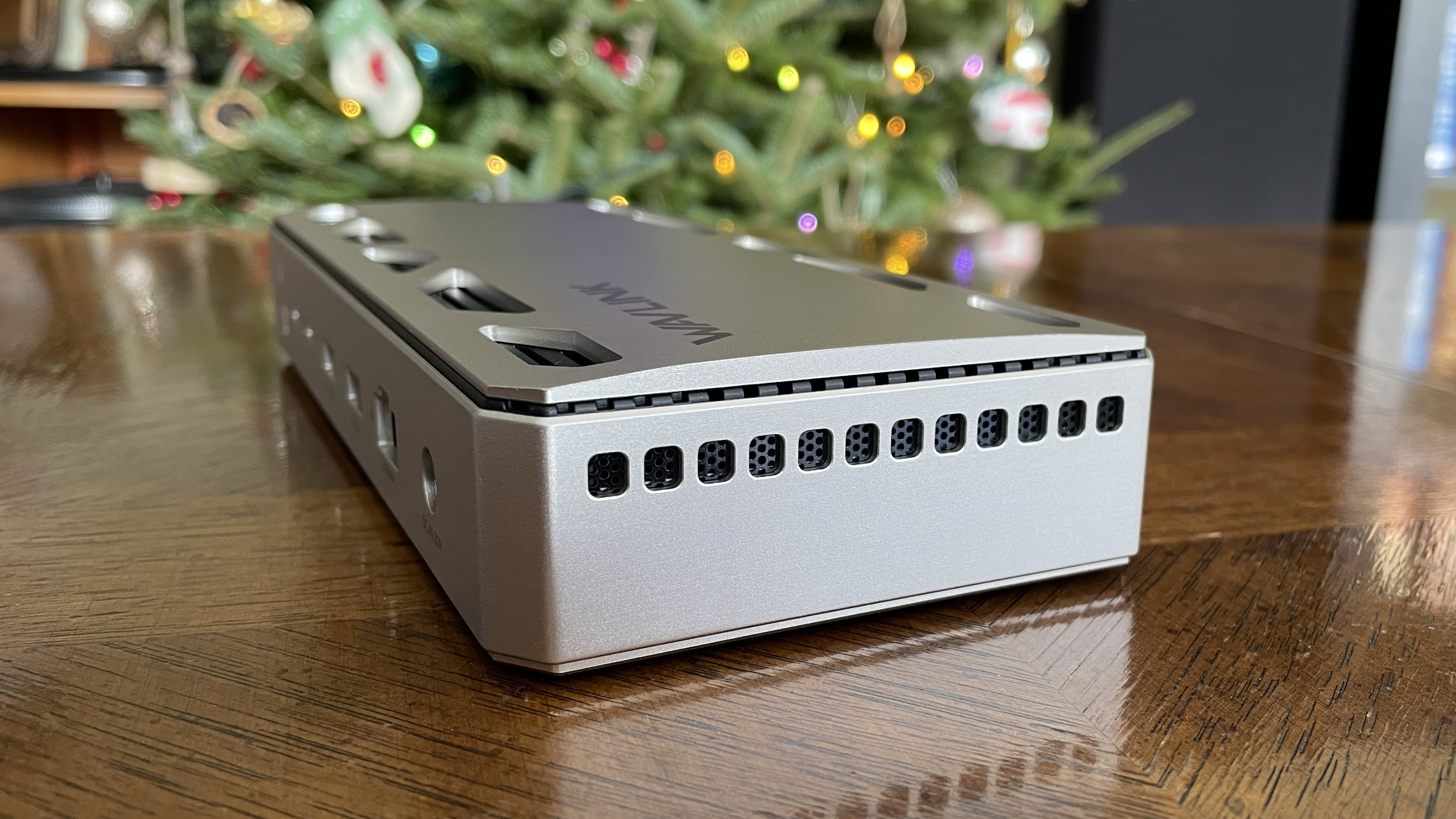
You may have noticed that Wavlink’s latest dock doesn’t have traditional HDMI or DisplayPort video connections. This isn’t unusual for docking stations, as the newer Thunderbolt 5 technology can handle video output instead. However, if your monitors don’t connect via USB-C, you might need to purchase an adapter or dongle.
Okay, so this Wavlink dock is seriously impressive! Even though it doesn’t have a direct video output, it can actually power up to *three* 4K monitors, and at a super smooth 144Hz! There’s a little catch, though – to get all three working, you need a Windows laptop with a Thunderbolt 5 port. Which, honestly, makes total sense given the tech involved.
To use three monitors, you’ll also need a technology called Display Stream Compression, or DSC. Both your monitors and your laptop need to support it. Luckily, most newer laptops already have DSC built in, but it’s a good idea to confirm that your monitors and laptop are compatible before you connect everything.
So much more affordable than the competition
The run of Thunderbolt 5 docks I’ve been testing of late haven’t been easy on the wallet.
The CalDigit TS5 Plus is my top pick for a Thunderbolt 5 dock in 2025, and it typically costs around $500. It’s packed with features, including 20 ports, a fast 10GbE connection, and dual USB controllers for better performance. For those looking to save a bit, the CalDigit TS5 offers 15 ports for $100 less.
I was honestly shocked to see the sticker price on Wavlink’s Thunderbolt 5 dock.
For around $450, the Kensington SD7100T5 EQ Pro is a solid choice, offering 18 ports, a three-year warranty, and a convenient built-in slot for adding external M.2 SSD storage to your laptop. The Razer Thunderbolt 5 Dock Chroma is another option at about $400, featuring customizable RGB lighting, an M.2 SSD slot, and 10 ports.
I was surprised by the price of the Wavlink Thunderbolt 5 dock. It’s currently listed for $299.99 on Amazon, but with a consistently available $60 discount, it drops to $239.99, making it my top recommendation for a budget-friendly Thunderbolt 5 dock.
Although it doesn’t have a built-in M.2 SSD slot, Thunderbolt Share support, or a long warranty – it only comes with a one-year guarantee – the lower price will likely be more important to many people.
WAVLINK Thunderbolt 5 Thunderlight Dock review: My final thoughts
✅You should buy this if …
- You have a Windows laptop with Thunderbolt 5 support.
- You can make use of SD/microSD card readers, lock slots, and 2.5Gb Ethernet.
- You want to spend (a lot) less than on a competing TB5 dock.
❌You should not buy this if …
- You want native video out support.
- You don’t have a Thunderbolt 5 laptop and don’t plan on getting one anytime soon.
- You want a dock with a built-in M.2 SSD slot or Thunderbolt Share compatibility.

With its affordable price, wide range of ports, security features, and robust build quality, the Wavlink Thunderbolt 5 Thunderlight dock is an excellent choice for anyone looking to expand their connectivity without breaking the bank.
While it doesn’t have an M.2 slot for faster storage, and lacks Thunderbolt sharing, you may also need adapters for older displays, this dock performed flawlessly and fit right into my work process.
I’m not sure how long Amazon’s $60 off coupon will last, but even without it, at $299.99, this is the least expensive docking station I’ve tested so far. If you’re looking for a docking station for your Thunderbolt 5 laptop, this one is definitely worth checking out.
Read More
- Welcome to Demon School! Iruma-kun season 4 release schedule: When are new episodes on Crunchyroll?
- TV legend Carol Kirkwood reveals the reasons why she decided to retire after 28 years with BBC
- Why is Tech Jacket gender-swapped in Invincible season 4 and who voices her?
- Dune 3 Gets the Huge Update Fans Have Been Waiting For
- Highly Anticipated Strategy RPG Finally Sets Release Date (And It’s Soon)
- The Super Mario Galaxy Movie: 50 Easter Eggs, References & Major Cameos Explained
- Sydney Sweeney’s The Housemaid 2 Sets Streaming Release Date
- All 13 Smash Bros. Characters in the Super Mario Galaxy Movie
- The OG Resident Evil 1, 2 and 3 Are Now Available on Steam With a Heavy Discount (and DRM)
- Crimson Desert – 15 Things I Wish I Knew Before Diving In
2025-12-14 18:11