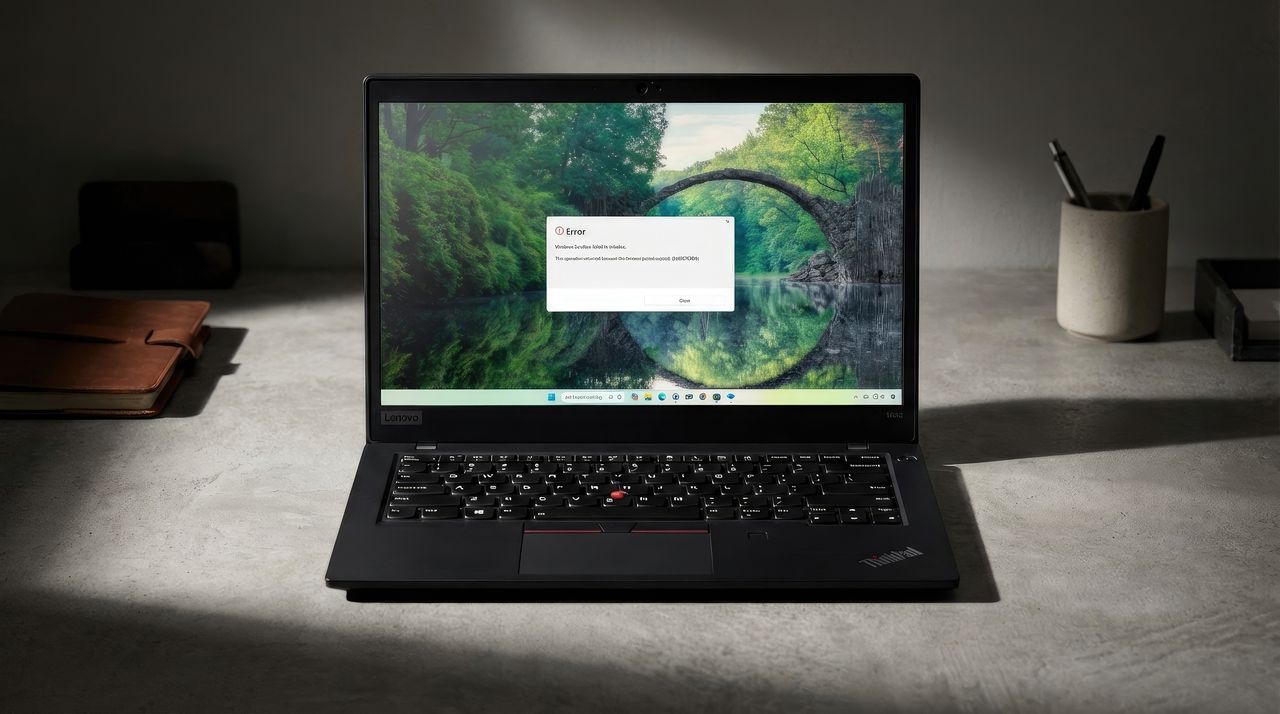
Many Windows 11 users are experiencing a problem with the built-in Sandbox feature that prevents it from working. The tool often gets stuck when starting up, taking almost ten minutes before displaying an error message (0x800705b4). This issue persists even after users try reinstalling Sandbox or running system file checks. The problem seems to affect various versions of Windows 11, and people have been requesting a solution from Microsoft for several weeks through platforms like Microsoft Q&A, GitHub, and online forums.
Windows Sandbox isn’t working correctly for many Windows 11 users, but Microsoft hasn’t yet addressed the problem or explained why it’s happening.
Many users have reported the 0x800705B4 error when trying to open Windows Sandbox (version 0.5.3). The issue was first brought to our attention in December 2025 with a bug report filed by a user named “CompactProducer” on GitHub.
A user reported that Sandbox sometimes freezes while loading for several minutes, displaying error code 0x800705B4 and a message indicating the operation timed out.
The bug was initially fixed with the December 2025 preview build 26200.7309. Another user confirmed the fix also appeared in the final December 2025 update (build 26200.7462). However, the bug has reappeared for some users after installing the January 2026 Security Update (build 26200.7623).
I couldn’t reproduce this issue on my device with build 26200.7623, but I can confirm it’s a problem within the operating system. I encountered this bug while testing the latest preview version of Windows 11 in the Dev Channel.
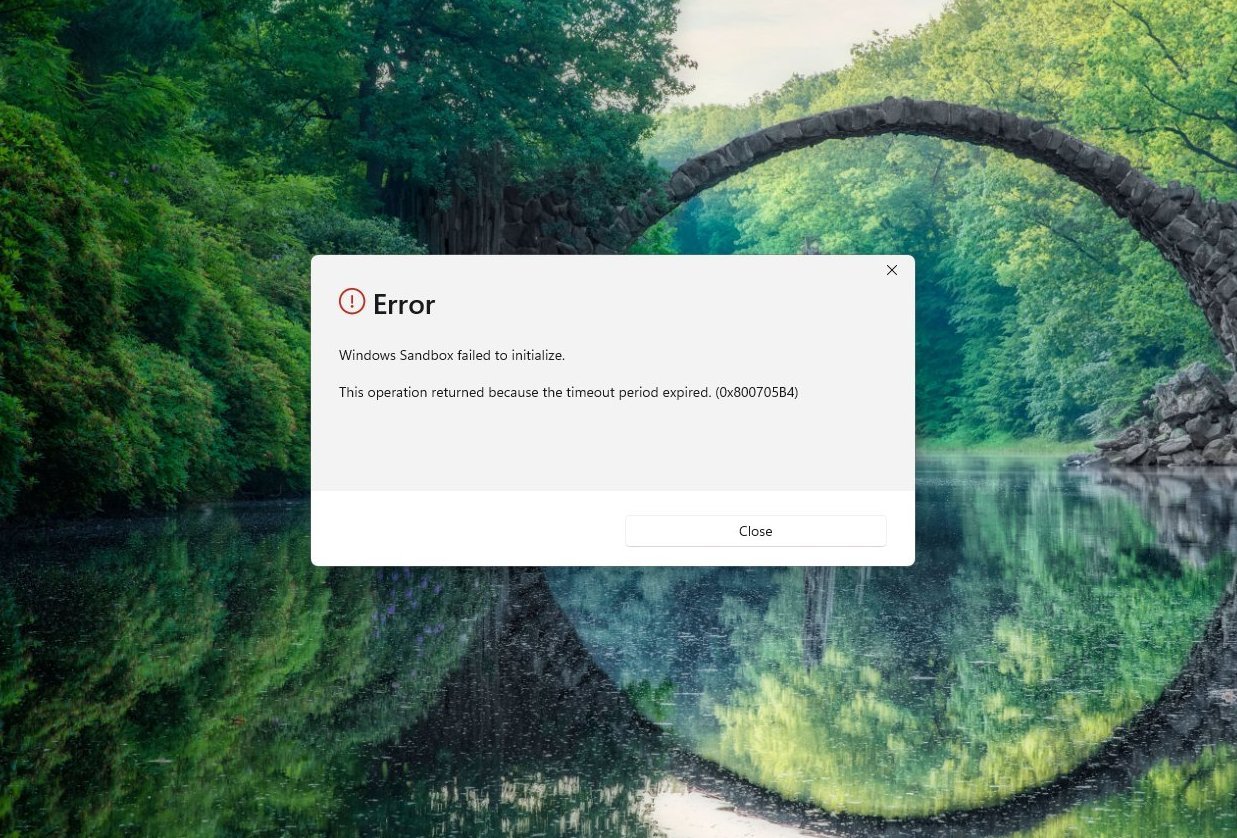
Reports of this potential bug appeared not just on GitHub, but on websites across the internet, including Reddit. One Reddit user, @Kranorzor, described the issue, saying it gets stuck on the loading screen for 5-10 minutes before displaying an error message.
I discovered similar reports of this issue on the Microsoft Q&A forum. A user named Michael Higham explained that Windows Sandbox gets stuck on the logo screen for about ten minutes before displaying an error message.
You can even find complaints and reports in other forums.
How to fix Sandbox with error 0x800705B4 on Windows 11
I’ve tried several things to fix the network connection, including resetting the network adapters, verifying the network stack is functioning properly, and running DISM and SFC to repair the system files. Unfortunately, none of these steps have resolved the issue.
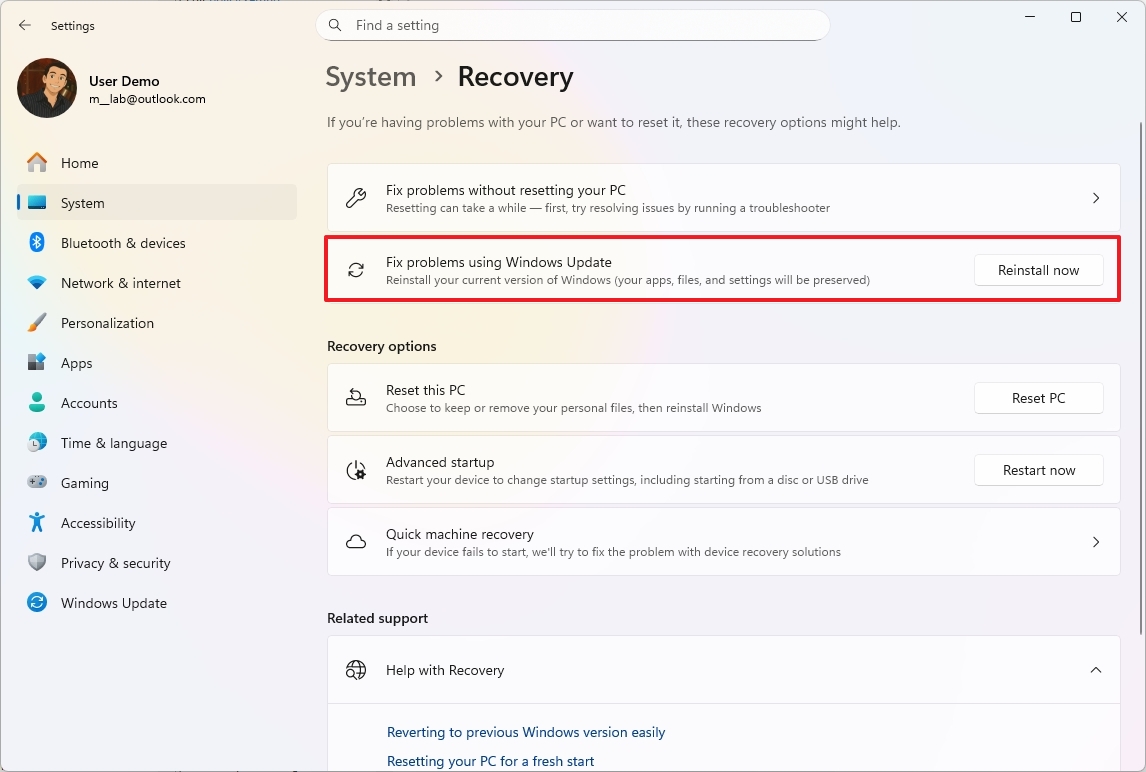
While it’s an unusual fix, the person who found the bug on GitHub says you can resolve it by reinstalling your operating system using the recovery options – here’s how:
- Open Settings.
- Click on System.
- Click the Recovery page on the right side.
- Click the Reinstall now button for the “Fix problems using Windows Update” setting.
- Check the “Automatically restart my PC 15 minutes after installation” option.
- Click the OK button.
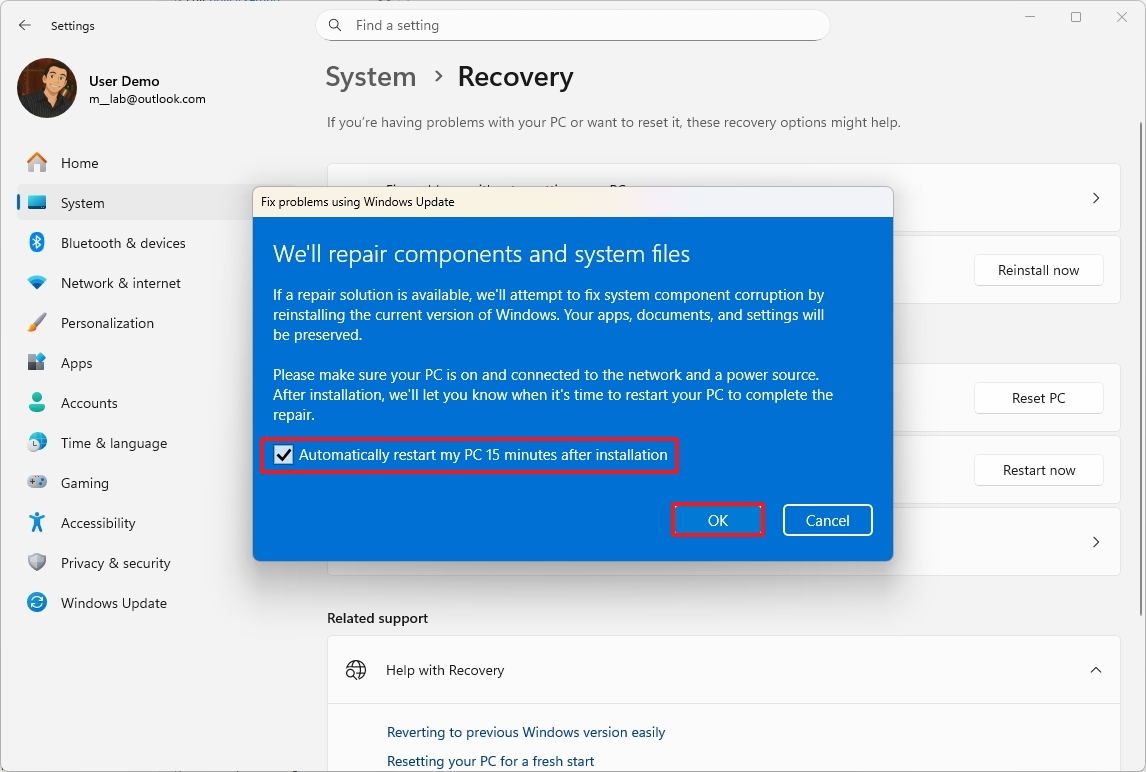
After you finish the process, your computer will reinstall the operating system, keeping your files, applications, and preferences exactly as they are.
There’s more than one issue to consider. Recently, the quality of updates hasn’t been great. A good example is the January 2026 Security Update (KB5074109), which caused apps to crash, black screens to appear on devices with NVIDIA graphics cards, and even broke the Outlook app on Windows 11.
Microsoft recently released a quick update, labeled KB5077744, for Windows versions 25H2 and 24H2 to resolve issues where people couldn’t sign in when using Remote Desktop.
Currently, if you’re experiencing a timeout bug, Windows Sandbox isn’t working, and this problem is happening across many different Windows setups. Until Microsoft releases a proper fix, users are stuck waiting for the next update to bring this helpful security and testing feature back online.
Read More
- Gold Rate Forecast
- Looks Like SEGA Is Reheating PS5, PS4 Fan Favourite Sonic Frontiers in Definitive Edition
- Dune 3 Gets the Huge Update Fans Have Been Waiting For
- Pluribus Star Rhea Seehorn Weighs In On That First Kiss
- Arknights: Endfield – Everything You Need to Know Before You Jump In
- Jack Osbourne Shares Heartbreaking Tribute to Late Dad Ozzy Osbourne
- Dungeon Stalkers to end service on June 9
- Action Comics #1096 is Fun Jumping-On Point for Superman Fans (Review)
- Kelly Osbourne Slams “Disgusting” Comments on Her Appearance
- Disney Promotes Thomas Mazloum To Lead Parks and Experiences Division As Josh D’Amaro Prepares To Become CEO
2026-01-23 20:10