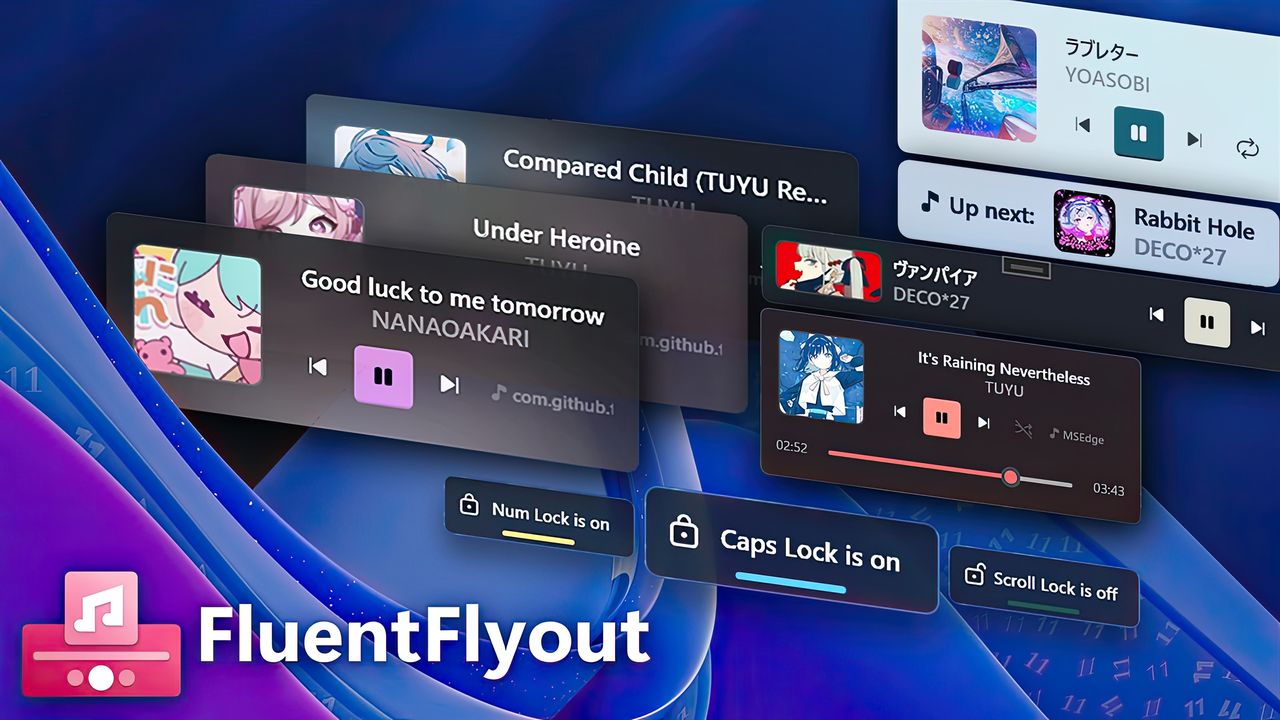
Last year, Windows 11 got a really useful app, and now it’s available on PCs powered by Snapdragon X chips. Called FluentFlyout, this app improves Windows 11 by adding helpful pop-up controls, like better options for managing your music and videos.
These pop-up controls are intuitive and I prefer them to the standard media controls in Windows 11’s Quick Settings. Plus, you can tailor them to your liking – keep them simple with just a few buttons, or expand them with detailed controls like timelines.
FluentFlyout now works on PCs with Arm-based processors, including those using the Snapdragon X Elite and the future Snapdragon X2 Plus.
I’m really excited about the latest update! It’s not just for people with ARM processors, either. Now, anyone using FluentFlyout can choose exactly which monitor their flyouts and taskbar widgets pop up on. It’s a small thing, but it makes a big difference for multi-monitor setups!
FluentFlyout’s developers shared the highlights of the update recently.
Change log
- 🖥️ Switch Monitors: Added the ability to select which monitor to display Flyouts and the Taskbar Widget!
- 🖱️ Added Title and Artist hover tooltips to Taskbar Widget and Media Flyout, allowing you to see the full title and artist name if it’s cut off
Taskbar Widget updates
- 🔧 Added Taskbar Widget manual custom padding setting for customized Windows taskbars
- Fixed Taskbar Widget scaling improperly when content is long
- Fixed Taskbar Widget positioning being incorrect in some cases
- Fixed rare crash when right-clicking on the Taskbar Widget
- Other under-the-hood changes to the Taskbar Widget to make it more stable
Other updates
- 💻 Fixed trackpad scrolling speed in settings being too fast
- Fixed tray icon disappearing after Windows Explorer resets
- Removed verbose logging as it wasn’t necessary in release builds
- Fixed Lock Flyout visual glitches on first flyout
- Changed Acrylic window background opacity to match Windows 11 more closely
- ARM64 configuration support: FluentFlyout will now work on ARM64 CPU architecture devices
- Added Turkish language support for GitHub README files
If you want the unabridged change log, it’s available on GitHub.
Windows 11 hasn’t always felt polished, so it’s great to see someone focusing on the details and improving how it looks with subtle adjustments like refining the acrylic effect.
It’s understandable that smaller developers sometimes have slightly imperfect blur effects, especially since Microsoft hasn’t consistently settled on a clear design direction itself.
You can download FluentFlyout for free from the Microsoft Store, but some extra features cost $2.96. Alternatively, you can get all features completely free by downloading it directly from GitHub.

Do you use third-party apps to customize the look and functionality of Windows 11?
Read More
- What Song Is In The New Supergirl Trailer (& What It Means For The DC Movie)
- Highly Anticipated Strategy RPG Finally Sets Release Date (And It’s Soon)
- Dune 3 Gets the Huge Update Fans Have Been Waiting For
- Why is Tech Jacket gender-swapped in Invincible season 4 and who voices her?
- TV legend Carol Kirkwood reveals the reasons why she decided to retire after 28 years with BBC
- MOUSE: P.I. For Hire Loops in Caravan Palace for A Catchy New Track Ahead of April 16 Release
- Eurogamer Gives ARC Raiders 2/5 Over AI Voices, Dropping Metacritic Score from 94 to 84
- Way of the Hunter 2 adds PS5, Xbox Series versions
- Gold Rate Forecast
- After 13 Years, Someone Earned One of the Hardest Achievement Trophies in Gaming
2026-01-14 23:39