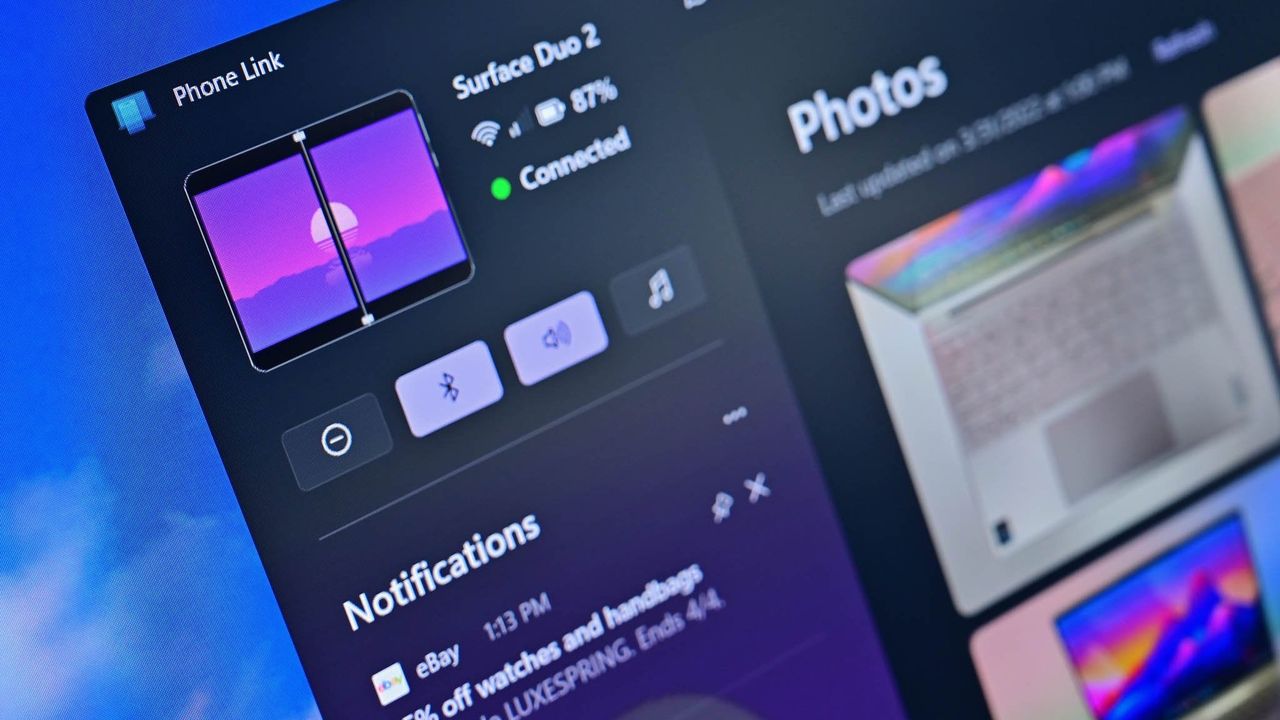
A recent update to the Phone Link app for Windows 11 indicates Microsoft will soon remove the dedicated Photo viewer. Instead, users will be able to view photos directly within File Explorer.
Windows 11’s Phone Link app has always let you easily see and manage everything on your phone from your computer. You could check your phone’s notifications, view your screen, and access messages, calls, and photos. It was especially convenient for quickly browsing and transferring pictures from your phone to your PC.
Hey, so I just noticed a heads-up in the Phone Link app – Microsoft is moving the photo viewing feature out of Phone Link and directly into File Explorer. I saw Windows Central reported on this earlier today. Basically, it’s prompting you to connect things so you can see your phone’s files right within File Explorer instead. It seems like they’re integrating things a bit more deeply into Windows, which I think is pretty cool!
You’ll now find Photos integrated into File Explorer. This update gives you a better way to view videos and manage your files, making it easier to select multiple items, copy, paste, and drag and drop.
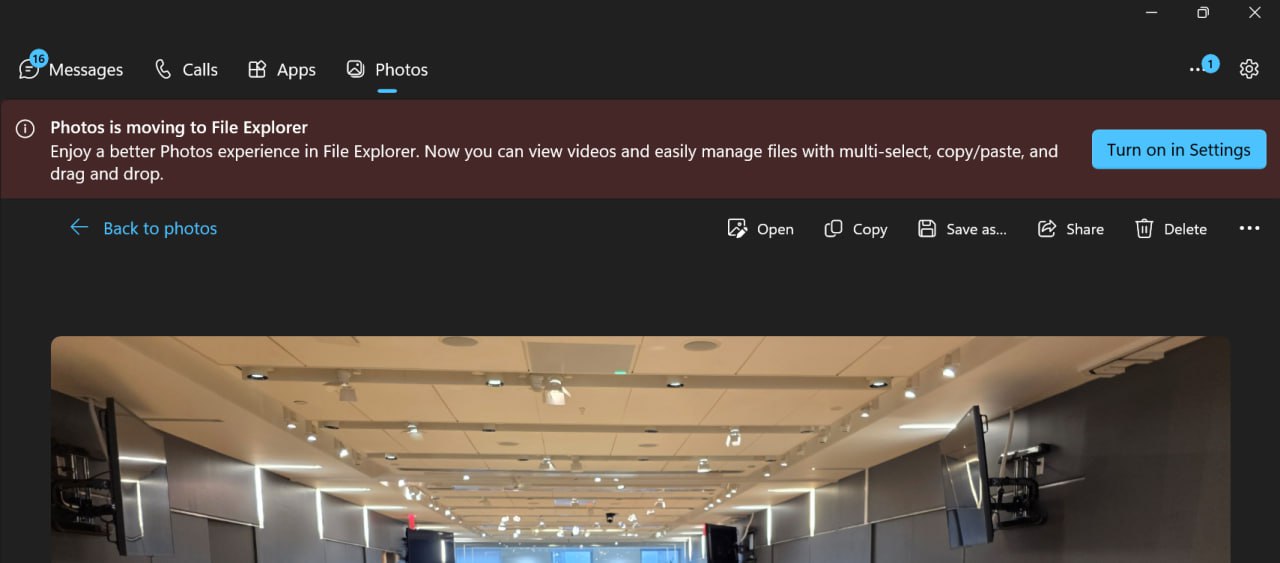
While not brand new, seeing your phone listed directly in File Explorer is different from using the Phone Link app. You set it up through the Mobile Devices section in Windows Settings, and it lets you do things the Phone Link app doesn’t, like use your phone as a webcam.
Phone Link is still available and lets you see notifications and control your phone from your PC. However, the new Mobile Devices feature works differently – it connects your phone to your PC like a USB drive or camera, letting you access it directly through File Explorer.
Microsoft hasn’t announced a firm date for removing the photo viewing feature within the Phone Link app, but it’s currently guiding users to view their photos in File Explorer instead.
Why is Microsoft removing photos from Phone Link?
Microsoft wants you to be able to see your phone’s photos directly in the File Explorer app on your computer. You can do this by connecting your phone to Windows through the Mobile Devices setting.
What is the difference between viewing photos in Phone Link and File Explorer?
Phone Link offered a better way to browse photos, displaying them full screen without needing to switch to another app. With File Explorer, you can see your photos organized like files, and clicking on one will open it right in the Windows Photos app.
Read More
- FRONT MISSION 3: Remake coming to PS5, Xbox Series, PS4, Xbox One, and PC on January 30, 2026
- Best Controller Settings for ARC Raiders
- Mark Zuckerberg & Wife Priscilla Chan Make Surprise Debut at Met Gala
- Welcome to Demon School! Iruma-kun season 4 release schedule: When are new episodes on Crunchyroll?
- The Boys Season 5 Officially Ends An Era For Jensen Ackles’ Soldier Boy
- Meet the cast of Good Omens season 3: All the actors and characters
- 7 Great Marvel Villains Who Are Currently Dead
- Nippon Sangoku Is The Best New Post-Apocalyptic Anime of Spring 2026
- Wistoria: Wand and Sword Season 2 release schedule: When are new episodes out?
- XRP AUD PREDICTION. XRP cryptocurrency
2025-11-07 18:39