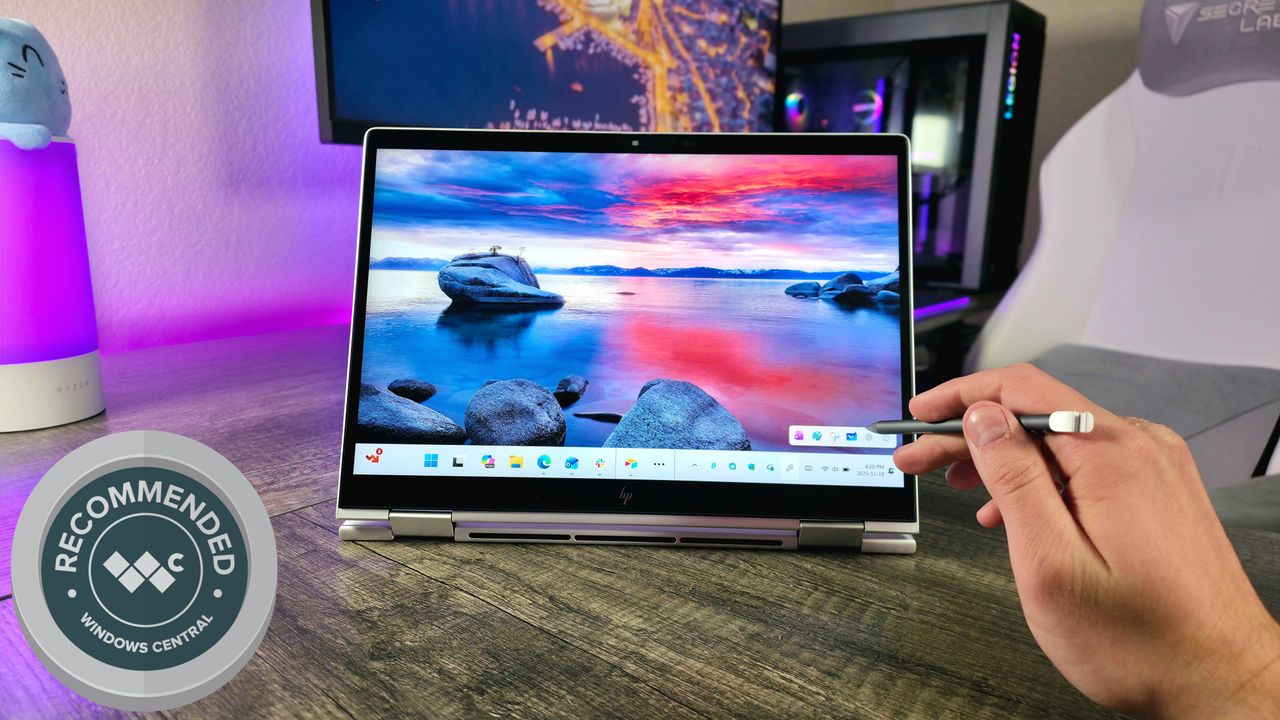
While many laptops are becoming sleeker by removing ports and features, HP is bucking the trend with a laptop that feels refreshingly classic – and that’s a good thing.
The HP EliteBook 8 Flip 13 (G1i) is the newest addition to HP’s impressive EliteBook series. While it’s not for everyone and has its flaws, users who need a unique blend of design and functionality will find this laptop incredibly powerful and useful.
However, the EliteBook 8 Flip can become quite pricey, especially with its high starting cost and the added expense of optional features. Regardless of how much you invest, the screen quality is only average.
We received a review unit from HP for this evaluation. HP did not have any influence on the review and hadn’t seen it before it was published.
My HP EliteBook 8 Flip 13 (G1i) review
Design ⭐⭐⭐⭐
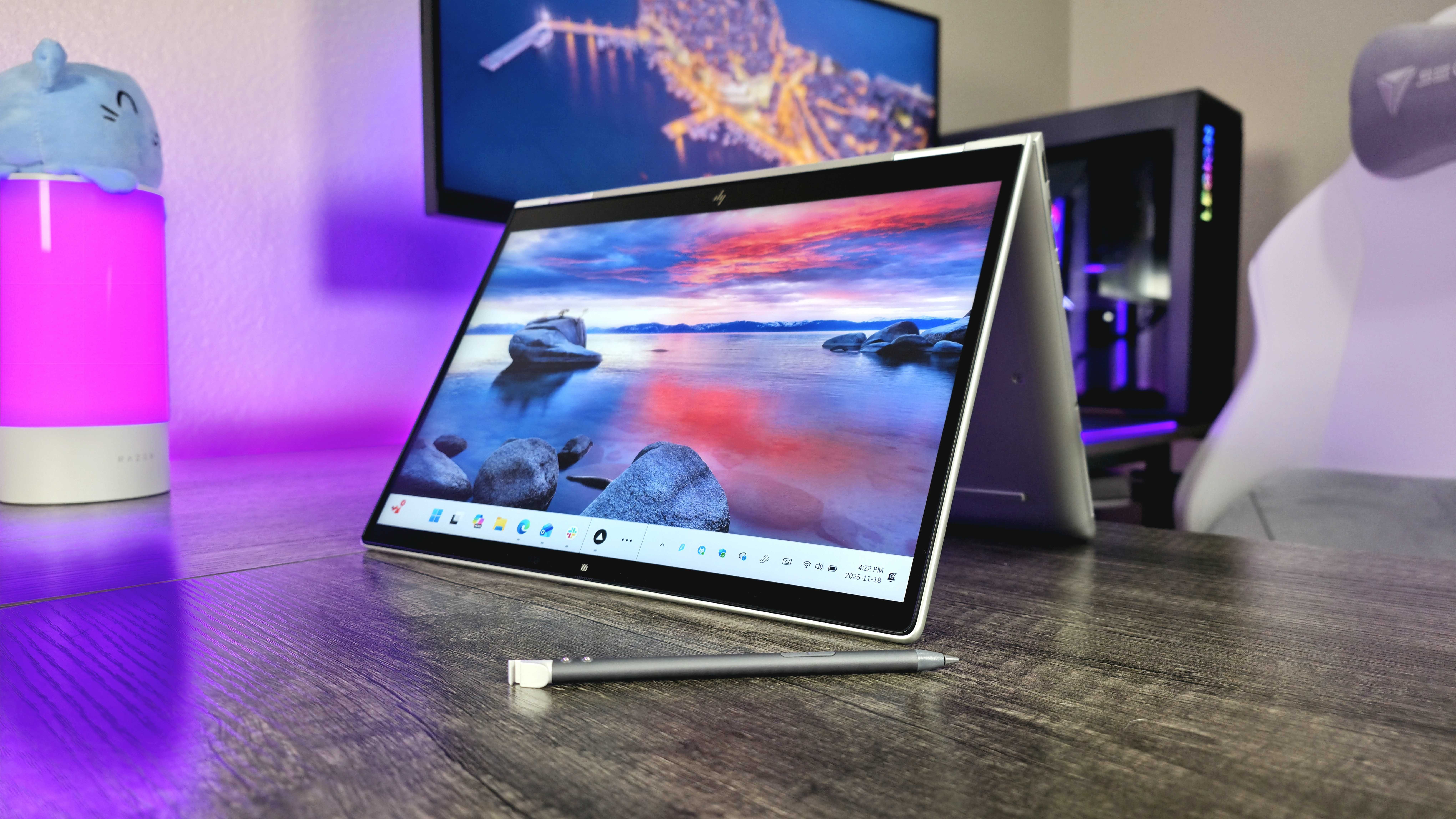
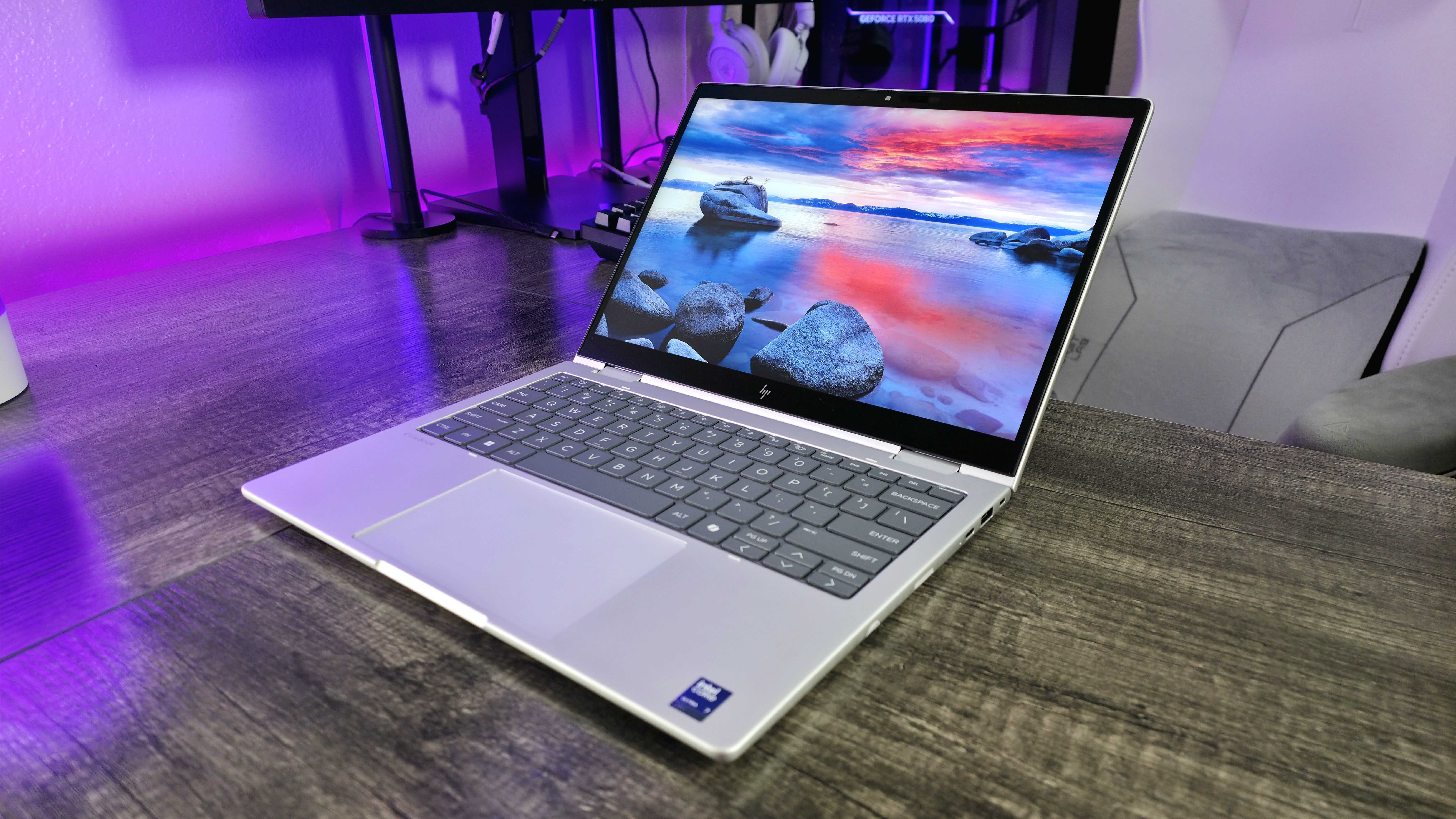
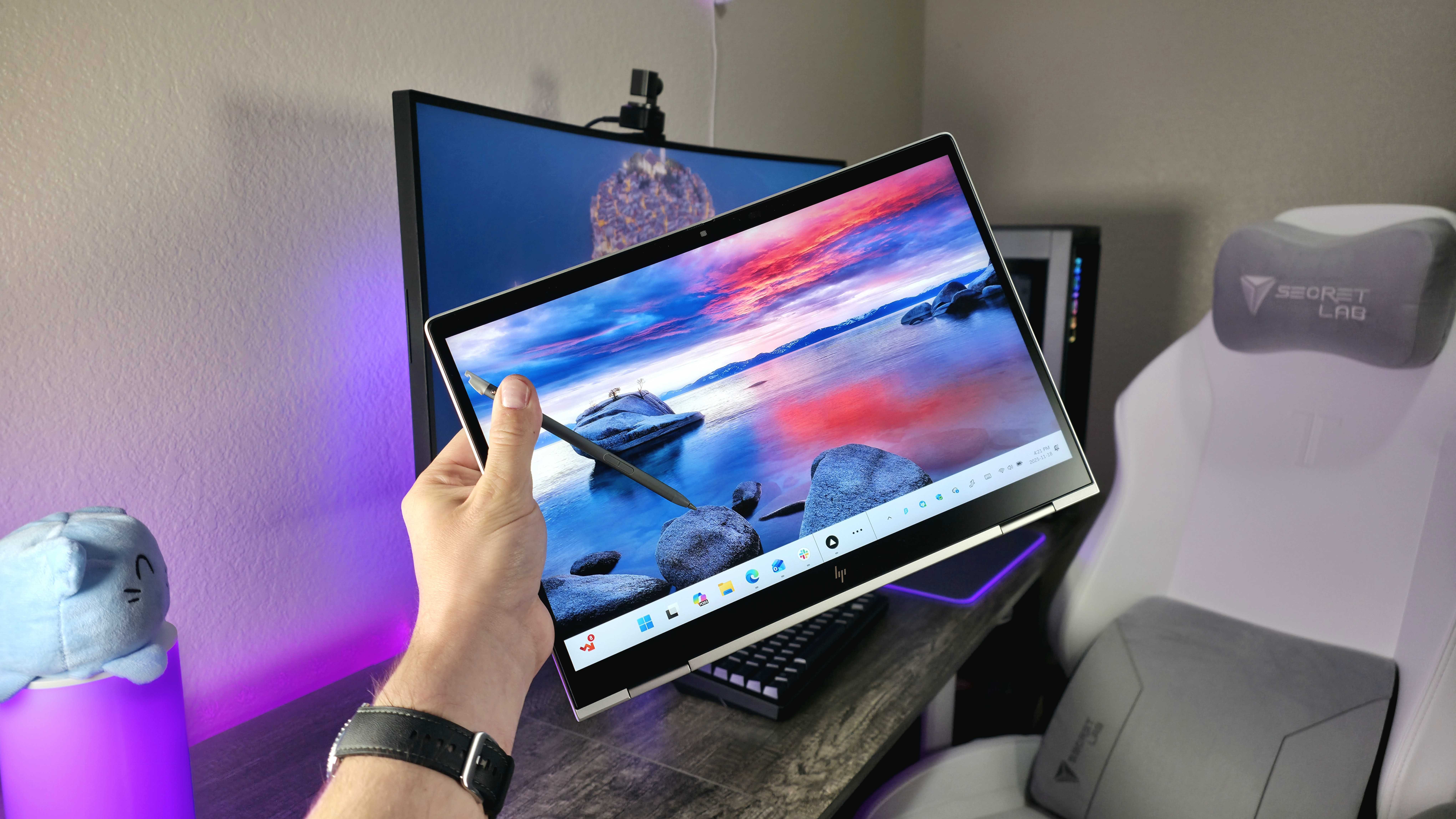
While many laptops now come with 14- or 16-inch screens, the HP EliteBook 8 Flip is smaller, featuring a 13.3-inch display – similar in size to large tablets. This makes the EliteBook more portable and compact.
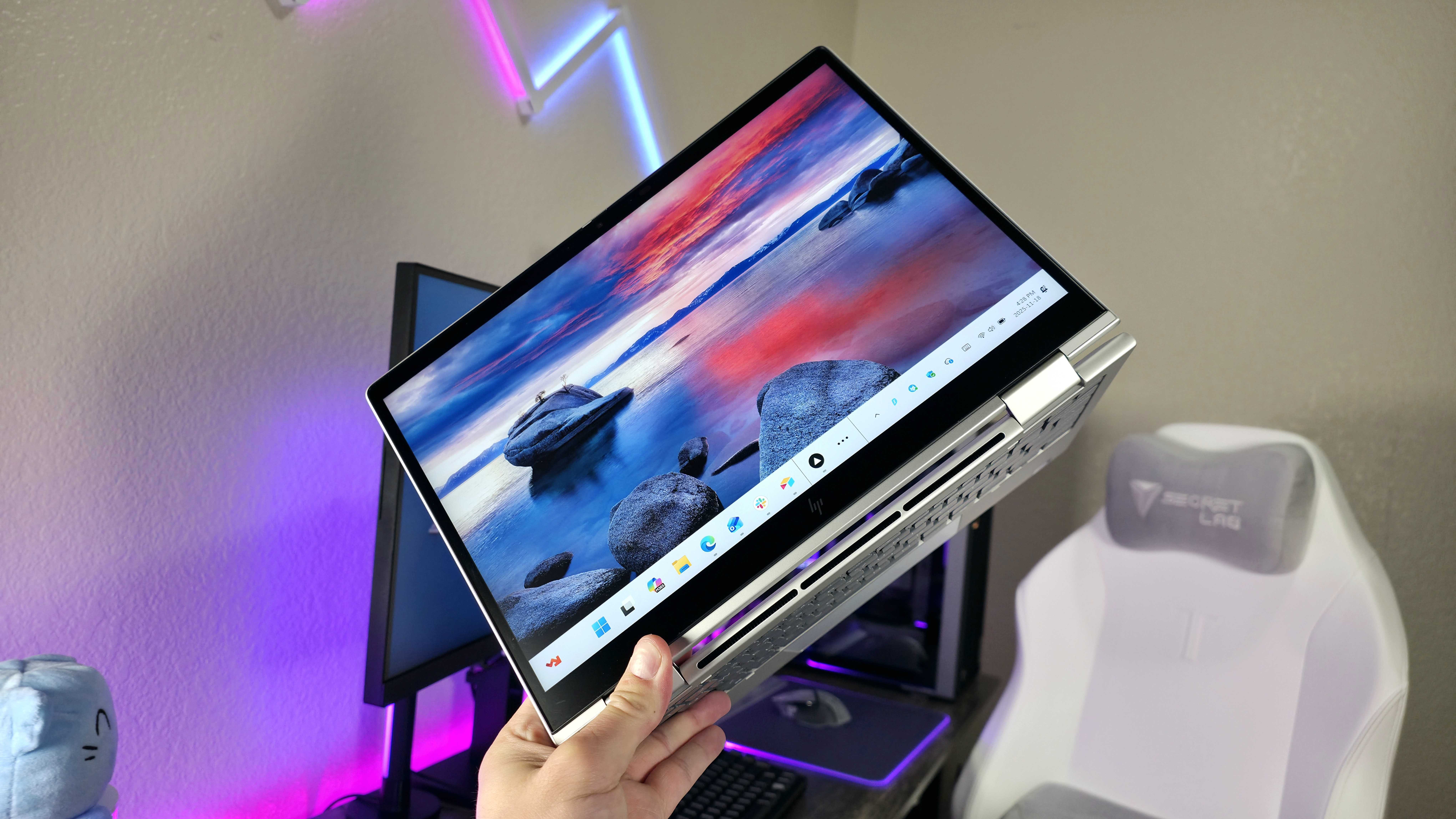
Despite being a 2-in-1 laptop, it’s surprisingly lightweight and thin – even compared to many standard 14-inch laptops. I’ve tested a lot of 2-in-1s, and this one is by far the easiest to use as a tablet.
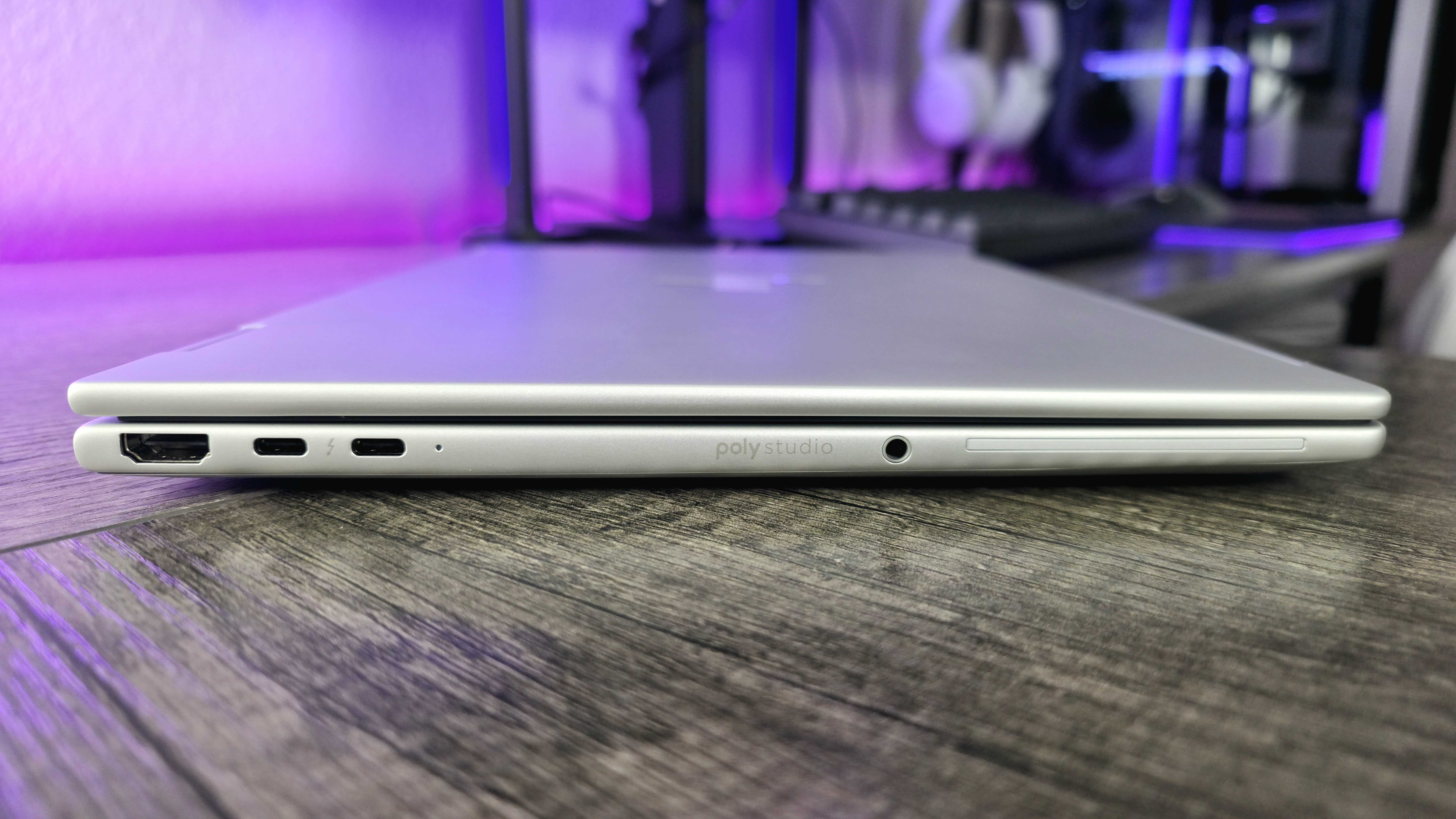
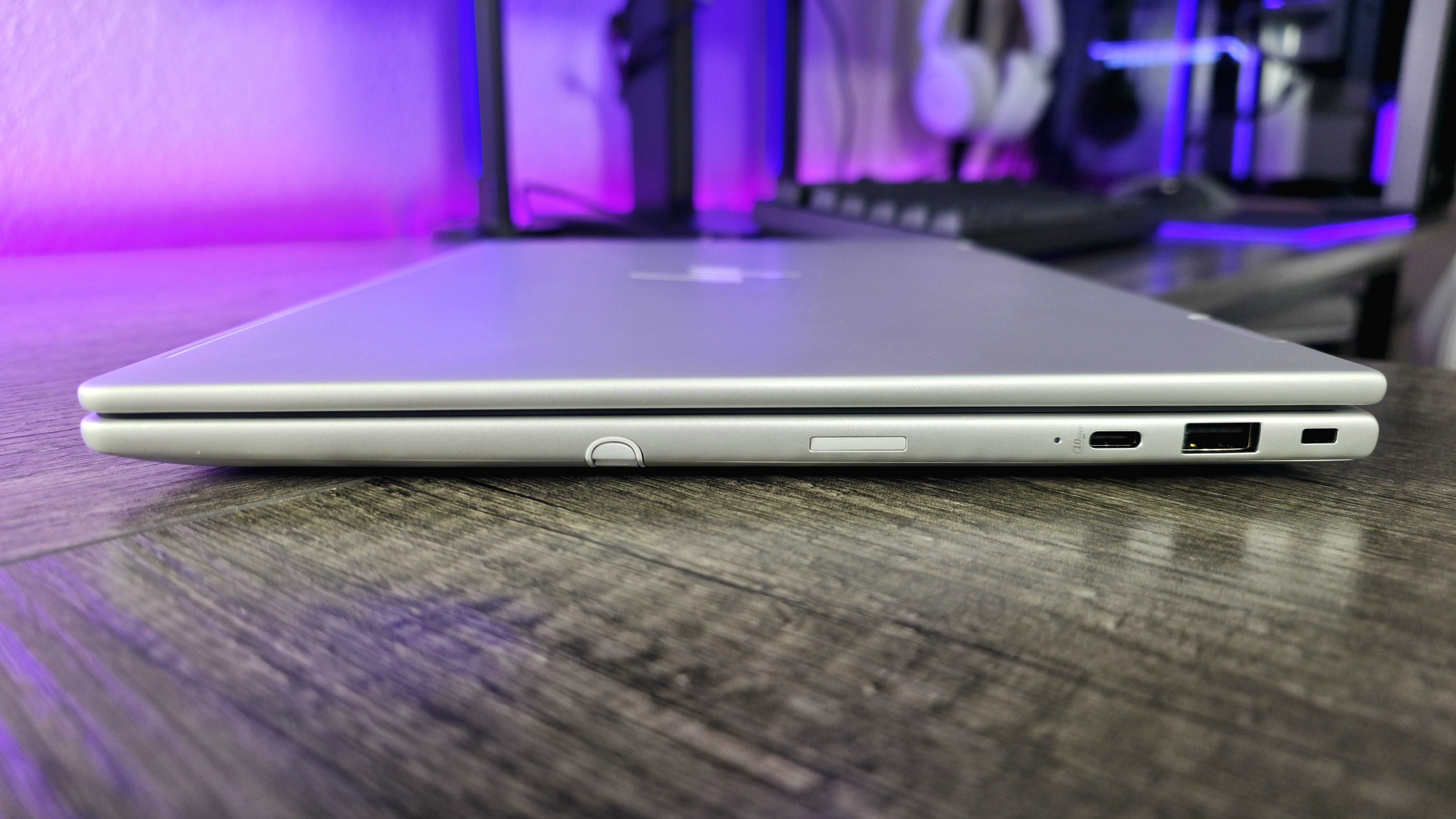
Beyond its unusual screen size and shape, the EliteBook 8 Flip is a well-built laptop. It includes two Thunderbolt 4 ports, along with USB-C and USB-A ports, an HDMI 2.1 port, and a standard headphone jack. It also features a security slot for Kensington locks, and you can add options like a SmartCard reader and a NanoSIM card slot for mobile internet access.
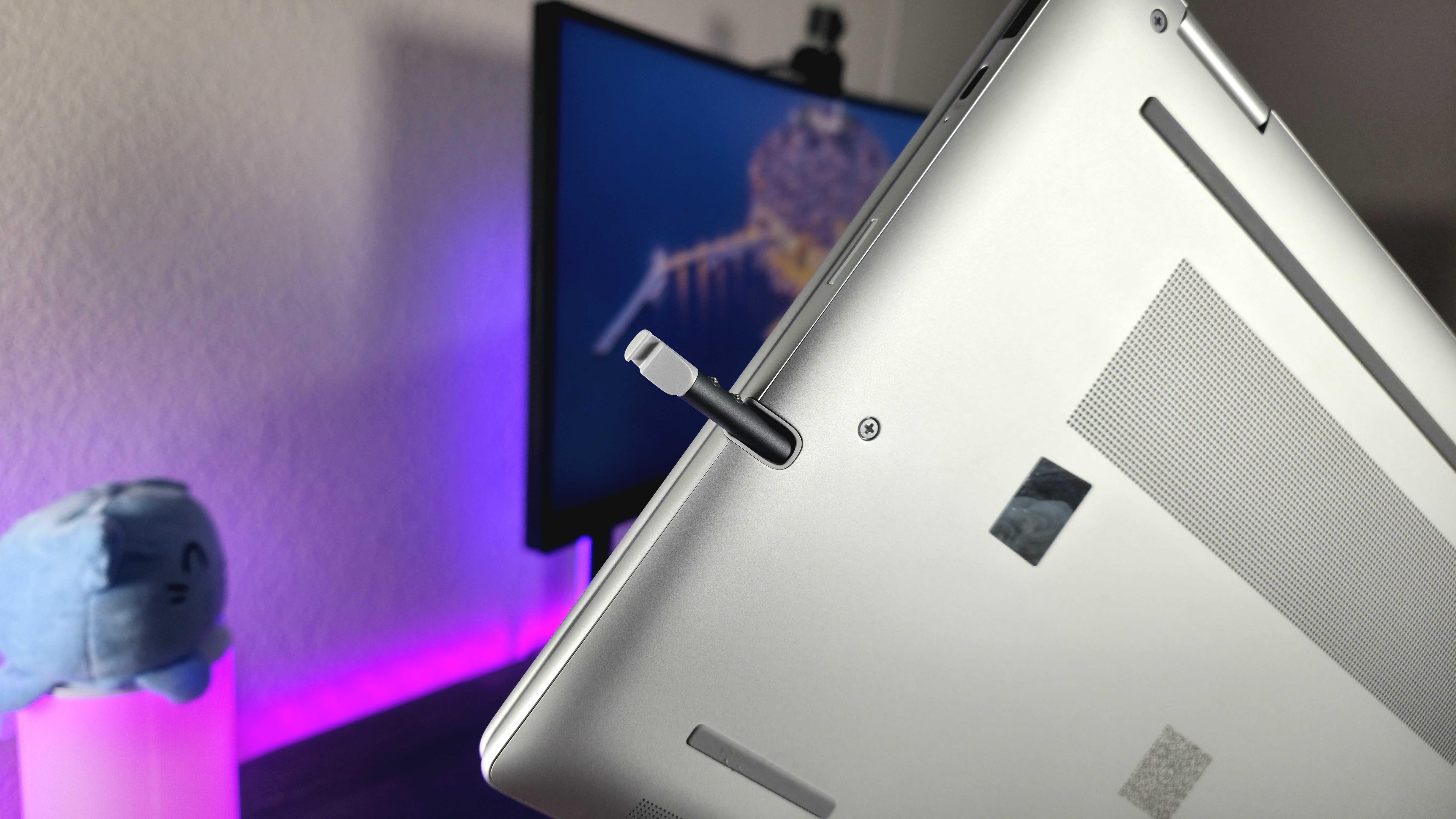
The EliteBook 8 Flip 13 works with active styluses, and it even has a built-in storage space *inside* the laptop for them – that’s a rare feature! While all the ports and the stylus garage make the side a bit crowded, the overall build quality is excellent.
HP has packed a lot of useful features into this small laptop, and it all works well together. While it’s not the most stylish laptop out there, it’s incredibly practical and gets the job done.
Display ⭐⭐⭐½
While the EliteBook 8 Flip 13’s compact 13.3-inch screen is a key selling point, the screen quality itself is only average, despite HP offering ten different display choices.
Although you can upgrade certain features like the screen coating, brightness, or privacy filter, the HP EliteBook 8 Flip 13 always comes with a standard 1200p, 60Hz IPS LCD panel. It’s a perfectly usable display – comfortable to view with good contrast – but it doesn’t really stand out from the crowd.
The colors won’t be perfectly accurate, the screen will generally look a bit warmer than it should, and you’ll always be restricted by the display’s resolution and how quickly it can refresh.
Performance ⭐⭐⭐½
It’s no surprise that the EliteBook 8 Flip 13 isn’t designed for demanding tasks. It uses Intel’s more efficient U-Series Core Ultra processors, and even with the top-of-the-line Core Ultra 7 265U, which has 12 cores, it doesn’t quite match the performance of the fastest processors from Intel or AMD.
While this laptop isn’t focused on raw power, that’s not a weakness. It’s designed for portability and flexibility, and its efficient design helps it last all day when you’re on the go. It’s still quick to start up and feels snappy to use, handling everyday tasks without any problems.
The biggest drawback is the built-in graphics processor, which isn’t powerful enough for most games or creative tasks.
Battery life ⭐⭐⭐⭐
Even though the EliteBook 8 Flip 13 is compact, HP fit a large 62Whr battery inside. Combined with the power-efficient Intel processors and a screen that doesn’t require much power, this laptop delivers exceptional battery life – among the best you’ll find.
The EliteBook 8 Flip also has excellent battery life. You can easily get through a full workday, even if you turn the screen brightness up. In our tests, running typical office tasks and watching an HD video for an hour each only used about 7% of the battery. Keeping it powered up is simple too, thanks to its three USB-C ports.
The biggest drawback of this laptop is its unreliable battery life when it’s closed. Usually, it uses very little power while in standby mode, but on several occasions, I found it hadn’t gone to sleep properly overnight, resulting in a completely drained battery in the morning.
Keyboard & touchpad ⭐⭐⭐⭐½
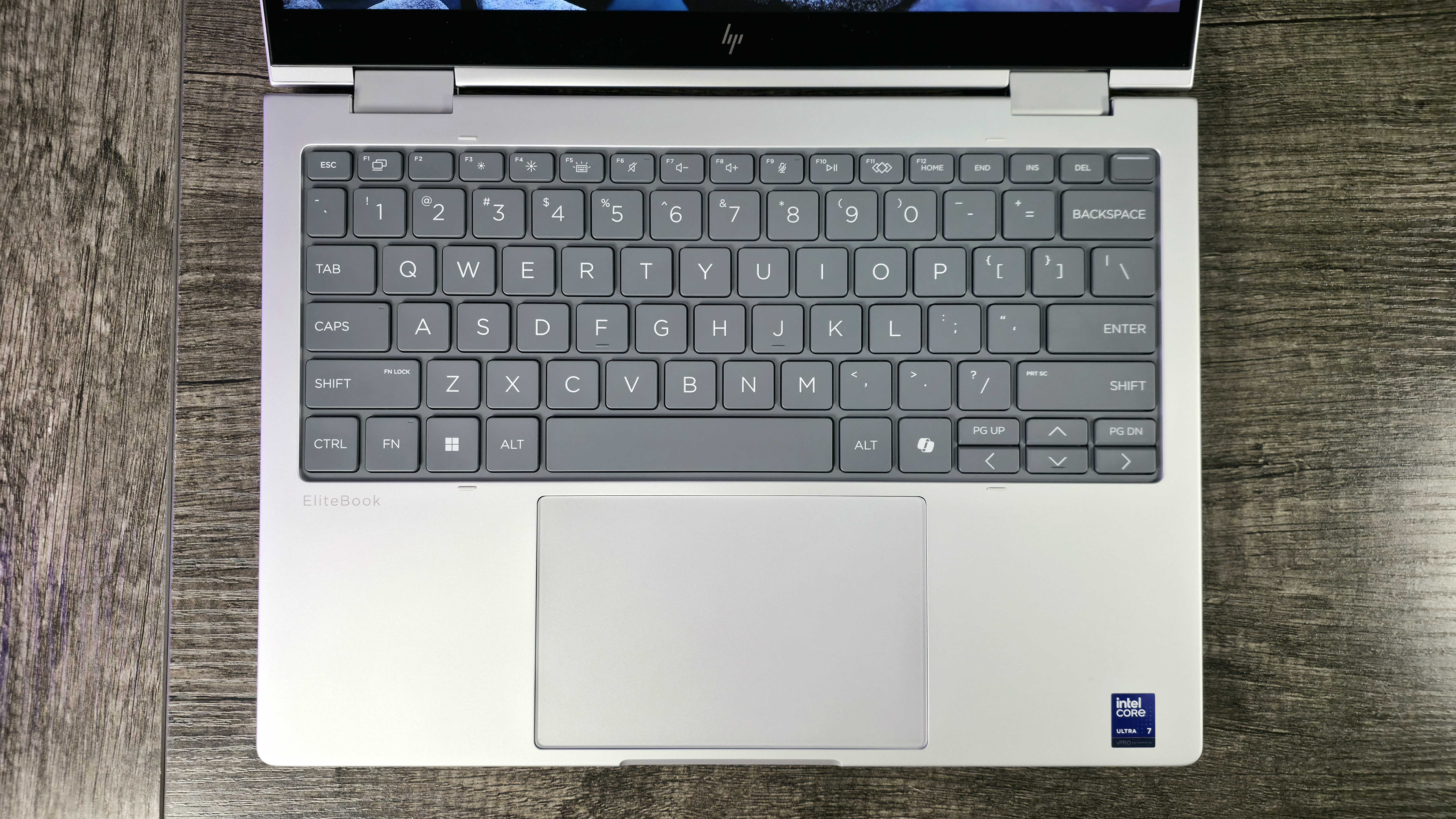
HP EliteBook keyboards are consistently impressive, and this one is no exception. Despite the laptop’s smaller size, the keyboard offers plenty of space and feels great to type on, with a clear layout, easy-to-read keys, and a satisfying typing experience.
The touchpad doesn’t offer tactile feedback, but it’s large, reacts quickly to your touch, and works reliably with standard Microsoft drivers. Overall, it’s a good experience, although you’ll need to spend extra if you want a backlit keyboard or a fingerprint reader on the power button.
Software & AI ⭐⭐⭐⭐
HP often includes a lot of pre-installed software on its laptops, and while some of it can be unnecessary, the EliteBook series isn’t overloaded. Plus, EliteBooks come with HP Wolf Security, which is a major benefit for businesses looking to upgrade their computers.
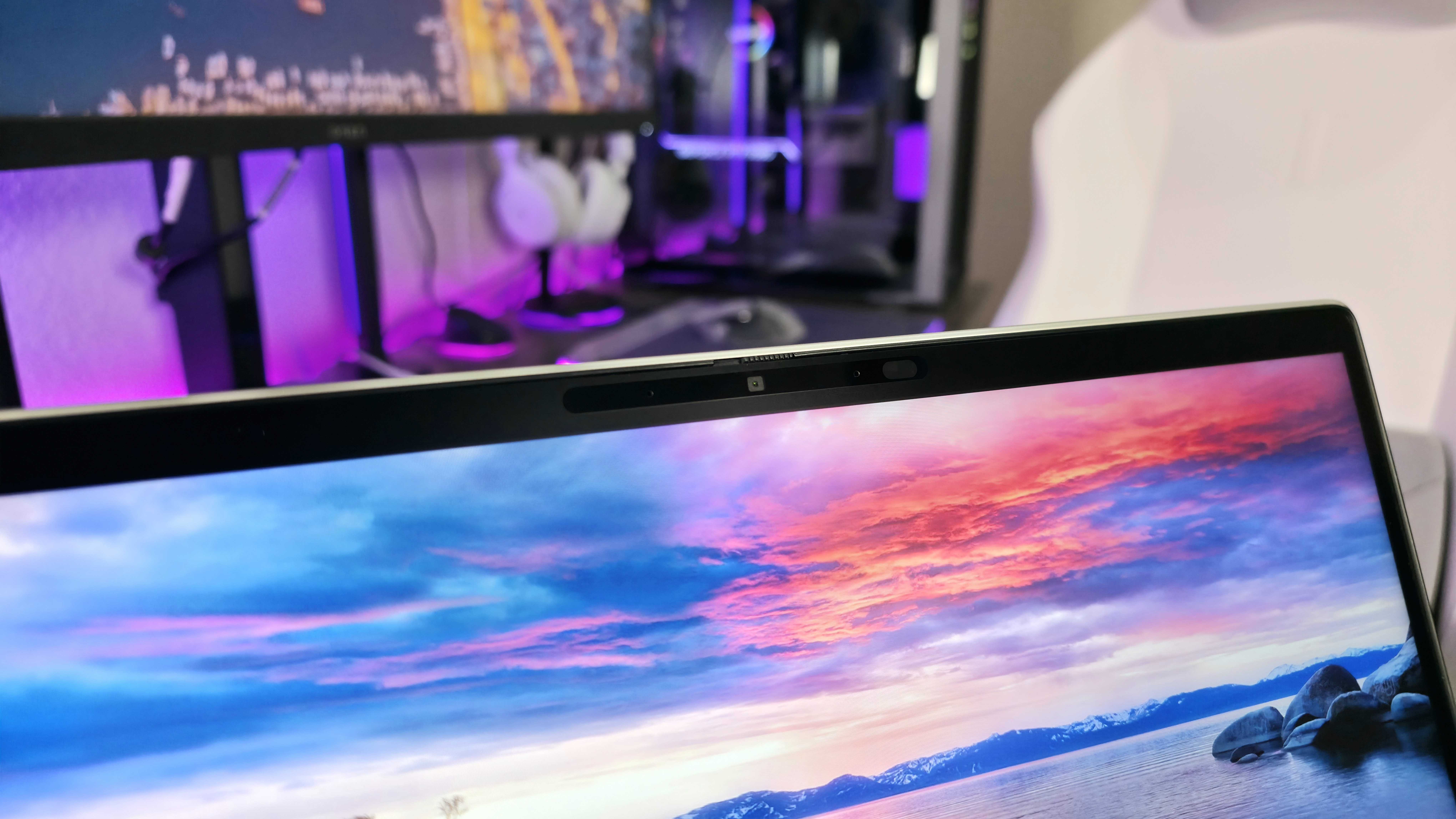
Enjoy improved security and privacy with the Poly Camera Pro, designed for a superior video conferencing experience. It also includes helpful features like Human Presence Detection, and works seamlessly with Windows 11.
It’s important to note that this isn’t a complete Copilot+ PC – its processing power isn’t quite strong enough to unlock all of Windows 11’s newest AI features.
Everything else ⭐⭐⭐⭐
As I said before, the HP EliteBook 8 Flip 13 (G1i) has a lot going for it. It automatically adjusts screen brightness and color with its ambient light sensor, and it can detect changes in how you’re holding it thanks to its accelerometer and gyroscope. However, many of its best features come at an additional cost.
You have several choices to customize this device. You can upgrade to Wi-Fi 7 and Bluetooth 5.4, add an active stylus that charges in the garage, include a fingerprint sensor or facial recognition for Windows Hello, or add 4G or 5G cellular connectivity. Other options include Near Field Communication (NFC), a SmartCard reader, and keyboard backlighting.
Few laptops offer as many features as the EliteBook 8 Flip 13, particularly in one compact design. However, the price can quickly increase as you add more options. Regardless of your configuration, the 5MP webcam is only decent, and the speakers, located on the bottom, provide just adequate sound.
EliteBook 8 Flip 13 review: My final thoughts
✅You should buy this if …
- You want a smaller, versatile 2-in-1 with great battery life.
- You need a lot of features that most laptops lack.
- You’re looking for a reliable, professional laptop for work on the go.
❌You should not buy this if …
- You don’t need most of the features this laptop has.
- You don’t want to pay extra for enterprise-grade security.
The HP EliteBook 8 Flip 13 (G1i) is a bit unique, but that’s a good thing for many professionals. It’s a compact, long-lasting, and adaptable laptop packed with features and customization options you won’t find on other models, making it ideal for work.
I noticed that if you add all the extras, this laptop can easily cost over $5,000 – and honestly, in some ways it doesn’t feel as high-end as other top-of-the-line laptops. But, it *can* do things those others can’t. The good news is, it’s frequently discounted; right now, as I’m writing this, HP.com has it on sale for 50% off across all models.
This laptop is special, and I really like it, even though the screen and speed aren’t outstanding. If you’re looking for a great laptop to help you get work done, you can find the HP EliteBook 8 Flip 13 (G1i) at HP.com starting at $2,324 – but keep an eye out for sales, as it often goes on discount.
Read More
- FRONT MISSION 3: Remake coming to PS5, Xbox Series, PS4, Xbox One, and PC on January 30, 2026
- Best Controller Settings for ARC Raiders
- Mark Zuckerberg & Wife Priscilla Chan Make Surprise Debut at Met Gala
- Meet the cast of Good Omens season 3: All the actors and characters
- Welcome to Demon School! Iruma-kun season 4 release schedule: When are new episodes on Crunchyroll?
- The Boys Season 5 Officially Ends An Era For Jensen Ackles’ Soldier Boy
- 7 Great Marvel Villains Who Are Currently Dead
- Nippon Sangoku Is The Best New Post-Apocalyptic Anime of Spring 2026
- Wistoria: Wand and Sword Season 2 release schedule: When are new episodes out?
- Khloe, Kourtney Kardashian Call Out Kylie Jenner for Mother’s Day Post
2025-11-27 17:44