Surprisingly, Adobe has made its creative tools available directly within ChatGPT, despite traditionally not offering products for free. It’s an unusual step for a company known for paid software.
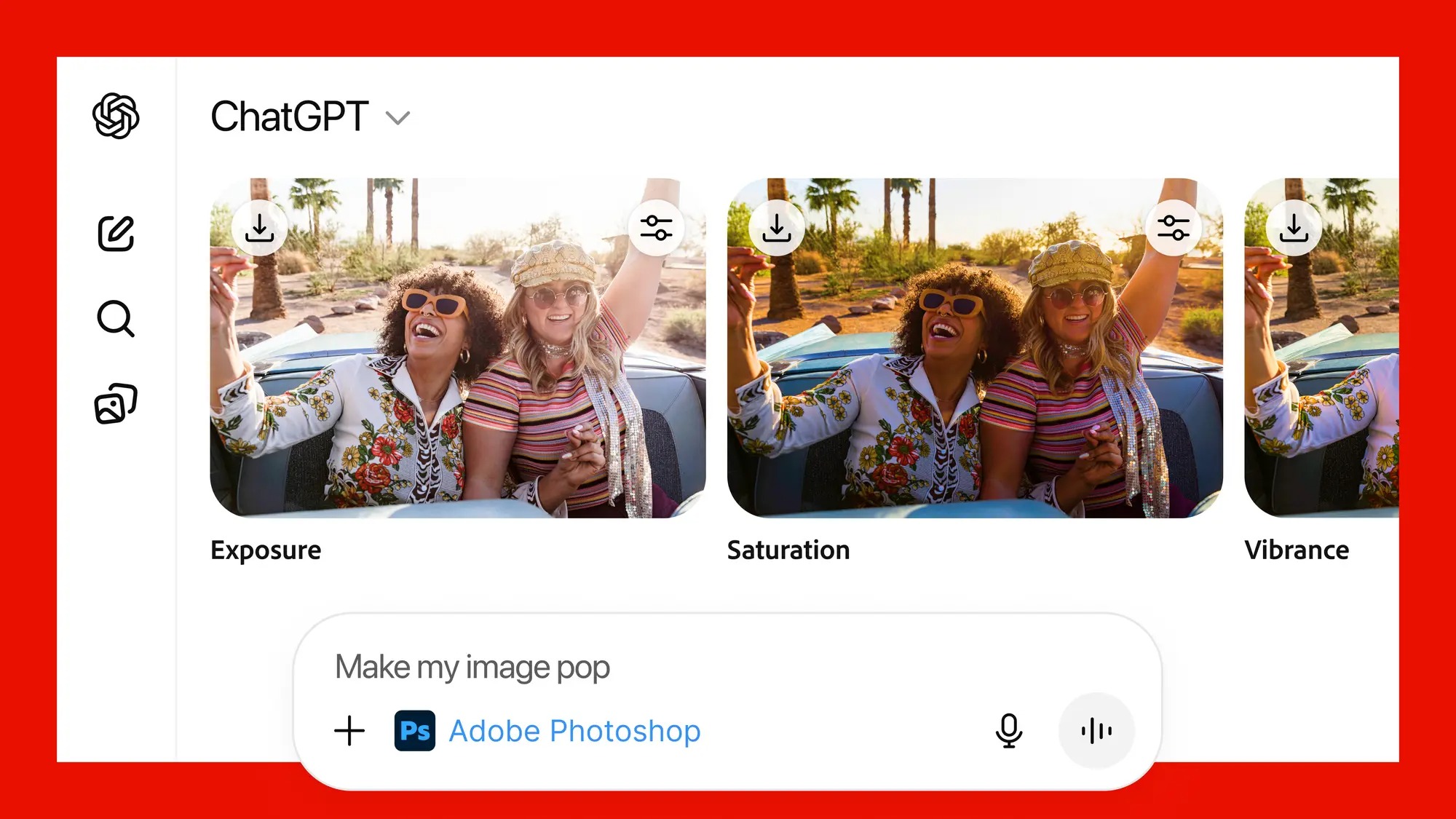
You can now use Photoshop, Adobe Express, and Acrobat directly within our AI chat. This is a big step for Adobe, letting you easily control and use Photoshop’s tools just by typing what you want.
By simplifying things, it’s much easier to learn and use, allowing beginners to make good edits without mastering the entire program beforehand.
What does Photoshop in ChatGPT mean to you?
Adobe’s complete collection of creative tools costs $54.99 per month, or $599.88 annually, and includes popular programs like Photoshop, Illustrator, Premiere Pro, and Acrobat. This can be pricey, particularly if you only need the software occasionally.
Adobe is known for its subscription model and has sometimes been criticized for making it difficult to cancel those subscriptions, even charging fees for doing so. This history makes their recent actions particularly unexpected, as they aren’t typically seen as a company that prioritizes customer satisfaction.
What’s happening with Adobe tools now being available within ChatGPT, and why are they free to use there?
Although this new feature seems great for users, it’s important to understand the potential downsides. By linking your Adobe account to ChatGPT, you’re allowing Adobe to see your chat history and memories—likely focusing on conversations related to Adobe apps—as well as basic details like your account information, IP address, and general location.
Data is a lucrative business, and this integration gives Adobe exposure to ChatGPT’s reported 800 million weekly users, assuming they choose to use the Adobe apps. What we are really looking at is a strategic partnership that benefits both sides, giving ChatGPT an edge over Google’s more advanced image generation tools for now, while helping position ChatGPT as an all-encompassing platform rather than just a chatbot.
How Adobe’s ChatGPT integration actually works
If you want to enable and use Adobe apps within ChatGPT, you can do so by following these steps:
- Open ChatGPT on desktop, web, or mobile. Click Settings, then go to Apps & Connectors.
- Scroll through or search the apps list and select Adobe Photoshop, Adobe Express, or Adobe Acrobat. Click Connect.
- When prompted, sign in with your Adobe account and confirm the connection. Once completed, the app will be linked to ChatGPT.
- Go back to the main chat screen. Click the + icon next to the message box.
- Select More and choose the Adobe app you enabled.
- You can also activate it by mentioning it directly in your prompt, such as asking Photoshop to edit an image or Acrobat to edit a PDF.
You can now use free versions of Photoshop, Adobe Express, and Acrobat directly within ChatGPT on computers, online, and iPhones. Adobe Express is also available on Android phones, and Photoshop and Acrobat will be added for Android users soon.
This isn’t meant to completely replace the full, original apps, but it’s surprisingly powerful. You can do everything from simple effects and adjustments to more complex edits, and it makes achieving professional-looking results easier – even without tutorials or a lot of prior experience.
To see exactly what this tool can do, check out a helpful YouTube video that explains its features. If you’re looking for another option, Affinity is a recently released, free alternative.
I’m really curious – would having Photoshop features *inside* ChatGPT actually be helpful? Or would it just be a cool but unnecessary addition? I’d love to hear what you all think – would *you* use it? Let me know in the comments!
Read More
- Adam Levine Looks So Different After Shaving His Beard Off
- Gold Rate Forecast
- After AI Controversy, Major Crunchyroll Anime Unveils Exciting Update
- Tekken 8 Fans Furious as Tifa Tipped for Street Fighter 6 Instead
- Dialoop coming to Switch on June 17
- From season 4 release schedule: When is episode 2 out on MGM+?
- Steam Makes Sci-Fi Game 100% Free for 72 Hours
- Japan’s No. 1 Spring 2026 Anime Is the True Successor to an All-Time Great
- PS2 Exclusive RPG Series Returning 20 Years Later With New Release
- Why is Tech Jacket gender-swapped in Invincible season 4 and who voices her?
2025-12-19 15:10