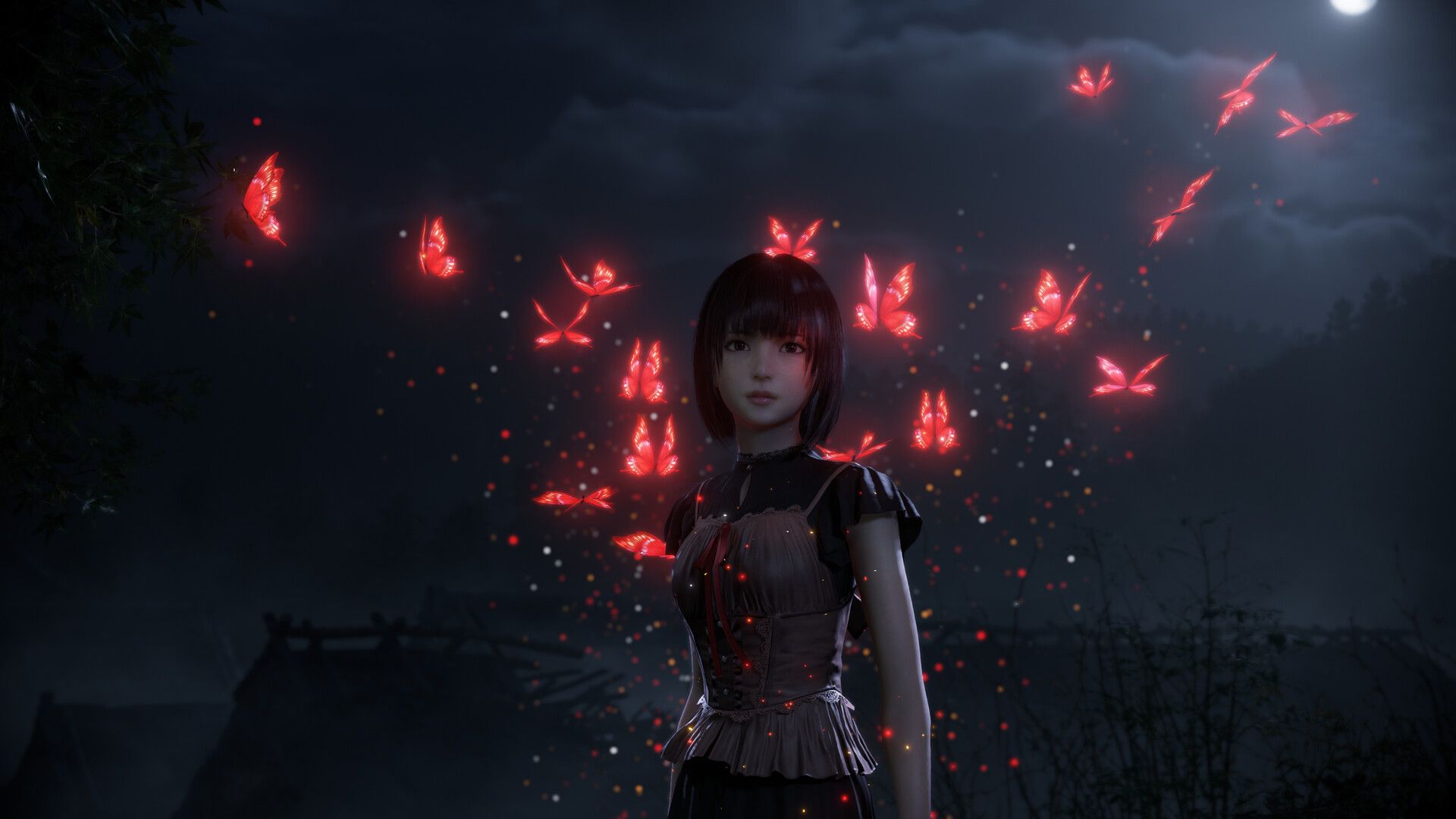
2003 was a fantastic year for horror games. We saw strong sequels like Silent Hill 3 and new takes on familiar franchises, such as the cooperative gameplay added to the Resident Evil Outbreak series. Games like Siren also delivered genuinely creepy, movie-inspired horror. But for many fans, the biggest surprise hit was Fatal Frame 2: Crimson Butterfly.
The original Fatal Frame was unique and charming, but Fatal Frame 2 truly excelled. It successfully blended photography with horror elements, creating a fantastic and cohesive experience. What made it even more impressive was how well it captured the atmosphere of classic Japanese horror films, like Ringu and Ju-On: The Grudge, which were popular at the time.
I was really looking forward to the remake, officially called Fatal Frame 2: Crimson Butterfly Remake (it’s actually the second game in the series after Deep Crimson Butterfly on the Wii). I recently got a chance to play a preview version of the game, which is launching on March 12th for PS5, Xbox Series X/S, PC, and Nintendo Switch 2. I experienced all the changes and new features myself, and now I’ll share everything you need to know before you decide to buy it, starting with…
Enhanced Visuals
As a big fan, the first thing that really struck me about Crimson Butterfly Remake is how much better it looks. Fatal Frame 2 wasn’t ugly for its time, but this remake is a huge step up. The characters are so much more detailed – seriously, the hair looks amazing! – and their movements are much smoother. The lighting and shadows feel so much more realistic and natural, and the environments just feel more… real and lived-in. Honestly, it’s a noticeable improvement even compared to the Wii remake from 2012.
Look Around
Like many horror games of its time, the original Fatal Frame 2 used fixed camera angles to create a cinematic atmosphere as you moved through each location. This new remake gives you a more traditional third-person view, though it’s tighter and more confining than most. This change affects how the game plays, but it feels like a smooth and welcome improvement.
The Camera Obscura
The Camera Obscura, a signature tool for damaging spirits in the series, is back – and familiar. While its core function remains the same, Team Ninja has made improvements. Most notably, you can now actively use it instead of simply waiting for enemies to attack, and the controls have been refined.
New Age Photography

The game now features expanded camera controls, letting you focus on and zoom in on details, or simply capture the environment. You can also switch between different Filters during combat, each with unique benefits. For example, the Exposure Filter slows enemies and speeds up picture-taking, while the Paraceptual Filter excels at long-range shots. The Radiant Filter is a risk-reward option, increasing damage but draining Willpower. Choosing the right Filter adds a layer of strategy, adapting to the situation and the enemies you face.
Purifying the Twin Dolls
So, the Camera Obscura isn’t just for spooky pictures! I found out it lets me photograph these Twin Dolls hidden all over the village. It’s kinda like a collectible hunt, and snapping pics of them unlocks extra stuff at the Point Exchange. I’m hoping if I find all of them, it might even trigger something cool in the story – we’ll see!
Photo Mode
Like many updated games, this one includes a Photo Mode where players can capture in-game scenes and personalize them with stickers, effects, and frames. While it might not offer a ton of features beyond being fun, a Photo Mode feels essential for a game focused on visuals.
Holding Hands With Mayu
The close relationship between the sisters Mio and Mayu is central to the story of Fatal Frame 2, so the developers created a gameplay feature to reflect that. Players can hold Mayu’s hand while exploring. Director Makoto Shibata revealed they originally considered this for the first game but couldn’t make it work. With this complete remake, they finally had the chance to include it, as he explained at last year’s Tokyo Game Show.
Restoring Willpower
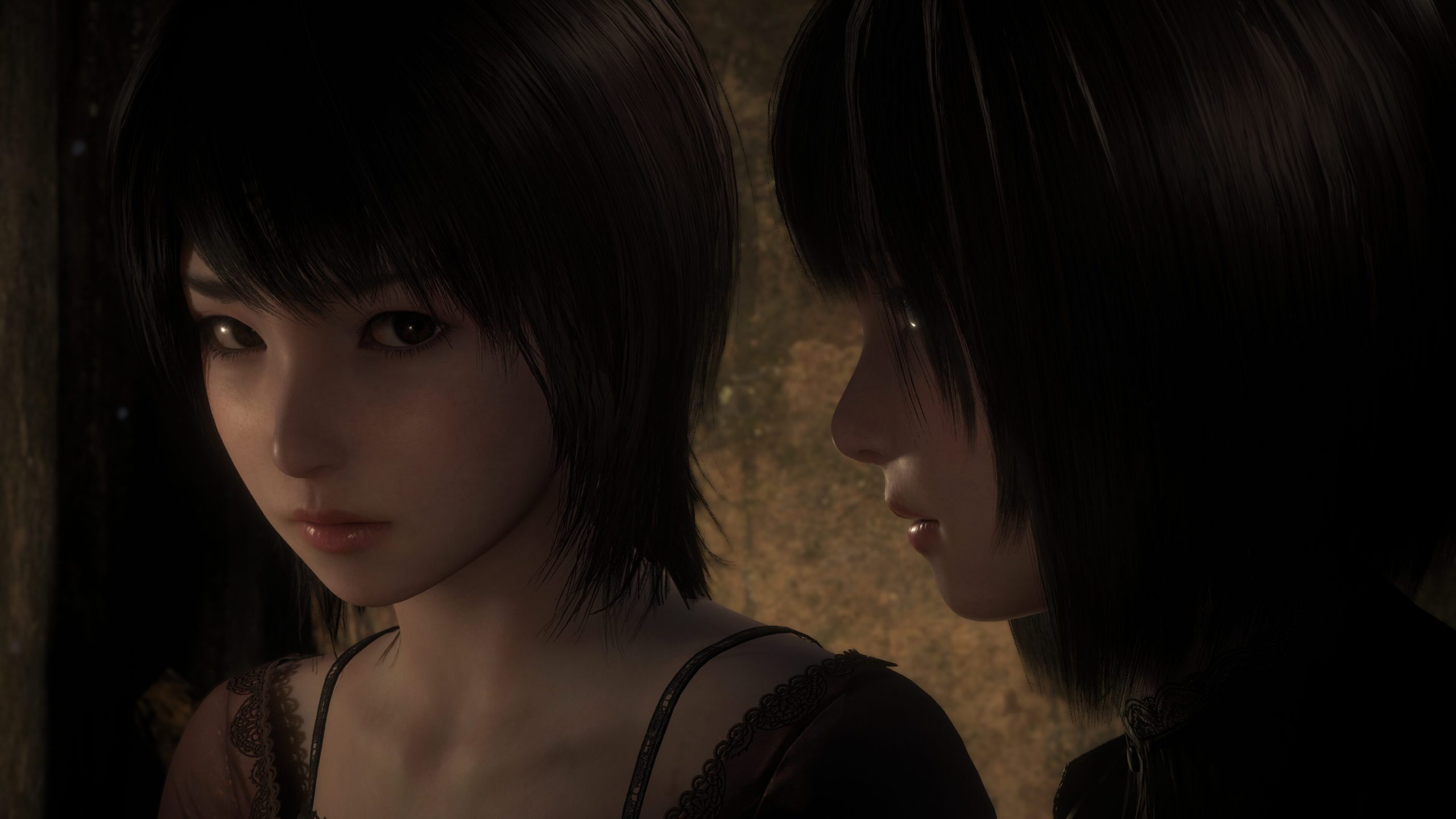
Holding Mayu’s hand isn’t just a sweet gesture; it’s essential for survival. When she falls during dangerous moments, you need to be there to help her up. It also restores your health and Willpower, which is crucial because fighting and exploring can leave Mio vulnerable to hostile spirits.
New Side-Stories and Areas
The game also features fresh content like new side stories and areas to explore. I haven’t had a chance to see everything yet, but you’ll find Broken Spirit Stones that reveal more about the characters’ backstories. There’s a new location called Umbral Mound – a creepy burial site hidden in a bamboo forest – which is likely to play a role in the main story.
New Ending
Interestingly, the game now features a new ending. Players of Fatal Frame 2 might recall that game had several different endings (besides the two added in Deep Crimson Butterfly). It’s not clear if all of those endings are included here, but Team Ninja has confirmed a new song by Tsukiko Amano, the singer of the original theme song, “Cho.”
Frames and Resolutions Across Platforms
Koei Tecmo’s latest details reveal a mixed bag for players depending on their platform. PC gamers can look forward to the best performance, with support for up to 4K resolution and 60 frames per second. PlayStation 5 and Xbox Series X players will be limited to 30 frames per second (with the Xbox Series S running at 1440p). While all platforms except the Switch 2 will eventually receive HDR support in an update, the Switch 2 version will run at 1080p and 30 FPS.
PS5 Pro Enhanced-ish
I was excited to see that Fatal Frame 2 Remake is officially listed as PS5 Pro Enhanced, but honestly, I’m a little disappointed. It still seems to be capped at 30 frames per second, just like the standard PS5 version. The publisher says the frame rate is limited during cutscenes and might dip during gameplay, and hopefully the Pro version handles that better, but it’s still frustrating. I was really hoping for a smooth 4K/60 FPS experience like you get on the PC, and it’s a bit of a letdown that isn’t happening here.
PC Requirements
If you’re playing on PC, you’ll need Windows 11 (64-bit) and 30 GB of free space on an SSD. To run the game at 1280×720 resolution with 30 frames per second using the ‘Best Performance’ settings, you’ll need at least an Intel Core i5-8400 or AMD Ryzen 5 3400G processor, 16 GB of RAM, and an NVIDIA GeForce RTX 1050 Ti 4GB or AMD Radeon R9 380X 4GB graphics card. For a smoother experience at 1920×1080 resolution and 30 FPS with the ‘Standard’ preset, we recommend an Intel Core i7-8700 or AMD Ryzen 5 3600XT processor, 16 GB of RAM, and an NVIDIA RTX 2060 6GB or AMD Radeon RX 5700 XT 8GB graphics card.
Free Demo
We know you might be worried about how the updated game will run on your computer. To help with that, we’re releasing a free demo on March 5th for everyone to try. Plus, any progress you make in the demo will carry over to the full game, so you can continue right where you stopped!
Silent Hill f Collaboration
The game has featured bonus costumes before, but this is the first time it’s partnering with the world of Silent Hill f. Players can look forward to free costumes inspired by the game, with more information coming soon – could we see outfits based on Hinako and Rinko? We’ll have to wait and see!
Read More
- Trails in the Sky 2nd Chapter launches September 17
- After AI Controversy, Major Crunchyroll Anime Unveils Exciting Update
- Adam Levine Looks So Different After Shaving His Beard Off
- PRAGMATA ‘Eight’ trailer
- Hulu Just Added One of the Most Quotable Movies Ever Made (But It’s Sequel Is Impossible To Stream)
- Why is Tech Jacket gender-swapped in Invincible season 4 and who voices her?
- Dragon Quest Smash/Grow launches April 21
- How Could We Forget About SOL Shogunate, the PS5 Action RPG About Samurai on the Moon?
- Xbox Game Pass Users “Blown Away” by New Exclusive Game
- Dialoop coming to Switch on June 17
2026-02-17 14:13