
Don’t let the cute dolphin fool you.
Flipper Zero looks like a blast from the past – something you might find alongside a Tamagotchi or graphing calculator from the 90s. It’s got a small, pixelated screen, a simple button pad, and a cute dolphin mascot that responds to your use. While it might look a little familiar, it’s undeniably charming. But don’t let its playful appearance fool you – this compact device is actually a surprisingly powerful and legal wireless tool.
As a tech fan, I’m really fascinated by the Flipper Zero. It basically lets you play with all the hidden digital signals around us – things like the tech in your keycard, your garage door opener, even your smart TV! It’s designed for people who like to tinker – developers, security experts, and anyone who’s got a fun tech project going on, like a Raspberry Pi they’re slowly working on. (Seriously, I get it – mine has been ‘almost finished’ for ages!)
This device started with a successful Kickstarter campaign and quickly became popular among tech enthusiasts and DIY creators. It has generated millions in funding and fostered a thriving open-source community that continues to expand.
I have a decent amount of experience with DIY tech projects. I used to set up and maintain my own game servers (like Garry’s Mod), and I’ve built home security and automation systems using things like Raspberry Pi – even before popular brands like Ring existed. While it’s been a while since I’ve really delved into that world, I was able to pick up the Flipper Zero and get the hang of it pretty quickly, though not without a little trial and error.
Just a heads-up: this review gets a little more technical than usual. That’s simply because of the device itself.
TL;DR: My Quick Verdict
Shop Flipper Zero accessories on Amazon
- Buy it if: You love tinkering with hardware, IoT devices, and open-source tools and don’t mind a learning curve.
- Skip it if: You want something that works intuitively out of the box without forum-diving.
- Biggest strength: Tons of versatility packed into a device that fits in your pocket.
- Biggest drawback: The learning curve will hit you immediately.
First Impressions: Surprisingly Charming, Deceptively Deep
The device is small and feels good in your hand. My unit included an orange silicone case, which offers some extra protection.
I absolutely love the look of this thing – the retro LCD screen is just so cool and nostalgic! The controls are really responsive, and it feels solid without being bulky. What’s great is that it works perfectly on its own, but you can also connect it to your computer via Bluetooth or USB if you want to do more or keep the firmware updated. Honestly, I mostly use the iOS app with it because it makes updating and installing new stuff so much easier. It’s a really seamless experience.
The interface is pretty easy to use, particularly if you’re familiar with older MP3 players and how they organized files. You’ll quickly find yourself exploring the menus, searching for signals, and enjoying the cute dolphin character that reacts to your interactions. It has a similar feel to a Tamagotchi – more fun and engaging than overwhelming.
BUT… that approachable surface hides a much steeper drop underneath.
The Learning Curve Is Real (And That’s Kind of the Point)

It took me a couple of days of researching online – looking at GitHub projects, guides, videos, and forum discussions – to really understand what the Flipper Zero could do. While some call it a “Tamagotchi for developers,” that description doesn’t even begin to cover how powerful and complex it actually is.
This device is already useful when you first get it, but it truly shines when you connect with its online community. You’ll discover custom software, interesting new apps, and hardware upgrades created by other users. Plus, a lively group of developers is always finding ways to expand its capabilities. If you enjoy tinkering and customizing things, this is perfect. However, if you prefer things to just work, you might find the amount of setup and customization overwhelming before you can actually enjoy using the device.
What I Actually Tested
Garage Door Remote
Given how prominently it’s featured in their advertising, this was likely the most useful test I performed. The Flipper Zero can communicate with devices using sub-GHz wireless signals, covering everything from garage door openers to smart home sensors. It was much more satisfying to watch it read and respond to a signal I hadn’t previously considered, rather than struggling with a standard universal remote and hoping it would work. I could clearly see confirmation that it was functioning.
Universal Remote (My Personal Favorite)
I’ve added the Flipper Zero to my everyday setup – it’s that useful! It can learn signals from any infrared remote, letting you control multiple devices with just one small gadget. I finally replaced my old Apple TV remote – a task I’d been putting off for ages – and it worked perfectly.
Fun Stuff: Games and Apps
Beyond its practical uses, the Flipper Zero has a fun side thanks to community-created apps. I even tried out a Pomodoro timer and a Flappy Bird clone! While I’m hoping to use it to boost my productivity, it’s surprisingly enjoyable to play with and explore. (It even includes Snake, which was a nice nostalgic throwback to old Nokia phones!)
Pet Microchip Scanner (The MOST Important One!)
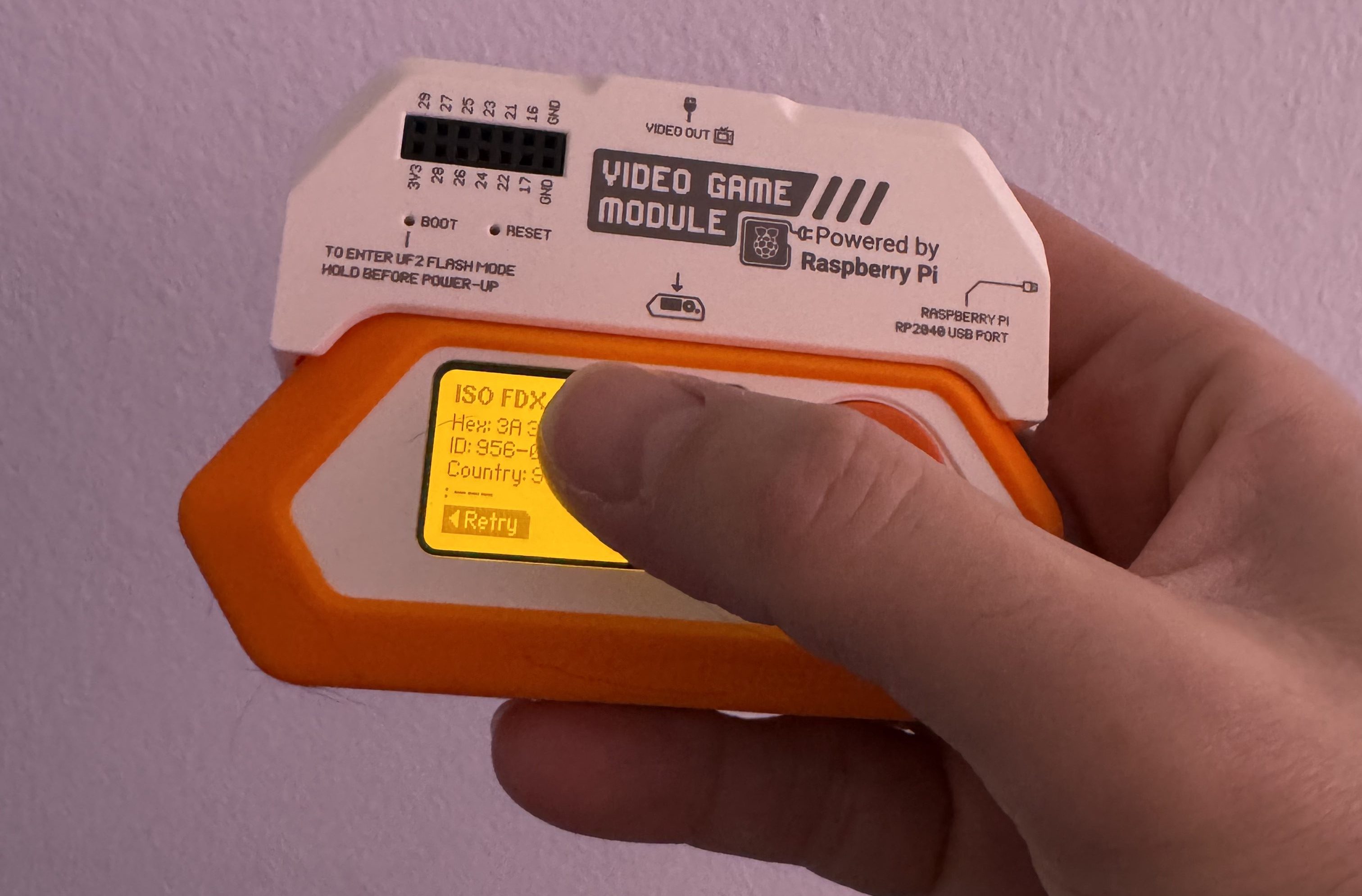
The main reason I wanted a Flipper Zero is its ability to scan pet microchips. It can read the chip’s ID number, which you can then use to check lost pet databases. Anyone who knows me will tell you I always stop for stray dogs, so having a device that could help reunite a lost pet with its owner is really important to me. And it definitely works! It was a little tricky to find the chip on my larger dog, but it found my smaller dog’s tag right away. It’s a fantastic tool for helping lost dogs get back home.
What Surprised Me (and Where It Falls Short)
This device is incredibly versatile, connecting to a huge range of technologies like sub-GHz radio, NFC, RFID, infrared, and Bluetooth. Each of these opens up connections to different networks of devices and communication methods. Plus, a strong community consistently provides new apps and software updates, making it even more powerful.
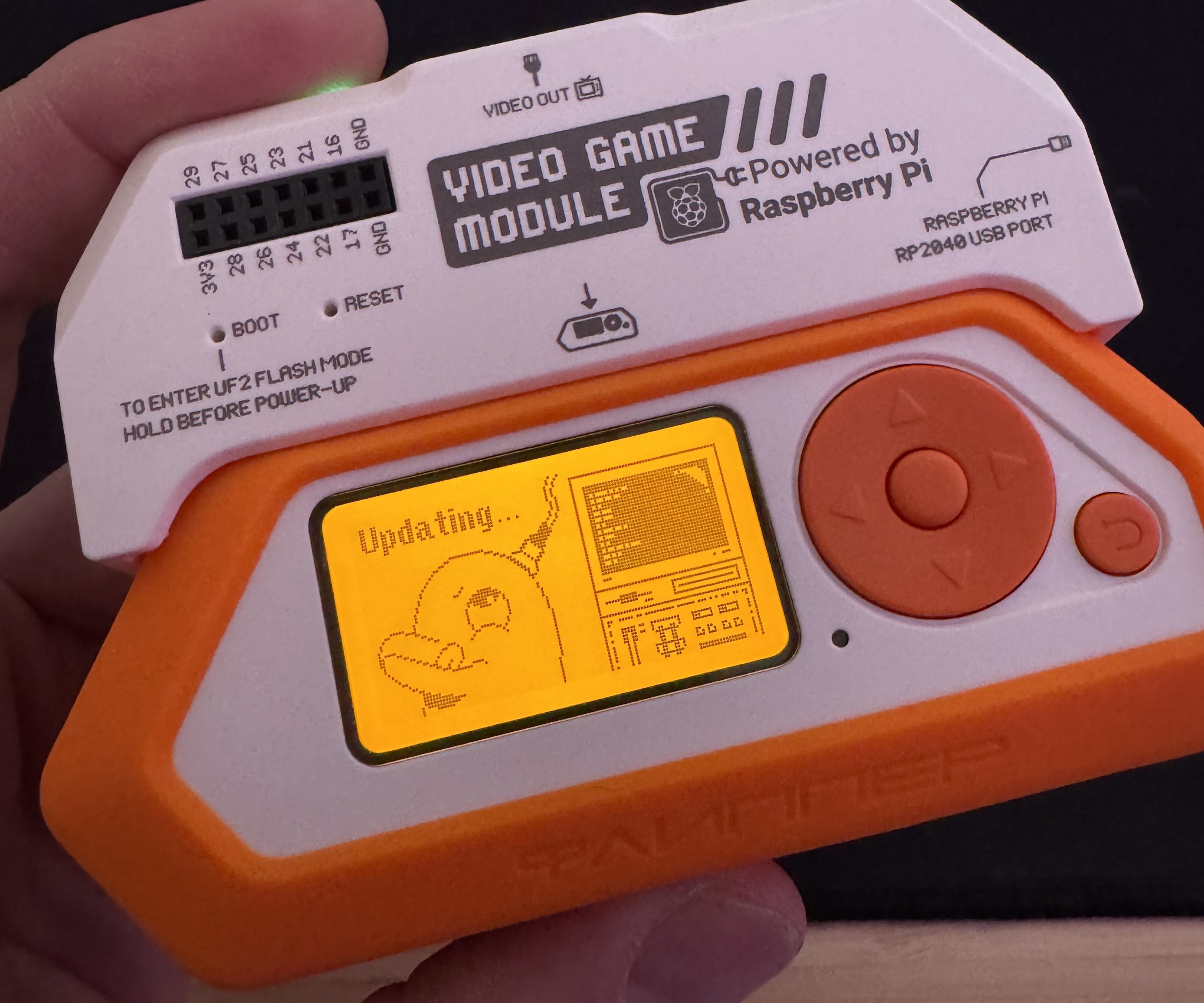
The Flipper Zero can be enhanced with an optional Video Game Module. This add-on, powered by a Raspberry Pi, lets you connect the device to a TV or monitor and use motion controls for gaming. It effectively expands the Flipper Zero’s small screen for a better gaming experience.
The Flipper Zero isn’t like typical gadgets you’d buy from a store. It often requires some technical effort – like reading guides, installing software, or searching online forums – to unlock its full potential. If you’re used to simple, plug-and-play devices, this isn’t it. It’s designed for people who like to tinker and experiment.
As a fan, I also think we need to talk about security. Look, any device can be misused by people with bad intentions. The Flipper Zero is built for things like experimenting with hardware and checking security, but it’s a powerful tool, so it’s really important everyone uses it responsibly.
Flipper Zero at a Glance
Best For: Developers, cybersecurity learners, hardware tinkerers, and DIY tech hobbyists
| Pros | Cons |
| Extremely versatile wireless multi-tool | Steep learning curve |
| Active, passionate open-source community | Some features need community firmware |
| Fully standalone and portable | Overkill for casual users |
| Surprisingly fun UI and ecosystem | Limited plug-and-play functionality for beginners |
What Actually Matters When You’re Buying Something Like This

The Flipper Zero is built to be customized and improved by its community. It’s constantly growing with new apps, add-ons, and software updates, meaning it stays interesting and useful long after you buy it. You might actually find it hard to stop using it!
If you love tinkering with open-source software, figuring out how technology is built, and dedicating time to customize devices or apps on platforms like GitHub, then this product will offer a uniquely satisfying experience – far beyond what most gadgets can provide.
If you’re hoping for something that works perfectly right away with an easy setup, you might not stick with it – and that’s perfectly fine! This tool isn’t really designed for beginners or those wanting immediate, hassle-free results.
Flipper Zero is a playground for those who love to experiment with technology, build things, and dive deep into how things work. The included dolphin feature is just an added perk.
ComicBook received a test unit of the Flipper Zero for this review. You can purchase it directly from the official website, and a variety of accessories are available on Amazon.
Read More
- Everything You Need To Know About Nikki Baxter In Stranger Things’ Animated Spinoff
- Taylor Sheridan’s Gritty 5-Part Crime Show Reveals New Final Season Villain
- The Boys Season 5, Episode 5 Ending Explained: Why Homelander Does THAT
- FRONT MISSION 3: Remake coming to PS5, Xbox Series, PS4, Xbox One, and PC on January 30, 2026
- ‘The Bride!’ Review: Jessie Buckley Breathes Life into a Monstrous Mess
- From season 4 release schedule: When is episode 2 out on MGM+?
- Welcome to Demon School! Iruma-kun season 4 release schedule: When are new episodes on Crunchyroll?
- USD JPY PREDICTION
- Ashley’s Powers in The Boys Season 5 Explained & Why They Don’t Work On [SPOILER]
- Mark Zuckerberg & Wife Priscilla Chan Make Surprise Debut at Met Gala
2026-03-11 18:42