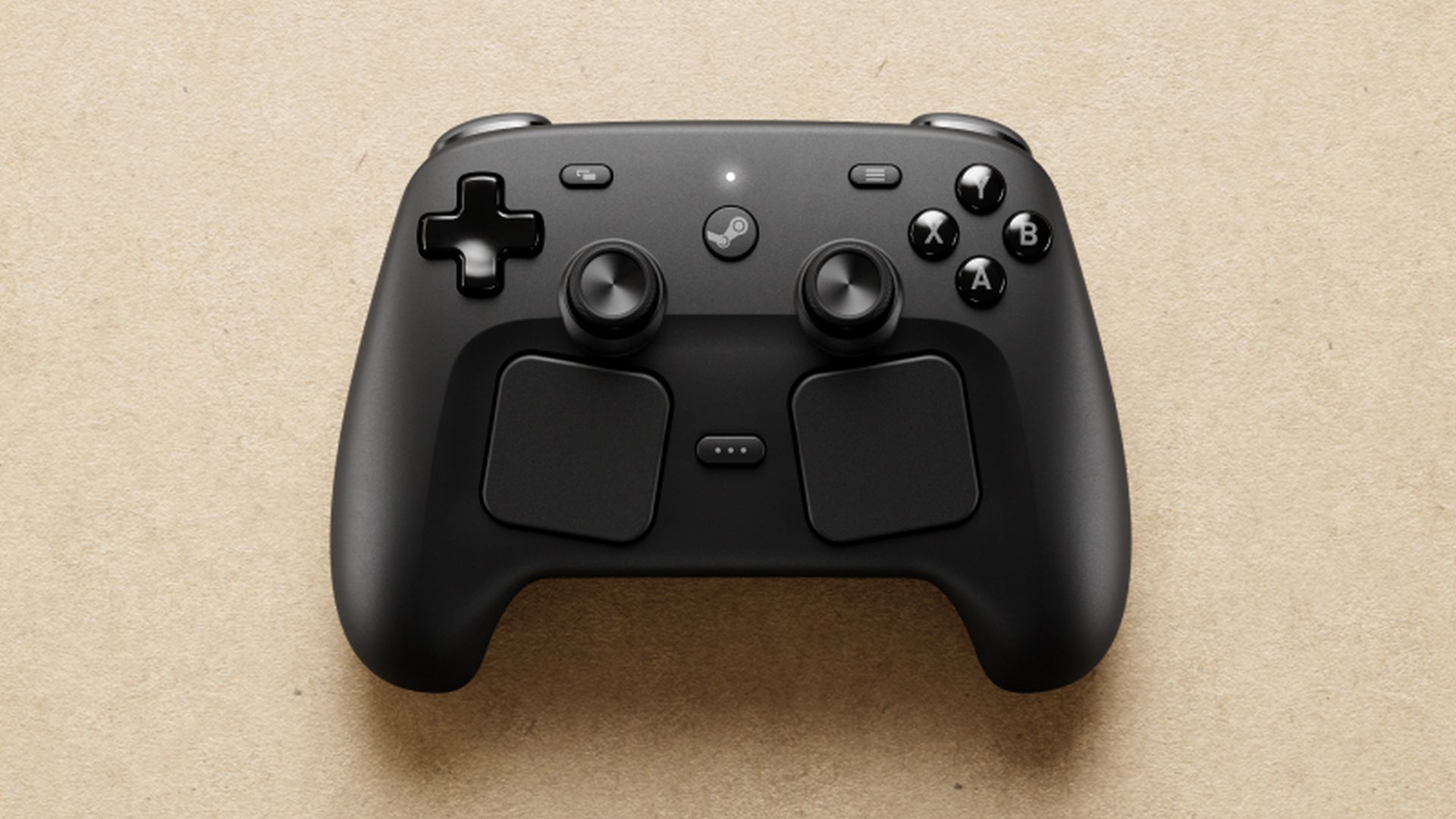
Although Valve’s Steam Machine is still delayed with no set release date, there’s good news for PC gamers: the new Steam Controller will be available on May 4th. It’s been over a decade since the first Steam Controller, which received mixed reactions. However, early reviews and hands-on experience suggest the 2026 version is a significant improvement and could be exactly what Steam gamers have been waiting for.
Before you buy Valve’s newest device, here’s a breakdown of everything you need to know, covering what’s great about it, what’s just okay, and whether it’s the right choice for you.
Superior to the 2015 Steam Controller
Okay, so I’ve been reading a bunch of reviews, and pretty much everyone agrees: this Steam Controller is way more comfortable and just looks better than the first one. It feels more like a normal controller, which is great, and it’s not too heavy – TechRadar pointed that out, which I totally agree with. But honestly, the biggest win is the sticks – they’re just better than what you find on other controllers.
TMR Sticks
The new Steam Controller uses something called Tunnel Magnetoresistance (TMR) sticks, and they’re a major improvement. They respond quickly, are built to last, and are much less likely to experience stick drift – a common problem with other controllers, as The Verge pointed out. They even work with capacitive touch for motion controls. While not completely eliminating drift, the technology feels a lot more dependable than what you find in controllers like the DualSense.
New Dual Trackpads
Honestly, the best thing about the Steam Controller, the thing it’s really known for, is those trackpads. They’ve moved them! In the original 2015 version, they kind of took over the space where the D-pad and buttons usually go, pushing everything down. But now, they’re right under the thumbsticks, which just feels way more natural and comfortable. It’s a great setup because you get the benefit of both thumbsticks and the trackpads without sacrificing comfort. It really feels like the best of both worlds.
Grip Sense
Gyroscopic controls are now found in many game controllers, but the Steam Controller does things a little differently. It uses a system called Grip Sense, which relies on touch sensitivity to enable and disable gyro features. Simply holding the controller activates the gyro, and letting go turns it off.
Grip Buttons
The controller also has four rear buttons, called Grips, that you can customize to perform almost any action. TechRadar pointed out that these buttons are easily reached, but you might occasionally press them by mistake during fast-paced gameplay. Luckily, the sensitivity can be adjusted, which we’ll cover later.
Steam Controller Puck
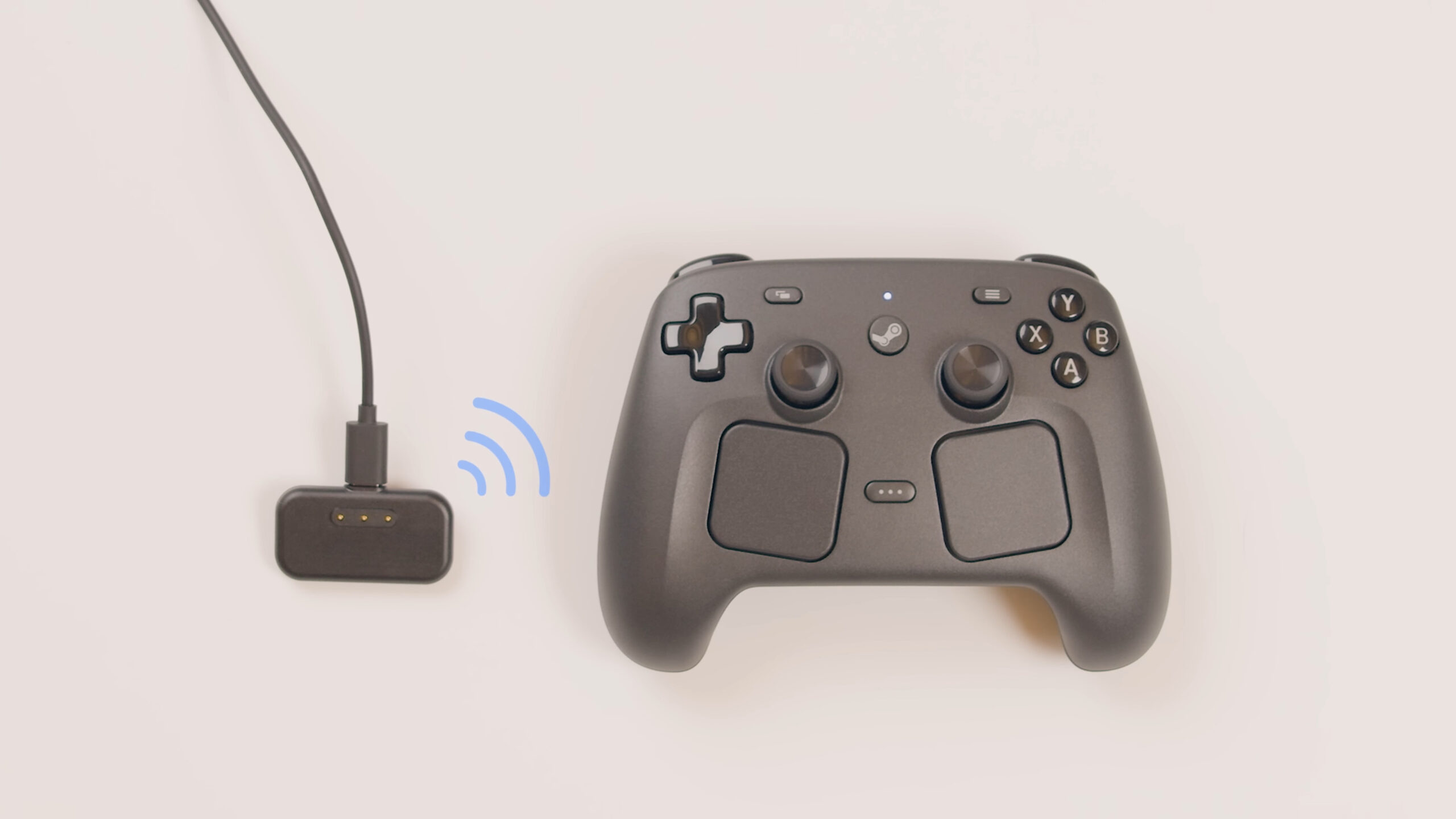
The Puck is a clever addition – it mainly receives wireless signals from the controller, but also conveniently charges it magnetically. As The Verge pointed out, this charging is really simple. Traditional Bluetooth and USB connections are still options, and the Steam Machine will work with the controller even without the Puck. However, GamersNexus found Bluetooth has a noticeable delay of 37.3 milliseconds, so it’s best to avoid it if possible.
Excellent Battery Life
Valve says the controller should last over 35 hours on a single charge, and early tests seem to confirm that. GamersNexus found it could last for 73 hours using only the joysticks, or over 24 hours with just the vibration feature turned on. Of course, actual battery life will vary depending on how you play.
Steam Input Customization
What good are all these features if you can’t tailor them to your preferences? That’s where the Steam Input Configurator comes in. It lets you do much more than just change button assignments. You can create or download custom controller layouts, fine-tune trackpad and motion control sensitivity, and even customize advanced inputs like trigger pulls. Want to assign commands to the edges of your joystick, or turn the whole joystick into a directional pad? You can do it all, and it integrates seamlessly with the Steam interface.
Price Point
The Steam Controller is packed with features, but it does come with a couple of drawbacks. The most significant is the price – at $99 or £85, it’s quite expensive, costing more than controllers like the PS5’s DualSense and the 8BitDo Ultimate 2 Wireless. However, it’s still cheaper than premium options like the $199 DualSense Edge, and users report fewer issues with stick drift compared to some other controllers, at least initially.
Good (But Not Great) Buttons
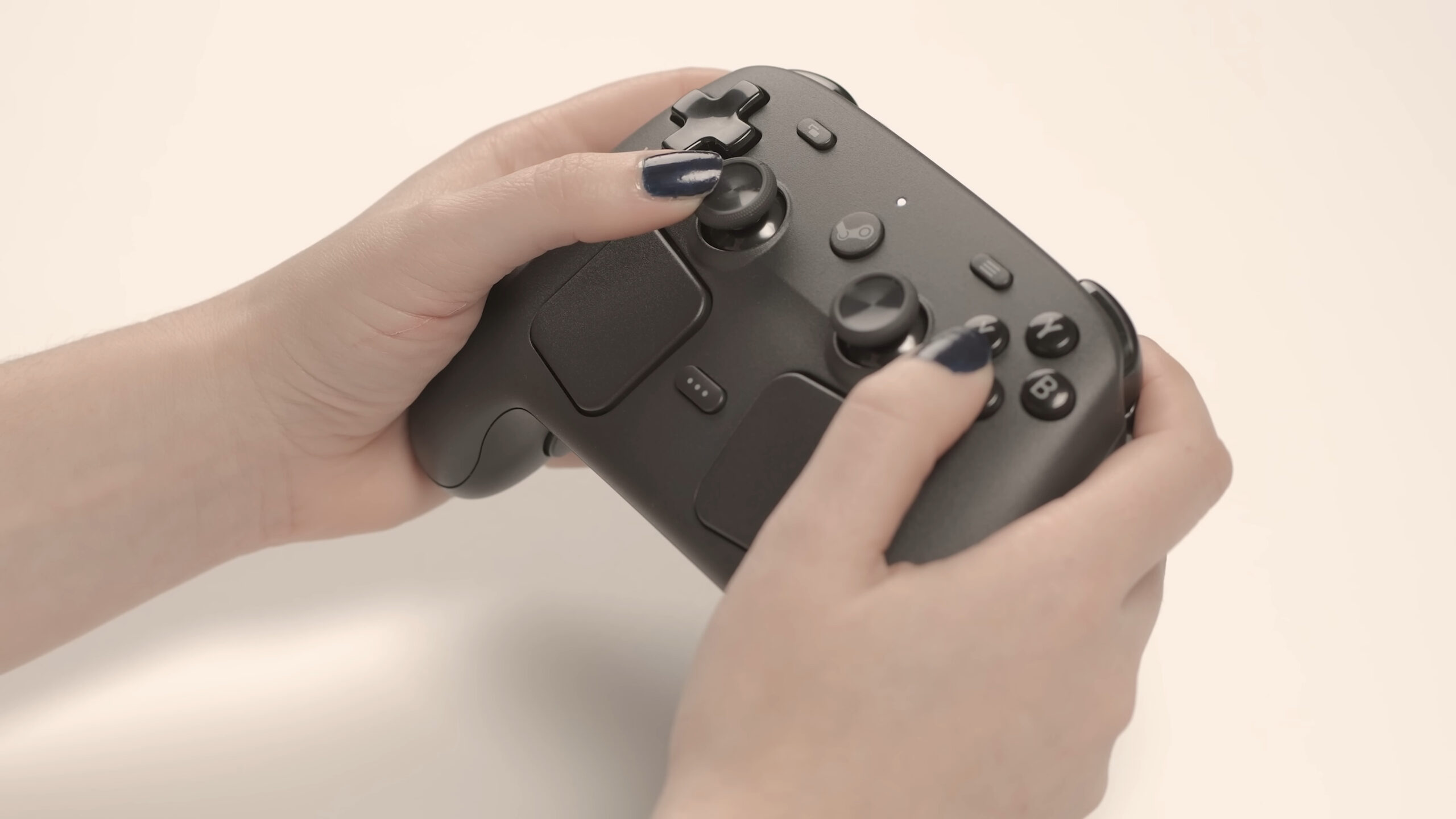
Compared to controllers like the DualSense, the face buttons feel basic – PC Gamer describes them as simple membrane buttons. The D-pad was also found to be a bit stiff. While the triggers use Hall effect sensors, they don’t offer any advanced features like adaptive resistance, which wasn’t really expected.
Not a Pro Controller
Just so you know, you can’t change the analog sticks or the trigger stops on this controller. Valve didn’t mention this feature, and it’s not a professional-level controller. However, given the price, some people will naturally wonder why it doesn’t have that capability, so it’s good to be aware of this limitation.
Not Meant for Consoles
As the name suggests, this controller is designed for Steam and isn’t intended for use with traditional game consoles. Valve has confirmed it won’t work with consoles, and attempts to make it function on PS5 haven’t been very successful.
No Headphone Jack
The controller doesn’t have a headphone jack, but honestly, that’s not a huge issue, particularly if you mainly play on a desktop computer. If you’re gaming on your PC connected to a TV, wireless headphones are easy to set up. Still, considering this controller costs only $99, it’s worth mentioning the lack of this feature.
More Beneficial for Some Players Than Others
The Steam Controller consistently receives positive feedback for how well it works in practice – its trackpads are great for strategy games, and the motion controls enhance shooters like Cyberpunk 2077. It’s expected to perform well with most games on Steam, but titles like Fortnite (and likely Valorant) that are launched through other platforms don’t work as smoothly.
As mentioned earlier, this system is designed mainly for Steam. According to programmer Pierre-Loup Griffais, they prioritized making it simple to use with Steam, allowing users to take advantage of its features without needing a potentially unstable driver. If you need a controller that works with a wider range of platforms, an Xbox, DualSense, or 8BitDo controller would be a better choice.
The Verdict
If you’re a serious Steam gamer, especially one who enjoys playing on a TV with friends or using Steam’s Big Picture Mode, this controller is a great choice. However, if you already have a good controller setup, or primarily play games through PC Game Pass or other platforms, it might not be necessary – especially considering the cost. And for certain genres, like fighting games, a dedicated fight stick is still the better option. But if you’re looking for the best controller specifically for Steam games and are willing to spend the money, the Steam Controller is definitely worth considering.
Read More
- Everything You Need To Know About Nikki Baxter In Stranger Things’ Animated Spinoff
- The Boys Season 5, Episode 5 Ending Explained: Why Homelander Does THAT
- After 11 Years, Black Clover Officially Ends With Final Release (& Crowns a New Wizard King)
- Welcome to Demon School! Iruma-kun season 4 release schedule: When are new episodes on Crunchyroll?
- ‘The Bride!’ Review: Jessie Buckley Breathes Life into a Monstrous Mess
- 7 Most Brutal Avengers Villains, Ranked by Threat Level
- Miranda Kerr Shares “Quick” Procedure She Got Before Met Gala 2026
- Gemma Arterton spy thriller Secret Service based on hit novel gets release date confirmed on ITV
- 10 Best Free Games on Steam in 2026, Ranked
- 10 Movies That Were Banned in Different Countries For Random Reasons
2026-05-06 22:16