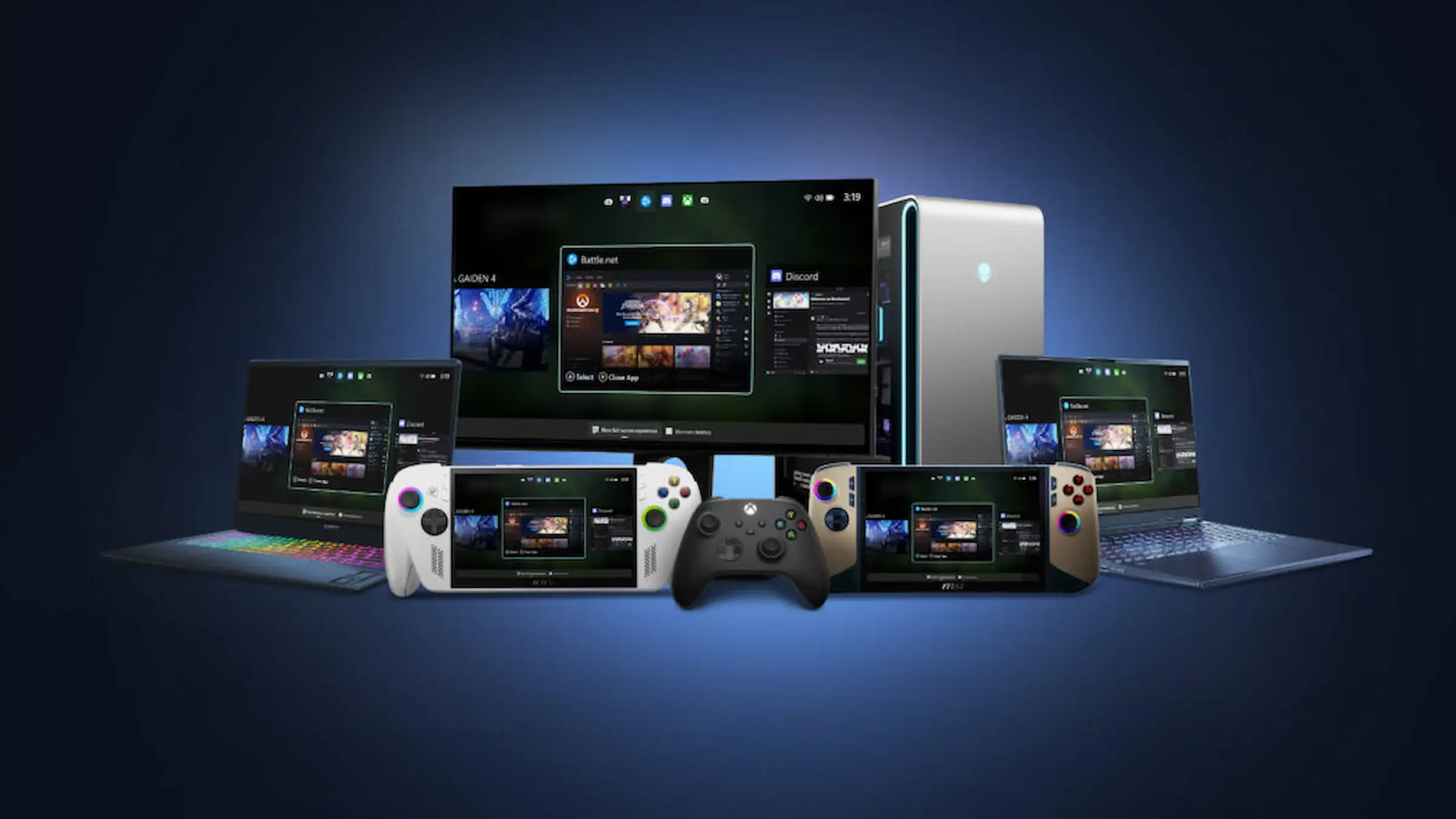
Xbox recently launched a significant update that improves the gaming experience on handheld PCs like the ROG Ally. The update introduces the Full Screen Experience, a new interface that makes these devices feel more like traditional game consoles. When you turn on the device, it now boots directly into a streamlined, controller-focused hub centered around the Xbox app, rather than the standard Windows desktop. This makes it easier and faster to start playing games.
This isn’t just a cosmetic update; it fundamentally changes how the handheld operates. By replacing the standard Windows interface, it significantly reduces the number of programs running in the background. This frees up more of the device’s processing power for games, resulting in better performance and smoother gameplay. While devices like the ROG Ally have powerful components, the usual Windows system could sometimes limit their potential. This new mode minimizes that interference, allowing handhelds to perform more like specialized gaming devices.
The FSE combines all your PC game stores in one convenient location. You can play titles from platforms like Steam, Battle.net, and the Xbox app, and even access others without having to switch back to Windows or open separate programs. This creates a more organized and easy-to-use game library, especially on a handheld device. Plus, a new controller-based task switcher lets you quickly jump between games and apps while keeping the interface streamlined for handheld play.
Okay, so to get this new feature working, I had to sign up for both the Xbox Insider Program and the Windows Insider Program. Once I installed the latest Insider build, it popped up in the Windows Gaming settings. From there, I could choose the Xbox app as my main gaming home screen and just flip a switch to turn the feature on or off. It’s super quick – my PC instantly switches between the regular desktop and this cool, console-like interface, which is really convenient.
Microsoft is now offering the Full Screen Experience (FSE) on a wider range of devices, including laptops, desktops, and tablets in the Insider program. This move aims to give Windows a more adaptable feel, similar to a gaming console. It’s a particularly significant upgrade for handheld gamers, especially those using devices like the ROG Ally, as it streamlines how you move around, boosts performance, and creates a more unified experience for gaming on the go.
This update is a major step forward for ROG Ally and other Windows-based handheld gaming devices. It simplifies how you move through menus and improves game performance, reducing common issues often found on handhelds. The result is a smoother, more refined gaming experience that blends the power of a PC with the convenience of a console.
What do you think? Leave a comment below and join the conversation now in the ComicBook Forum!
Read More
- What Song Is In The New Supergirl Trailer (& What It Means For The DC Movie)
- Why is Tech Jacket gender-swapped in Invincible season 4 and who voices her?
- TV legend Carol Kirkwood reveals the reasons why she decided to retire after 28 years with BBC
- Dune 3 Gets the Huge Update Fans Have Been Waiting For
- Highly Anticipated Strategy RPG Finally Sets Release Date (And It’s Soon)
- Jinger Duggar Explains Why Jeremy Vuolo Upgraded Her Wedding Band
- Unforgotten legend Nicola Walker stars in first look at all-new “outrageously witty” comedy drama series
- The OG Resident Evil 1, 2 and 3 Are Now Available on Steam With a Heavy Discount (and DRM)
- The Monsterverse’s Shocking New Time Travel Story – Monarch: Legacy Of Monsters Season 2, Episode 6 Explained
- Tainted Grail: The Fall of Avalon – Merlin’s Tomb DLC Adds a New End-Game Dungeon for Free
2025-11-24 17:12