This is an ongoing news story. We will update this piece as more information becomes available.
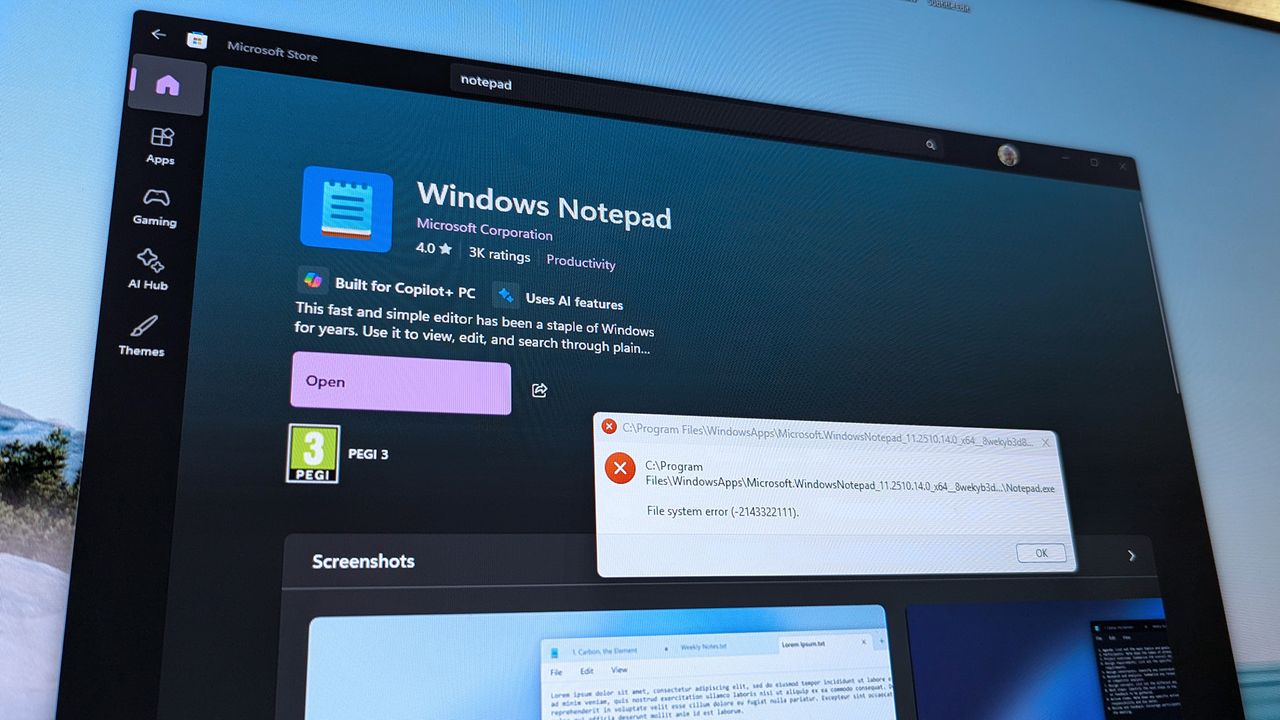
Many Windows 11 users are starting their day with frustrating problems. They’re encountering an error – code 0x803f8001 – when trying to open applications, and are also seeing a related file system error, sometimes displayed as -2143322111.
We’re experiencing problems opening several applications, including Armory Crate, Notepad, and Snipping Tool. It appears this issue isn’t limited to just these apps, and we’re working to gather more details and will update this message as we learn more.
A post on a Microsoft forum by user “Kave” shared frustrations recently:
I’m getting error code 0x803f8001 with several Microsoft apps, including Notepad, where I have important work information and links. It’s really disrupting my work. Others are reporting the same error today when trying to open programs like Alienware Command Center, NitroSense, and the Snipping Tool.
Harold Milan, an independent advisor responding to the discussion, explained that this issue frequently happens when the Microsoft Store has trouble verifying app licenses.
According to Milan, problems with the Microsoft Store are usually caused by temporary issues like a faulty cache, a syncing problem with your Microsoft account, or a registration error – not by lost data.
A discussion on Reddit shows this problem isn’t limited to one app. Some users are reporting that Armoury Crate won’t load either.
Our team is trying to remedy the issue on our respective PCs, but we have not found success yet.
Specifically, we have tried resetting the Microsoft Store app on a PC, but to no avail.
Read More
- GBP CNY PREDICTION
- Mark Zuckerberg & Wife Priscilla Chan Make Surprise Debut at Met Gala
- Elon Musk’s Mom Maye Musk Shares Her Parenting Philosophy
- Forza Horizon 6 Car List So Far: Confirmed Highlights, Cover Cars, DLC, and Rewards
- 10 Greatest Manga Endings of All Time
- Elon Musk’s Ex Ashley St. Clair Reveals When Romance Became “Weird”
- 38 Years Later, Murder, She Wrote’s Most Overlooked Episode Still Pulls Off TV’s Greatest Crossover
- Hollow Knight: Silksong Guide – All 30 Lost Flea Locations
- 20 K-Dramas That Nailed the Perfect Ending
- A Major PlayStation Delisting Exposes a Sony Problem
2026-01-21 19:39