
Where Winds Meet is a brand new, free-to-play online multiplayer game, so expect a learning curve! It’s natural to make some missteps or find yourself in tricky situations – like getting stuck on puzzles – as you figure things out.
If you’re unhappy with the character you created, can you start a new one? Is it possible to begin the game again from the very beginning?
Here is everything you need to know about deleting your character in Where Winds Meet.
It can be a bit of a lengthy process.
Can You Delete Your Character In-Game?

Right now, Where Winds Meet doesn’t have a way for you to delete your character within the game. You won’t find a delete character option anywhere in the main menu or title screen.
Right now, the game doesn’t let you make a second character without starting a completely new account. So, you’re generally limited to the character you initially created.
Currently, the only way to delete your in-game character is to request a complete account deletion from the Where Winds Meet developers.
How to Delete Your Character in Where Winds Meet
If you’d like to remove a character in Where Winds Meet, you’ll need to request a complete account deletion. This process might take a while, as it requires verifying your account and contacting our support team.
To delete your account, first click on your profile icon in the main menu. You’ll then find the ‘account deletion’ option. Please remember this option is only available if you downloaded the game through the official launcher.
If you got Where Winds Meet through Steam, Epic Games, PlayStation, or Xbox, you won’t be able to delete your account from within the game. Instead, please contact our support team at wherewindsmeet@global.netease.com to request account deletion.
We don’t have an estimated timeframe for when you’ll receive a response regarding your account deletion request, but it may take several days.
What if You Want to Change Your Appearance?
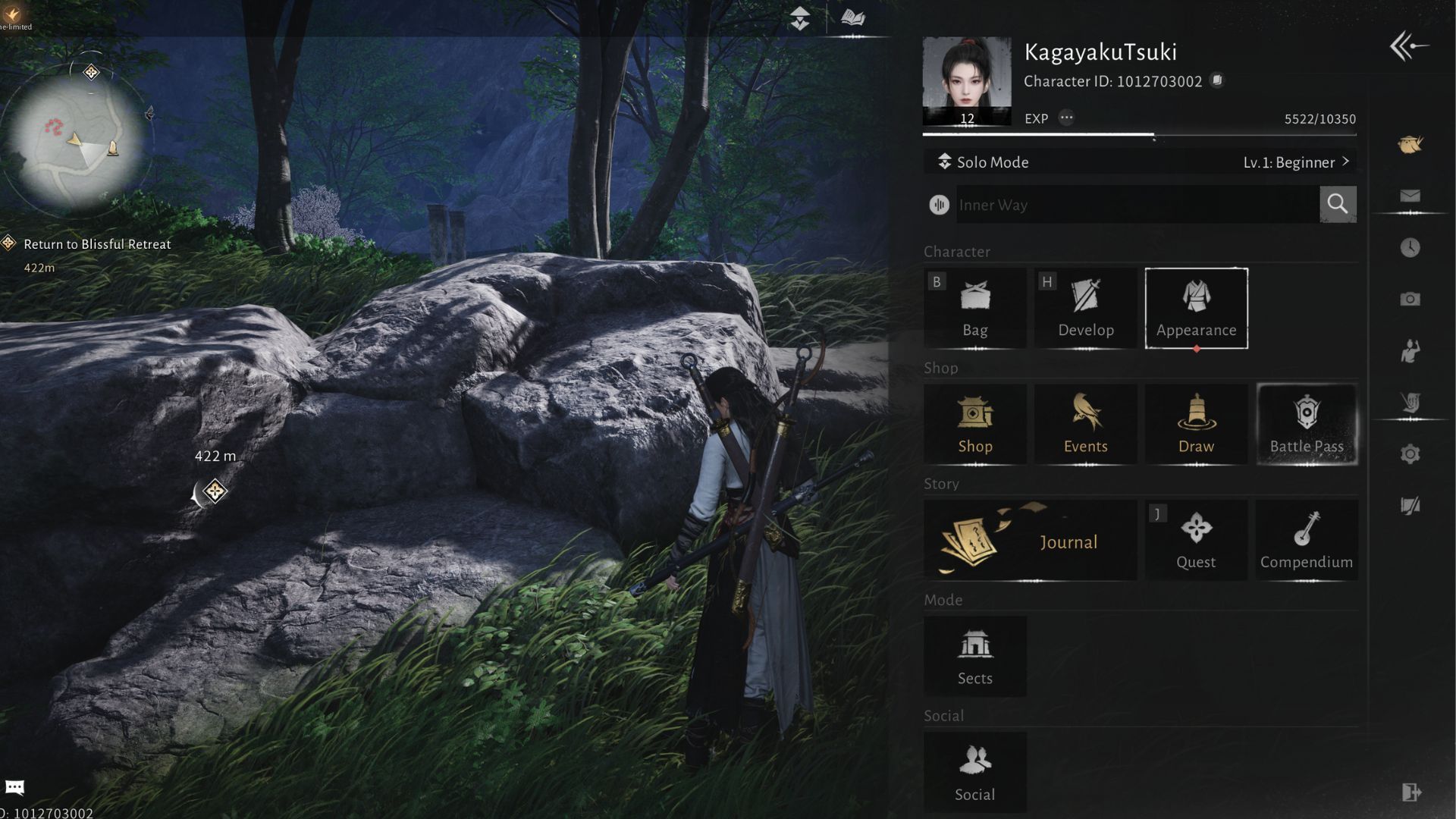
If you’re unhappy with how your character looks after creating it, you can often change their appearance within the game itself. This is much easier than contacting support to have the character deleted and recreated.
You can change how your character looks by opening the game’s menu and choosing ‘Appearance’. This will bring up a new screen. On that screen, select ‘Appearance’ again – you’ll find it at the bottom.
This feature lets you customize how your character looks. You can also save different looks as presets, so you can easily switch between them instead of being limited to a single design. You can initially create up to four presets, and you can unlock more by collecting Echo Jade.
Read More
- Review: Final Fantasy Tactics: The Ivalice Chronicles (PS5) – Still the Benchmark for Turn-Based Tactics
- Mark Zuckerberg & Wife Priscilla Chan Make Surprise Debut at Met Gala
- Elon Musk’s Mom Maye Musk Shares Her Parenting Philosophy
- 10 Greatest Manga Endings of All Time
- The WONDERfools ending explained: What happened to the Child of Eternity?
- Miranda Kerr Shares “Quick” Procedure She Got Before Met Gala 2026
- Forza Horizon 6 Car List So Far: Confirmed Highlights, Cover Cars, DLC, and Rewards
- The Witcher 3 Officially Reveals Stunning New Ciri Figure Coming 2026
- Nippon Sangoku Is The Best New Post-Apocalyptic Anime of Spring 2026
- The First 10 Members of the Thunderbolts, Ranked by Power
2025-11-16 21:40