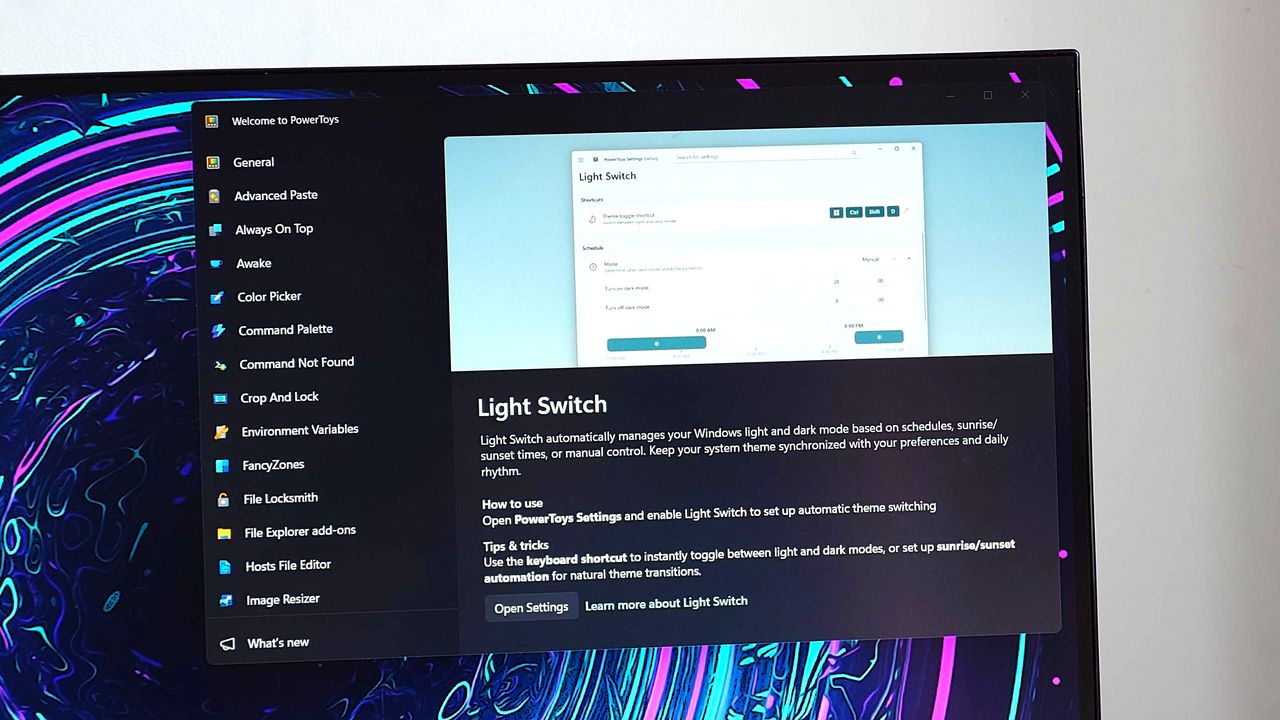
Microsoft recently updated PowerToys, its suite of tools designed to boost productivity, to version 0.95. The update includes a new feature called Light Switch.
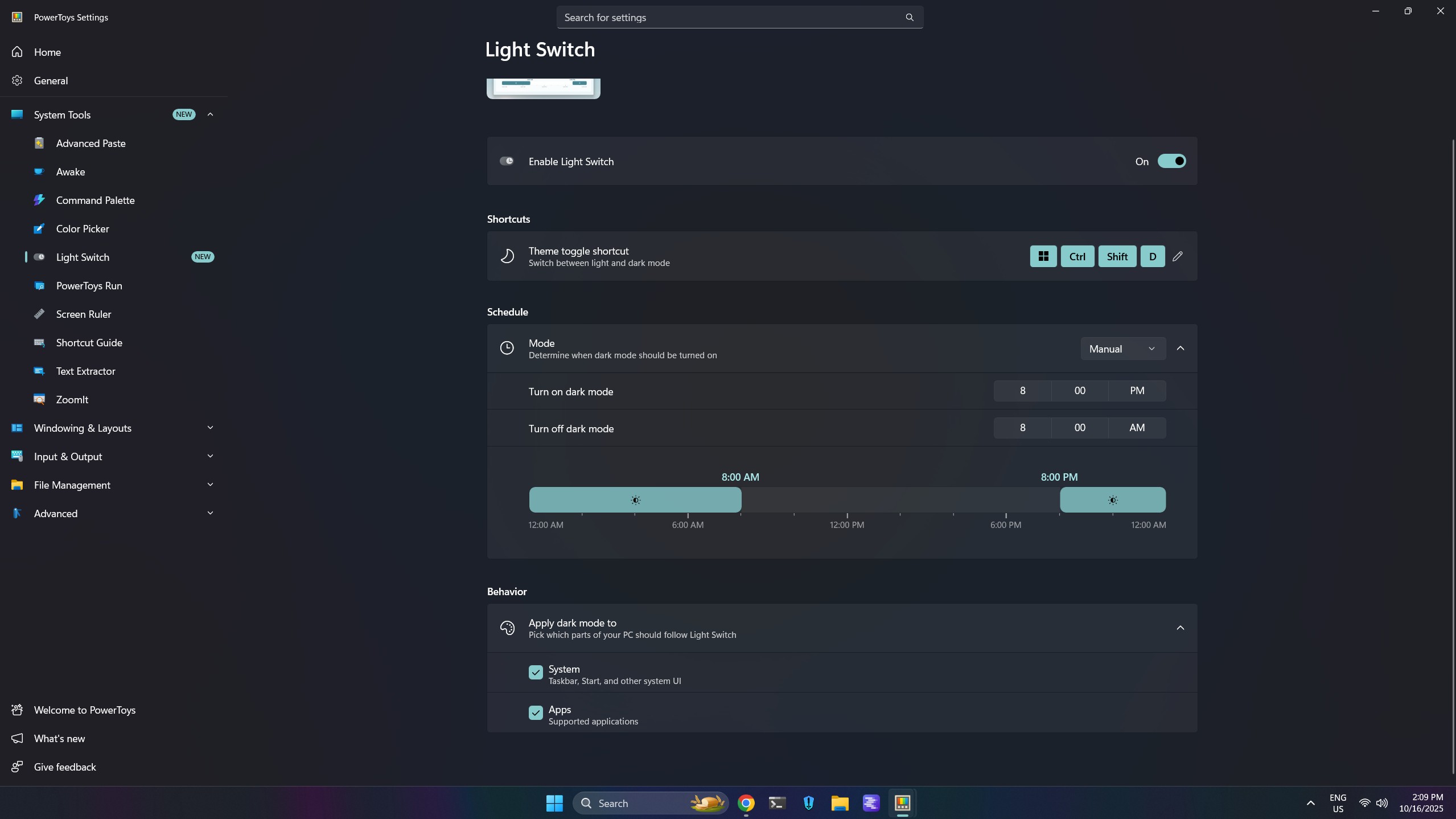
This feature lets you automatically switch between light and dark modes in Windows 11. You can set a schedule for the changes, or have them happen based on sunrise and sunset for your location. Plus, you can adjust the settings to personalize how it works.
This update includes many improvements, like a quicker Command Palette for faster searching. Microsoft explains that the new release features an improved search system that delivers results more quickly and accurately.
Other notable improvements to PowerToys’ Command Palette include:
- Removed ranking for fallback extensions (except Calculator and Run), so they now appear at the bottom of results.
- Fixed an issue where Command Palette was throwing a lot of exceptions during searches — especially when multiple extensions were installed. This was throttling performance quite a bit.
- Added logic to cancel previous searches when you type something new, so only your latest query is processed.
- Limited app results in the All Apps extension to a default of 10 (configurable to 0, 1, 5, or 10).
PowerToys’ Peek feature is now even easier to use! You can simply press the Space bar to launch it, and you won’t need to create a custom shortcut. Peek helps you quickly preview files without opening them, which can save you time and boost your productivity.
The latest update lets you make the “Find My Mouse” feature completely see-through. Just go to the Appearance settings and use the slider to adjust how transparent the cursor color is until it looks the way you want.
The newest update includes a significant upgrade to the shortcut conflict detection feature. Now, instead of just identifying conflicts, users can easily dismiss specific ones right from the conflict window.
Other notable changes, improvements, and fixes are as highlighted below:
- Mouse Pointer Crosshairs now lets you show only the horizontal line, vertical line, or both.
- Added support for Desired State Configuration (DSC) v3, so it’s easier to setup a new device with the same settings.
- Gliding Cursor can now be canceled with the Esc key.
- Added a Welsh layout with acute, grave, and dieresis variants for vowels in Quick Accent.
- ZoomIt now supports smooth image zooming.
The auto-switch feature for Microsoft PowerToys has been in development for over a month, and we previously previewed it. Now, it’s officially available for everyone to use.
This is a great improvement and will make Windows 11 much easier to use. Microsoft has also announced a significant update to dark mode, extending it consistently to areas like File Explorer and the Run command window.

Stay up-to-date with the latest news, insights, and features from Windows Central by following us on Google News!
Read More
- Everything You Need To Know About Nikki Baxter In Stranger Things’ Animated Spinoff
- The Boys Season 5, Episode 5 Ending Explained: Why Homelander Does THAT
- Miranda Kerr Shares “Quick” Procedure She Got Before Met Gala 2026
- After 11 Years, Black Clover Officially Ends With Final Release (& Crowns a New Wizard King)
- ‘The Bride!’ Review: Jessie Buckley Breathes Life into a Monstrous Mess
- Welcome to Demon School! Iruma-kun season 4 release schedule: When are new episodes on Crunchyroll?
- Sonic the Hedgehog Has Lowkey Become Hollywood’s Most Successful Franchise
- Leveling Up In RPGs Is Getting Outdated
- Halo Standalone Multiplayer Title “Project Ekur” is Being Co-Developed by Certain Affinity – Rumor
- “Masterpiece” horror film’s sequel starring Nicolas Cage gets major release update
2025-10-16 16:41